Hello, we apologize for the issue you are facing with saving the new keyword and meta description on your WordPress page. This can happen due to a few common reasons:
1. Plugin Conflicts
There may be conflicts with other plugins that prevent you from saving the SEO Title, Description, and Focus Keyword. You can troubleshoot this by following our guide on plugin conflicts.
2. JavaScript-Related Errors
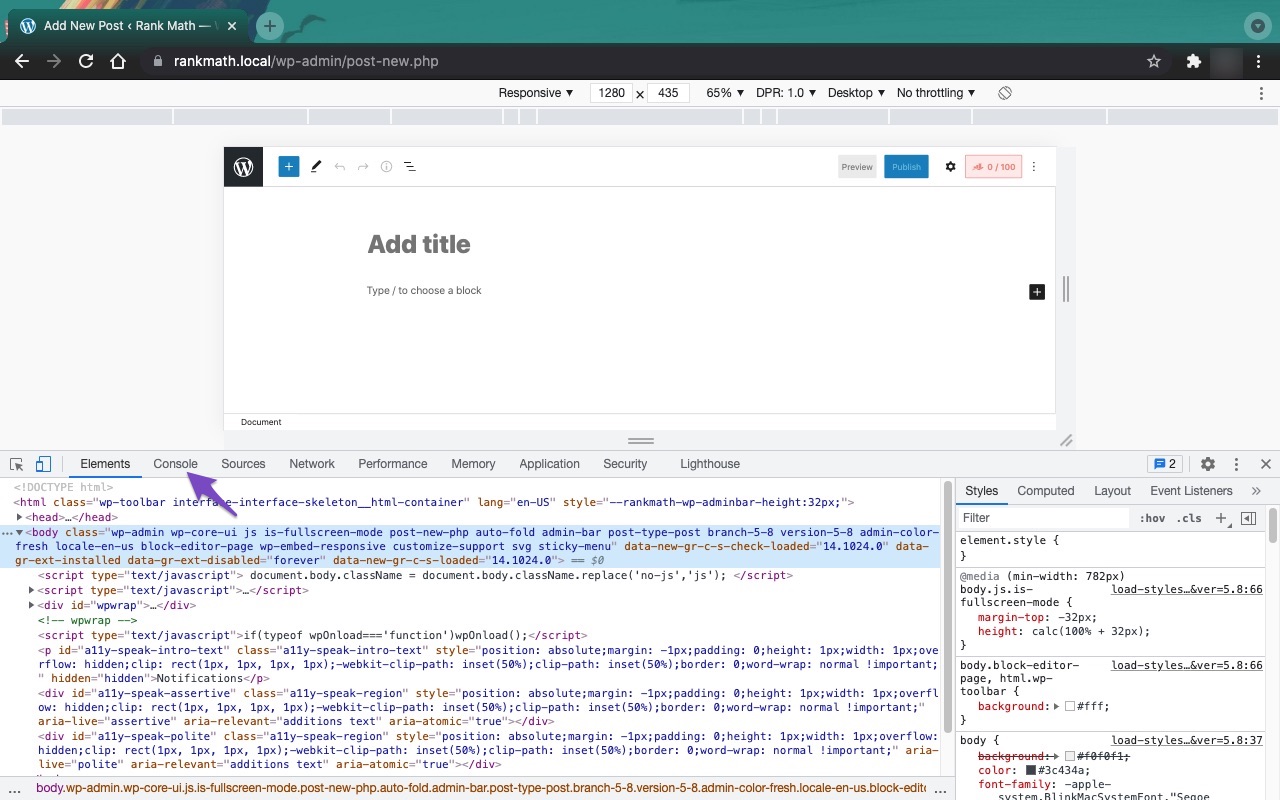
Another possible reason could be JavaScript-related errors. You can check for these errors using the JavaScript Console in your browser. Here’s how to do it in Chrome:
- Open the Developer Tools by navigating to More Tools → Developer Tools from the Chrome menu or by using the keyboard shortcut Ctrl + Shift + J (Windows) or Cmd + Option + J (Mac).

- Click on the Console tab to see if there are any errors.
3. Cloudflare Security Settings
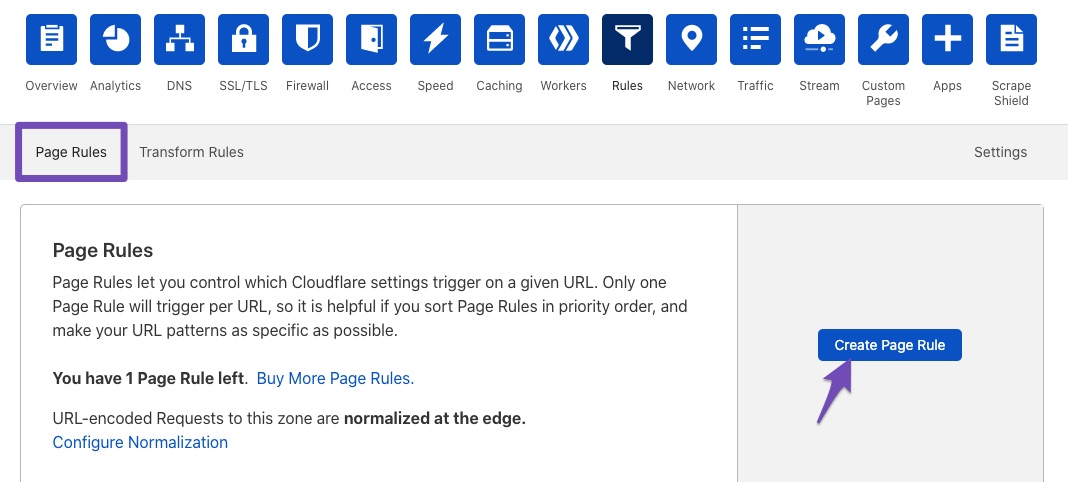
If you are using Cloudflare, it might be blocking certain requests. You can create page rules to whitelist Rank Math URLs. Here’s how:
- Go to the Rules tab in Cloudflare and click Create Page Rule.
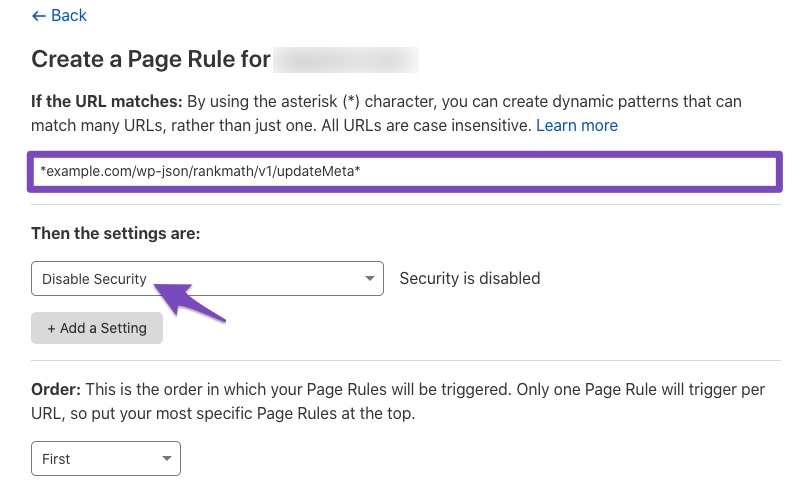
- Enter the following paths (replace
example.com with your domain):
*example.com/wp-json/rankmath/v1/updateMeta**example.com/wp-json/rankmath/v1/updateSchemas**example.com/wp-json/rankmath/v1/updateRedirection**example.com/wp-json/rankmath/v1/getFeaturedImageId**example.com/wp-json/rankmath/v1/getHead*
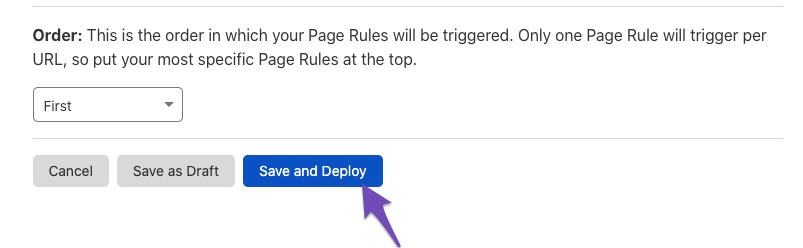
- Choose Disable security for these rules and save them.
If you have tried these steps and are still unable to save your changes, please reply to this ticket, and a human agent from the Rank Math Support team will assist you further.
Sources:
Why Your SEO Title, Description & Focus Keyword Aren’t Being Saved » Rank Math
This is an automated reply from Rank Math Support Bot. If you need further assistance, please reply to this topic and a human support agent will reply to you shortly.
Hello,
Since we did not hear back from you for 15 days, we are assuming that you found the solution. We are closing this support ticket.
If you still need assistance or any other help, please feel free to open a new support ticket, and we will be more than happy to assist.
Thank you.


