Hello,
I apologize for the inconvenience you are facing with the missing “Connect Google Services” button in WordPress. To connect Google Analytics to your free Rank Math SEO plugin, you can follow these steps:
-
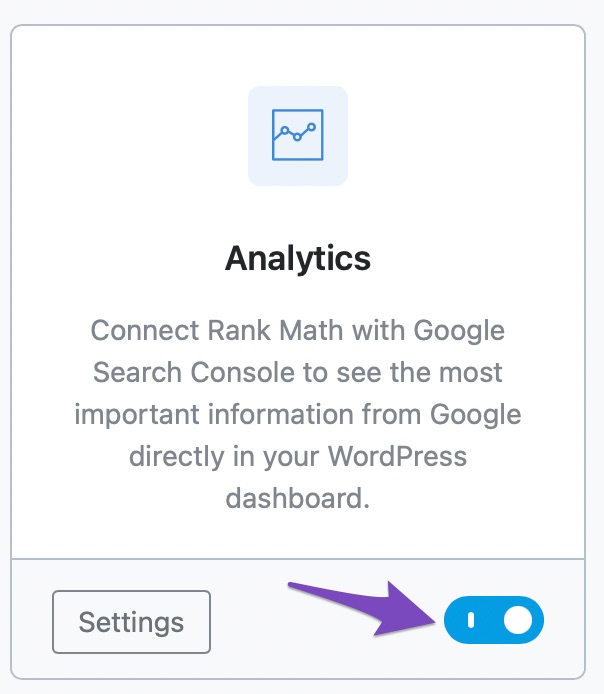
Enable the Analytics Module: Go to Rank Math SEO → Dashboard → Analytics inside your WordPress dashboard and enable the Analytics module.
-
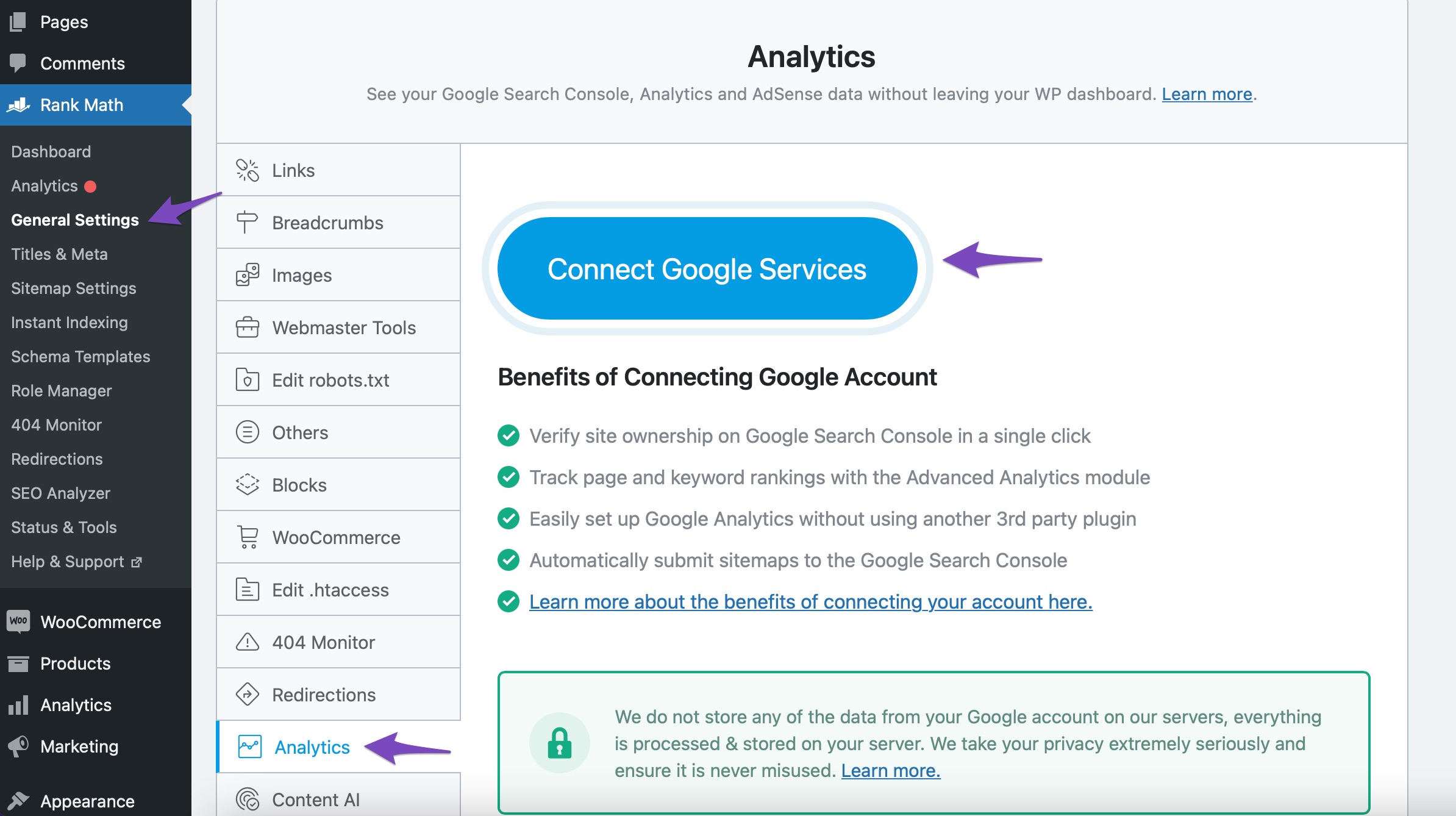
Connect Your Rank Math Account: Then, navigate to Rank Math SEO → Analytics → Connect Your Rank Math Account. Choose the email account you want to connect with Rank Math and grant all the necessary permissions by clicking on Allow.
If you encounter any further issues or need additional assistance, please feel free to reply here, and a human agent from the Rank Math Support team will assist you promptly.
Thank you for reaching out and giving us the opportunity to help you.
Sources:
How to Verify Your Website on Google » Rank Math
How to Connect Your Google Account With Rank Math SEO » Rank Math
How to Setup Rank Math SEO Plugin Properly
Google URL Inspection API Integration in Rank Math
Benefits of Creating a FREE Rank Math Account » Rank Math
Hello,
If the issue persists after following the steps above, please ensure that you are using the latest version of Rank Math plugin. If not yet, please do update them. You may refer to our changelog page here: https://rankmath.com/changelog/
Then, reconnect your Google account. Remove RankMath’s app from your Google apps permissions: https://myaccount.google.com/permissions
Lastly, head over to your WordPress Dashboard > Rank Math > General Settings > Analytics and reconnect the Google service and this time, ensure that all permissions are checked:


Let us know how that goes.
Hello,
Since we did not hear back from you for 15 days, we are assuming that you found the solution. We are closing this support ticket.
If you still need assistance or any other help, please feel free to open a new support ticket, and we will be more than happy to assist.
Thank you.



