
-
Hello,
My site site https://www.lovesyncup.com
has over 2,155 articles and more than 2500 keywords, but only 5 keywords are currently ranking
Overall Optimization
0
Good
0
Fair
0
Poor
2
No Data
2155

-
Hello,
Thank you for contacting Rank Math and bringing your concern to our attention. I’m sorry for any inconvenience this issue may have caused you.
For initial troubleshooting, please ensure that you’re using the latest version of Rank Math plugin on your site: https://rankmath.com/changelog/free
Then, follow the steps below to delete old analytics data and start a fresh import:

After rebuilding the analytics index of posts, go to Rank Math > General Settings > Analytics, and under “Analytics Database”, click “Update Data Manually”.
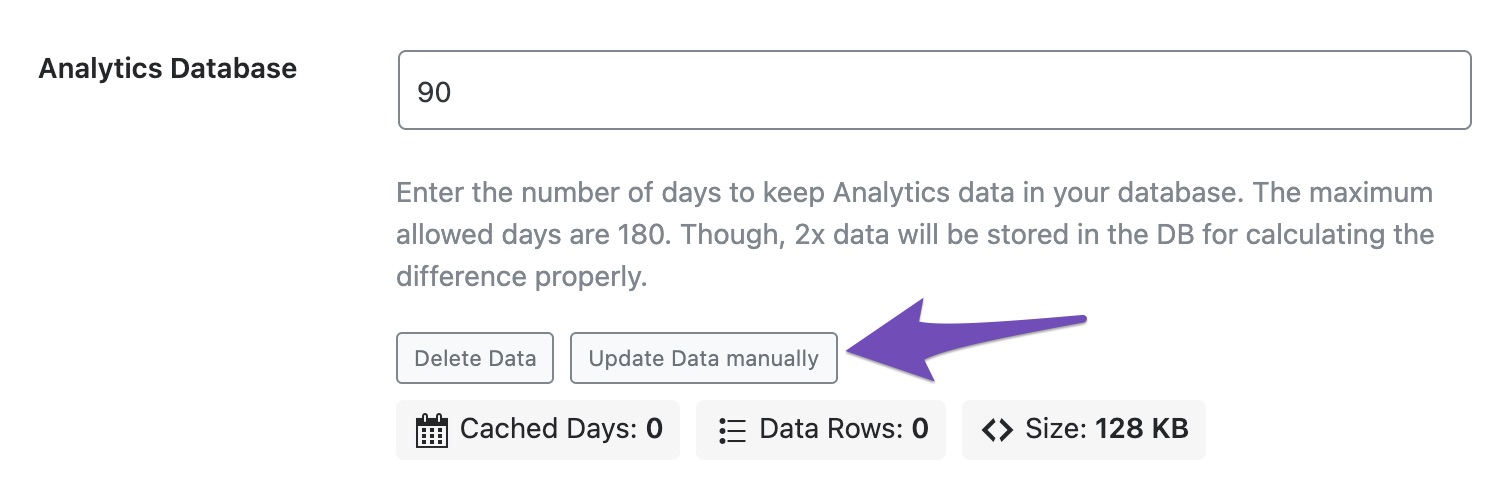
Your analytics data should be updated to the latest after that.
Let us know how this goes.
I made all the changes in the guide,
I also installed IndexNow API, Overall Optimization still 0.
Site Analytics 0
SEO Performance
Search Post URL30 Days
Search TrafficThis is the number of pageviews carried out by visitors from Google.
00Search ImpressionsHow many times your site showed up in the search results.
00Total KeywordsTotal number of keywords your site ranking below 100 position.
00Search ClicksHow many times your site was clicked on in the search results.
00CTRAverage click-through rate. Search clicks divided by search impressions.
00Avg. PositionAverage position of all the ranking keywords below 100 position.
00AdSenseThis is your total AdSense earning from the time period.
00Hello,
We might need to take a closer look at the settings. Please edit the first post on this ticket and include your WordPress logins in the designated Sensitive Data section.
Please do take a complete backup of your website before sharing the information with us.
It is completely secure and only our support staff has access to that section. If you want, you can use the below plugin to generate a temporary login URL to your website and share that with us instead:
https://wordpress.org/plugins/temporary-login-without-password/
You can use the above plugin in conjunction with the WP Security Audit Log to monitor what changes our staff might make on your website (if any):
https://wordpress.org/plugins/wp-security-audit-log/
We really look forward to helping you.
I edit the first post
Hello,
If you want to share access to your site’s dashboard area with us you have to enter the credentials in the Sensitve Data section.
We look forward to helping you resolve this issue.
Thanks.
“Please edit the first post on this ticket and include your WordPress logins in the designated Sensitive Data section.”
this is what i did.Hello,
Unfortunately, we are not able to see any data in the sensitive data section. Please edit the post again and include your website logins in the sensitive data section so that we can check the issue further for you.
Looking forward to helping you.
Thank you.
Hello,
I have updated the sensitive data as requested. Can you please check further?
Thank you.
Please check now
Hello,
We logged in to your site using the details provided in the sensitive data section.
We manually updated the SEO score and the analytics data and updated data has started appearing in your Analytics Dashboard as shown below:

We hope this helps and please don’t hesitate to let us know if you have any other questions.
Thank you.
I see I a big improvement,
Could you please check why on the Rank Tracker I have more than 2000 keywords , and none of them is ranked?
Thank you very much for your support🙏Hello,
The Rank Tracker feature is only available using Rank Math PRO but the account you have used to open this ticket is the Rank Math free version.
Can you please search and forward a receipt from FastSpring.com or the email address you used to purchase so we can locate your account and verify it?
Looking forward to helping you.
I am waiting for a reply from the person who set up the site for me
Hello,
You seemed to have marked this ticket as resolved.
Do you still need our assistance with this issue or with anything else?
We really look forward to helping you.
Thank you.


You must be logged in to reply to this ticket.