Hello,
I understand that indexing issues can have a significant impact on your website’s search visibility. To diagnose and solve indexing problems on your site using Rank Math, you can follow these steps:
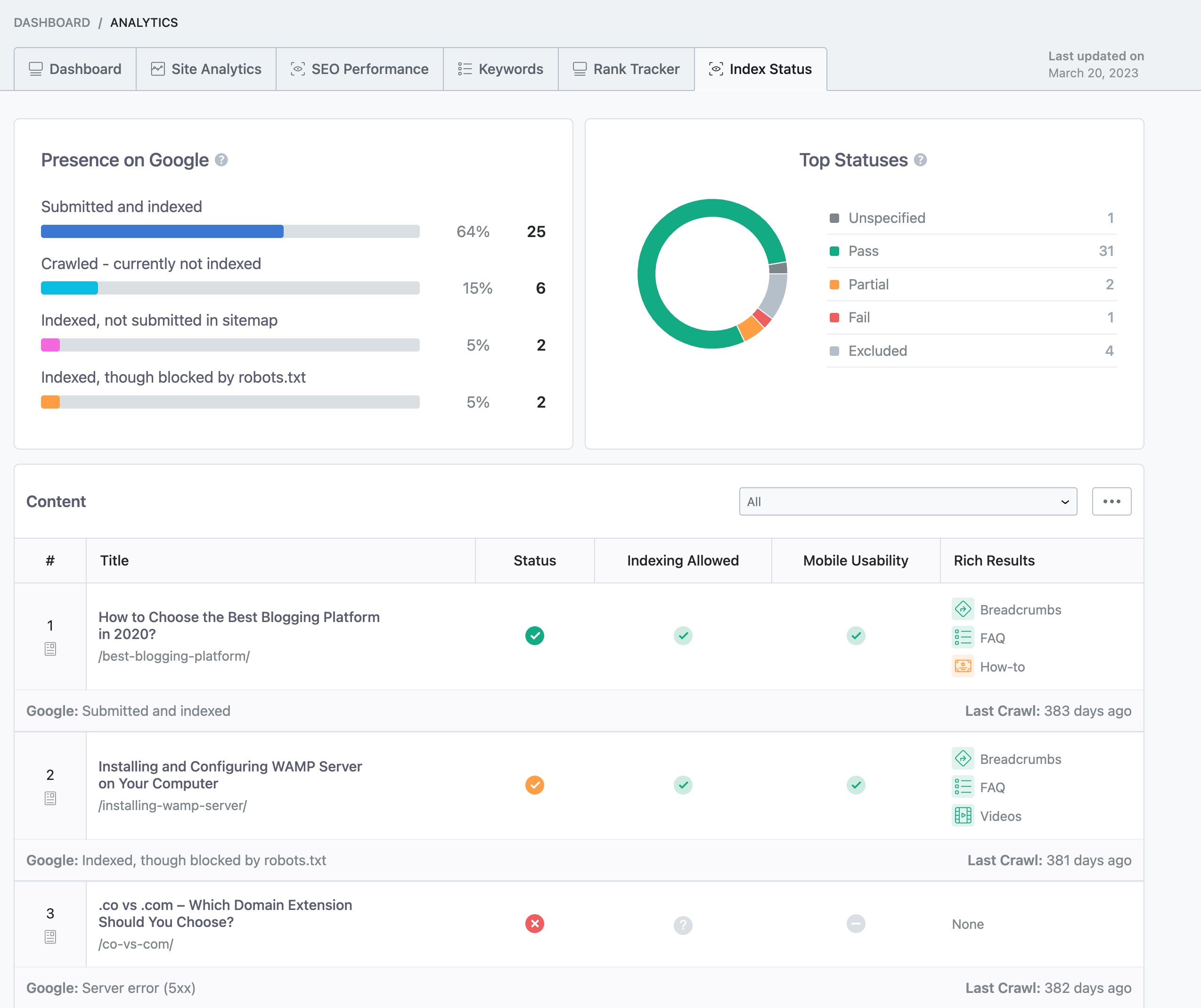
- Monitor Your Site’s Indexation Status: Utilize tools like Google Search Console or Rank Math’s Index Status report to identify any indexing issues. In Rank Math, navigate to Rank Math SEO → Analytics → Index Status to check the real data/status of your pages and their presence on Google.
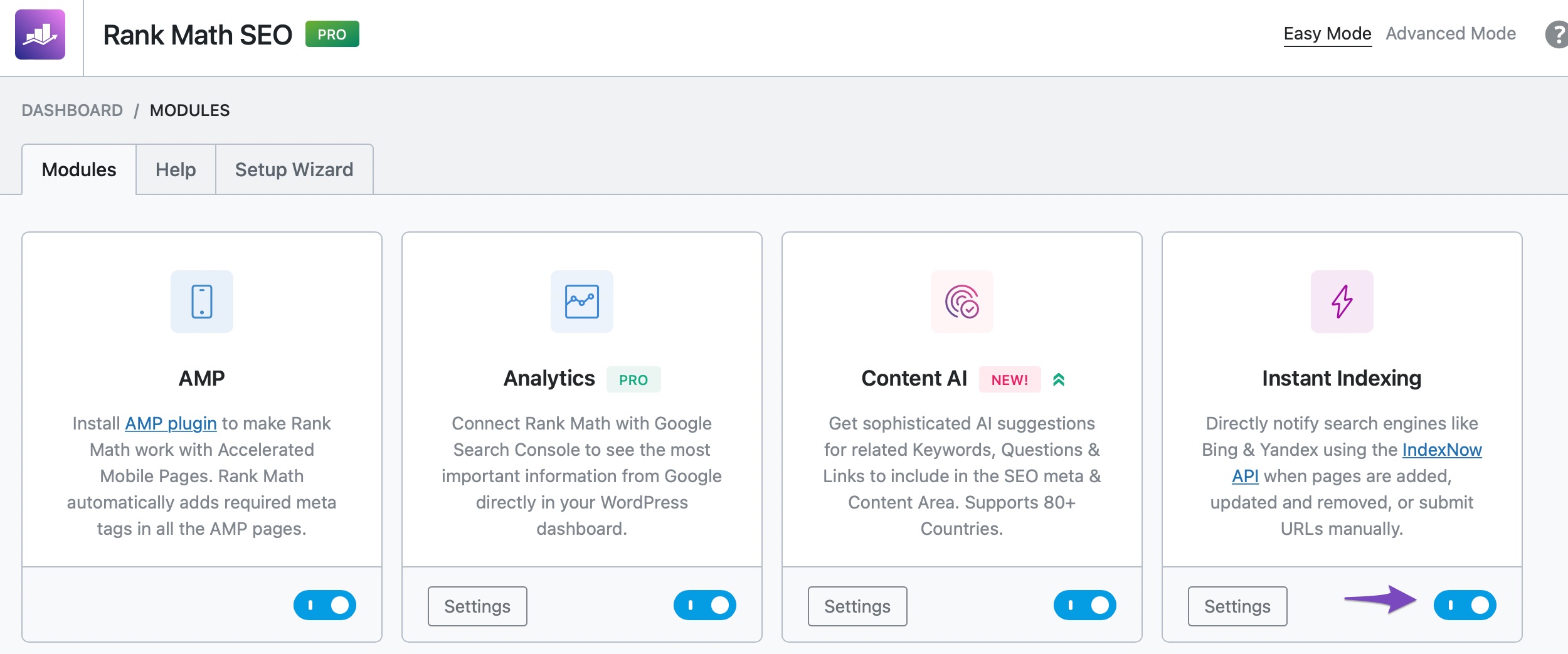
- Instant Indexing Feature: If your pages are not getting indexed, you can use Rank Math’s Instant Indexing feature to inform search engines to index your pages instantly. Enable the Instant Indexing module in Rank Math SEO settings and submit the pages you wish to index.
-
Check for Content Duplication: Content duplication can hinder indexing. Ensure there is no duplicate content on your website. If found, add canonical URLs pointing to the original content you want to index.
-
Be Patient with New Websites: If your website is new, it may take time for Google to index all pages. Use Rank Math’s Instant Indexing feature to expedite the process.
-
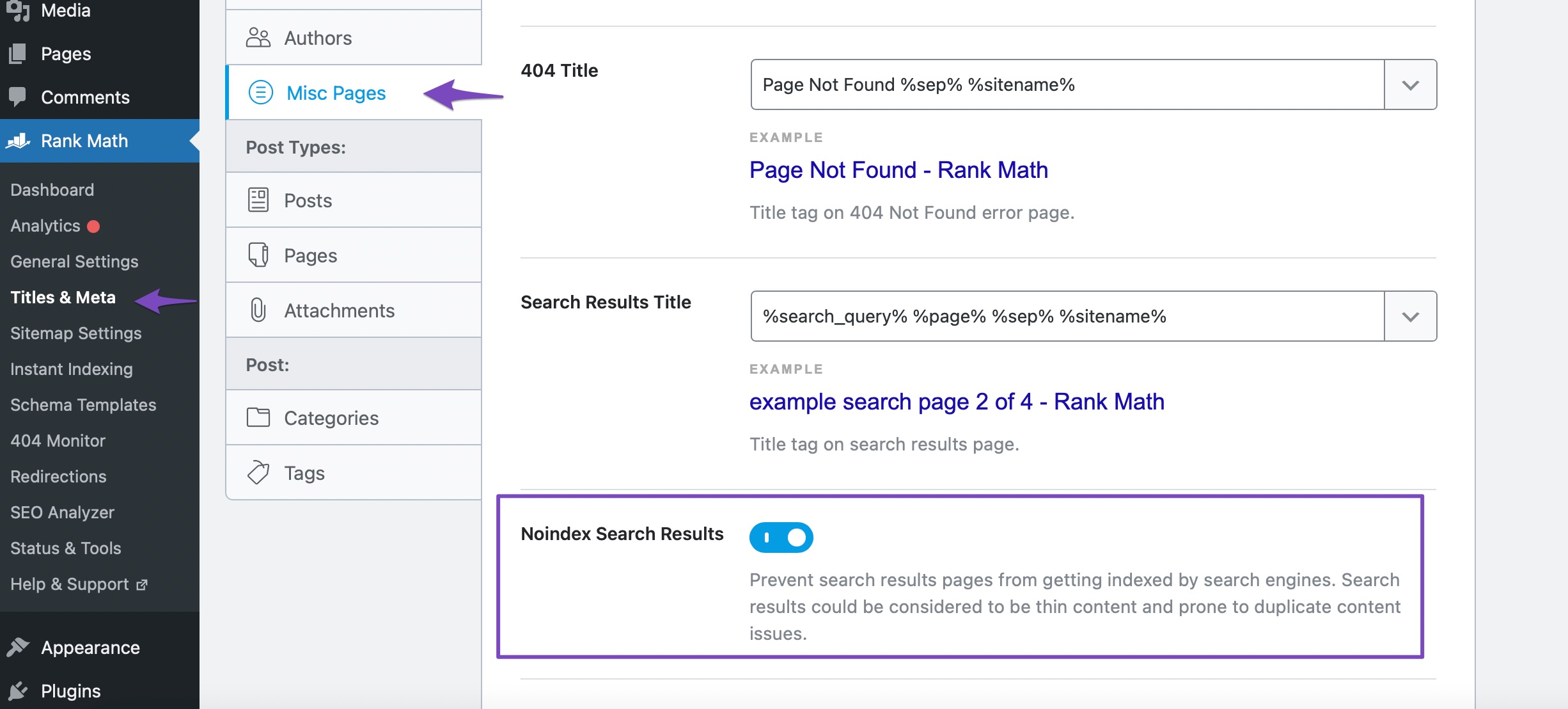
Avoid Internal Site Search Spam: Disable indexing of search result pages to prevent internal site search spam. Navigate to Rank Math SEO → Titles & Meta → Misc Pages and enable the Noindex Search Results option.
By following these steps and best practices, you can ensure that your content gets indexed quickly and accurately. If you encounter any specific indexing issues or need further assistance, feel free to reach out to our dedicated support team at Rank Math Support.
I hope this information helps you address the indexing issues on snapetubeapp.com effectively. If you have any more questions or need additional assistance, please let us know.
Have a great day!
Sources:
Discovered – Currently Not Indexed in Google Search Console » Rank Math
Why Did My Website Disappear From Google Search? » Rank Math
Solving Redirection Issues Using Rank Math SEO Plugin » Rank Math
How to Fix "Crawled – Currently Not Indexed" Error in Google Search Console » Rank Math
Is Your Site the Victim of Internal Site Search Spam? » Rank Math
This is an automated reply from Rank Math Support Bot. If you need further assistance, please reply to this topic and a human support agent will reply to you shortly.
Hello,
Since we did not hear back from you for 15 days, we are assuming that you found the solution. We are closing this support ticket.
If you still need assistance or any other help, please feel free to open a new support ticket, and we will be more than happy to assist.
Thank you.


