Hello,
We apologize for the issue you are facing with your SEO settings. Unfortunately, we cannot directly check images or access external links. However, if you are experiencing issues with Open Graph images not displaying correctly, there are a few steps you can take:
-
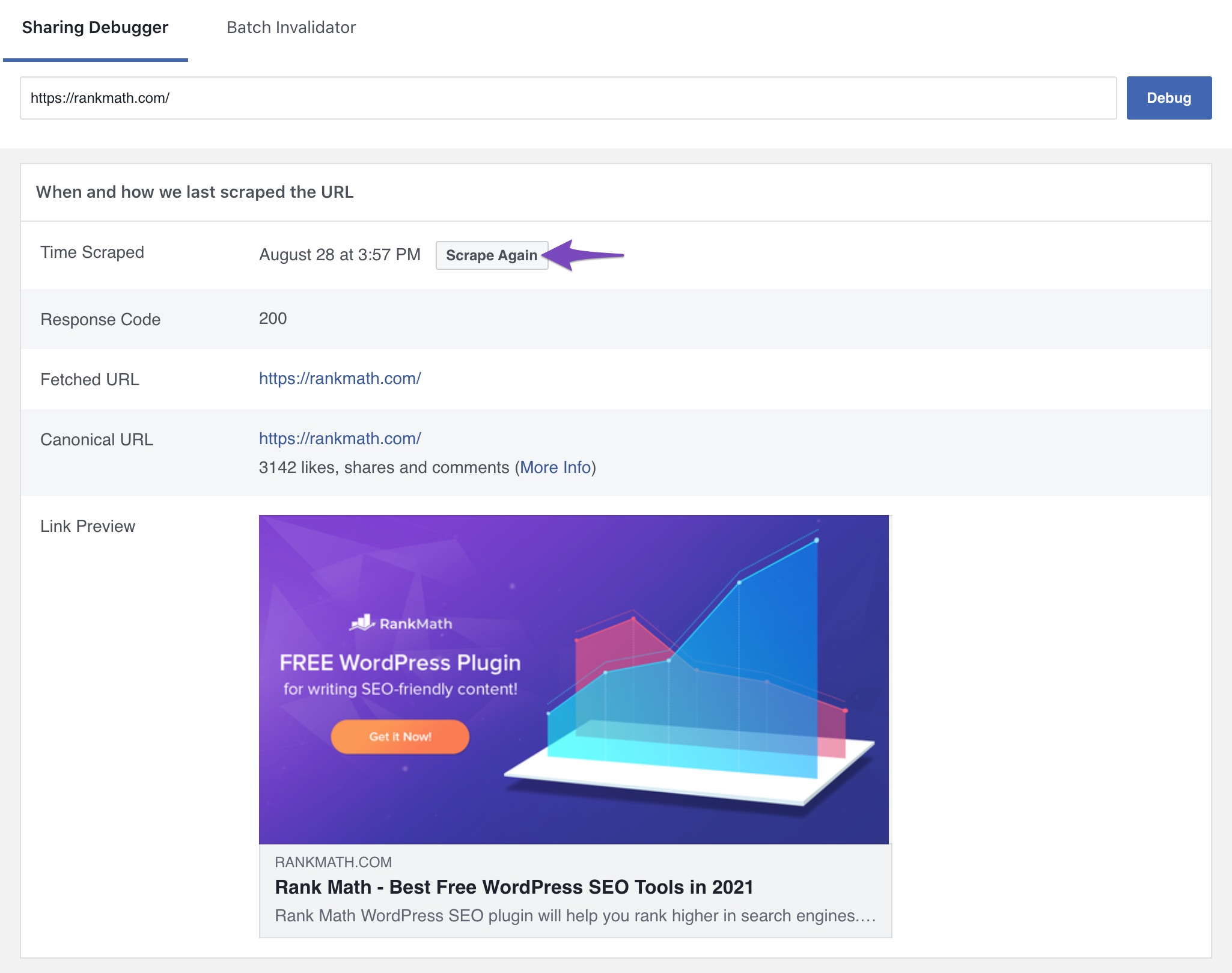
Check the og:image Tag: Ensure that the og:image tag is present in the source code of your website. You can use tools like the Facebook Sharing Debugger to see if the tags are being recognized.
-
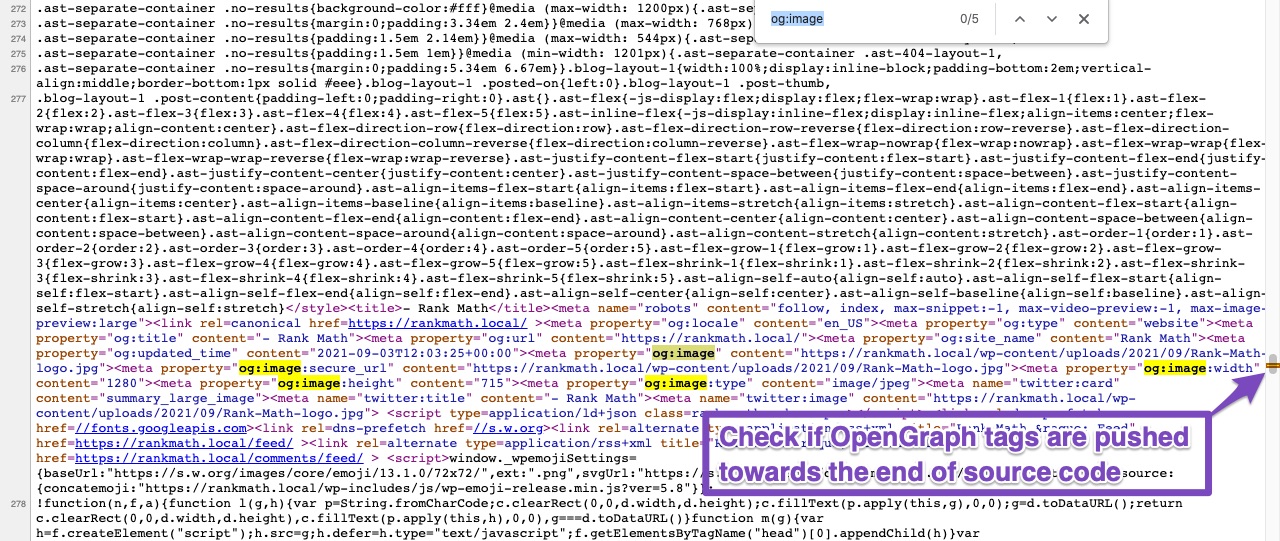
Minification and Caching: If you are using minification on your website, it might push the Open Graph tags down in the source code. Make sure that your inline CSS is moved to a file. Additionally, check if your caching plugin is affecting the output of these tags.
-
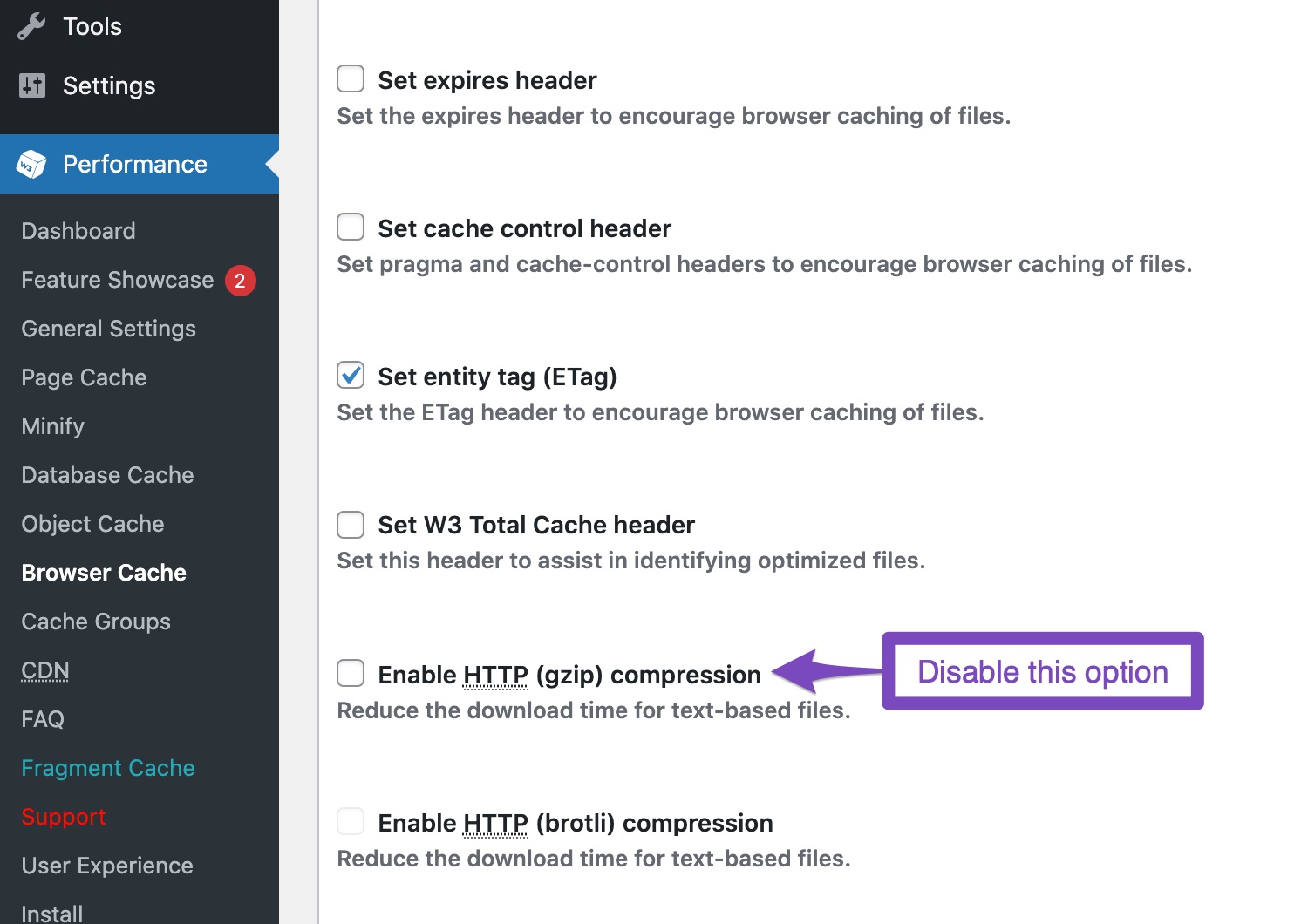
Disable Gzip Compression: If you have gzip compression enabled in your caching plugin, try disabling it as it may interfere with Facebook’s Open Graph detection.
-
Clear Cache: After making changes, clear your website and server cache (including any CDN like Cloudflare) and then test again using the Facebook Sharing Debugger.
If these steps do not resolve your issue, please reply to this ticket, and a human agent from the Rank Math Support team will assist you further. Thank you for raising this concern!
Sources:
Open Graph/Social Preview Image Is Not Displayed » Rank Math
Hello,
Thank you for contacting us and sorry for any inconvenience that might have been caused due to that.
Unfortunately, we’re not able to find any images on this ticket. You can use any image-sharing tool like https://imgur.com/upload to share the images with us.
However, it looks like you’re currently using the Squirrly SEO plugin. Please reinstall the Rank Math plugin on your website and share some more details about the issue you’re facing so that we can check this further for you.
Looking forward to helping you.
Thank you.
Hello,
Since we did not hear back from you for 15 days, we are assuming that you found the solution. We are closing this support ticket.
If you still need assistance or any other help, please feel free to open a new support ticket, and we will be more than happy to assist.
Thank you.




