Hello, we apologize for the issue you are facing with editing your robots.txt file. There are several common reasons why you might not be able to edit it:
-
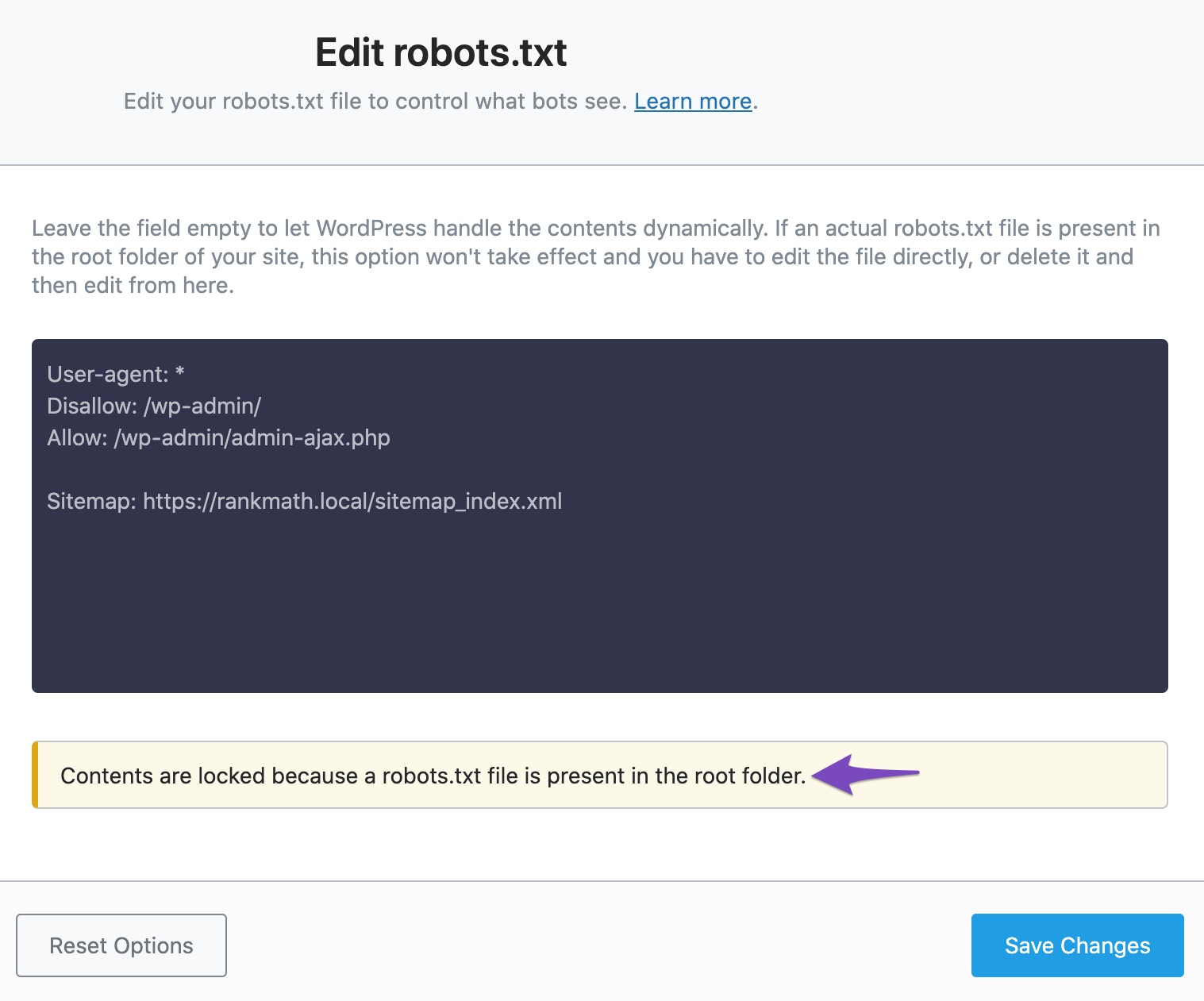
Presence of a Physical File: If there is a physical robots.txt file in the root folder of your website, Rank Math may not allow you to edit it. You can remove this file via FTP or cPanel File Manager and then try to edit the robots.txt file through Rank Math.
-
Other Plugin Creates Robots.txt: If another plugin is creating the robots.txt file, you will not be able to edit it with Rank Math. You can find and disable the plugin that is creating the file to resolve this issue.
-
Permission Issue on the Web Server: If there are permission issues on your web server, you may need to contact your web host for assistance.
-
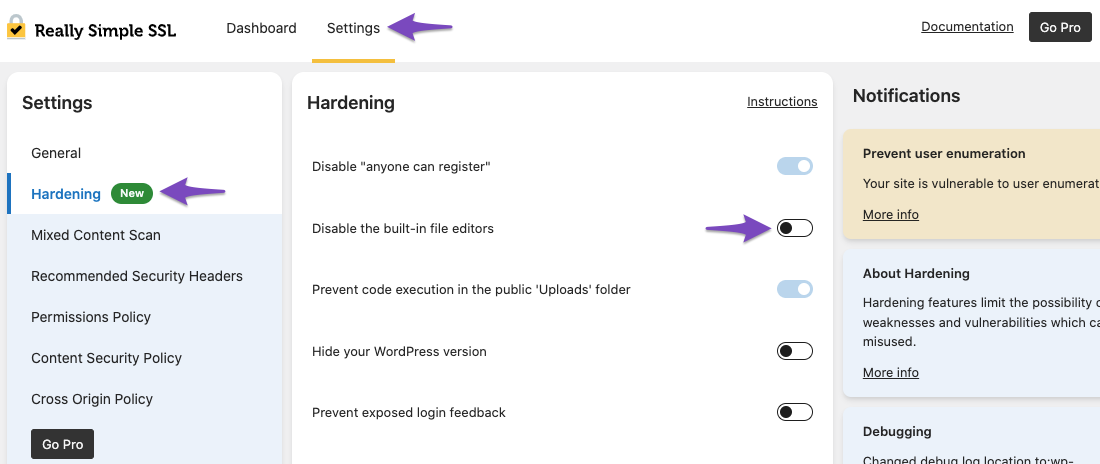
File Editing Disabled: Ensure that the DISALLOW_FILE_EDIT constant in your wp-config.php file is set to false. Additionally, check if any security plugins (like Really Simple SSL) are disabling built-in editors and adjust their settings accordingly.
If you continue to experience issues, please reply to this ticket, and a human agent from the Rank Math Support team will assist you further.
Sources:
I Can’t Edit My Website’s Robots.txt » Rank Math
Analyzing Your Site’s SEO with Rank Math’s SEO Analysis Tool
please more guide edit file on option
Hello,
It seems like you’ve marked this ticket as resolved.
Can you please confirm if you still need our assistance with this issue or anything else?
Looking forward to hearing back from you.
Thank you.



