Hello,
Thank you for contacting Rank Math and bringing your concern to our attention. I’m sorry for any inconvenience this issue may have caused you.
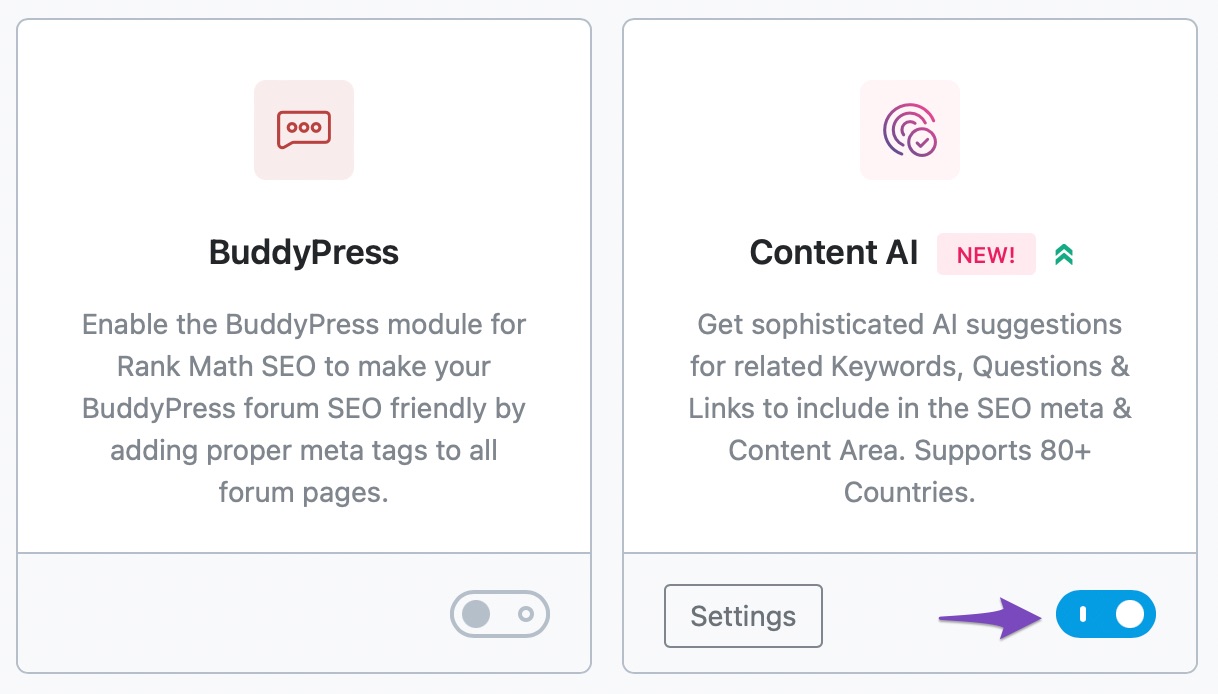
You can disable Rank Math’s Content AI feature by disabling its module in Rank Math > Dashboard
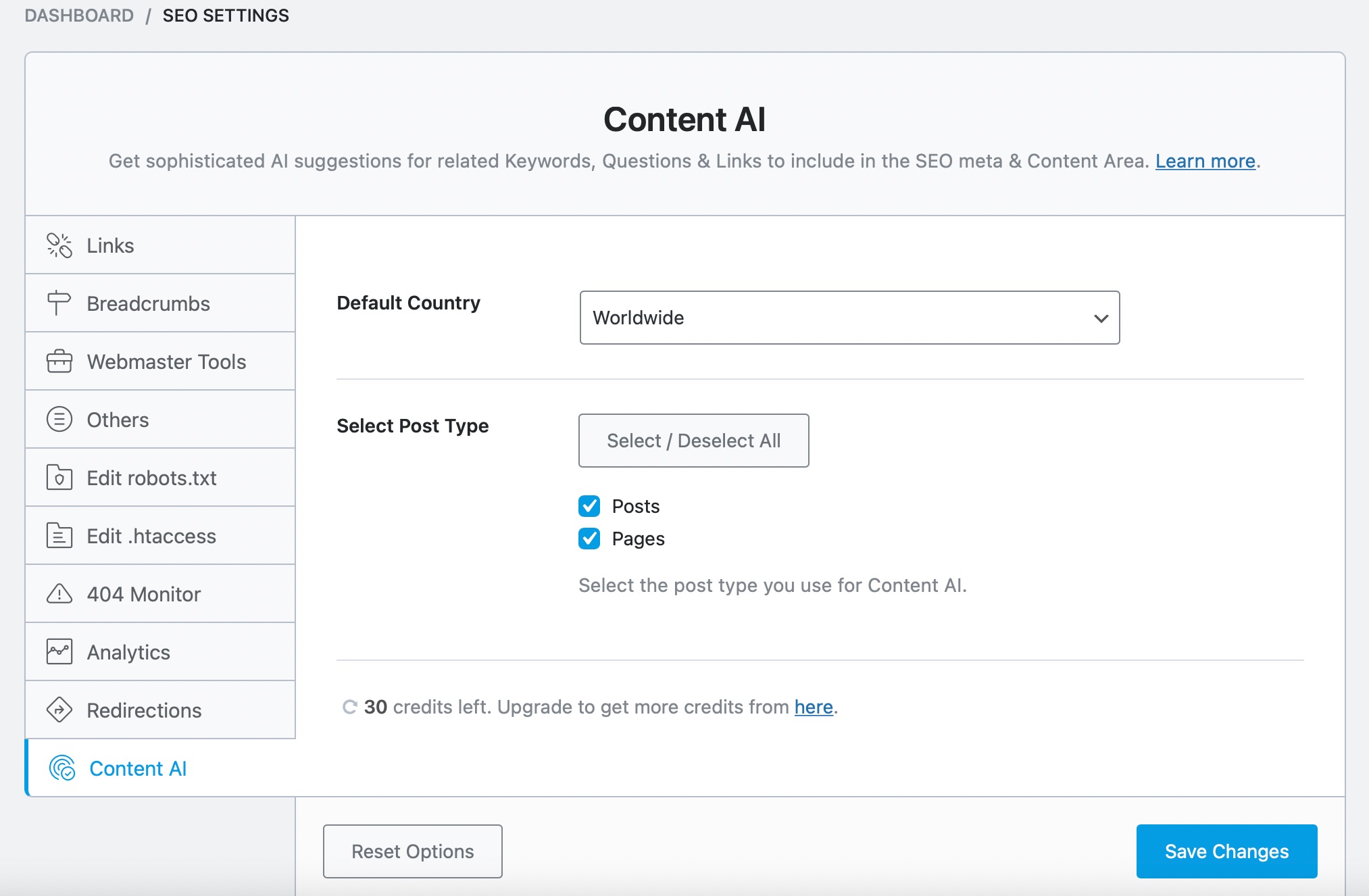
If you wanted to just disable it per post type, then you can exclude the post type in Rank Math > General Settings > Content AI > Select Post Type
Hope that helps.
Thank you.
I already have Content AI disabled as I stated in my original question. However when optimizing a post the content AI is still showing as a red x within the rank math score. I am unable to fully optimize any post above 85/100 because of this setting.
Within the rank math tab > additional settings > X Use Content AI to optimise the Post.
How can I remove this so that I can get my posts to a 100/100 score?
Hello,
Thank you for that clarification.
To remove the usage of Content AI from the Rank Math analysis test, please add this filter on your site:
/**
 * Filter to disable Content AI test.
 */
add_filter('rank_math/researches/tests', function ($tests, $type) {
	unset($tests['hasContentAI']);
	return $tests;
}, 10, 2);
And here’s a guide to adding the code to the website:
https://rankmath.com/kb/wordpress-hooks-actions-filters/
Hope that helps.
Thank you.
Hello,
Since we did not hear back from you for 15 days, we are assuming that you found the solution. We are closing this support ticket.
If you still need assistance or any other help, please feel free to open a new support ticket, and we will be more than happy to assist.
Thank you.



