Hello,
I’m sorry to hear that you are facing difficulties adding redirections to your URLs. Thank you for providing the specific URLs you want to redirect. To create a redirection from "https://rankmath.com/wp-content/uploads/2022/06/Add-new-redirection.png" to "https://rankmath.com/wp-content/uploads/2022/06/Add-new-redirection.png", you can follow these steps:
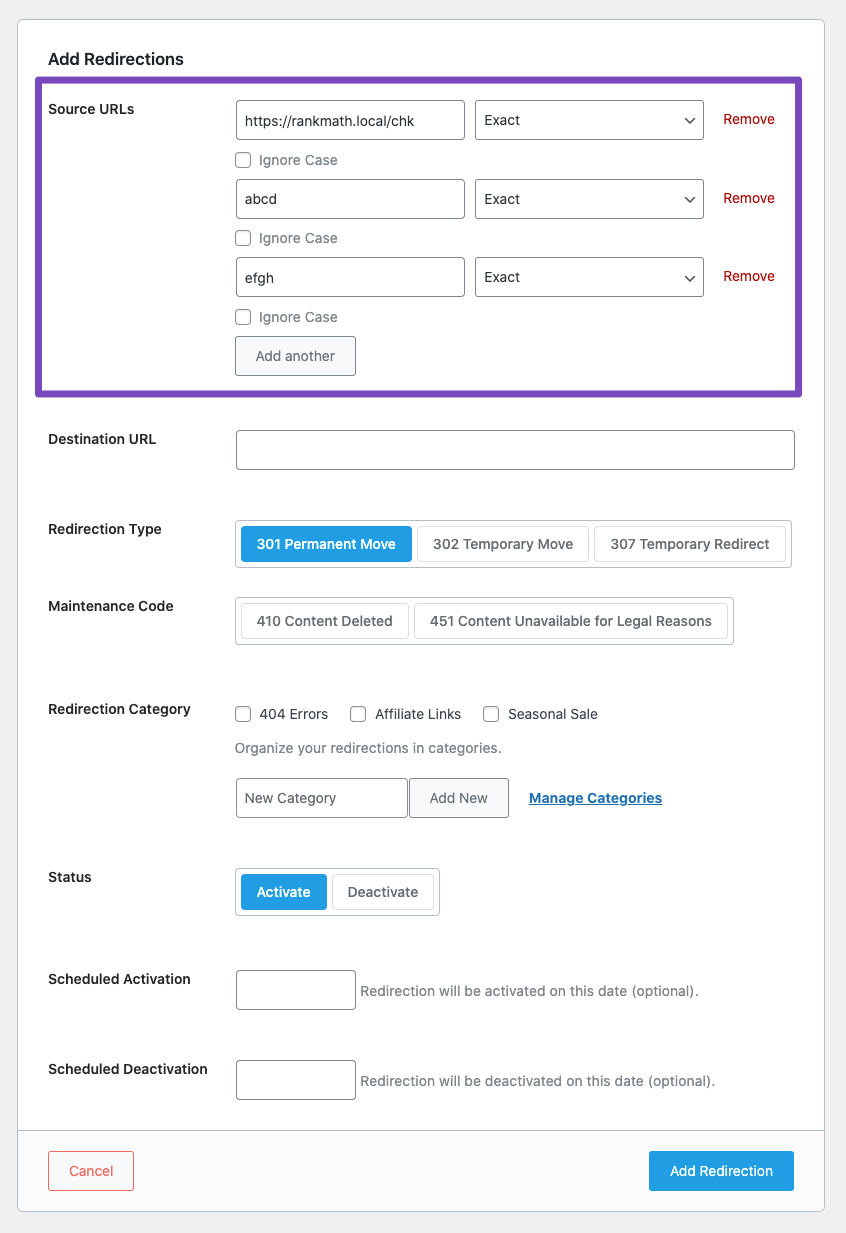
- Navigate to Rank Math SEO → Redirections from your WordPress dashboard.
- Click on the Add New button.
- In the Source URLs field, enter "/blogs/".
- In the Destination URL field, enter "https://rankmath.com/wp-content/uploads/2022/06/Add-new-redirection.png".
- Choose the appropriate Redirection Type (301 Permanent Redirect is recommended).
- Click on the Add Redirection button to create your redirection.
If you encounter any issues while following these steps, please let us know so we can assist you further.
Your patience and cooperation are greatly appreciated. Thank you for reaching out to us.
Sources:
How to Create a Redirection » Rank Math
How to Import Redirects to Rank Math SEO » Rank Math
Why Are Posts Redirecting to www or Non-www Incorrectly?
How to Set Up Redirections » Rank Math
Hello,
Thank you for contacting Rank Math support.
Please navigate to Rank Math > Redirection > Add new and add the following then click Add Redirection:
Source URLs: /blogs/
Mode: Exact
Destination URL: /canada-immigration-blogs/
Redirection Type: 301 Permanent Move
After adding the redirection, try visiting https://blueirisimmigration.ca/blogs/ and let us know if the redirection is working or not.
Thank you for choosing Rank Math
no it does not work
still shows the old page
Hello,
To investigate this issue further, we might need to take a closer look at your website and settings. Please follow these steps:
- Edit the first post on this ticket and include your WordPress and FTP logins in the Sensitive Data section. This is a secure section that only our support staff can access.

- Make sure you take a complete backup of your website before sharing the information with us.
- If you prefer, you can use this plugin to generate a temporary login URL to your website and share that with us instead: https://wordpress.org/plugins/temporary-login-without-password/
- You can also use this plugin to monitor what changes our staff might make on your website (if any): https://wordpress.org/plugins/wp-security-audit-log/
We appreciate your cooperation and patience.
Thank you for choosing Rank Math.
Hello,
I have updated the sensitive data as requested. Can you please check further?
Thank you.
Hello,
We looked into your error logs and found, WordPress database error Duplicate entry '0' for key 'PRIMARY' for query INSERT INTO .........
This means the database table is failing to create an auto-incremented PRIMARY KEY value from the preceding one when inserting a new value into the rank_math’s redirections table.
To be able to fix this, we will require you to make a complete backup of your database, and after this, install the PHPMyadmin to access your website’s database.
Let us know, so we may go on and apply the fix.
If you would like to try the fix that we intend to apply on your site yourself, you may follow this guide at https://www.newzealandgoonline.co.nz/how-to-fix-wordpress-database-error-duplicate-entry-0-for-key-primary-for-query-insert-into-wp_usermeta/, from a user who had a related issue, but you will edit the id column of {$wpdb->prefix}rank_math_redirections table instead.
Looking forward to helping you.
Hello,
I have updated the sensitive data as requested. Can you please check further?
Thank you.
Hello,
You have removed access to your website so we’re unable to access your WordPress dashboard. But to implement this yourself, yes wp_rank_math_redirections would be the correct table if your wp prefix is wp_.
Don’t hesitate to let us know if you need help with anything else.
Thank you so much for your assistance. its fixed now.
Hello,
We are glad to know that this issue has been resolved. Thank you for letting us know.
This ticket will be closed now, but you can always open a new one if you have any other questions or concerns. We are here to help you with anything related to Rank Math.
We appreciate your patience and cooperation throughout this process.
Thank you for choosing Rank Math.