Hello,
We apologize for the issue you are facing with Rank Math not counting the images from your gallery correctly in the sitemap. Thank you for raising this concern.
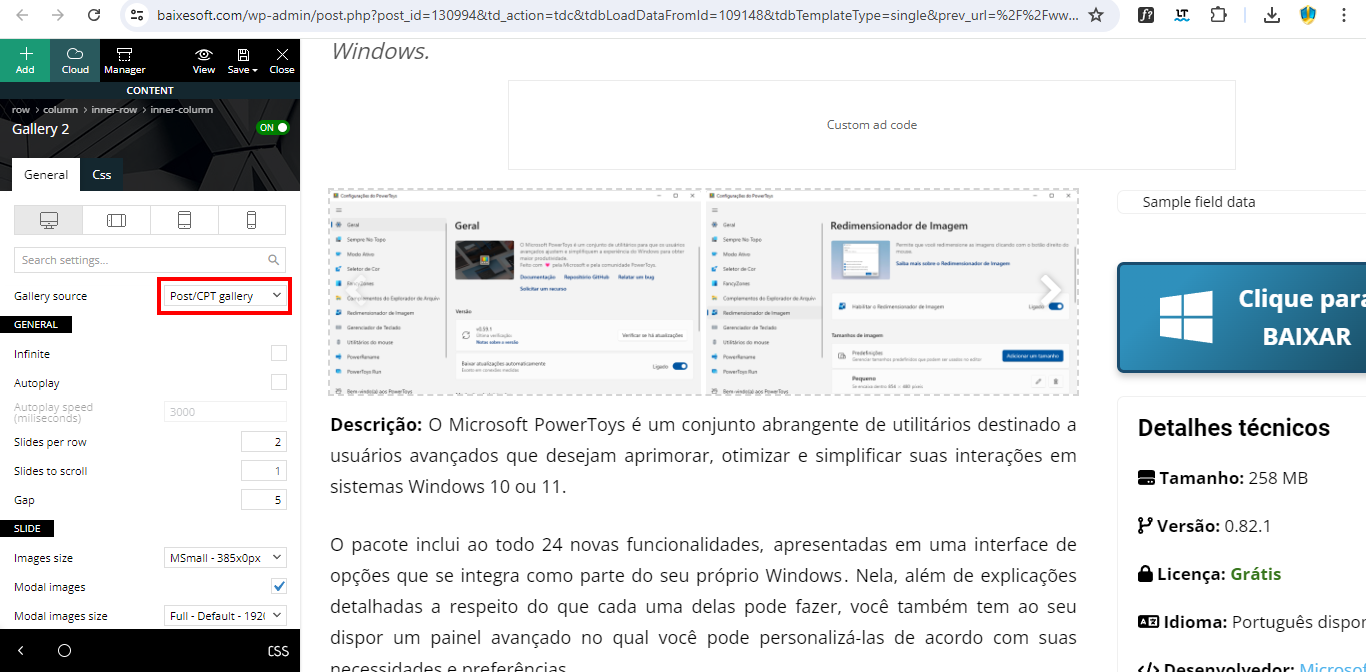
To include images from custom fields, you can add the names of those custom fields to the Image Custom Fields section in Rank Math. However, it seems you’ve already tried adding POST/CPT gallery and tdb_gallery_2 without success.
Here are a few steps you can take to troubleshoot and potentially resolve this issue:
-
Check Custom Field Names: Ensure that the custom field names you are using are correct. You can verify this by checking the source code of your post or using a plugin that displays custom fields.
-
Add Custom Fields in Rank Math: Go to Rank Math SEO → Sitemap Settings → Image Custom Fields and ensure that each custom field name is added on a new line. This will help Rank Math recognize and include those images in the sitemap.

-
Check Theme Compatibility: Since you are using the Newspaper theme, ensure that it is compatible with Rank Math and that there are no conflicts. Sometimes, themes may handle galleries differently, which can affect how images are recognized.
-
Custom Code: If the above steps do not resolve the issue, you might consider adding a filter in your theme’s functions.php file to customize how images are included in the sitemap. However, specific code for this would depend on how your gallery is implemented, and we recommend consulting with a developer if you’re unsure.
If these suggestions do not resolve the issue, please reply to this ticket, and a human agent from the Rank Math Support team will assist you further.
Thank you for your understanding, and we hope to help you get this sorted out soon!
Sources:
How to Configure Sitemaps in Rank Math – Best Settings and Tips
Hello,
Thank you for contacting us and sorry for any inconvenience that might have been caused due to that.
Can you please try to follow the steps below and see if that works for you?
1. Flush the Sitemap cache by following this video screencast:
https://i.rankmath.com/pipRDp
2. Exclude the Sitemap files of the Rank Math plugin in your caching plugin. The cache could be via a plugin or from the server. For plugins or Cloudflare, please follow this article:
https://rankmath.com/kb/exclude-sitemaps-from-caching/
3. If the above steps don’t seem to work, kindly apply the following filter to your site.
add_filter( 'rank_math/sitemap/enable_caching', '__return_false');
Here’s how you can add filter/hook to your WordPress site:
https://rankmath.com/kb/wordpress-hooks-actions-filters/
Let us know how it goes. Looking forward to helping you.
Thank you.
I having no issues with cache with my sitemap. Also, every time I try any config, I recreate the sitemap.
Sorry, but you do not attend the issue with your message.
Hello,
We checked the images Rank Math referenced in the sitemap and found they are the images in the main content area of the page:

It’s important to know that Rank Math only includes images that are in the main content area of your page. Also, the background images will not be included as they are added using CSS, not as an actual image to the content, and search engines also don’t consider them.
Hope that helps, and please do not hesitate to let us know if you need our assistance with anything else.
Hello,
Since we did not hear back from you for 15 days, we are assuming that you found the solution. We are closing this support ticket.
If you still need assistance or any other help, please feel free to open a new support ticket, and we will be more than happy to assist.
Thank you.