Hello,
We apologize for the issue you are facing with the Rank Tracker. If you are unable to add keywords and have already checked your caching plugin, there are a few additional steps you can take:
-
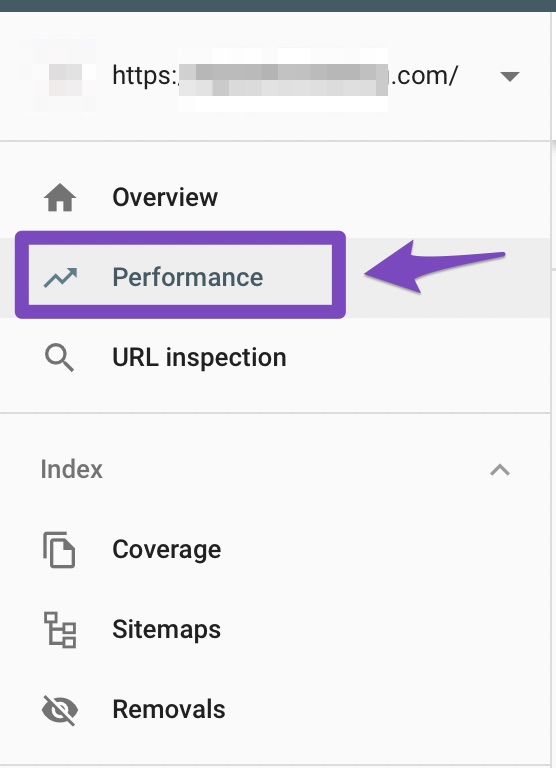
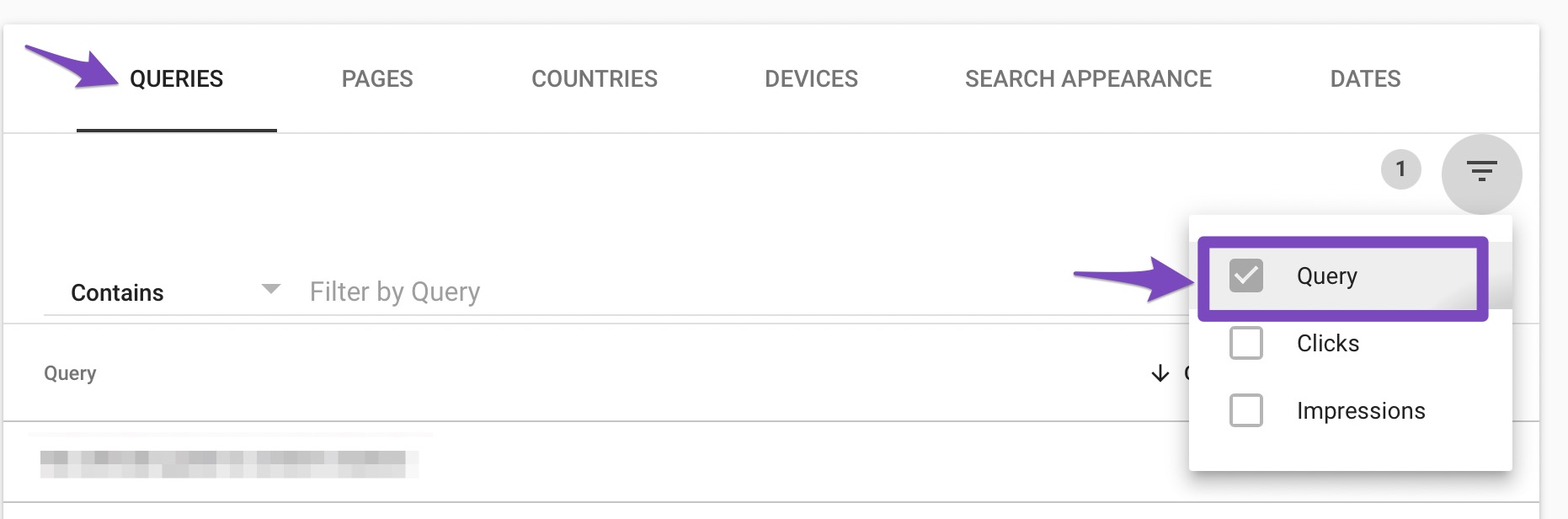
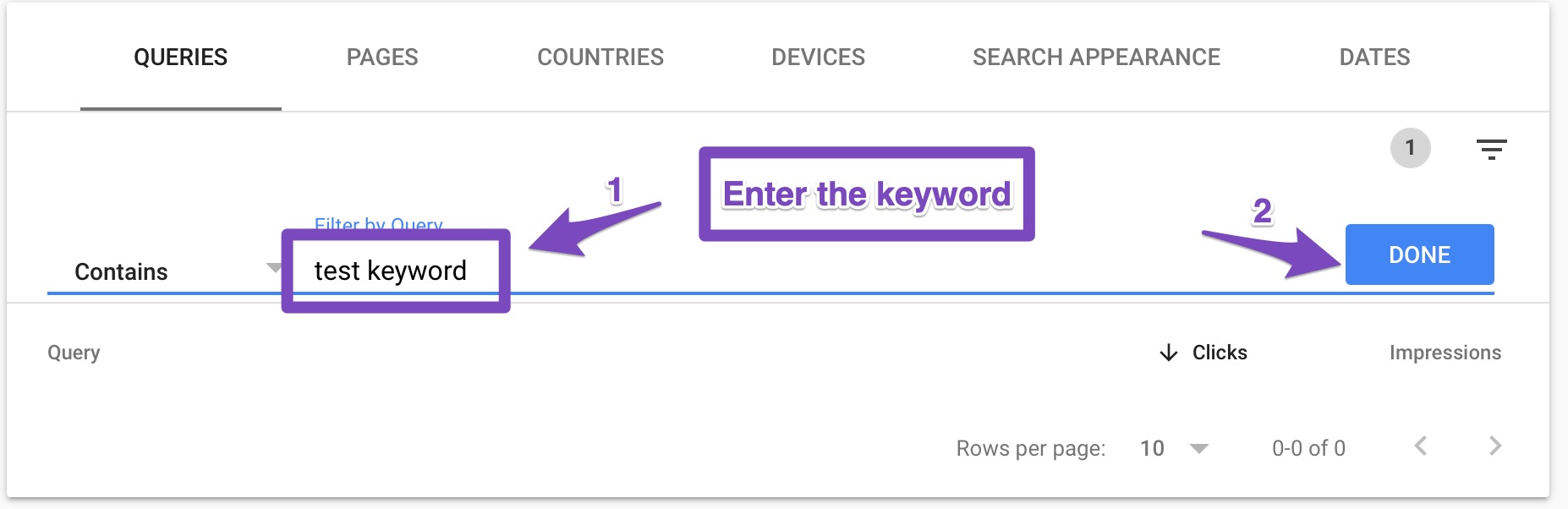
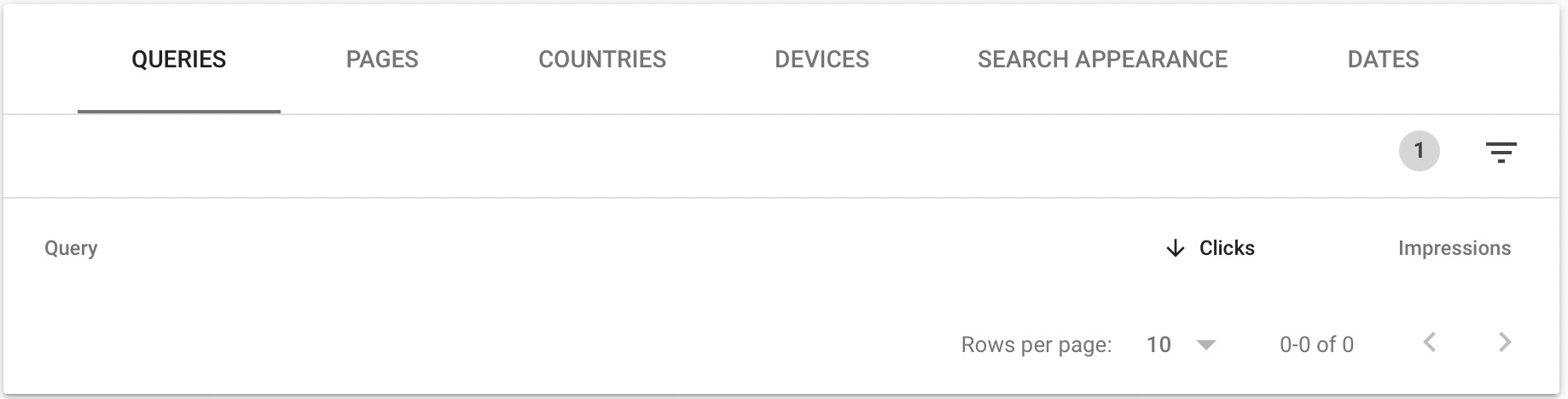
Check Google Search Console: Ensure that the keywords you are trying to add are reporting data in Google Search Console. You can do this by going to the Performance section and filtering by query to see if any data is available for those keywords.
-
Database Caching: Even if your caching plugin does not cache database queries, ensure that your hosting environment is not caching them as well. Sometimes, server-level caching can interfere with database operations.
-
Try Adding Keywords Again: After checking the above, try adding the keywords again. Make sure to click on the Add button and then Save after entering your keywords.
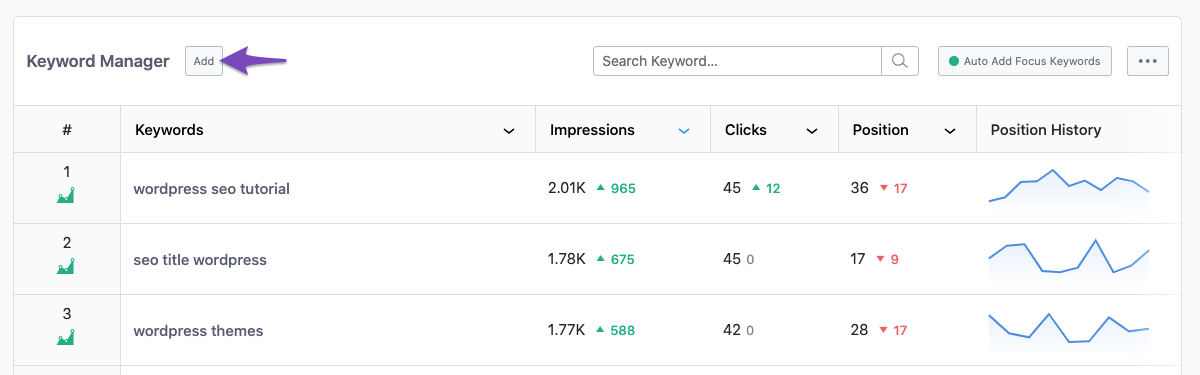
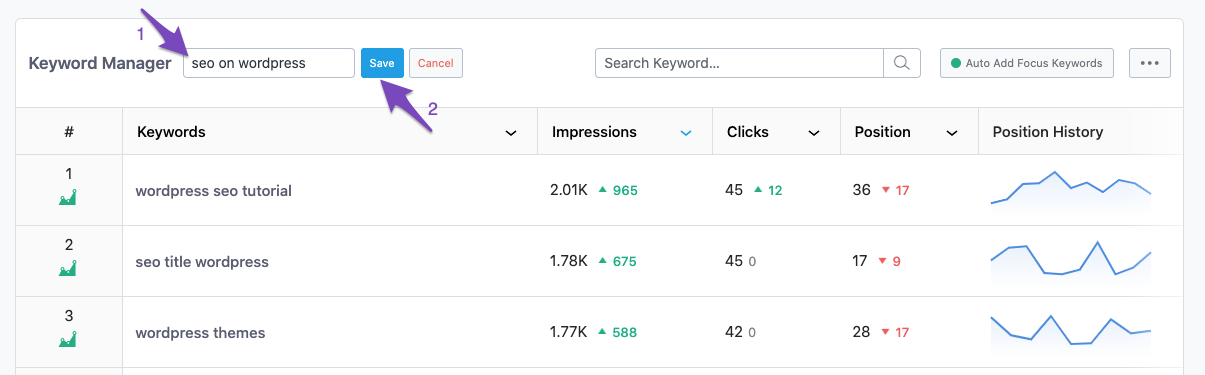
If you continue to experience issues, please reply to this ticket with your site URL so that a human agent from our support team can assist you further. Thank you for raising this concern, and we hope to resolve it quickly for you!
also tried to Remove Rank Math Transients and Clear SEO Analyzer
Hello,
For initial troubleshooting, please try to disconnect and reconnect your Rank Math account from the WordPress dashboard > Rank Math > Dashboard > Help.
https://i.rankmath.com/ZvEfVb
https://i.rankmath.com/OZSwOw
Once done, please click these buttons in Rank Math > Status & Tools > Database Tools and see if that works for you:
https://rankmath.com/kb/rank-math-status-and-tools/#recreate-missing-database-tools
https://rankmath.com/kb/rank-math-status-and-tools/#fix-analytics-table-collations
However, you’re currently using the Rank Math PRO plugin on your websites, but the account you have used to open this ticket is the Rank Math free version.
Please search and forward a receipt from FastSpring.com so we can locate your account and verify it.
Let us know how it goes. Looking forward to helping you.
Thank you.
we are using a ot of email at the moment so its hard to track what email we used to avail the pro version. can you help me?
Hello,
If you are unable to locate the email used for the purchase, please share the username or the last 4-digit of the card you used to purchase the plan in the sensitive data section so we can locate the account.
Looking forward to helping you.
Hello,
I have updated the sensitive data as requested. Can you please check further?
Thank you.
Hello,
Sorry, but we can’t locate a subscription using your WordPress username.
Can you please search and forward a receipt from FastSpring.com so we can locate your account?
Looking forward to helping you.
Hello @idlea,
Thank you for your query and we are so sorry about the trouble this must have caused.
Can you please confirm if you’re experiencing the Rank Tracker issue or any account-related related?
If you have issues with the Rank Tracker, please reconnect your Rank Math account following this guide, and then follow the steps we previously shared.
If the issue persists, please create a new support ticket so we our team can assist you further: https://rankmath.com/support/
Looking forward to helping you.
Hello,
Since we did not hear back from you for 15 days, we are assuming that you found the solution. We are closing this support ticket.
If you still need assistance or any other help, please feel free to open a new support ticket, and we will be more than happy to assist.
Thank you.





