Hello,
We apologize for the issue you are facing with the notification regarding the new post type and the disappearance of your title and meta description.
When Rank Math detects a new post type, it is important to configure the SEO settings for that post type to ensure everything is set up correctly. Here’s what you can do:
-
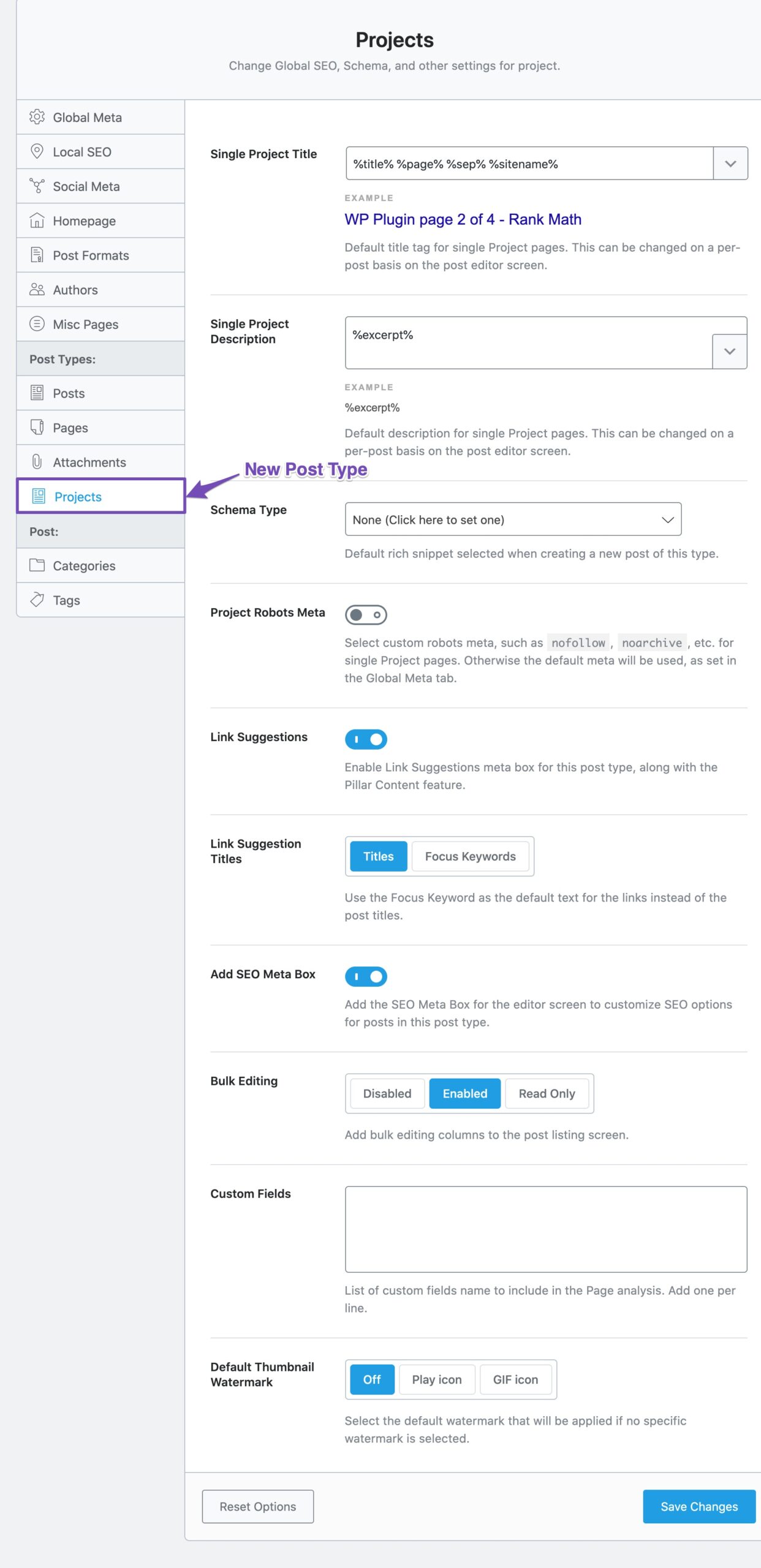
Check Titles & Meta Settings: Click on the notification to go directly to the Titles & Meta settings for the new post type e-floating-buttons. Make sure to configure the title and meta description appropriately.
-
Configure Robots Meta: Ensure that the Robots Meta settings are configured correctly. If this post type should be indexed, set it to Index; if not, set it to No Index. Don’t forget to save your changes.

-
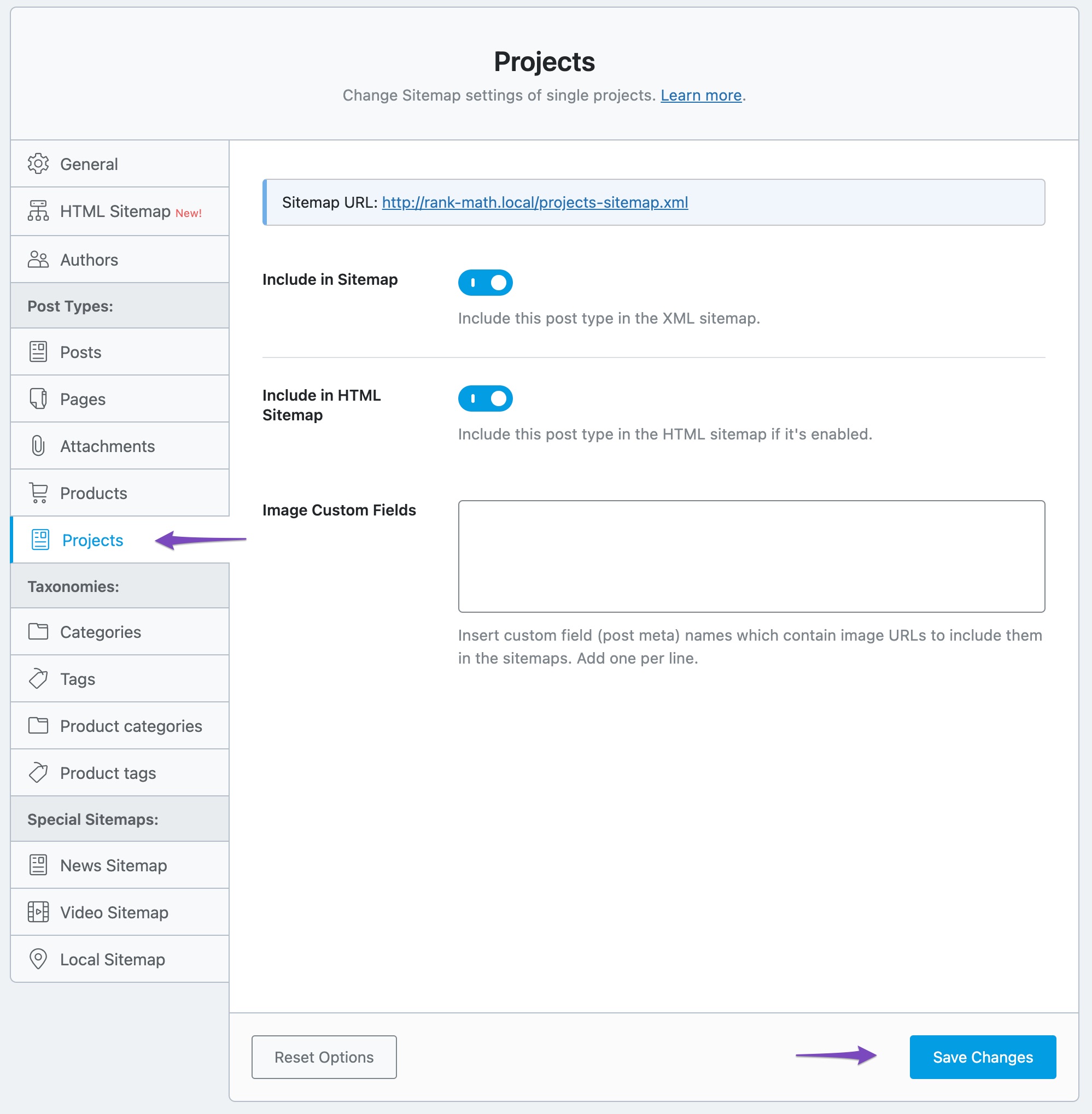
Sitemap Settings: Check the Sitemap settings for this new post type as well. You can access it by clicking the Sitemap link in the notification. Ensure that it is included in your Sitemap if it should be indexed.
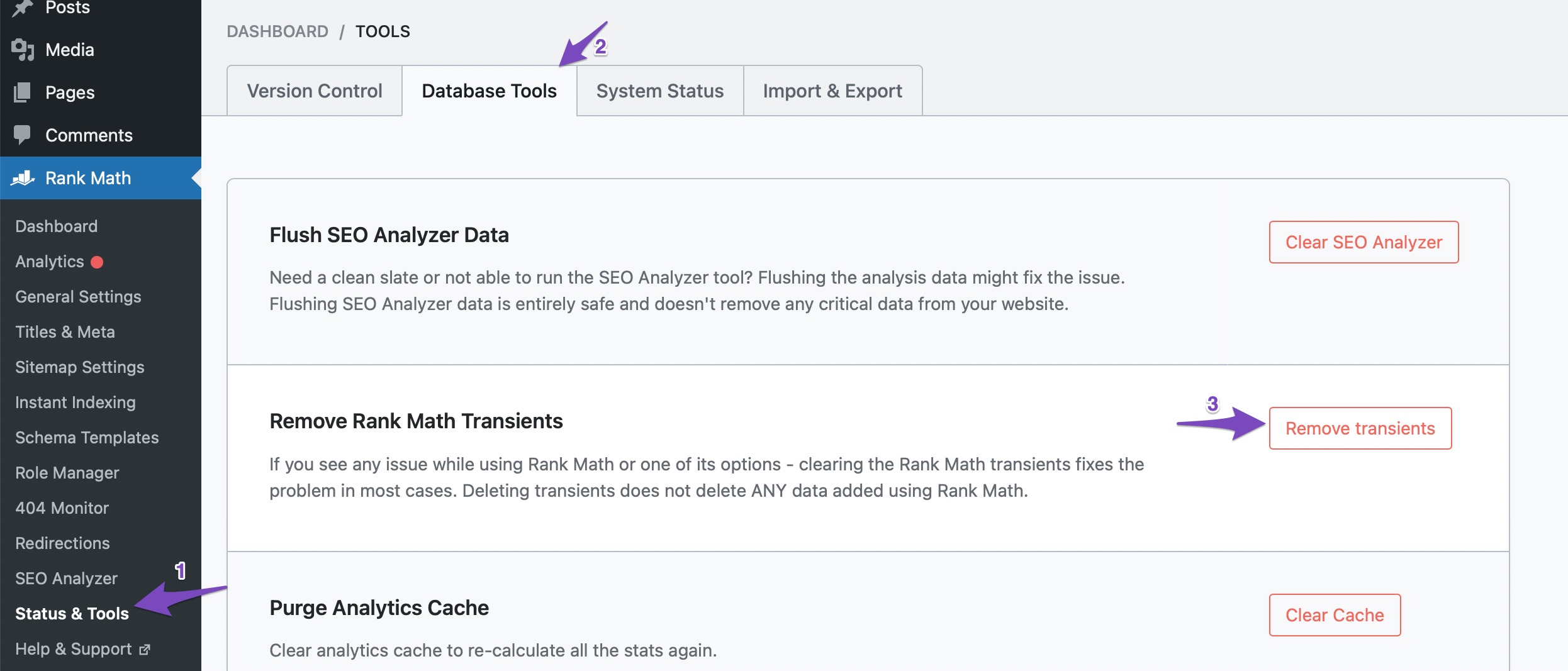
If you have already done these steps and are still experiencing issues, please try clearing your browser cache and removing transients from Rank Math by navigating to Rank Math SEO → Status & Tools → Database Tools and clicking Remove Transients.
If the problem persists, please reply to this ticket, and a human agent from our support team will assist you further. Thank you for raising this concern, and we’re here to help!
Hello,
Thank you for contacting us and sorry for any inconvenience that might have been caused due to that.
This notification shouldn’t remove the title and meta description from your website. In this case, can you please share your website URL with us so that we can check the issue further for you?
Regarding the notification, Rank Math shows this whenever it detects a new post type on your website. You can check the post type settings in the Titles & Meta settings or if you feel it is not very important then you can click on the X button to clear the notification.
For more details, you can check this URL:
https://rankmath.com/kb/new-post-type-detected/
However, if the notification doesn’t go away by clicking the X button, then please try clearing Rank Math’s transients from WordPress Dashboard > Rank Math > Status & Tools > Database Tools > Remove Rank Math Transients: https://rankmath.com/kb/rank-math-status-and-tools/#rank-math-transients
Let us know how it goes. Looking forward to helping you.
Thank you.
Yes notification has gone away when click X.
Just concerning that floating buttons are a post type when they are not.
Thanks.
Hello,
This is a new post type added by Elementor on their 3.24.0 update.
Since Rank Math has detected this post type, it is showing this notification.
You can click the x button from the notification to dismiss it as well.
If you want to disable the post type, we suggest getting in touch with the Elementor team.
Looking forward to helping you.
Hello @turismoserraelitoral,
Please refer to the steps shared by my colleague above to clear this notification.
We hope this helps.
Thanks.
Hello,
Since we did not hear back from you for 15 days, we are assuming that you found the solution. We are closing this support ticket.
If you still need assistance or any other help, please feel free to open a new support ticket, and we will be more than happy to assist.
Thank you.





