Hello,
We apologize for the issue you are facing with project pagination and its potential impact on your crawl budget. It is indeed a good practice to consider unindexing paginated pages if they are not providing significant value to your site.
To set paginated pages to noindex in Rank Math, you can follow these steps:
- Go to your WordPress Dashboard.
- Navigate to Rank Math SEO > Titles & Meta > Misc. Pages.
- In the Misc. Pages section, look for the Noindex Paginated Single Pages option.
- Enable this option to set noindex on paginated pages, which will prevent them from appearing in search results.
Here are some screenshots to guide you:
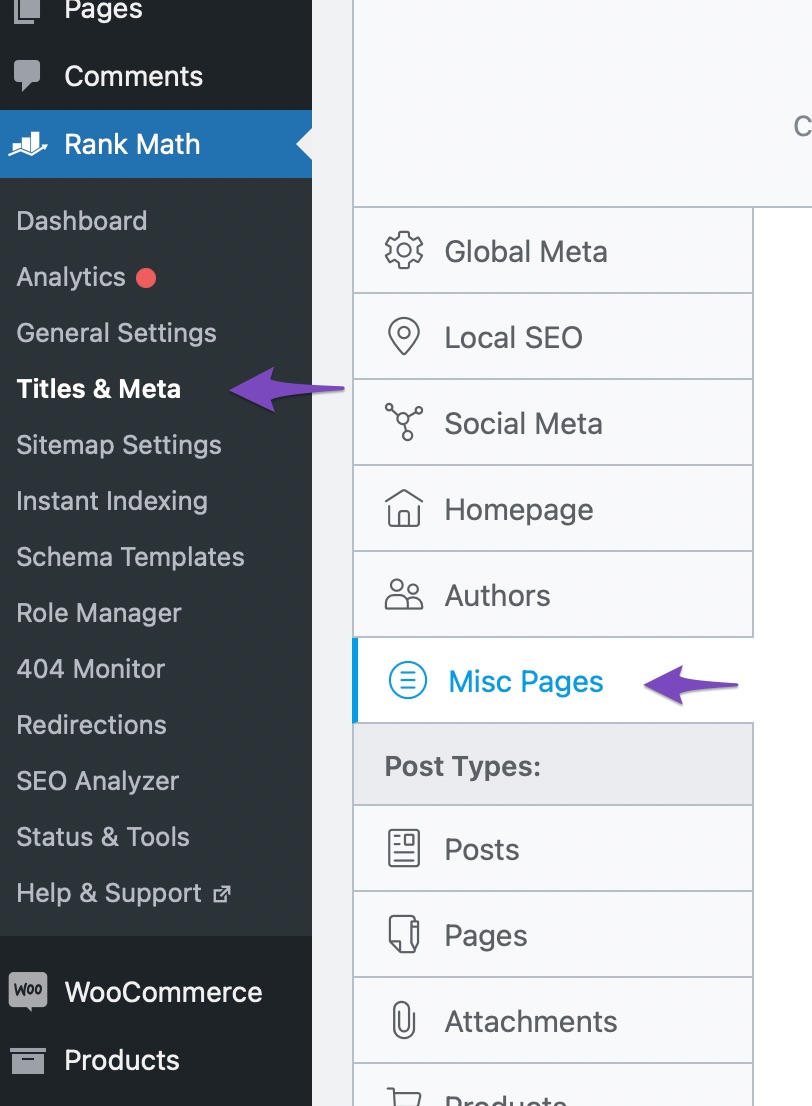

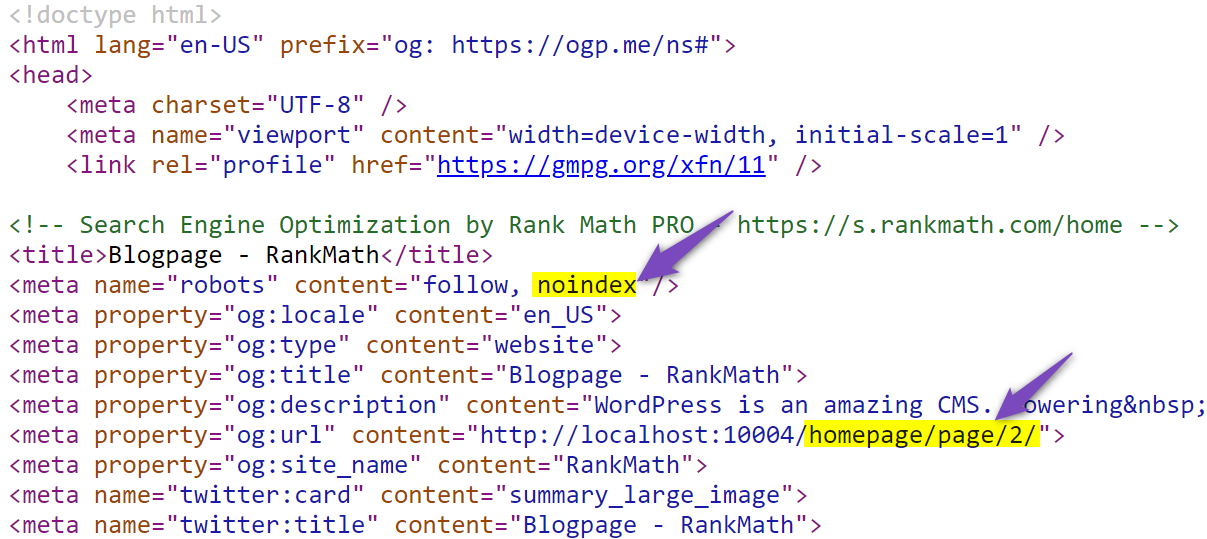
By implementing this, you can help improve your site’s crawl efficiency. If you have any further questions or need assistance, please feel free to reply to this ticket, and a human agent from our support team will assist you further.
Thank you for raising this concern!
Sources:
How to NoIndex Paginated Pages » Rank Math
Hello,
Thank you for reaching out!
If those pages are low-value or duplicate content, you can consider noindexing them to optimize your crawl budget.
You may follow the guide our Rankbot initially shared here to set those pages to noindex.
Hope that helps and please do not hesitate to let us know if you need our assistance with anything else.
Hello,
Since we did not hear back from you for 15 days, we are assuming that you found the solution. We are closing this support ticket.
If you still need assistance or any other help, please feel free to open a new support ticket, and we will be more than happy to assist.
Thank you.



