Hello,
I’m sorry to hear that you are facing issues with the product list alignment due to Rank Math. This issue can be quite frustrating when trying to view multiple products on one screen.
To fix the misalignment of the product list caused by Rank Math, you can follow these steps:
-
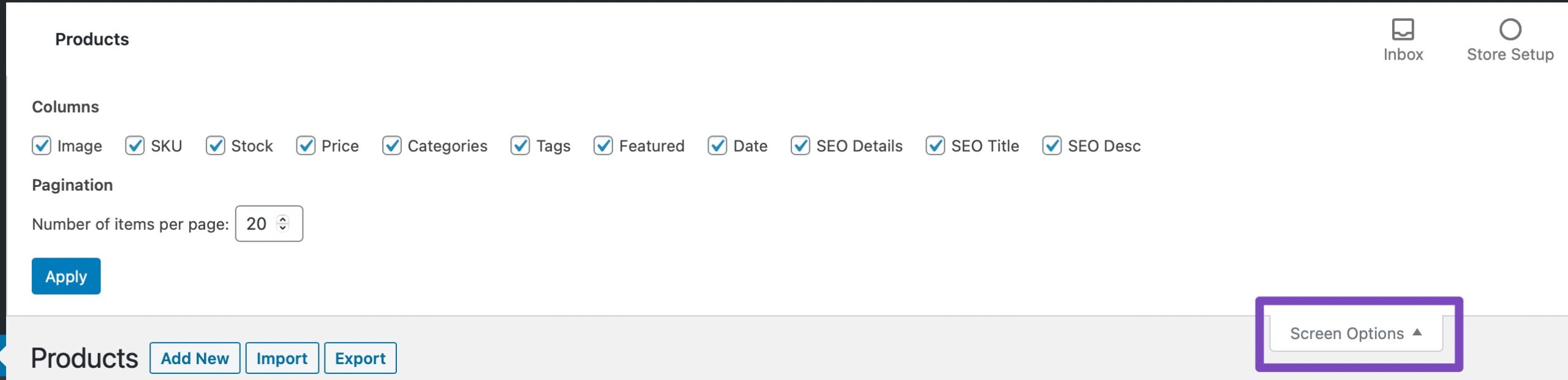
Open the Screen Options menu by clicking at the top right of the WordPress admin area when you’re on the WooCommerce Products page.
-
In the Screen Options menu, select only the columns that you wish to appear and then click on Apply.
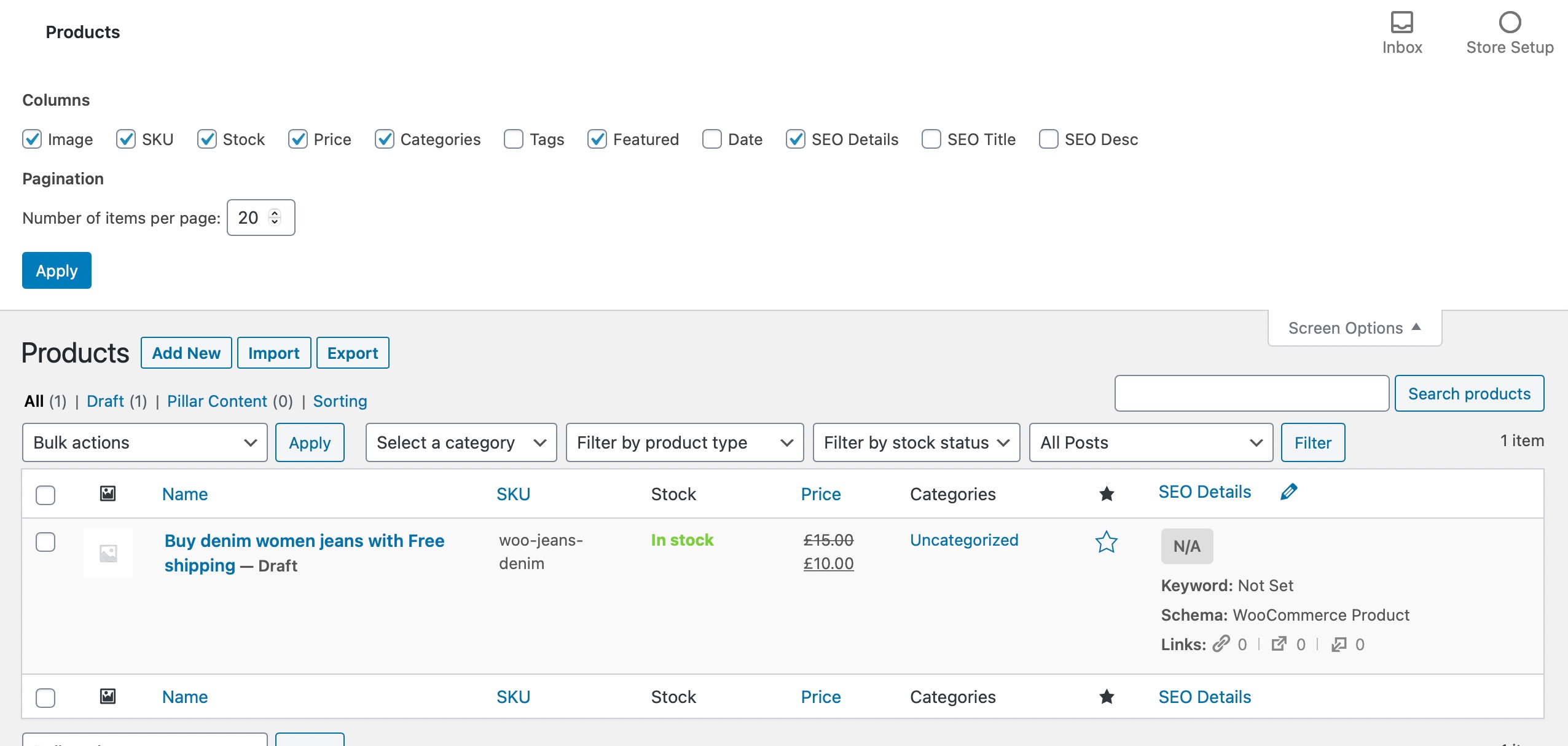
By excluding any misaligned columns, you should be able to realign and make it easier to view your WooCommerce products page again.
If you continue to experience any difficulties or need further assistance, please feel free to reach out to our support team. We are here to help you with any additional issues you may encounter.
I hope this solution helps in resolving the alignment problem with your product list. Thank you for bringing this to our attention.
Is there anything else I can assist you with?
Sources:
WooCommerce Products Page is Misaligned When Using Rank Math
How to Show Images in the Search Results » Rank Math
Hello,
Thank you for contacting us and sorry for any inconvenience that might have been caused due to that.
In order to resolve this issue, please try to follow the steps from this guideline: https://rankmath.com/kb/woocommerce-products-page-misaligned/
Hope that helps and please don’t hesitate to let us know if you have any other questions.
Thank you.
Hello,
Since we did not hear back from you for 15 days, we are assuming that you found the solution. We are closing this support ticket.
If you still need assistance or any other help, please feel free to open a new support ticket, and we will be more than happy to assist.
Thank you.



