Hello,
I’m sorry to hear that you are facing issues with the Open Graph settings after installing Rank Math Pro. It seems like the Open Graph images are not being displayed correctly when sharing to Facebook and Twitter.
To troubleshoot this issue, please follow these steps:
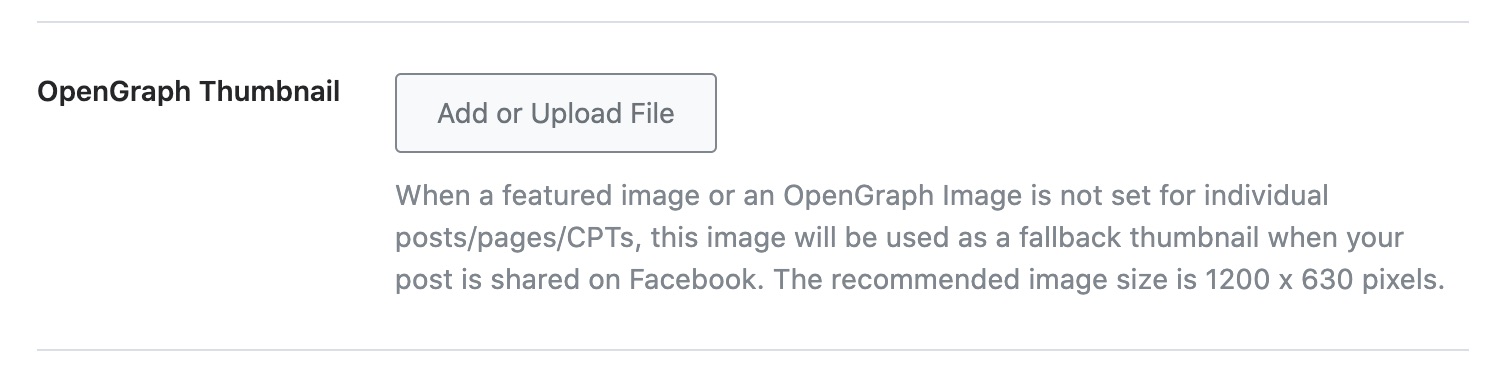
- Check Open Graph Settings: Ensure that you have set the Open Graph Thumbnail correctly in Rank Math. You can set the default Open Graph Thumbnail at WordPress Dashboard → Rank Math → Titles & Meta → Global → OpenGraph Thumbnail as shown in the image below:
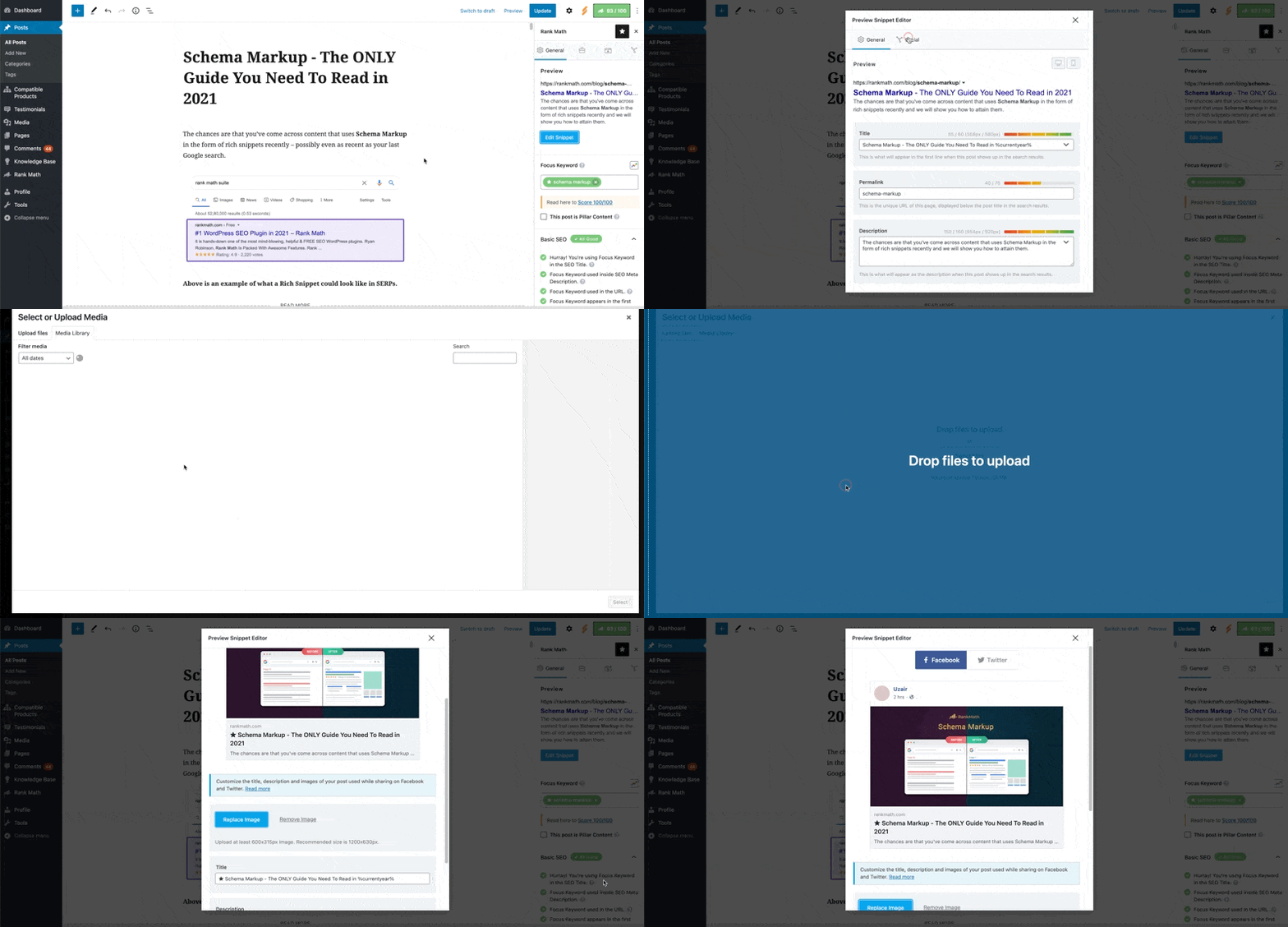
- Check Individual Post/Page Settings: Make sure that you have set a custom Open Graph/Social Preview image for each post/page. You can do this by uploading a featured image or by setting it through the Rank Math Block Editor sidebar as shown in the image below:
- Verify Image Format and Dimensions: Ensure that the image format is supported by Facebook (jpeg, png, gif) and that the image dimensions are at least 1200px X 630px. Incorrect image formats or dimensions can cause issues with displaying the Open Graph images correctly.
If after following these steps the issue persists, please reply to this ticket, and a human agent from the Rank Math Support team will assist you further.
Thank you for your understanding and patience.
Best regards.
Sources:
Open Graph/Social Preview Image Is Not Displayed » Rank Math
Hello,
We’ve checked your site using Facebook Debugger Tool, and it is returning this error

Upon checking your robots.txt, there’s a Disallow: / rule added that’s why crawlers/bots can’t reach your website files including the image.
You can follow our guide here to update your robots.txt using Rank Math:
https://rankmath.com/kb/how-to-edit-robots-txt-with-rank-math/
Hope that helps.
Hello,
The image path is currently returning an invalid format. Can you please try removing the image from your website and re-upload it again?
This is what we see from our end if we test the image URL:

Looking forward to helping you.
I replaced the image to upload a new one as you advised, but I still had the same problem.
I re-uploaded the same image, but with an English-only filename, and the issue did not occur in my tests.
I think the problem is caused by the fact that the URL with Korean text is not encoded in UTF or something like that on the WordPress website, or there is an issue with the URL handling.
Below is a link to the article where the image I tested is posted.
https://wowtale.net/2024/07/18/225484/
Translated with DeepL.com (free version)
Hello,
Yes, there are users who have also reported that the image is not shown when the file name is not in English or if they are using special characters:
https://developers.facebook.com/community?sort=trending&category=232635952218425
In this case, we recommend renaming the image file name to English so Facebook can display the images on your articles.
Looking forward to helping you.
Hello,
Since we did not hear back from you for 15 days, we are assuming that you found the solution. We are closing this support ticket.
If you still need assistance or any other help, please feel free to open a new support ticket, and we will be more than happy to assist.
Thank you.




