Hello, we apologize for the issue you are facing with the Rank Math SEO Plugin. If you are unable to see the Redirections tab, it might be because the Import & Export tab is not available for you. In that case, please ensure that you have switched to the Advanced Mode in Rank Math.
You can do this by navigating to WordPress Dashboard → Rank Math SEO → Status & Tools and then enabling the Advanced Mode. Once you have done that, you should be able to see the Redirections option under the Import & Export section.
If you continue to experience issues, please reply to this ticket, and a human agent from the Rank Math Support team will assist you further.
Sources:
How to Import Redirects to Rank Math SEO » Rank Math
Hello,
Thank you for contacting us and sorry for any inconvenience that might have been caused due to that.
Please head over to your WP Dashboard > Rank Math > Dashboard, and from the Modules tab, make sure the Redirections module is enabled:
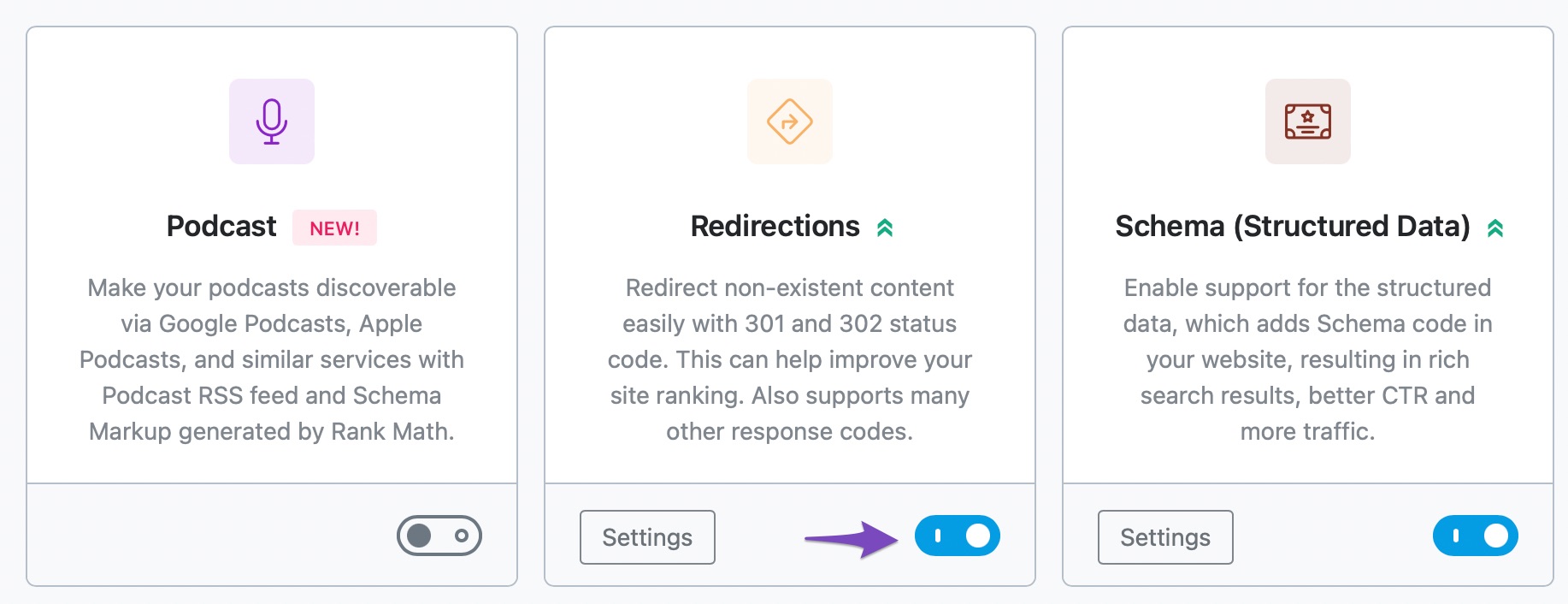
If you are not able to find Redirections Module in Rank Math > Dashboard, please try to switch to Advance Mode: https://rankmath.com/kb/switch-from-easy-to-advanced-mode/
Hope that helps and please don’t hesitate to let us know if you have any other questions.
Thank you.
Hello,
Since we did not hear back from you for 15 days, we are assuming that you found the solution. We are closing this support ticket.
If you still need assistance or any other help, please feel free to open a new support ticket, and we will be more than happy to assist.
Thank you.



