Hello,
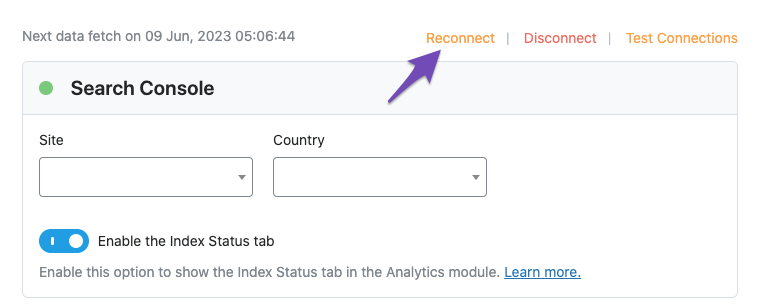
I’m sorry to hear that you are facing issues connecting to Google Search Console despite following the tutorial and attempting to disconnect and reconnect multiple times. To troubleshoot this issue further, I recommend testing the connection between Rank Math and your Google account.
Here’s what you can do:
- Go to Rank Math SEO → General Settings → Analytics in your WordPress admin area.
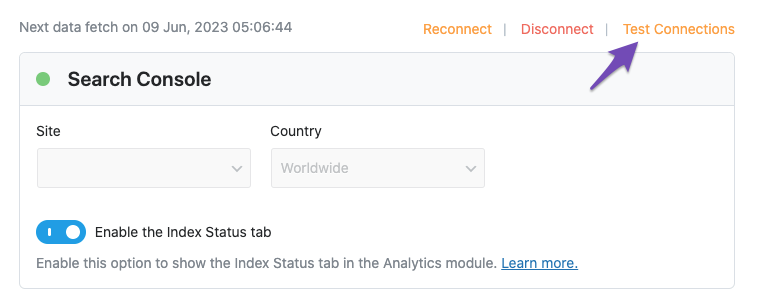
- Click on the Test Connections option at the top right of the Analytics settings.
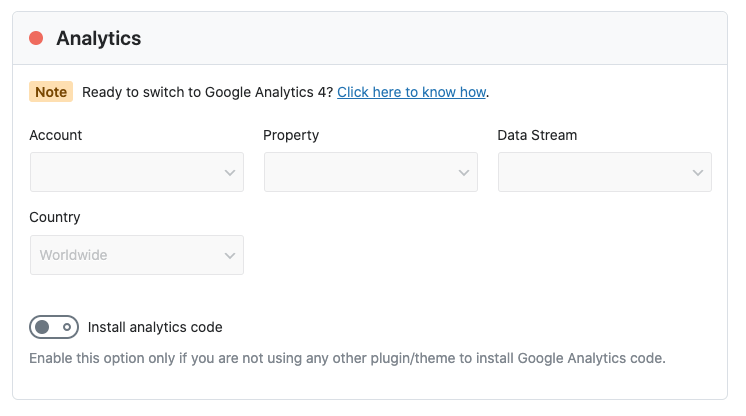
- Rank Math will validate the existing connections. A green signal indicates a valid connection, while a red signal indicates an issue with the connection.
If you encounter a red signal or continue to face issues after reconnecting, please refer to our guide on resolving Rank Math Analytics-related issues here. If the problem persists, feel free to share the error log with us by opening a support ticket here.
Thank you for reaching out to us. We appreciate your patience and understanding.
Sources:
How to Get Rid of "No Connected Websites Found" Message » Rank Math
How to Connect Your Google Account With Rank Math SEO » Rank Math
Troubleshooting the “Couldn’t Fetch” Error in Google Search Console » Rank Math
Resolving Rank Math Analytics Related Issues » Rank Math
Hello,
Please note that domain property (sc:domain) won’t work correctly on some sections of the Analytics module such as the IndexStatus. In addition, the URL-prefix property helps keep your sitemap in sync with Google Search Console as we submit it automatically for you
Please verify using the URL prefix and ensure that you have verified the correct version of your website on the Google Search Console (HTTP or HTTPS, www or non-www).
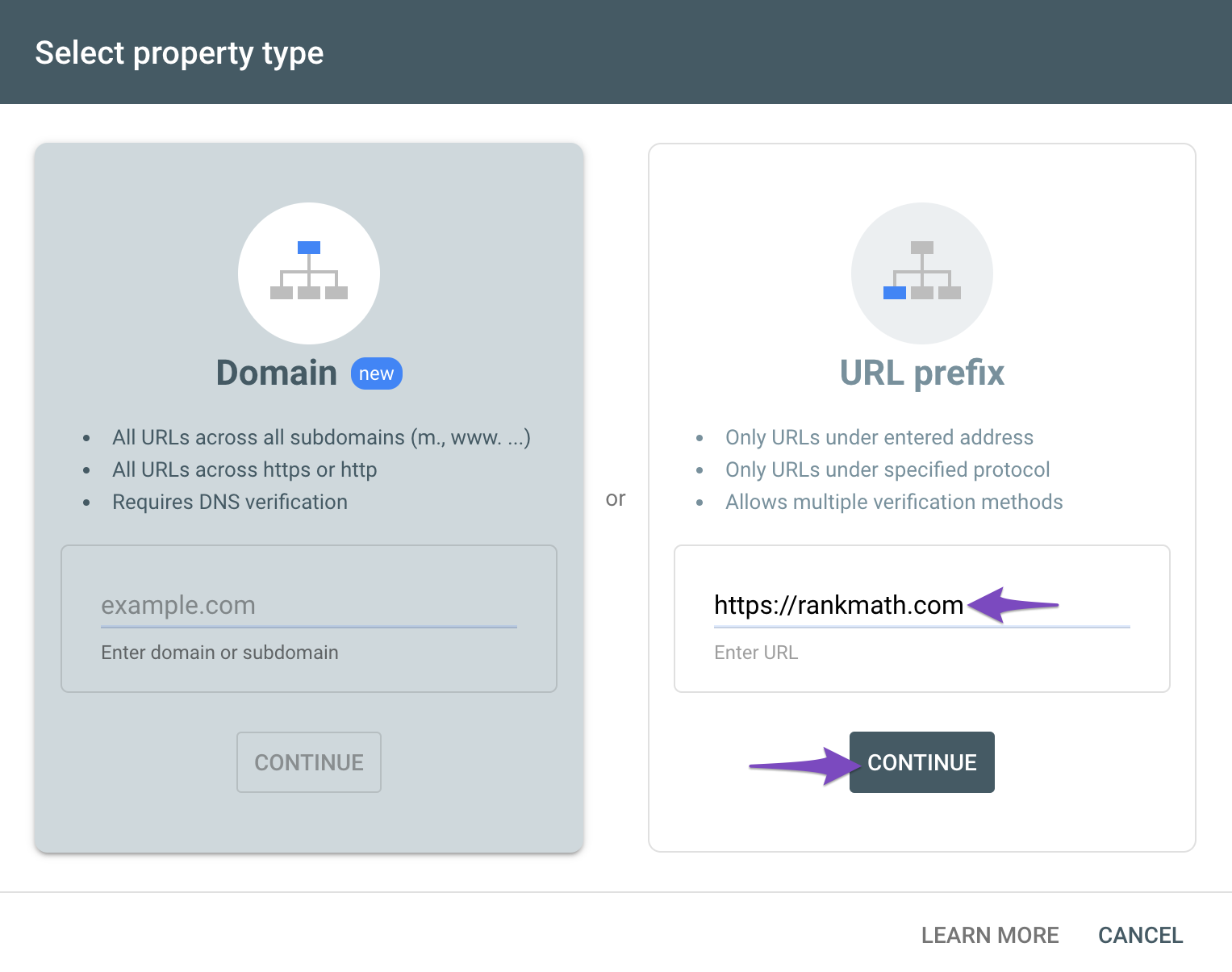
You can follow our guide here to create the URL Prefix property:
https://rankmath.com/kb/google-site-verification/#open-google-search-console
Hope that helps.
Initially I added the domain attribute, I verified with the URL prefix now I have connected successfully, I want to ask if I need to remove the domain attribute in Google Search Console?
I want to ask more, the Analytics section is still displayed in red. What can I do. Thank you

Hello,
Yes, you can remove the domain property from GSC, you can also leave it – it doesn’t change anything.
Regarding your Analytics, it does look like you do not have a Google Analytics account, please create one from here: https://analytics.google.com/analytics/web/
Thank you for your patience and cooperation
Thank you very much, everything worked well
Hello,
We are super happy that these issues are already resolved. If you have any other questions in the future, know that we are here to help you.
If you don’t mind us asking, could you please leave us a review (if you haven’t already) on
https://wordpress.org/support/plugin/seo-by-rank-math/reviews/#new-post
about your overall experience with Rank Math? We appreciate your time and patience.
If you do have another question in the future, please feel free to create a new forum topic, and it will be our pleasure to assist you again.
Thank you.





