Hello,
We apologize for the issue you are facing with the visibility of your website title in Google search results. To ensure that Google displays your site name instead of the URL, you need to make sure that your site name is correctly set in several key locations. Here’s how you can do that:
1. Add a Site Name to Your Homepage Title Tag
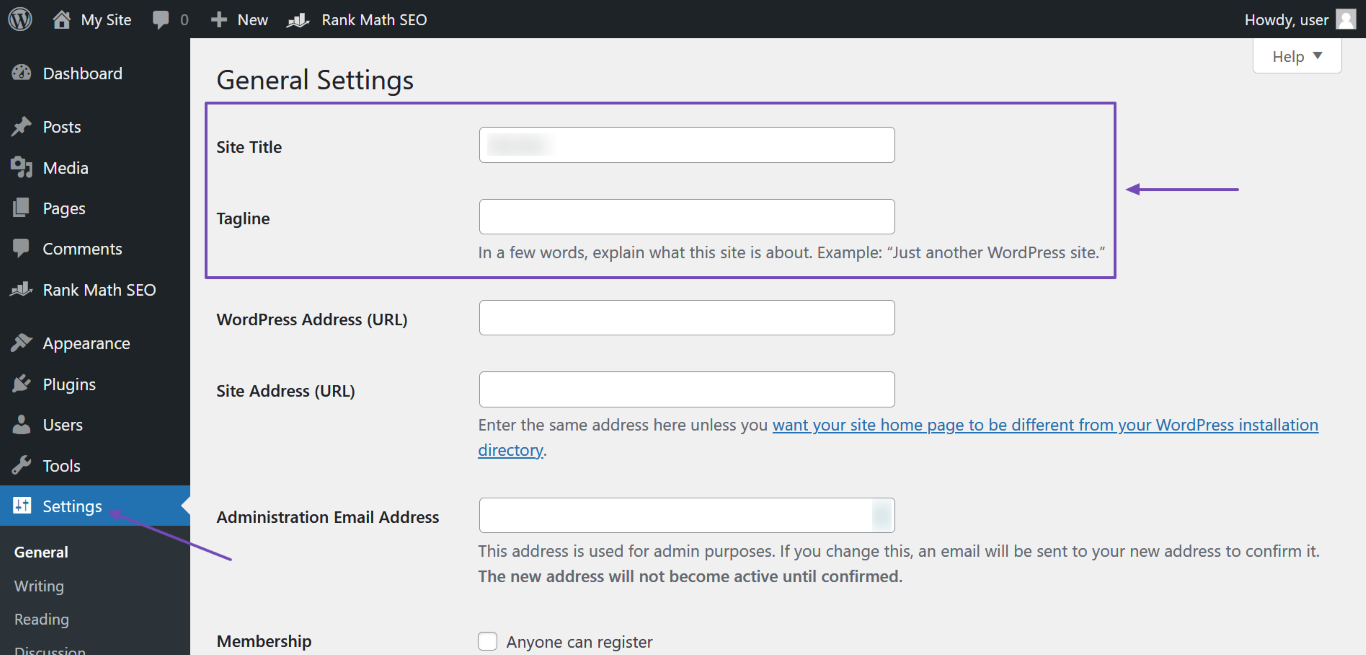
- Go to WordPress Dashboard → Settings and enter your site name in the Site Title field. You can also add a site description in the Tagline field.
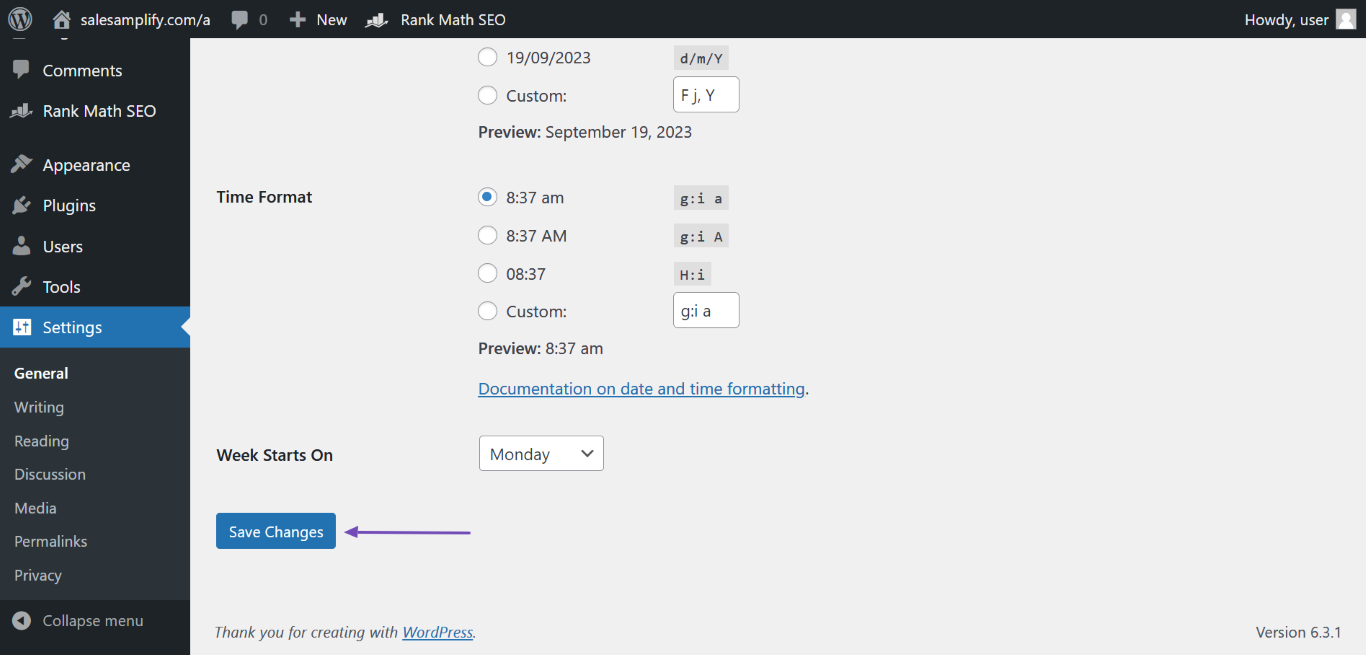
- After entering the details, scroll down and click Save Changes.
2. Add a Site Name to Your Homepage H1 Header Tag
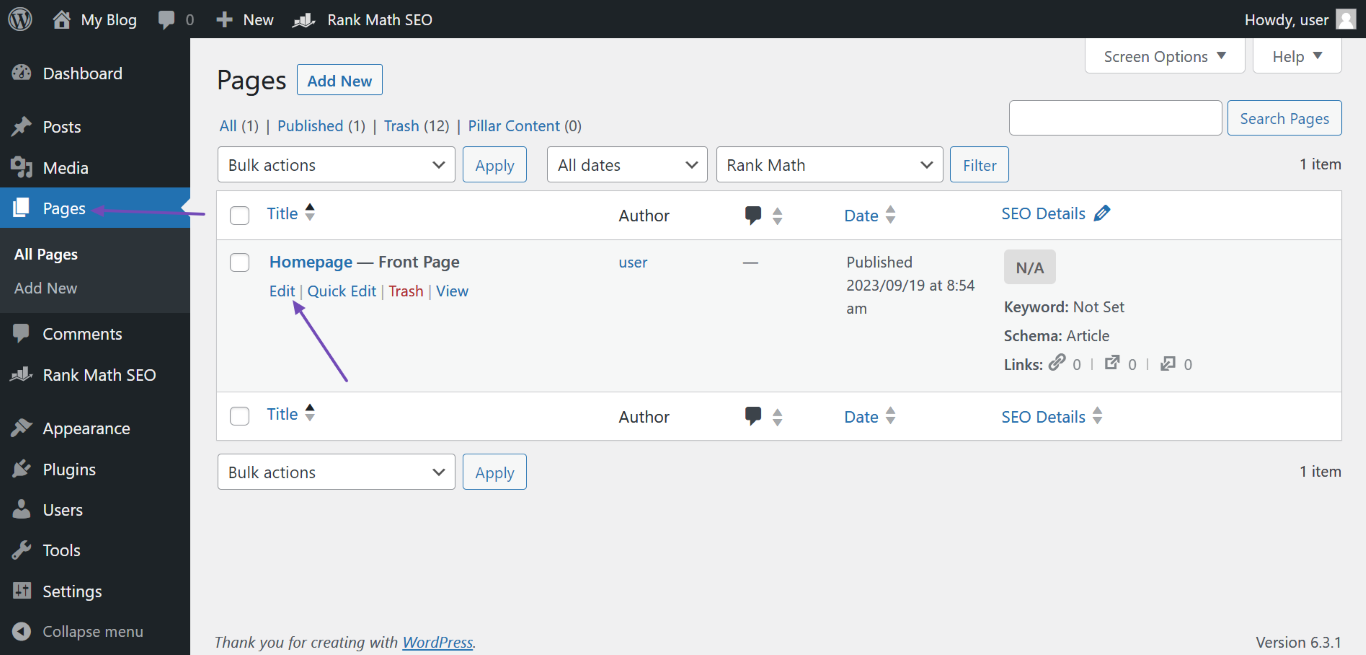
- Navigate to WordPress Dashboard → Pages. Hover over the page labeled “Front Page” and click Edit.
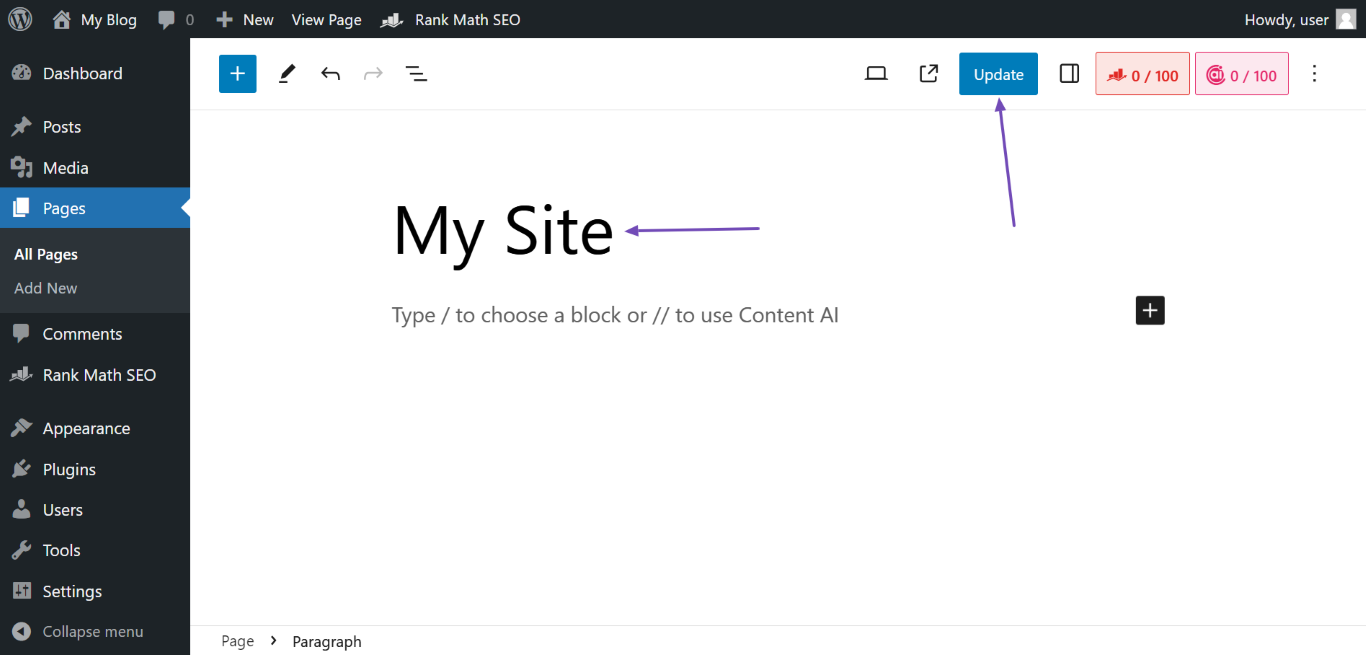
- Enter your site name as the page title and click Update.
3. Add a Site Name to Your Website Structured Data
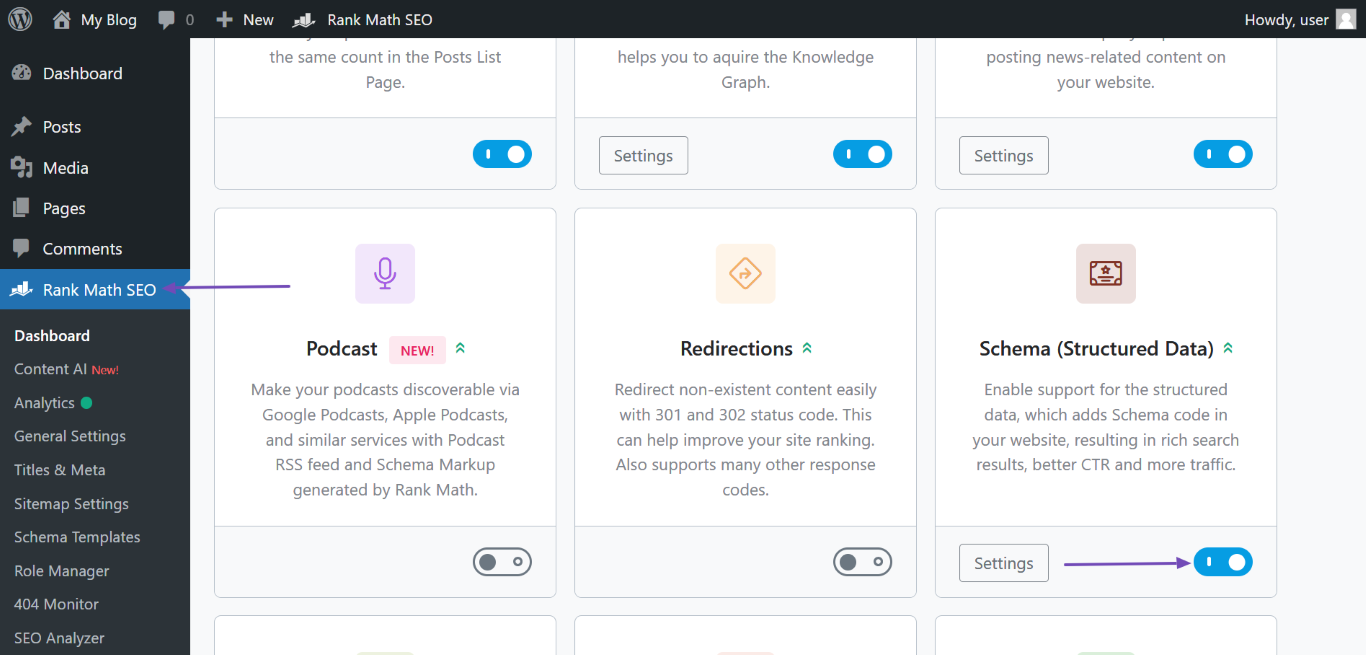
- If you have Rank Math, navigate to WordPress Dashboard → Rank Math SEO and enable the Schema module.
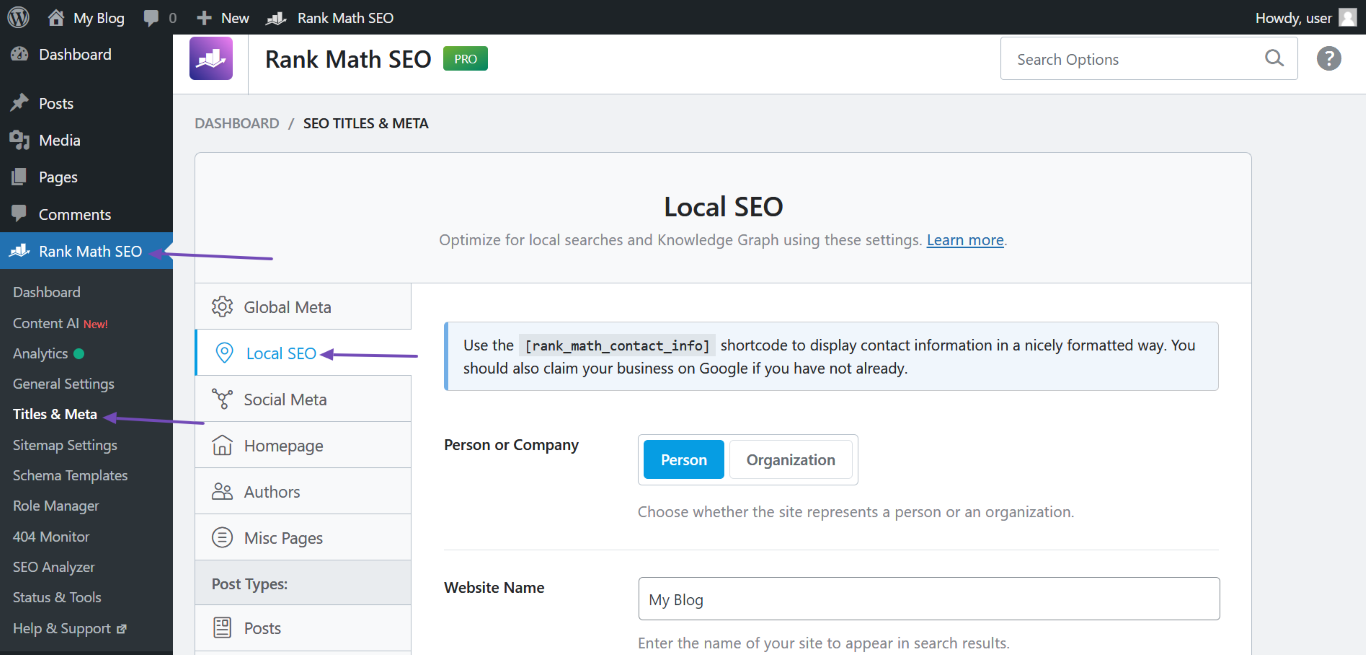
- Then go to Rank Math SEO → Titles & Meta → Local SEO and fill in the required fields, including the Website Name.
4. Request Google to Reindex Your Homepage
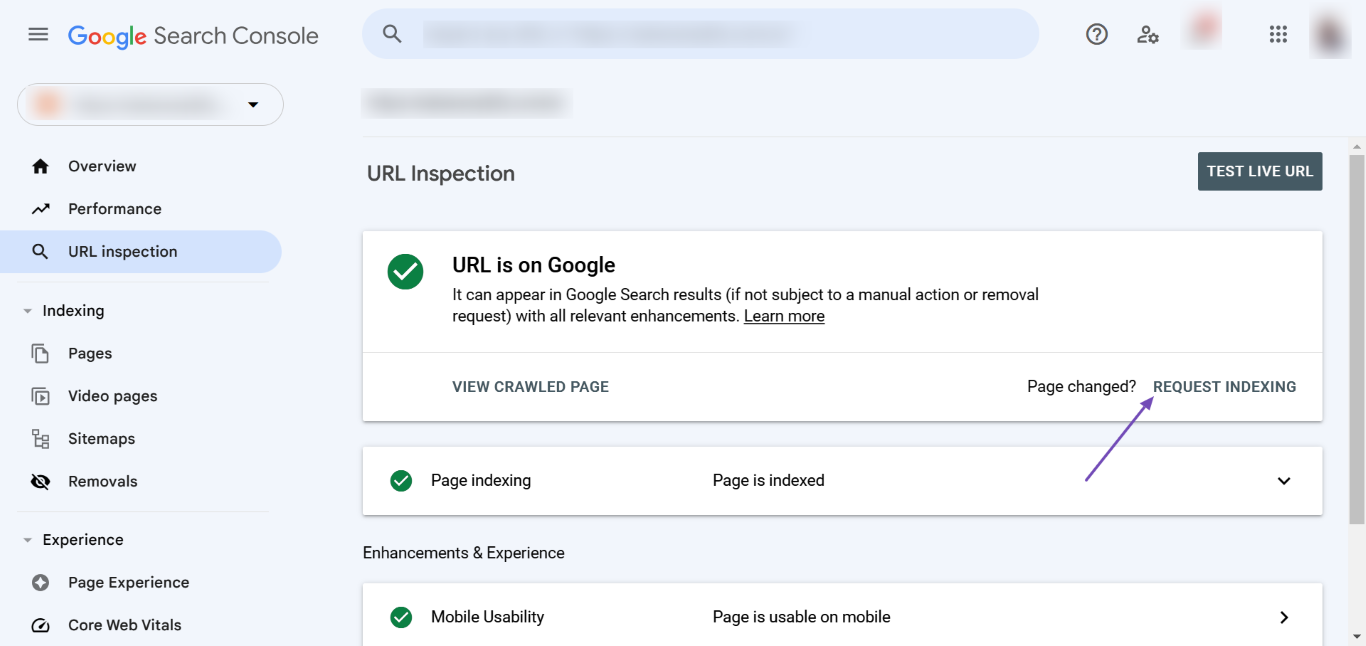
After making these changes, it may take some time for Google to reflect them. You can speed up the process by requesting Google to reindex your homepage through the Google Search Console.
Once you enter your homepage URL, click REQUEST INDEXING.
By following these steps, you should be able to change how your site name appears in Google search results. If you have any further questions or need assistance, please reply to this ticket, and a human agent from our support team will assist you further.
Sources:
Why Google Displays URL Instead of Site Name in SERP? » Rank Math
This is an automated reply from Rank Math Support Bot. If you need further assistance, please reply to this topic and a human support agent will reply to you shortly.
Hello,
Since we did not hear back from you for 15 days, we are assuming that you found the solution. We are closing this support ticket.
If you still need assistance or any other help, please feel free to open a new support ticket, and we will be more than happy to assist.
Thank you.


