
-
I use your plugin on 2 blogs. 1 blog everything is fine, but on https://dragoncarecentral.com/ Google is not indexing. I checked all of the settings in your guide and everything appears to be correct. Can you please see what I am missing?

-
Hello,
We apologize for the issue you are facing with Google not indexing your site. Thank you for raising this concern.
Since you’ve already checked the settings, here are a few additional steps you can take to troubleshoot the issue:
-
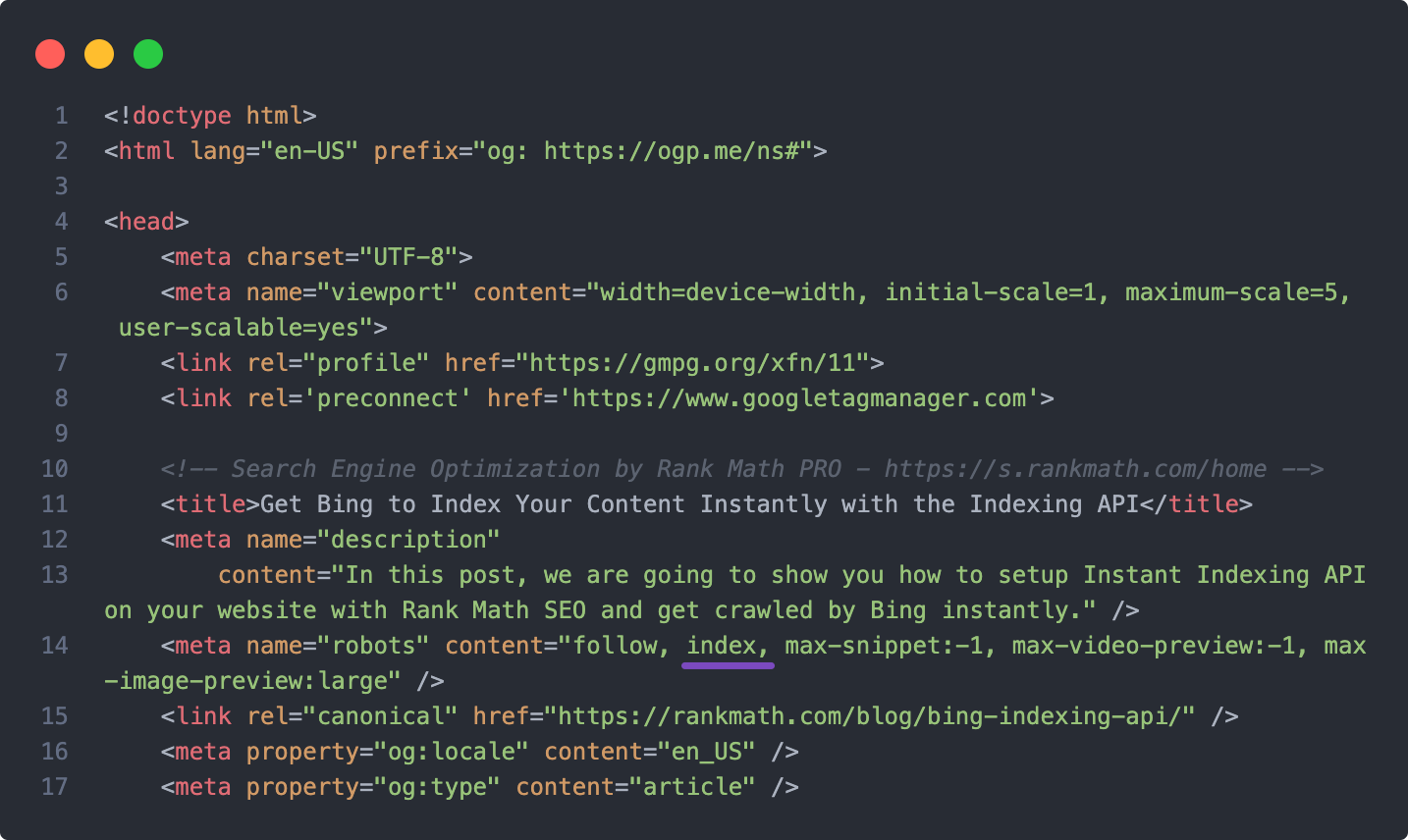
Ensure Your Post, Page & Website Do Not Have The Noindex Attribute Present: Make sure that none of your posts, pages, or the entire website is set to noindex. You can check this in the Rank Math settings.
-
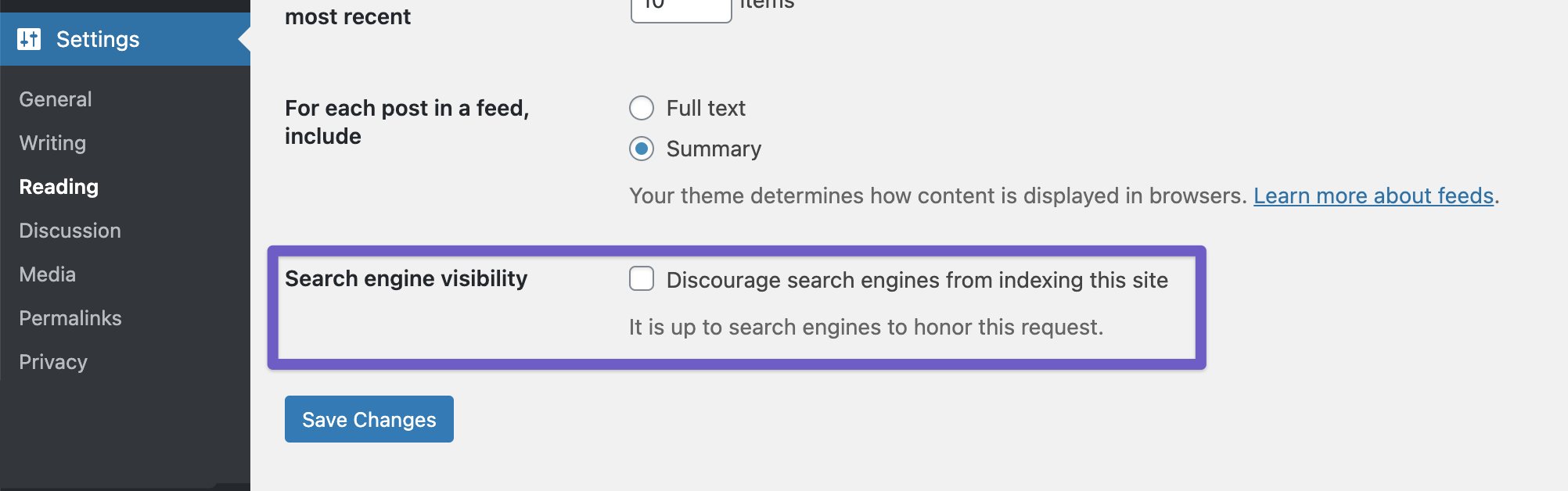
Check Your WordPress Global Settings: Verify that the Discourage Search engines… option is not enabled in your WordPress settings. You can find this under WordPress Dashboard → Settings → Reading.
-
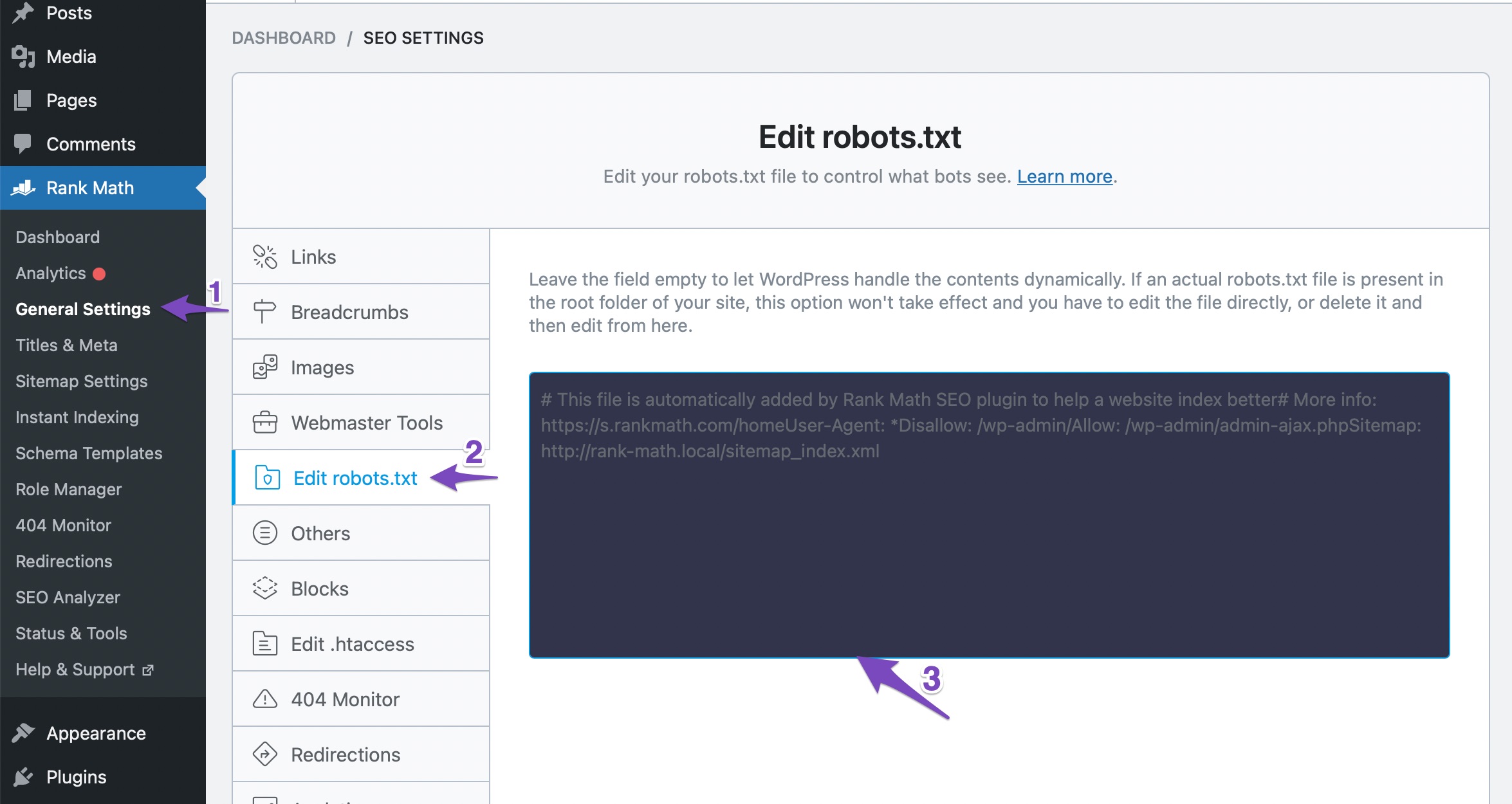
Ensure Your Robots.txt Rules Allow Your Website To Be Indexed: Check your robots.txt file to ensure there are no disallow rules preventing Google from crawling your site. You can edit this in Rank Math under WordPress Dashboard → Rank Math SEO → General Settings → Edit Robots.txt.
-
Manual Indexing Request: If everything seems correct but your site still isn’t indexed, consider submitting a manual indexing request to Google.
-
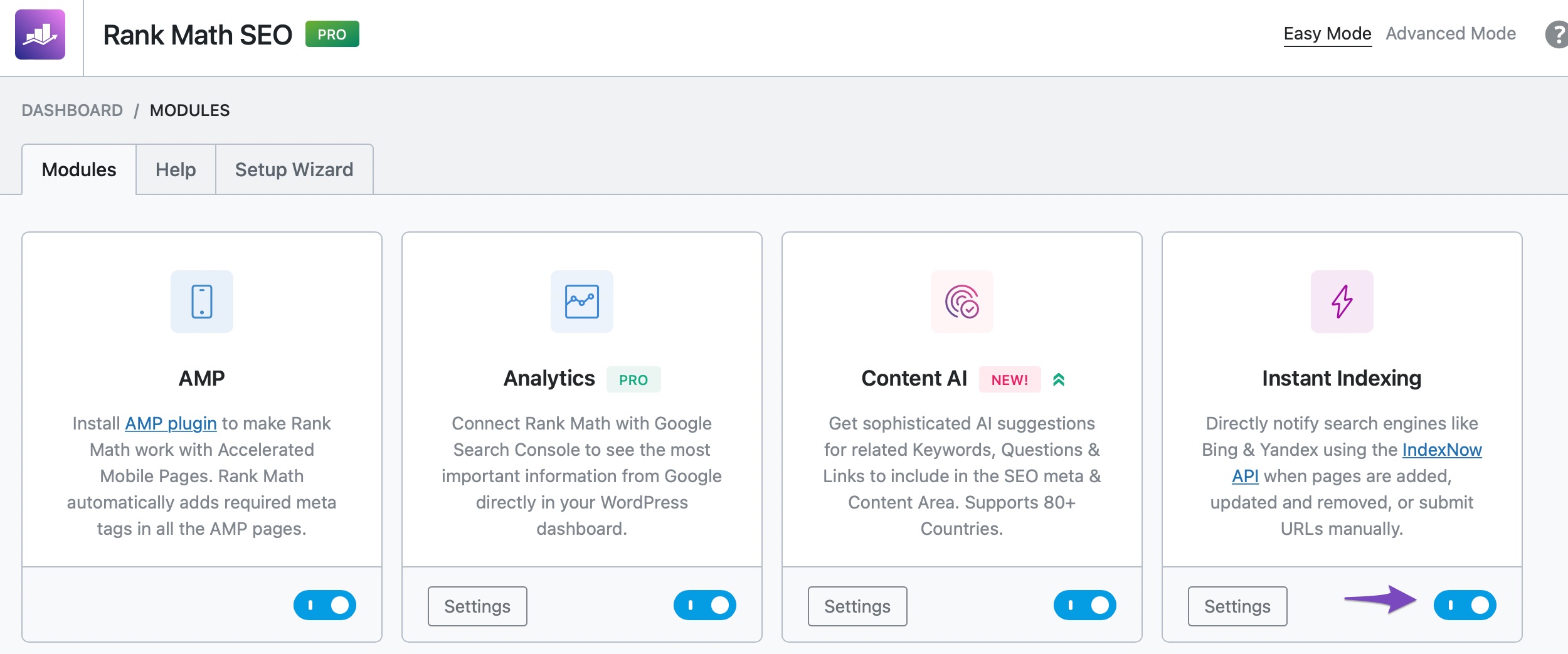
Use Instant Indexing Feature: If you haven’t already, enable the Instant Indexing module in Rank Math and submit your pages for indexing directly from your dashboard.
If you’ve gone through all these steps and are still having issues, please reply to this ticket, and a human agent from the Rank Math Support team will take over and assist you further.
We hope this helps you resolve the indexing issue!
Sources:
Why Google Hasn’t Indexed Your Post, Page, and/or Website? » Rank Math
How to Fix "Crawled – Currently Not Indexed" Error in Google Search Console » Rank MathI already went through that and it didnt help.
my posts are showing as excluded in your analytics, but they shouldnt be. They are not showing in google search console either.
Hello,
Thank you for contacting Rank Math support.
Can you please clarify where or how you know your site isn’t indexed? We investigated this and can see that your website is correctly set to index and Google is indexing your website. Some screenshots:
If you are referring to a specific page not getting indexed, then please share the URL of said page so we can investigate it further.
Thank you for choosing Rank Math
on the analytics tab of your plugin, it shows 7 of my 25 posts as indexed, and the others are showing as excluded. They should not be, and were not set to noindex or anything of the sorts. I’m trying to attach a screenshot but I can’t.
Hello,
Please share with us an example of the post/page that was excluded and we’ll investigate it from our end. Also, you can share images with us by uploading them to an image hosting site like Imgur, and then sharing the generated URL with us here.
Thank you for choosing Rank Math
Here is one of the 25 posts that your analytics is saying “excluded” and is not showing on Google Search Console. When I run it through Ahrefs, many of these posts now also have duplicate titles, which was not the case before. the post is https://dragoncarecentral.com/understanding-and-caring-for-your-female-bearded-dragon-a-veterinarians-guide/
Hello,
We investigated the URL you shared with us and can see that it was indeed not indexed on Google. This could be because of many reasons, including maybe because Google has not crawled the page yet (the article was published 4 days ago). We can confirm the page is set to
index:As a next step, you can use the URL Inspection Tool to inspect the post and request its indexing.
>> When I run it through Ahrefs, many of these posts now also have duplicate titles
When we checked the URL you shared, we found only one title tag on the page. You might want to doublecheck this on your end as well.
We hope this helps clarify the issue. Please let us know if you have any other questions or concerns.
I agree that now many posts have duplicate titles, but don’t know why. This is not the case on my other blog. Is it something to do with your plug in? I contacted Bluehost and they said it had nothing to do wtih my hosting or setup.
when I use this URL tool, it says no referring sitemaps detected. HOwever, I do have your sitemap listed on search console.
Hello,
>> I agree that now many posts have duplicate titles, but don’t know why.
Have you checked and confirmed the issue of duplicate titles on your end? If you have, please share the URL you tested so that we can verify it as well. We request that you re-test and confirm the duplicate title issue on your end because Ahrefs has been known to provide false-positive results on many occasions.
As previously mentioned, we tested the URL you provided and did not find any duplicate titles in its source code.
>> when I use this URL tool, it says no referring sitemaps detected.
Regarding the issue of Google showing “No Referring Sitemaps Detected” when inspecting a URL, please note that this simply means that Google did not discover the URL via your sitemap. Google may have found the URL through other means, such as backlinking, or because you added the URL to the Inspection Tool. This is normal and not a cause for concern.
Additionally, have you clicked on the ‘Request Indexing’ button on the inspection page? If not, please go back and click the button.
Thank you for your patience and cooperation.
what do you mean test duplicate URLs on my end?
if I look in my Rank Math anayltics dashboard, it shows I’m not ranking for any keywords, it shows most of my posts are not indexed. I feel like something is off with the plugin. This started once I deleted the Yoast plugin.
Hello,
Regarding the duplicate URL testing query, I suggested that you check your page’s source code to see if there are indeed duplicate tags present. You can view the page’s source code by adding
view-source:before the URL and hitting enter. Then search for the<titletag to check for duplicates.Furthermore, please share a screenshot of the problem reported by Ahref so that we can accurately identify the issue.
As for your concern about your Rank Math analytics dashboard showing that you are not ranking for any keywords and that most of your posts are not indexed, deleting the Yoast plugin should not have caused any issues with the Rank Math plugin. If you notice that some posts are not indexed, the first step is to verify if the site is actually not indexed by using the
site:command in Google.You can do this by going to Google.com and searching for ‘site:example.com/yourpost’ (replace ‘example.com/yourpost’ with your post’s URL). If the post is indexed, it will appear in the search results; otherwise, it will not.
Please let us know the results of these tests.
Here is a link to just one of many of my posts that are not showing. It looks like according to Ahrefs, they are not showing as part of the sitemap, and no x-robots tag (not sure what that means). Also, in the Rankmath analytics, they are also showing as excluded from indexing.
Hello,
Since we did not hear back from you for 15 days, we are assuming that you found the solution. We are closing this support ticket.
If you still need assistance or any other help, please feel free to open a new support ticket, and we will be more than happy to assist.
Thank you.
-



The ticket ‘Google Not Indexing Site, All Options Are Checked’ is closed to new replies.