Hello,
I’m sorry to hear that you are facing issues with your SEO Title, Description, and Focus Keyword not being saved in Rank Math after importing data from Yoast. This issue could be due to plugin conflicts or JavaScript-related errors.
To troubleshoot this issue, you can follow these steps:
-
Check for Plugin Conflicts:
- There might be conflicts with other plugins causing the problem. You can resolve plugin conflicts by following our guide on checking plugin conflicts.
-
Diagnose JavaScript-Related Errors:
- JavaScript errors could also be a reason for the issue. You can diagnose JavaScript errors using the browser’s console. Here’s how to do it in Chrome:
- Open the Developer Tools Console Panel by navigating to More Tools → Developer Tools from the Chrome menu.

- Click on the Console tab.
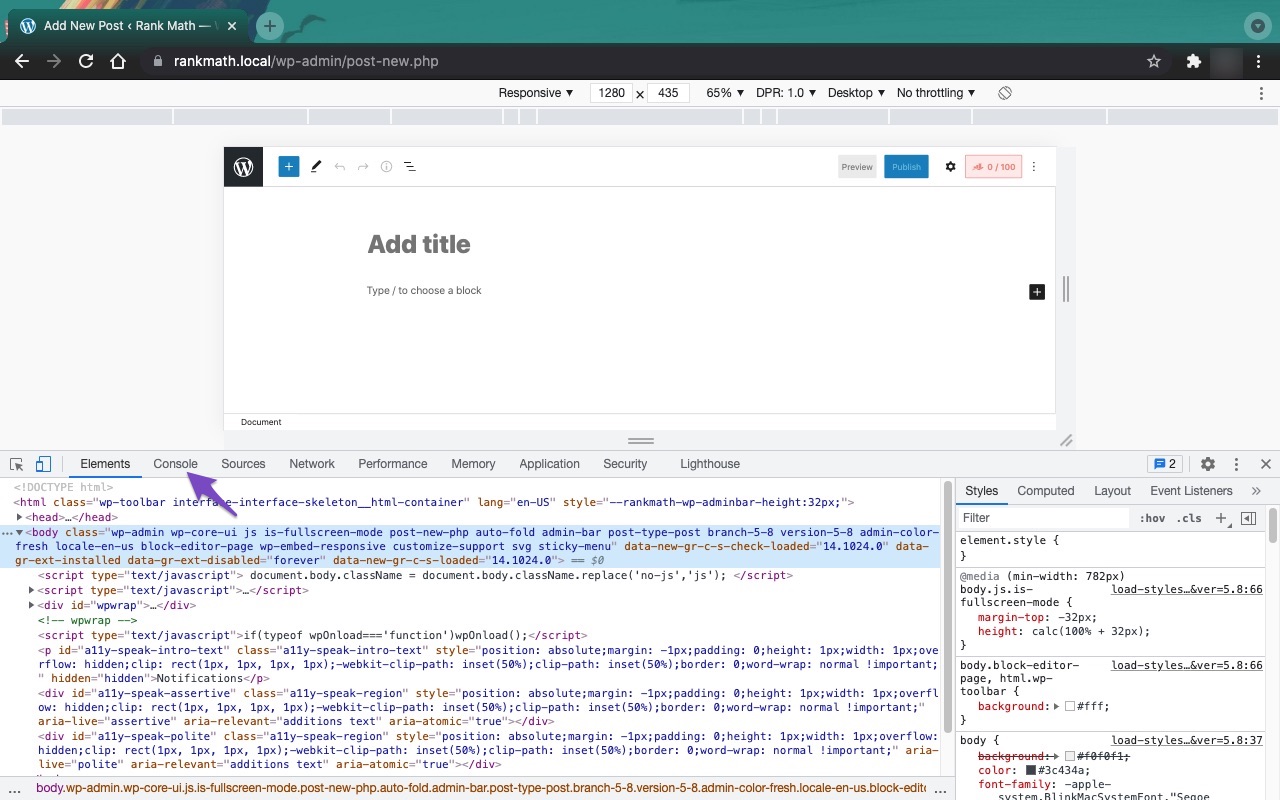
After following these steps, if the issue persists, please feel free to open a support ticket here, and our support team will assist you further.
I hope this helps resolve the issue you are experiencing. If you need any further assistance, please let us know. Thank you for reaching out to us.
Best regards.
Sources:
Why Your SEO Title, Description & Focus Keyword Aren’t Being Saved » Rank Math
How to Setup Rank Math SEO Plugin Properly
Tried everything but still changes not being saved. On reloading the page it shows old snippets and score only. Need help. Planning to buy pro version too
Hello,
Thank you for contacting Rank Math support.
The most likely reason your Rank Math meta is not saving is either because of a plugin conflict or the Rank Math routes are being blocked by a plugin or a security tool/firewall.
The best way to test if the Rank Math routes are being blocked is by visiting this URL in your browser’s incognito mode (replace example.com with your domain name):
https://example.com/wp-json/rankmath/v1/updateMeta
If you see a response like:
{"code":"rest_no_route","message":"No route was found matching the URL and request method","data":{"status":404}}
then your REST route is not blocked. But if you see a notice that your access has been denied by a firewall, then you need to whitelist Rank Math and its files in your firewall settings.
Let us know the result of the test so we can help further
How to whitelist in firewall settings?
Hello,
That would depend on the firewall/security that is blocking the Rank Math routes. We have some guides for the most popular ones, i.e. Wordfence, Sucuri, Cloudflare, etc.
The idea is to whitelist this route and its sub-routes:
https://example.com/wp-json/rankmath/v1/*
You can reach out to the support team of your firewall and have them whitelist that route. You could also share more information or screenshot of the firewall and we might be able to offer some insights.
Thank you for your patience and cooperation
Hello,
Since we did not hear back from you for 15 days, we are assuming that you found the solution. We are closing this support ticket.
If you still need assistance or any other help, please feel free to open a new support ticket, and we will be more than happy to assist.
Thank you.



