Hello,
I’m sorry to hear that you are facing difficulties viewing your products on the WooCommerce product page after installing Rank Math. To resolve this issue, you can follow these steps:
-
Open Screen Options: Click on the Screen Options tab at the top right corner of the WordPress admin area when you are on the WooCommerce Products page.
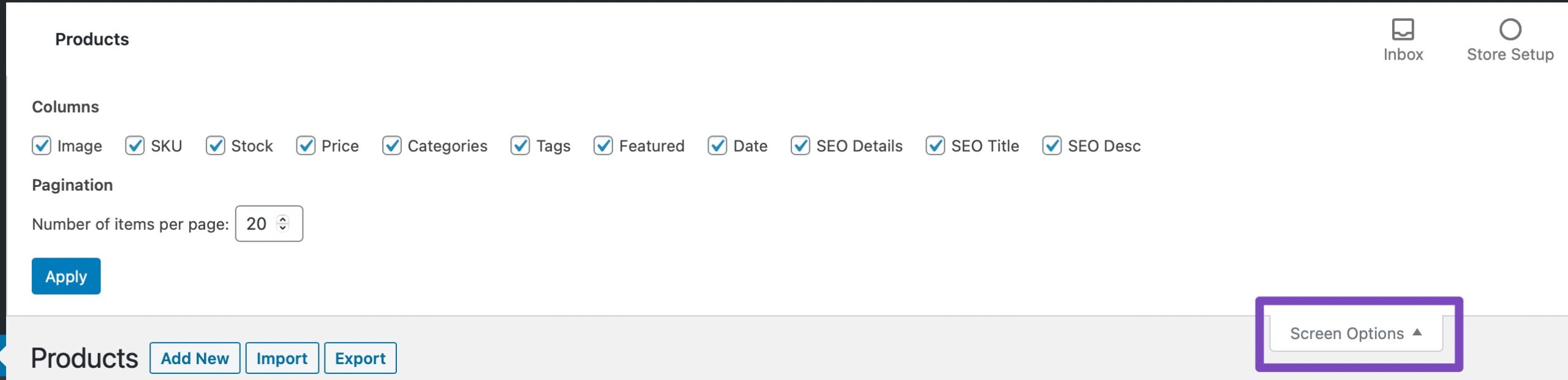
-
Exclude Misaligned Columns: In the Screen Options menu, select only the columns that you wish to appear and then click on Apply.
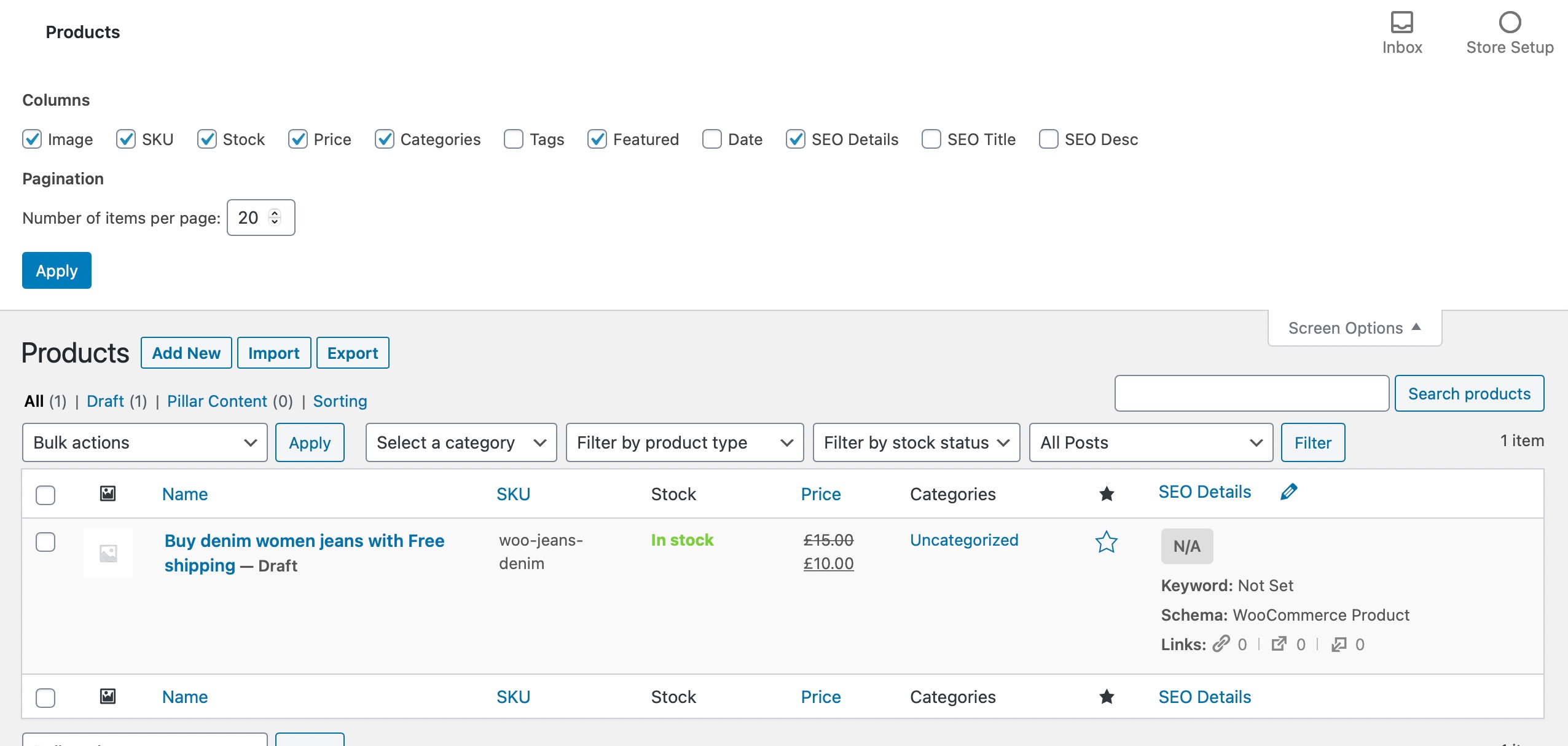
By excluding any misaligned columns, you should be able to realign and view your WooCommerce products page properly again. If you continue to face issues or need further assistance, please feel free to reach out to our support team by clicking here.
I hope this helps in resolving the issue you are experiencing. If you have any more questions or need additional help, please let us know.
Thank you for reaching out to us!
Sources:
WooCommerce Products Page is Misaligned When Using Rank Math
Sorry, You Are Not Allowed to Access This Page » Rank Math
How to Disable Custom Product Redirection in Rank Math » Rank Math
Resolving Rank Math Schema Markup Related Issues
Hello,
Thank you for contacting us and sorry for any inconvenience that might have been caused due to that.
Could you please confirm if your product list page is misaligned? If so, please try to follow the steps from this guideline to resolve this: https://rankmath.com/kb/woocommerce-products-page-misaligned/
Let us know how it goes. Looking forward to helping you.
Thank you.
Doc roberts’
Here’s a concise response you can give:
“It seems the Rank Math plugin might be filtering out your products. Try disabling Rank Math temporarily to see if the issue resolves. If it does, you may need to adjust Rank Math settings or contact their support.”
Hello,
We might need to take a closer look at the settings. Please edit the first post on this ticket and include your WordPress logins in the designated Sensitive Data section.
Please do take a complete backup of your website before sharing the information with us.

It is completely secure and only our support staff has access to that section. If you want, you can use the below plugin to generate a temporary login URL to your website and share that with us instead:
https://wordpress.org/plugins/temporary-login-without-password/
You can use the above plugin in conjunction with the WP Security Audit Log to monitor what changes our staff might make on your website (if any):
https://wordpress.org/plugins/wp-security-audit-log/
We really look forward to helping you.
Hello,
Since we did not hear back from you for 15 days, we are assuming that you found the solution. We are closing this support ticket.
If you still need assistance or any other help, please feel free to open a new support ticket, and we will be more than happy to assist.
Thank you.





