Blocked due to unauthorized request (401)

#844229
  • Resolved Dylan
    Rank Math free

    Hi, I am noticing an issue with the website getting indexed. I recently resolved the 403 issue that Rank Math was responsible for in Instant Index feature, though there is still a Blocked due to unauthorized request (401) error that is occurring in Google Search Console. This is not allowing the new website to index any of the pages. Why is this occurring and how to resolve this issue so that the website can be indexed and go live on the internet?

    Also, there is an issue flagging with the Robots.txt file according to Google Search Console. arning_amber
    Warning – Rule ignored by Googlebot (line 9) – Crawl-Delay: 3
    What is this and how to fix it?

    Also, the Sitemap has errors and is flagging with Google Search Console. I don’t know what those Urls are related to and why they are on the sitemap. How to fix this?

    Sitemap can be read, but has errors
    Invalid URL
    3 instances
    This is not a valid URL. Please correct it and resubmit.
    Examples
    URL:
    http://on|100%|100%|100%|100%
    Line 24
    Parent tag:
    image
    Tag:
    loc
    URL:
    http://on|100%|100%|100%|100%
    Line 27
    Parent tag:
    image
    Tag:
    loc
    URL:
    http://on|100%|100%|100%|100%
    Line 30
    Parent tag:
    image
    Tag:
    loc

    Let me know, thanks!

Viewing 5 replies - 1 through 5 (of 5 total)
  • Hello,

    We apologize for the issues you are facing with your website’s indexing and the errors in Google Search Console. Thank you for raising these concerns.

    Blocked Due to Unauthorized Request (401)

    The 401 error typically indicates that access to a resource is restricted, often due to issues with your robots.txt file or permissions set on your server. To resolve this:

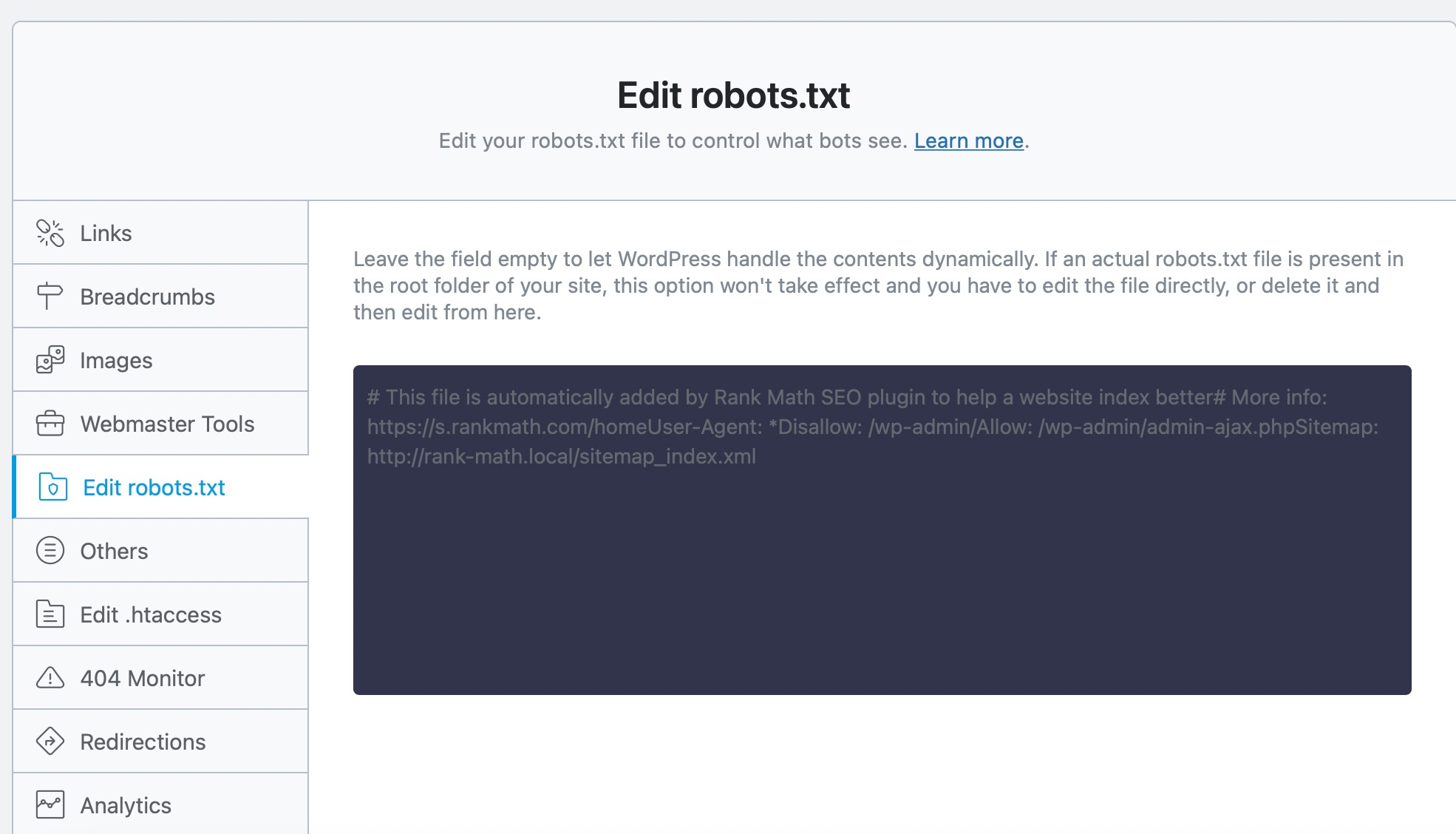
    1. Check Your Robots.txt File: Ensure that your robots.txt file is not blocking Googlebot from accessing your site. You can edit your robots.txt file by going to Rank Math SEO → General Settings → Edit .robots.txt. If you need to regenerate it, make sure it includes the following rules:

      User-agent: *
      Disallow: /wp-admin/
      Allow: /wp-admin/admin-ajax.php
      Sitemap: yoursite.com/sitemap_index.xml

      Edit robots.txt

    2. Check File Permissions: Ensure that the file permissions on your server are correctly set, especially if you are using a Linux server.

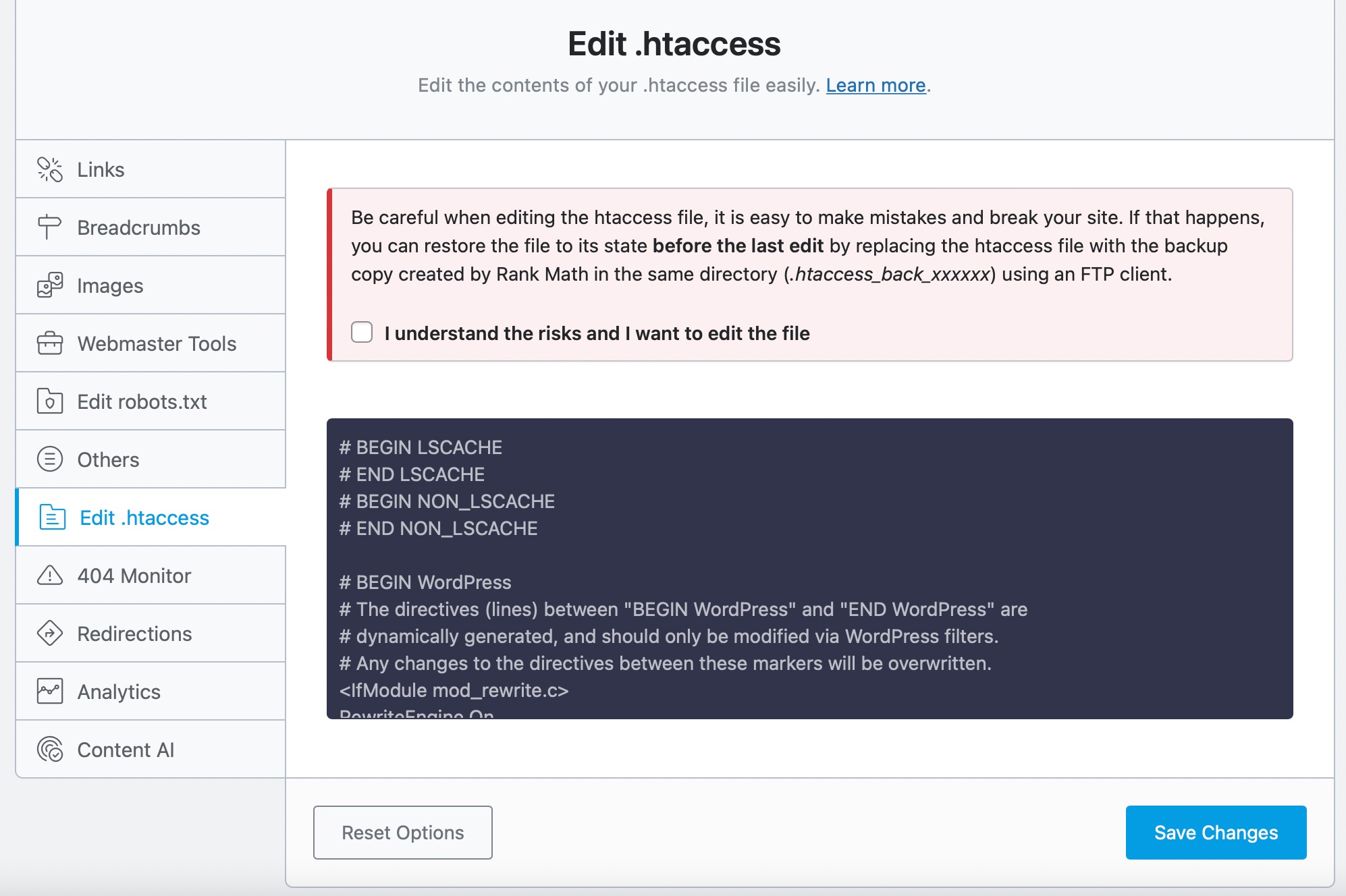
    3. Regenerate Your .htaccess File: A corrupt .htaccess file can also lead to 401 errors. You can regenerate it by going to Rank Math SEO → General Settings → Edit .htaccess. If this section is unavailable, ensure you’ve switched to the Advanced Mode in Rank Math.
      Edit htaccess

    Warning – Rule Ignored by Googlebot (Crawl-Delay)

    The warning regarding Crawl-Delay indicates that Googlebot does not recognize this directive in your robots.txt file. Googlebot does not support the Crawl-Delay directive, so you can safely remove this line from your robots.txt file to avoid confusion.

    Sitemap Errors

    Regarding the sitemap errors, it seems there are invalid URLs being generated. The URLs you provided (e.g., `https://rankmath.com/wp-content/uploads/2022/10/edit-htacess-file.jpg) appear to be malformed and should not be present in your sitemap. To fix this:

    1. Check for Plugin Conflicts: Sometimes, plugins can interfere with sitemap generation. You can use the Health Check plugin to identify any conflicts.
    2. Review Your Posts and Pages: Ensure that all posts and pages have valid URLs and that there are no custom canonicals that might be affecting the sitemap.
    3. Regenerate Your Sitemap: You can regenerate your sitemap by going to Rank Math SEO → Sitemap Settings and ensuring everything is set up correctly.

    If you continue to experience issues after trying these steps, please reply to this ticket, and a human agent from the Rank Math Support team will assist you further.

    Thank you for your patience, and we hope to resolve these issues quickly so your website can go live!

    Sources:
    How to Fix the ‘Blocked Due to Other 4xx Issue’ Error » Rank Math
    Rank Math Sitemap Issues and Their Fixes » Rank Math
    How To Fix Blocked Due to Access Forbidden (403) Error in Google Search Console » Rank Math

    Hello,

    Usually, this happens when you are using the Blurb feature in Divi.

    If that’s the case, we recommend that you contact the Divi team and ask them if they have a solution for this where these BG images of blurps are not included in the sitemap.

    The functionality of Rank Math being able to see Divi images and adding them to the sitemap was added by the Divi team and that is why it is recommended that you contact them directly.

    Hope that helps, and please do not hesitate to let us know if you need our assistance with anything else.

    Dylan
    Rank Math free

    Hi Ike,

    Can you clarify your response for me, please? The blurb feature is affecting which part of the above issues I have mentioned?

    There are a few issues – robots.txt issue, and 2 sitemap issues – The number of Images not being accurate on the sitemap link, and the strange unknown links that are flagging as errors as part of the sitemap.

    If the blurb is part of the issue for missing images, it doesn’t explain why the other images on the page are not being counted for. There are a bunch more than 6 images on each page except the contact page, and the sitemap mentions from 0 to less than 6.

    Please provide insight into each issue, thanks!

    Dylan
    Rank Math free

    Hi Ike, I am following up on my recent questions. Please provide further insight, thank you! The website is not getting indexed and it is vitally important that this occurs. Google Search Console still says Blocked due to unauthorized request (401). My hosting provider says it has nothing to do on their end and nothing is blocking on the server, so it has to be something with the sitemap or rank math’s side of things.

    I look forward to hearing from you, thank you!

    Hello,

    We checked your website and we don’t see any blockage happening when we load the site using Googlebot.

    Can you please share a screenshot of the report you received about the 401 and the affected URLs?

    As for the sitemap issues, the Blurb feature in Divi affects the generation of sitemap which is a common problem with our users here. Here are some example tickets with the same issue:

    https://support.rankmath.com/ticket/invalid-urls-in-my-sitemap/
    https://support.rankmath.com/ticket/sitemap-in-google-search-console/
    https://support.rankmath.com/ticket/sitemap-can-be-read-but-has-errors-invalid-url-3/

    This type of issue can’t be resolved by an update from our plugin. The Blurb feature is coming from Divi so you need to contact them instead.

    Last but not least, as for the robots.txt issue, please share more details about it so we can assist you further.

    Looking forward to helping you.

    Hello,

    Since we did not hear back from you for 15 days, we are assuming that you found the solution. We are closing this support ticket.

    If you still need assistance or any other help, please feel free to open a new support ticket, and we will be more than happy to assist.

    Thank you.

Viewing 5 replies - 1 through 5 (of 5 total)

The ticket ‘Blocked due to unauthorized request (401)’ is closed to new replies.