
-
Hello Rank Math Support Team, my WooCommerce shop page runs through the “Product Archive” theme. I would like to adjust the Title and Meta Description. Since it doesn’t operate through a regular “Page,” I can’t make these adjustments like I do for other pages. The Title continuously displays “Page Not Found,” even though the website functions properly. How can I make these SEO adjustments? Thank you for your help!

-
Hello,
We apologize for the issue you are facing with the SEO adjustments for your WooCommerce Product Archive. You can indeed customize the Title and Meta Description for your product archives using Rank Math. Here’s how you can do it:
-
Navigate to Rank Math Settings: Go to your WordPress dashboard and navigate to Rank Math → Titles & Meta.
-
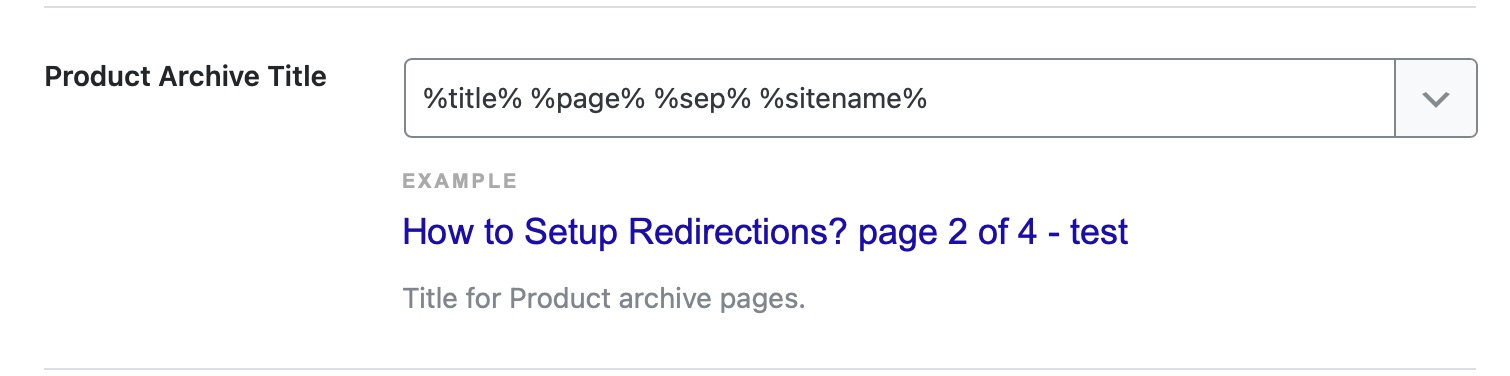
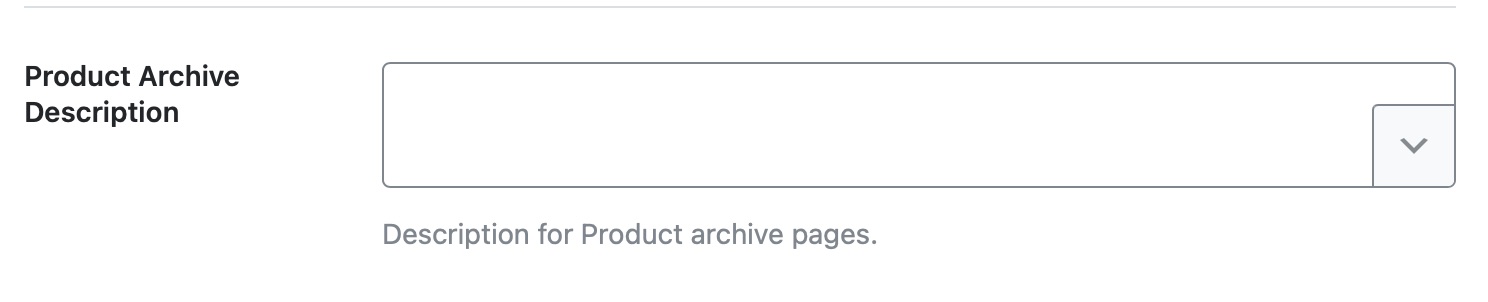
Product Archive Title and Description: Look for the section related to Product Archives. Here, you can create a template for the titles and descriptions of your product archives. You can use template variables to create dynamic titles or static ones.
-
Real-time Preview: As you make changes, the real-time preview below the text area will help you visualize how the final template will turn out.
-
Save Changes: Don’t forget to save your changes after making adjustments.
If you continue to see "Page Not Found" for your title, ensure that your permalinks are set correctly in Settings → Permalinks and try refreshing your cache if you are using a caching plugin.
If you have any further questions or need additional assistance, feel free to reply to this ticket, and a human agent from the Rank Math Support team will assist you further. Thank you for raising this concern!
I have already correctly entered the Product Archive Title and Product Archive Description.
I have selected the custom base as (/products/) for product permalinks. is this correct?Aswell I have cleared the cache.
The correct Description appears in the source code, but the Title still shows “Page Not Found.” Are there any other options or adjustments I can make to resolve this issue?
Hello,
Thank you for contacting Rank Math support.
We might need to take a closer look at the settings. Please edit the first post on this ticket and include your WordPress logins in the designated Sensitive Data section.
Please do take a complete backup of your website before sharing the information with us.
It is completely secure and only our support staff has access to that section. If you want, you can use the below plugin to generate a temporary login URL to your website and share that with us instead:
https://wordpress.org/plugins/temporary-login-without-password/
You can use the above plugin in conjunction with the WP Security Audit Log to monitor what changes our staff might make on your website (if any):
https://wordpress.org/plugins/wp-security-audit-log/
We really look forward to helping you.
Hello,
I have updated the sensitive data as requested. Can you please check further?
Thank you.
Hello,
Since that page doesn’t have a particular ID the plugin cannot associate the data correctly from the settings so you would need to change the title using a custom filter such as this one:
add_filter( 'rank_math/frontend/title', function( $title ) {
	if ( $_SERVER['REQUEST_URI'] == '/shop/' ) {
		$title = "Change this...";
	}
	return $title;
});
Hope this helps solve your issues.
Don’t hesitate to get in touch if you have any other questions.
would there be any other possibilities than to intervene in the php code? because on all other pages which were created in the theme builder / archive the title of the website is displayed correctly
Hello,
Can you please share the other dynamic pages where the issue isn’t happening so we can compare them with the affected page. We would like to know how they are both configured.
Since we are working with dynamically generated pages, Rank Math can’t explicitly integrate meta information so you’ll have to use the filter code we shared.
Don’t worry about applying filter code (as long as you do it right) as it doesn’t affect other aspects of your website or make it slow. You may refer to this guide on how to add filters to your website: https://rankmath.com/kb/wordpress-hooks-actions-filters/
Hope that helps.
Hello,
I have updated the sensitive data as requested. Can you please check further?
Thank you.
Hi,
Thank you for your message.
I can confirm that all other pages created with the theme builder are functioning properly. This includes the single product view and individual posts. I’ve included the links to these pages in the sensitive data section.
I hope this helps! Let me know if you need any further information.
Hello,
The pages you shared contain actual IDs in the database so the plugin can associate the data with them correctly. The archive page having this issue cannot do that because that is a custom archive page for a CPT that doesn’t have archives enabled.
So, to clarify, the PHP code snippet is the only way to change the title of the page.
Don’t hesitate to get in touch if you have any other questions.
Hi
Since I am not familiar with “coding” I would need a step by step guide where and how I can integrate the code exactly.
Many thanks
Hello,
We already shared a tutorial on how to apply the custom code on your website here: https://support.rankmath.com/ticket/assistance-with-seo-adjustments-for-woocommerce-product-archive/?view=all#post-893691
If you need additional modifications to the code you would need to hire a developer as beyond the small changes, custom code snippets is outside the scope of our support.
Thank you.
Hello,
Since we did not hear back from you for 15 days, we are assuming that you found the solution. We are closing this support ticket.
If you still need assistance or any other help, please feel free to open a new support ticket, and we will be more than happy to assist.
Thank you.
-



The ticket ‘Assistance with SEO Adjustments for WooCommerce “Product Archive”’ is closed to new replies.