Hello,
We apologize for the issue you are facing with Rank Math on your multisite installation. The error message "Sorry, you are not allowed to access this page" typically indicates that there are permission issues or that Rank Math is not properly installed in a multisite environment.
Here are a few steps you can take to troubleshoot this issue:
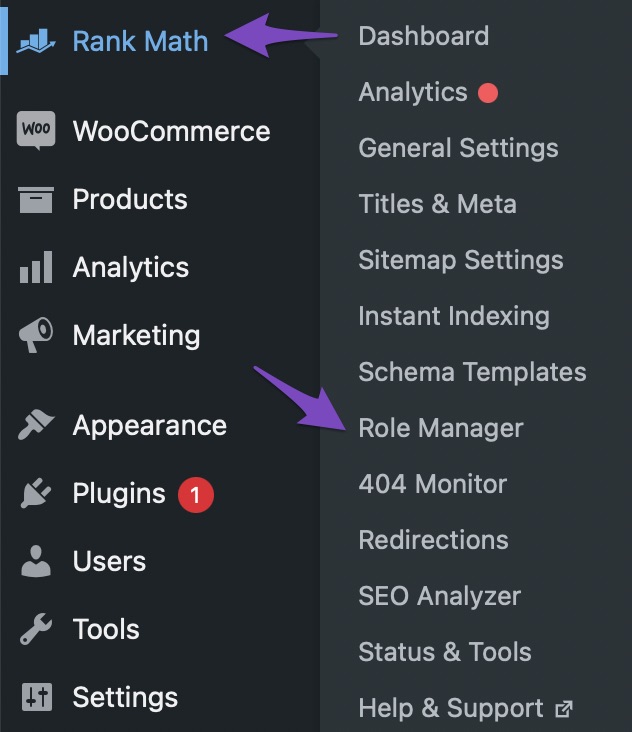
1. Check Your Access with Role Manager
Ensure that your user role has the required capabilities to access Rank Math settings. You can do this by checking the Role Manager settings inside Rank Math. If you have access, make sure your user role is granted all necessary capabilities and click the Update Capabilities button.
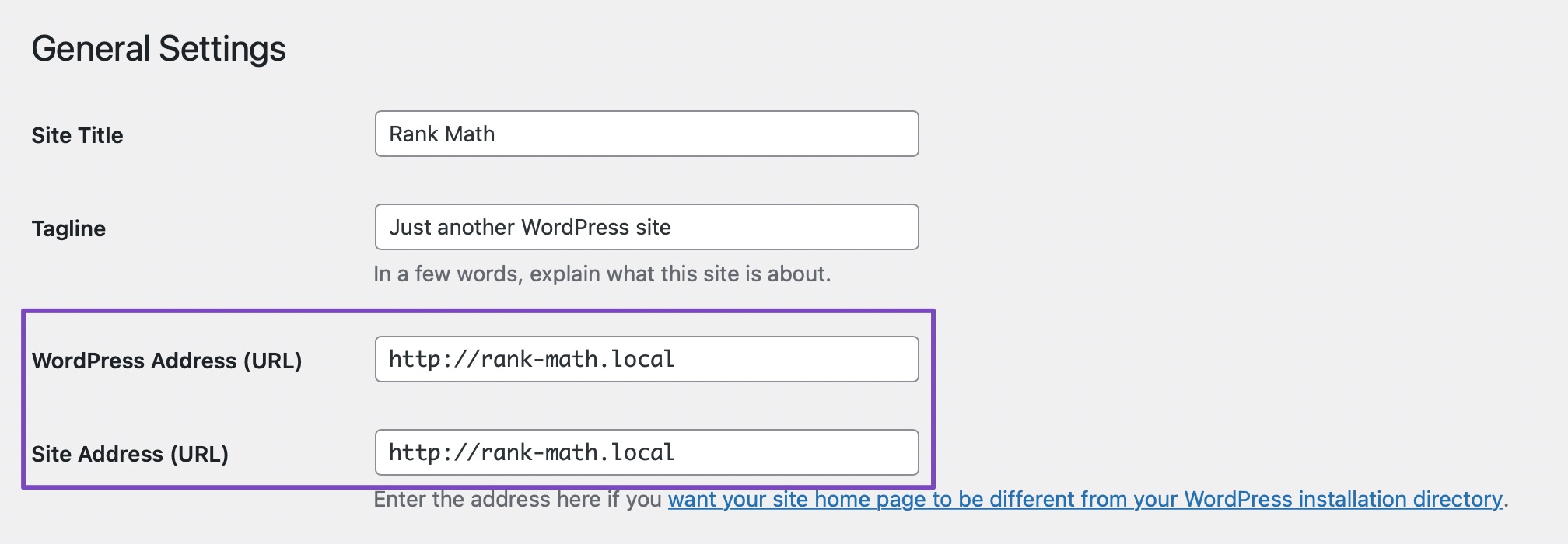
2. Verify WordPress Settings for URL Mismatch
Check if there’s any mismatch in the URLs on your WordPress settings. Go to WordPress Dashboard → Settings → General and ensure that the WordPress Address (URL) and Site Address (URL) fields match.
3. Ensure Rank Math is Activated Network-Wide
In a multisite setup, only the Super Admin can install and activate plugins network-wide. Make sure that Rank Math is installed and activated across the network. If it’s not, please have the Super Admin install it.
For detailed instructions on installing Rank Math in a multisite environment, you can refer to our guide here.
If you have followed these steps and are still encountering issues, please reply to this ticket, and a human agent from the Rank Math Support team will assist you further.
Thank you for your patience, and we appreciate your understanding as we work to resolve this issue!
Sources:
Sorry, You Are Not Allowed to Access This Page » Rank Math
Installing Rank Math on a Multisite Environment » Rank Math
Stupid AI responses
Your product doesn’t appear to have options in the menu on my dashboard until it’s connected. I can’t see any of the options described in the response.
Hello,
The correct way to use our plugin on a multisite setup is to install it on the network but only activate it on specific subsites.
If you have activated it on the network, please deactivate it on the network and then activate it on the subsites.
Please refer to this guide:
https://rankmath.com/kb/installing-rank-math-on-a-multisite-environment/#install-free-version
Let us know how this goes.
OK thank you!
I’ll try this out right now!
Hello,
That is fine.
Please take the time to follow the steps we shared and let us know if the issue persists.
We look forward to hearing from you.
Thank you.
Hello,
Since we did not hear back from you for 15 days, we are assuming that you found the solution. We are closing this support ticket.
If you still need assistance or any other help, please feel free to open a new support ticket, and we will be more than happy to assist.
Thank you.




