Hello,
We apologize for the issue you are facing. Rank Math is fully compatible with WP Bakery Page Builder, so you can use it effectively for your video SEO needs.
Regarding the thumbnail image for your videos, Rank Math has an option to automatically generate a thumbnail when it detects a new video. However, if you want to manually select the thumbnail image that is submitted for indexing, you can do so by configuring the Video Schema settings. You can specify the thumbnail URL in the Video Schema markup, allowing you to control which image is used.
As for migrating from Yoast to Rank Math, you don’t need to worry about losing your rankings. Rank Math has a built-in feature that allows you to import your SEO settings from Yoast seamlessly. This process ensures that search engines won’t notice any changes on your website after the migration. Just make sure to run the setup wizard after installing Rank Math to import your settings correctly.
If you have any further questions or need assistance during the migration process, feel free to reply to this ticket, and a human agent from the Rank Math Support team will assist you further.
Thank you for raising your concerns!
Sources:
The #1 WordPress SEO Plugin in 2024 – Rank Math
Using Video Sitemaps in Rank Math
Automatically Add Video Schema To Your Existing Posts » Rank Math
In terms of manually uploading thumbnail could you show me a visual of how this would be done, specifically in terms of how you describe it here: “However, if you want to manually select the thumbnail image that is submitted for indexing, you can do so by configuring the Video Schema settings. You can specify the thumbnail URL in the Video Schema markup, allowing you to control which image is used.”
Hello,
Thank you for your inquiry and for considering Rank Math for your SEO needs.
Yes, you can manually select and upload a thumbnail for your videos by configuring the Video Schema settings. Here’s how you can do it step by step:
1. Navigate to the Post/Page where your video is embedded.
2. Edit the Post/Page, and in the Rank Math metabox or settings panel, you’ll see an option to add Schema Markup.
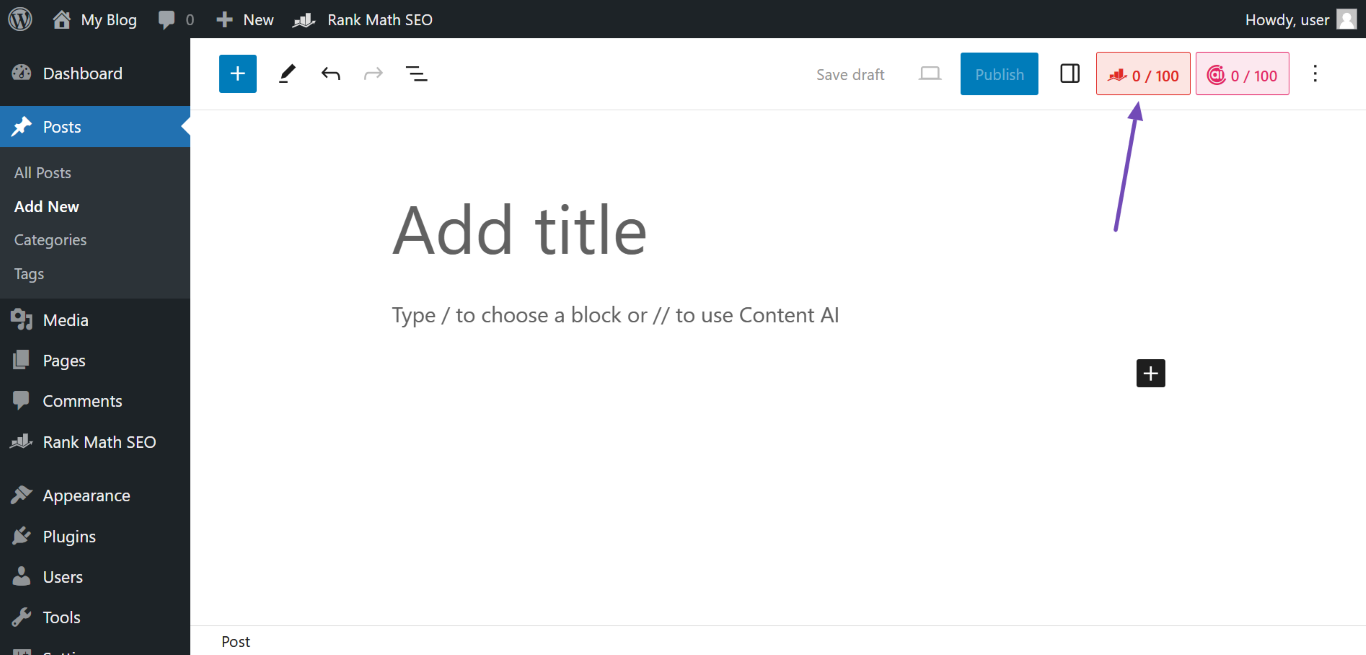
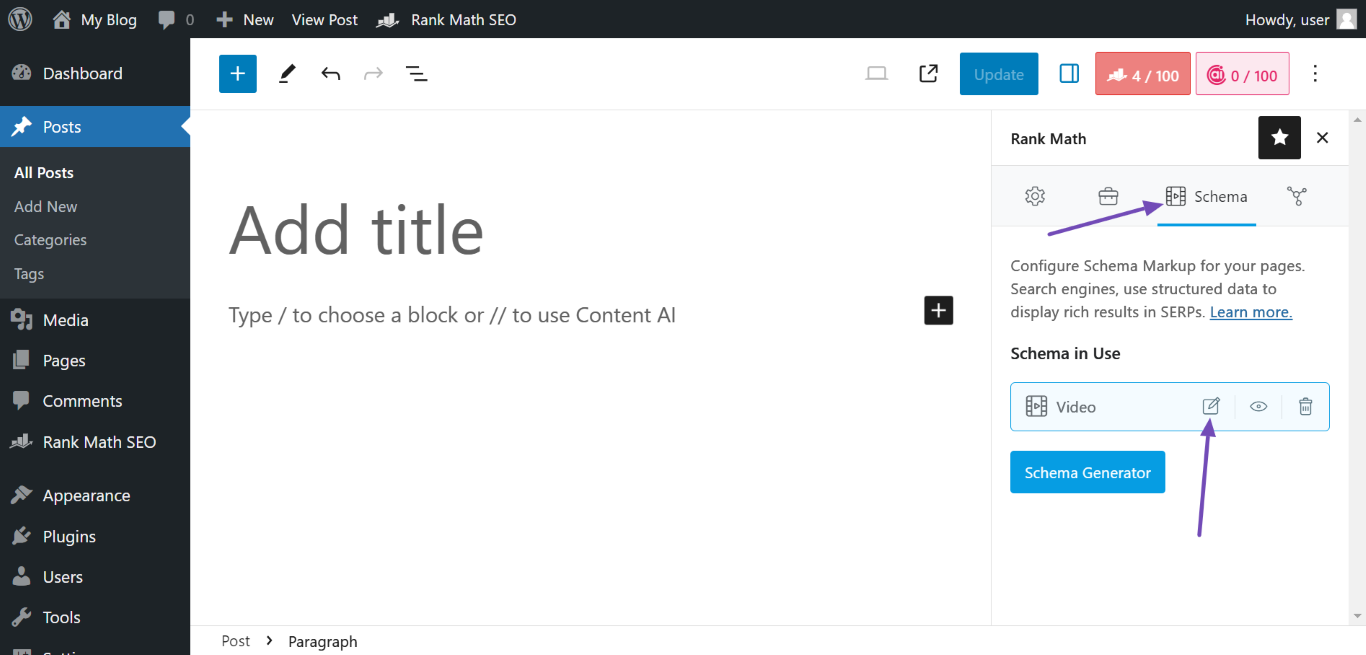
3. In the Rank Math metabox, click the Schema icon, then navigate to the Video Schema and click the Edit icon.
4. In the Schema Builder, locate the VIDEO THUMBNAIL section and paste your video’s custom thumbnail image URL. Once done, click Save for this Post.
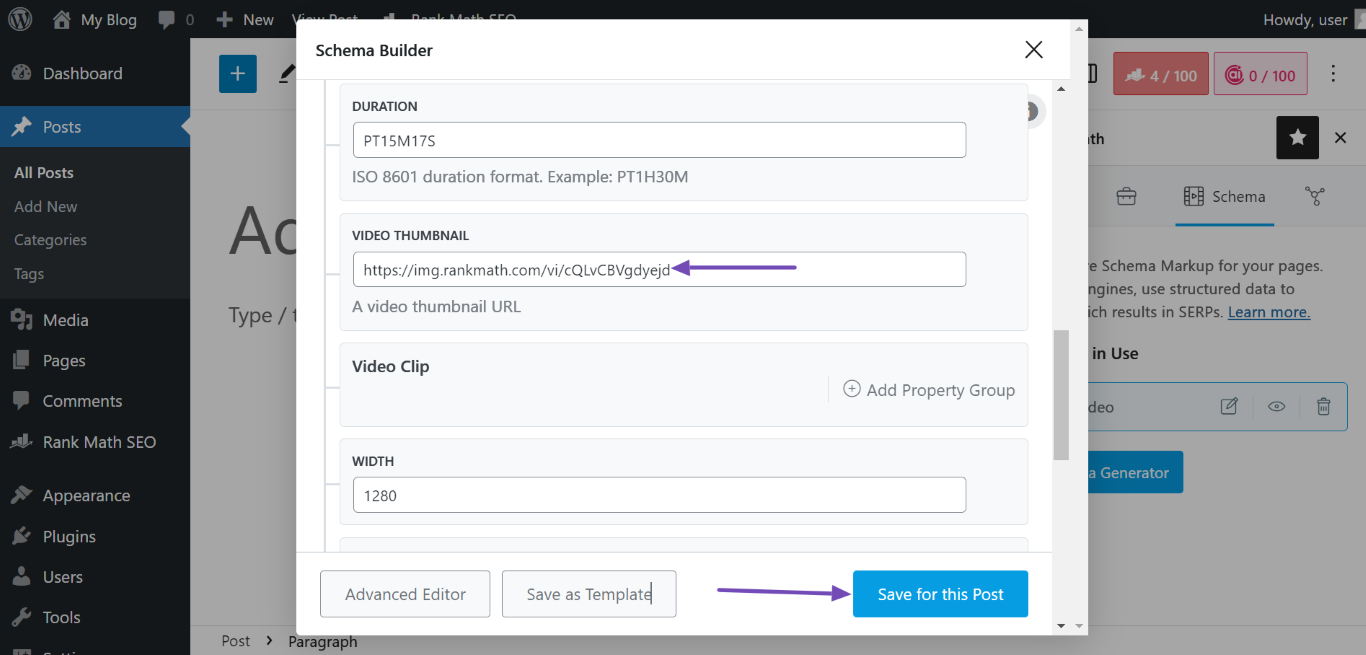
By following these steps, you should be able to add a custom thumbnailUrl property to your Video Schema.
Please refer to this guide: https://rankmath.com/kb/video-schema/
You can also refer to this article on migrating from Yoast to Rank Math: https://rankmath.com/kb/yoast-seo-migration/
We hope this helps. Please let us know if you have further questions or concerns.
Thank you.
Hello,
Since we did not hear back from you for 15 days, we are assuming that you found the solution. We are closing this support ticket.
If you still need assistance or any other help, please feel free to open a new support ticket, and we will be more than happy to assist.
Thank you.



