Hello,
We apologize for the issue you are facing while working on your affiliate website offline. When using local development environments like Local by Flywheels, there can be some limitations or differences in how plugins, including Rank Math, function compared to a live environment.
Here are a few things to consider:
-
Plugin Functionality: Ensure that Rank Math is fully functional in your local environment. Sometimes, certain features may not work as expected offline.
-
Caching Issues: If you have any caching plugins enabled, they might be serving cached versions of your pages. Try clearing the cache to see if that resolves the issue.
-
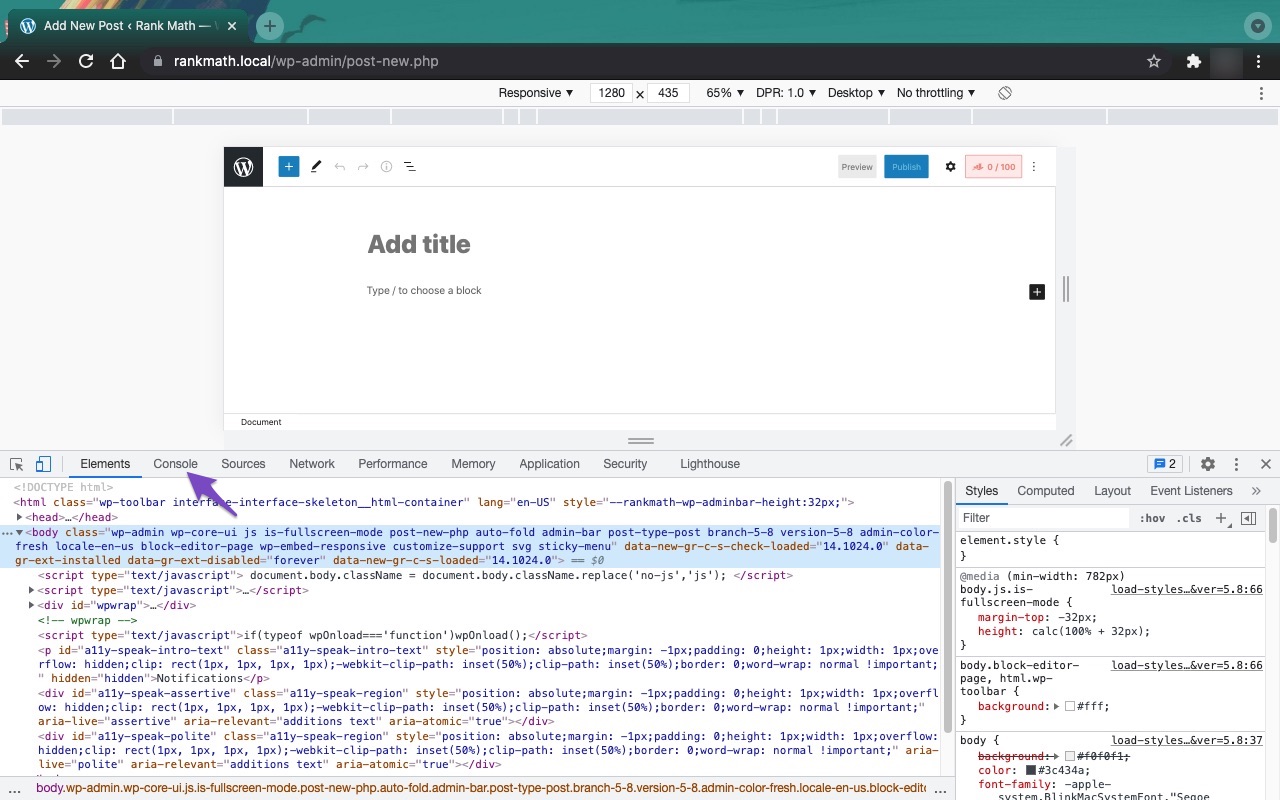
JavaScript Errors: There could be JavaScript-related errors affecting the functionality of Rank Math. You can check for these errors by opening the Developer Tools Console in your browser. Here’s how to do it in Chrome:
- Open Developer Tools by navigating to More Tools → Developer Tools.
- Click on the Console tab to check for any errors.

-
Meta Tags: Make sure that you are correctly saving the SEO Title, Description, and Focus Keyword for each post. If you are still having trouble saving these, it could be due to plugin conflicts or other issues.
If you have checked all these aspects and the problem persists, we recommend replying to this ticket so a human agent from the Rank Math Support team can assist you further.
Thank you for raising this concern, and we hope to help you resolve it soon!
This is an automated reply from Rank Math Support Bot. If you need further assistance, please reply to this topic and a human support agent will reply to you shortly.
Hello,
Since we did not hear back from you for 15 days, we are assuming that you found the solution. We are closing this support ticket.
If you still need assistance or any other help, please feel free to open a new support ticket, and we will be more than happy to assist.
Thank you.


