Hello,
We apologize for the issue you are facing with the WooCommerce interface while using the Rank Math SEO plugin. It sounds quite frustrating to have a broken layout that requires excessive scrolling.
To address the misalignment of the WooCommerce Products page, you can try the following steps:
-
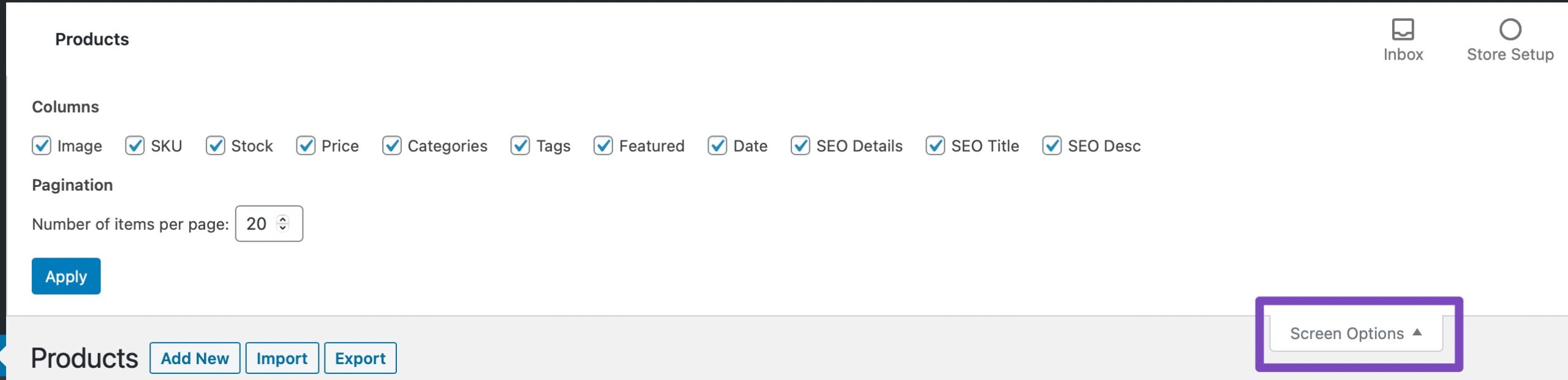
Open Screen Options: Click on the Screen Options menu at the top right of the WordPress admin area when you’re on the WooCommerce Products page.
-
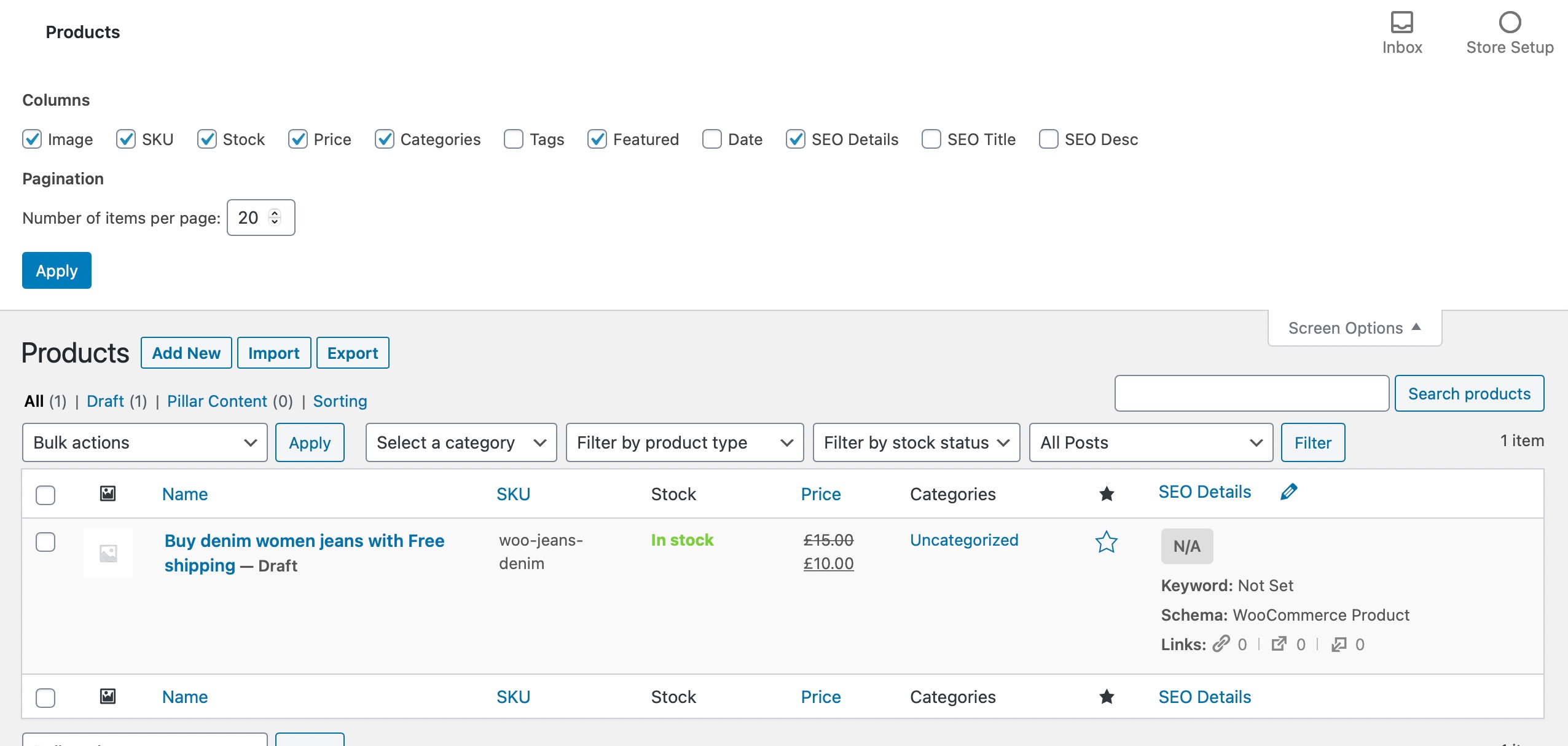
Exclude Misaligned Columns: In the Screen Options menu, select only the columns you wish to appear and then click on Apply. This should help realign the elements on your WooCommerce products page.
If these steps do not resolve the issue, please reply to this ticket with any screenshots you have, and a human agent from our support team will assist you further.
Thank you for bringing this concern to our attention! We are here to help you resolve it as quickly as possible.
Sources:
WooCommerce Products Page is Misaligned When Using Rank Math
Hello,
Thank you for contacting us and sorry for any inconvenience that might have been caused due to that.
In order to resolve this issue, please try to follow the steps from this guideline: https://rankmath.com/kb/woocommerce-products-page-misaligned/
Hope that helps and please don’t hesitate to let us know if you have any other questions.
Thank you.
It works. Thank you very much for your help.
Hello,
We are super happy that this issue has already been resolved. If you have any other questions in the future, know that we are here to help you.
If you don’t mind us asking, could you please leave us a review (if you haven’t already) on
https://wordpress.org/support/plugin/seo-by-rank-math/reviews/#new-post
about your overall experience with Rank Math? We appreciate your time and patience.
If you do have another question in the future, please feel free to create a new forum topic, and it will be our pleasure to assist you again.
Thank you.




