Hello,
Thank you for contacting Rank Math and bringing your concern to our attention. I’m sorry for any inconvenience this issue may have caused you.
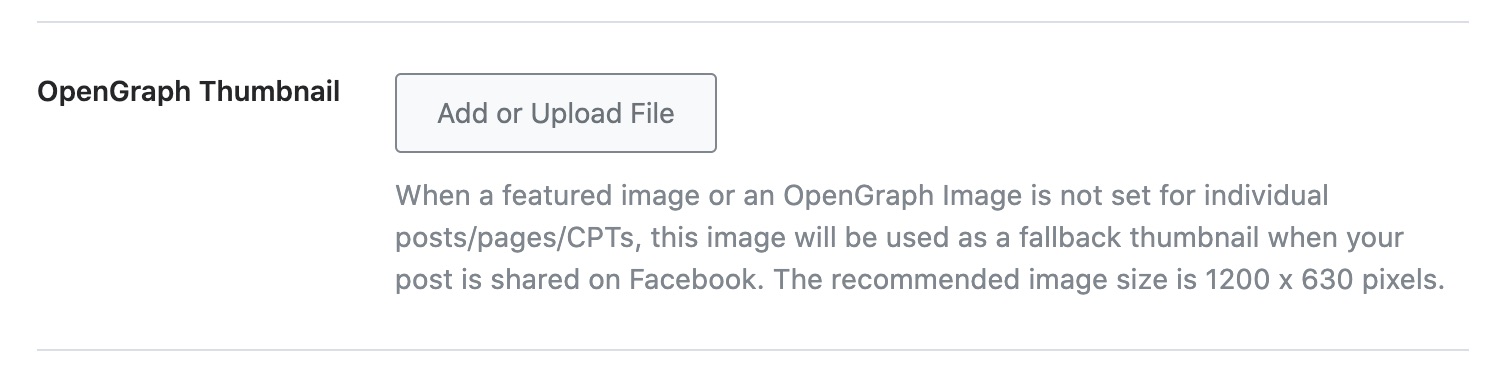
To fix this issue, you may need to add a default Opengraph thumbnail on your site.
Head over to Rank Math > Titles & Meta > Global Meta > Opengraph Thumbnail:
Once done, head over to Rank Math > Status and Tools > Database Tools.
From the list of available tools, click the Clear SEO Analysis button against the Flush SEO Analysis Data option
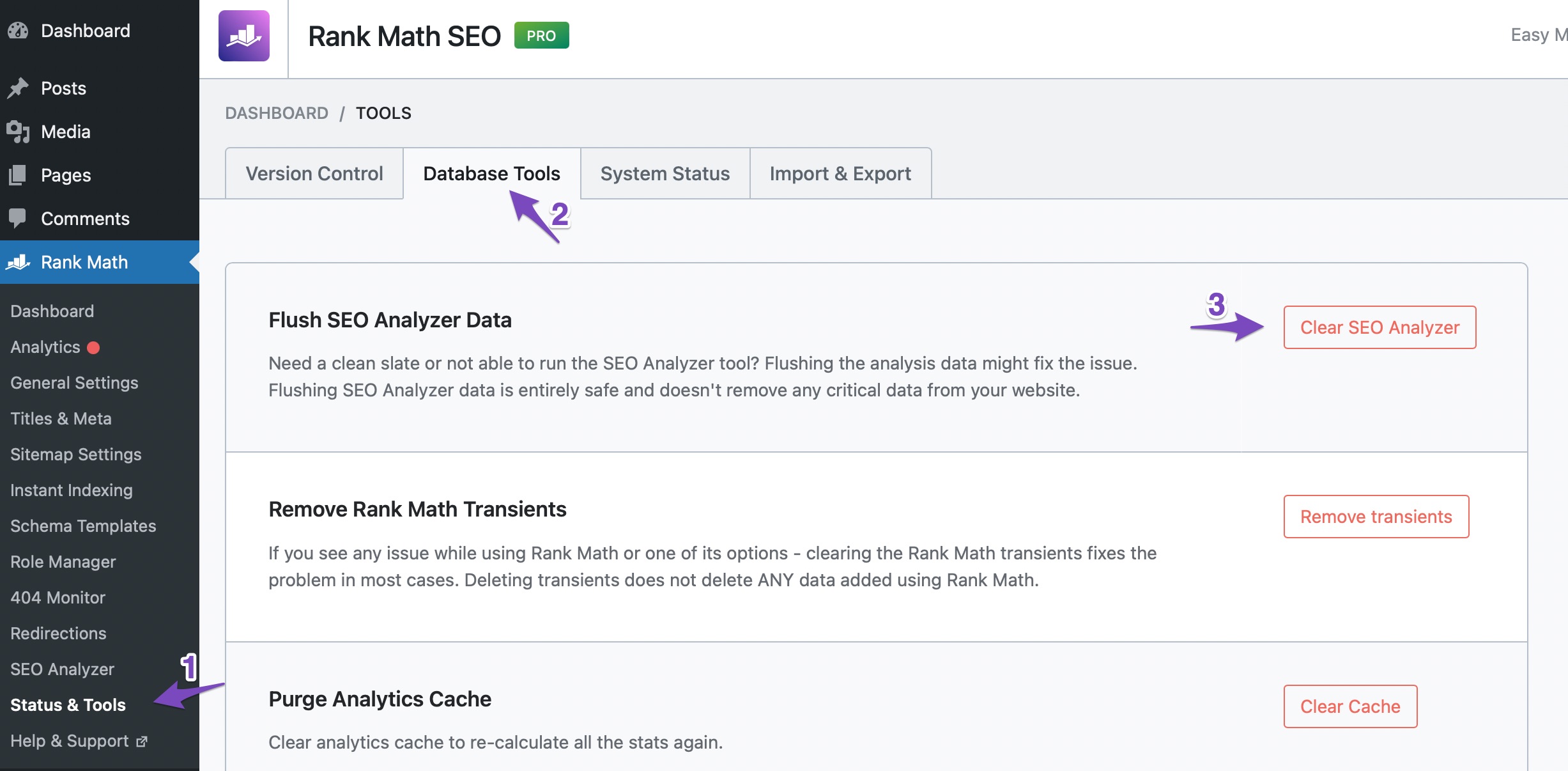
After that, run again the site-wide analysis in the SEO Analyzer tool.
Hope that helps.
I did that but it didn’t work.
Please help me to fix the issue ASAP.
Thanks!
Hello,
We’ve checked your homepage using our External Analyzer Tool, and the test is already fixed.
You can also verify in the page’s source code that the og:image tag is already showing.
If you’re still seeing that failed test in your WordPress, head over to Rank Math > Status & Tools > Database Tools > and click the Clear SEO Analysis and Remove Transients buttons to flush the SEO Analysis cache

Once done, clear your website and any server-level caching on your site before doing the Sitewide analysis again.
Looking forward to helping you.
Hello,
Since we did not hear back from you for 15 days, we are assuming that you found the solution. We are closing this support ticket.
If you still need assistance or any other help, please feel free to open a new support ticket, and we will be more than happy to assist.
Thank you.



