Hello, we apologize for the issue you are facing with the schema checker showing "WebPage" instead of "Website".
The reason you see "WebPage" is that this schema is automatically added to your pages by default. The WebPage Schema specifies that a page is a webpage and includes details like the date the page was published and modified, along with the page’s URL, title, and language.
On the other hand, the WebSite Schema contains details about your entire site, including its name and ownership information. To ensure that the WebSite Schema is properly configured, you need to enable the Local SEO module in Rank Math and fill out the necessary fields under Rank Math SEO → Titles & Meta → Local SEO. Here’s how you can do it:
-
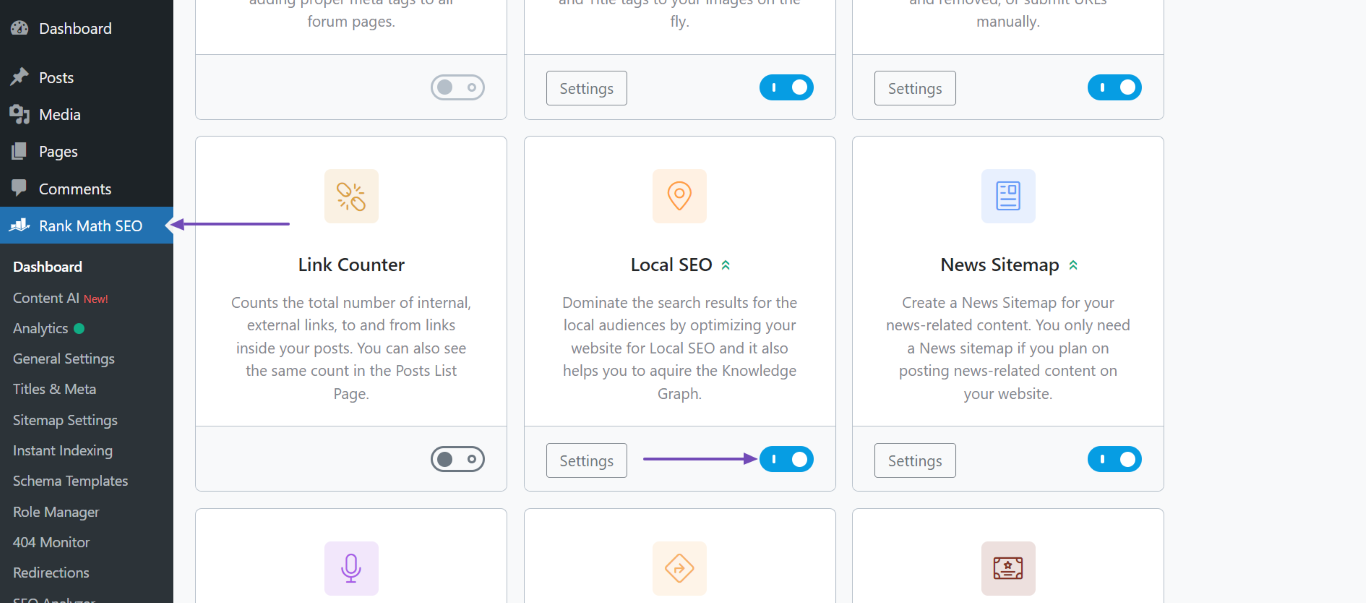
Enable the Local SEO module in Rank Math.
-
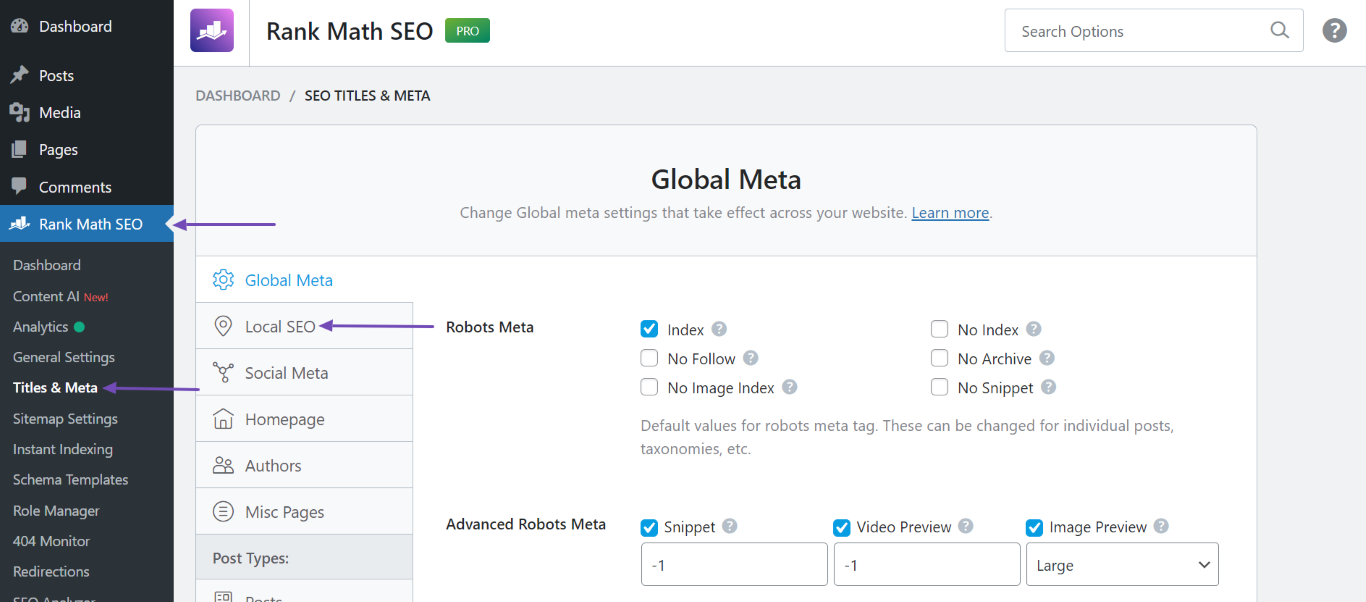
Navigate to Rank Math SEO → Titles & Meta → Local SEO.
-
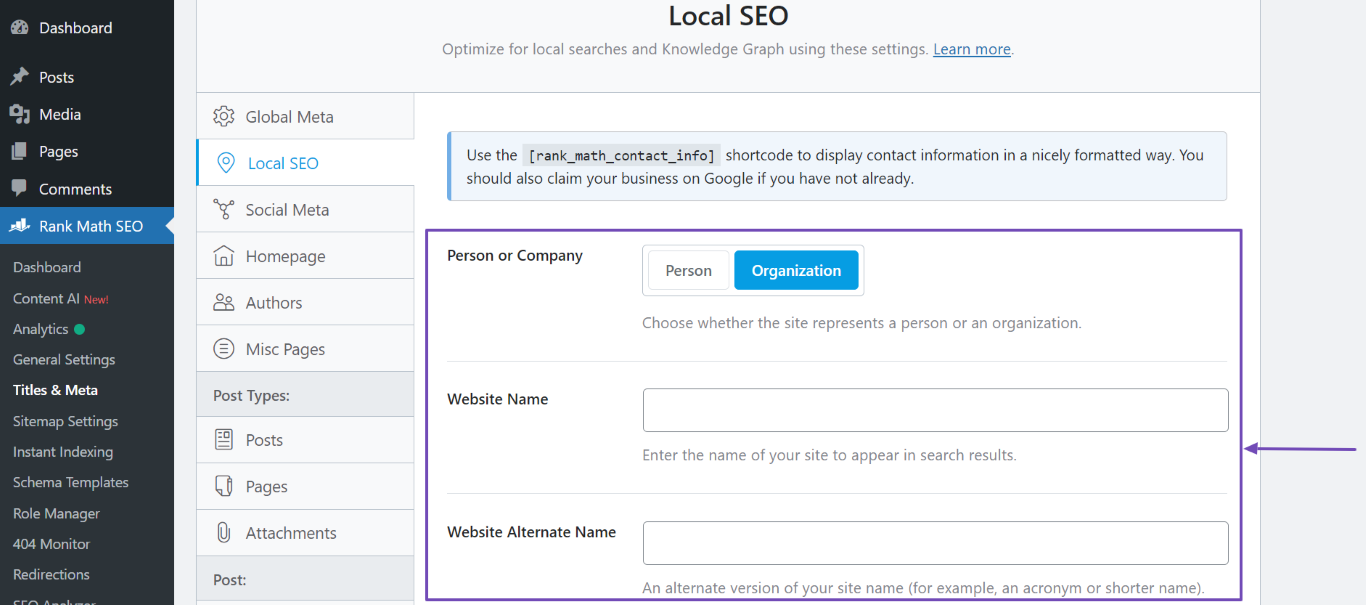
Fill in the required fields such as Person or Company, Website Name, and Website Alternate Name.
If you have applied a template schema sitewide but still do not see the "Website" schema, it may be due to how the schema is being implemented or recognized by the schema checker. You might want to check if the template schema is correctly set up and if there are any conditions that might prevent it from being applied sitewide.
To validate your schema implementation, you can use Google’s Rich Results Test to ensure everything is working as expected.
If you continue to experience issues, please reply to this ticket, and a human agent from the Rank Math Support team will assist you further. Thank you for raising this concern!
Sources:
Configuring “Schema Markup” in Rank Math » Rank Math
Configuring “Schema Markup” in Rank Math for Rich Snippets » Rank Math
Why Google Displays URL Instead of Site Name in SERP? » Rank Math
What is WebSite Schema and How Do You Implement It? » Rank Math
Hello,
Please note that Rank Math automatically includes the WebPage and WebStie schema on your pages. In this case, can you please share the affected page URL with us so that we can check the issue further for you?
Regarding the schema template, this is a PRO feature of the Rank Math plugin but the account you have used to open this ticket is the Rank Math free version.
Please search and forward a receipt from FastSpring.com so we can locate your account and verify it.
Looking forward to helping you.
Thank you.
Hello,
Since we did not hear back from you for 15 days, we are assuming that you found the solution. We are closing this support ticket.
If you still need assistance or any other help, please feel free to open a new support ticket, and we will be more than happy to assist.
Thank you.



