Hello,
We apologize for the issue you are facing with updating the Meta description and Focus keywords in Rank Math. There are a few common reasons why you might be unable to save these changes:
-
Plugin Conflicts: Sometimes, other plugins can conflict with Rank Math, preventing changes from being saved. You can check for plugin conflicts by following our guide on plugin conflict.
-
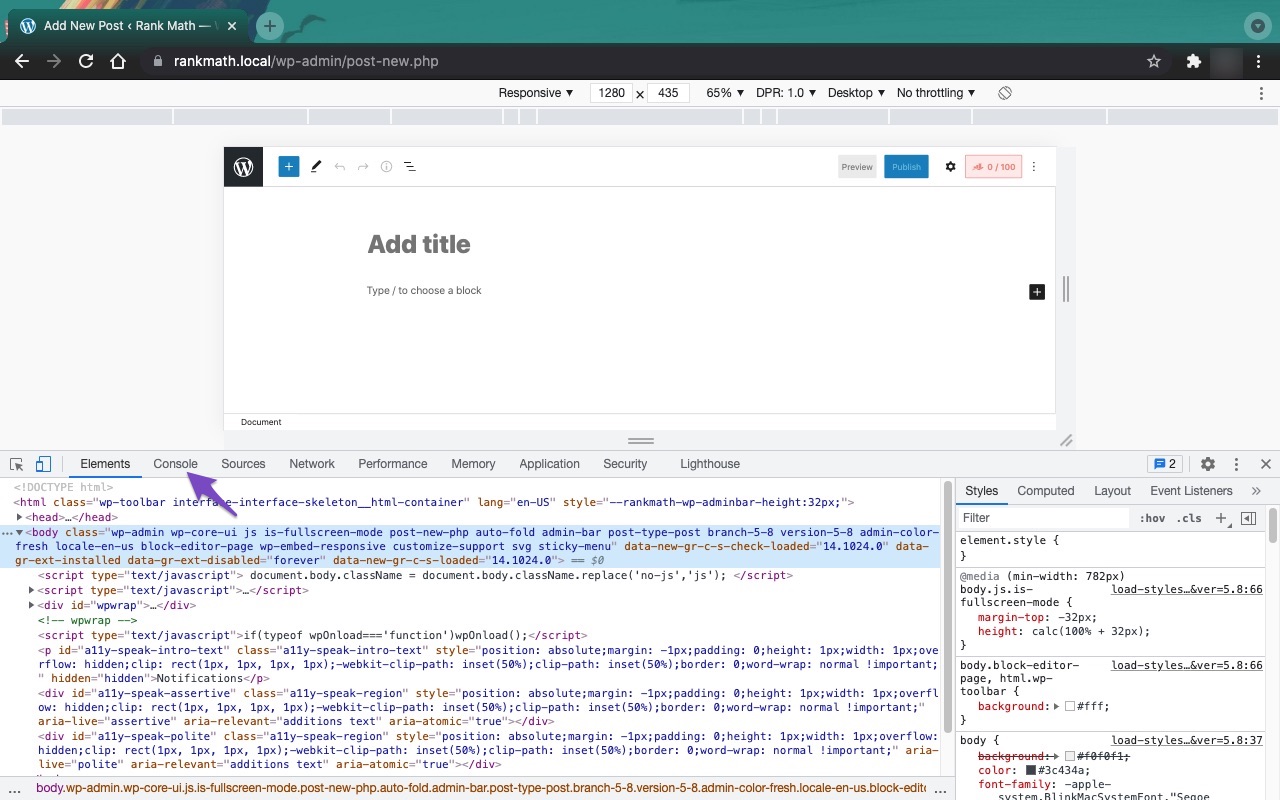
JavaScript-Related Errors: Issues with JavaScript can also cause problems when trying to save your SEO Title, Description, or Focus keyword. You can diagnose these errors using the JavaScript Console in your browser. For example, in Chrome, you can open the console by navigating to More Tools → Developer Tools and then clicking on the Console tab. Here’s how it looks:

If you have already checked for conflicts and JavaScript errors but are still experiencing issues, we recommend replying to this ticket. A human agent from the Rank Math Support team will be able to assist you further.
Thank you for bringing this concern to our attention!
Hello,
If even after fixing the issues not updating on SEO Analyzer, please head over to your WordPress Dashboard > Rank Math > Status & Tools > Database Tools > and click the Clear SEO Analysis and Remove Transients buttons to flush the SEO Analysis cache.

Once done, clear your website and any server-level caching on your site before doing the SEO analysis again.
Let us know how it goes. Looking forward to helping you.
Thank you.
Hello Rakibuzzaman Siam,
I did follow the process as you shared but it didn’t work yet.
Let me explain the issue in detail,
When I add a focus keyword in any web page in the website for example – https://bghealthplans.com/locations/alexandria/ I add the focus keywords, update the page and then publish.
But the score didn’t improve and the focus keyword we add is lost. No improvement in Rank Math SEO Score.
Please help me fix the issue, we need to improve the website Rank Math SEO score ASAP.
Thanks!
Hello,
Thanks for contacting us and we’re sorry for the trouble you’re having with Rank Math.
There are a few possible reasons why you can’t save your SEO Title on your site. Here are some steps you can take to fix this issue:
- Make sure that you have the latest version of Rank Math installed on your site. You can check this by going to WordPress Dashboard > Rank Math > Status & Tools > Version Control. If there is an update available, you will see a notification and a button to update the plugin
- Check if there are any plugin conflicts that might be interfering with Rank Math. You can do this by following our plugin conflict tutorial. If you find any conflicting plugins, let us know.
- Check if there are any JavaScript errors that might be preventing Rank Math from saving the SEO Title. You can do this by using the Chrome Developer Tools or any other browser’s developer tools. You can follow our guide on how to check JavaScript errors. If you find any errors, you can share them with us using this tool
- Check if your firewall or security plugin is blocking access to Rank Math’s files. You can do this by looking at your firewall logs and seeing if there are any blocked requests to these files:
/wp-json/rankmath/v1/updateMeta
/wp-json/rankmath/v1/updateSchemas
/wp-json/rankmath/v1/updateRedirection
/wp-json/rankmath/v1/getFeaturedImageId
/wp-json/rankmath/v1/getHead
If you see any blocked requests, you need to whitelist Rank Math and its files in your firewall or security plugin settings.
Learn more about troubleshooting this issue here: https://rankmath.com/kb/meta-data-not-saving/
We hope these steps help you solve the problem. If you still can’t save your SEO Title on your site, please let us know. We’re always happy to help.
Thank you for choosing Rank Math.
Hello,
Since we did not hear back from you for 15 days, we are assuming that you found the solution. We are closing this support ticket.
If you still need assistance or any other help, please feel free to open a new support ticket, and we will be more than happy to assist.
Thank you.




