Hello,
We apologize for the issue you are facing with Google not indexing your blog post. It’s not uncommon for new content to take some time before it gets indexed by Google, and there are several factors that could be affecting this.
Here are some steps you can take to troubleshoot and potentially fix the issue:
-
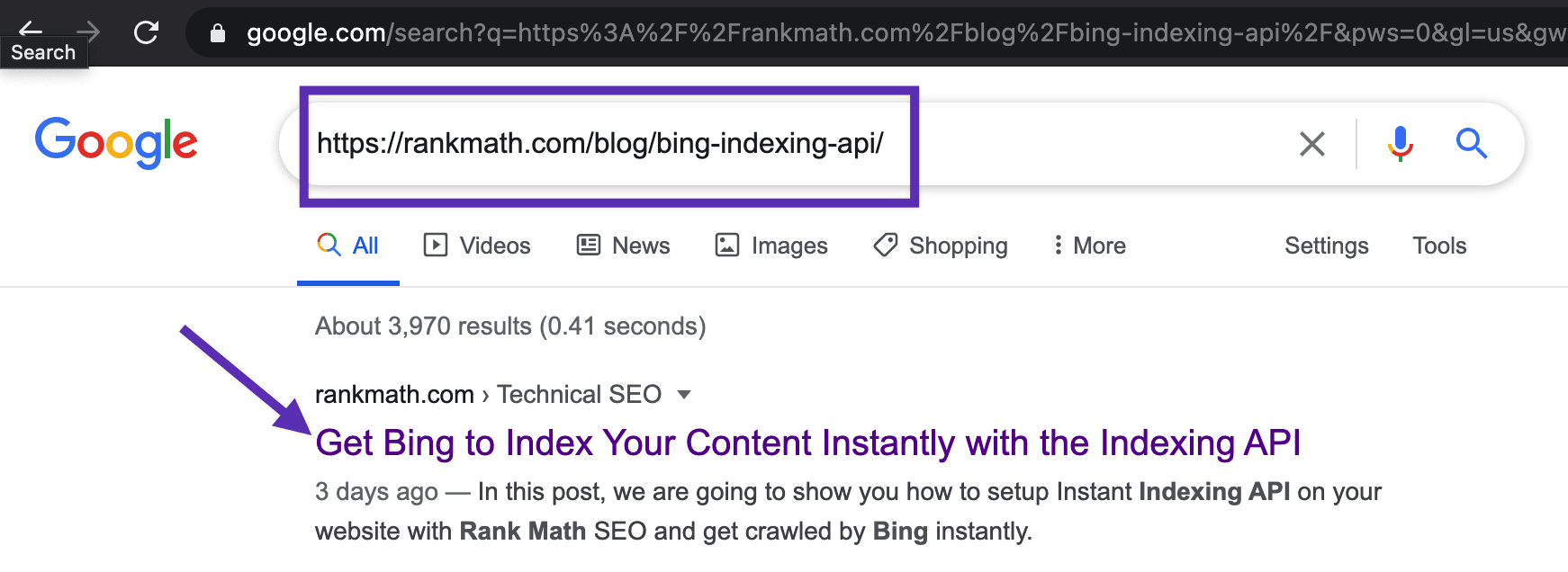
Check if Your URL is Indexed: First, ensure that your URL is not indexed at all. You can do this by searching for your URL in Google. If it appears in the search results, it is indexed.
-
Noindex Attribute: Make sure that your post does not have a noindex attribute set. This can prevent Google from indexing your page.
-
WordPress Global Settings: Check your WordPress settings to ensure that search engines are allowed to index your site. Go to Settings > Reading and make sure the option "Discourage search engines from indexing this site" is unchecked.
-
Robots.txt File: Ensure that your robots.txt file is not blocking Google from crawling your post. You can check this by visiting `https://rankmath.com/kb/google-index/#crawled-currently-not-indexed.
-
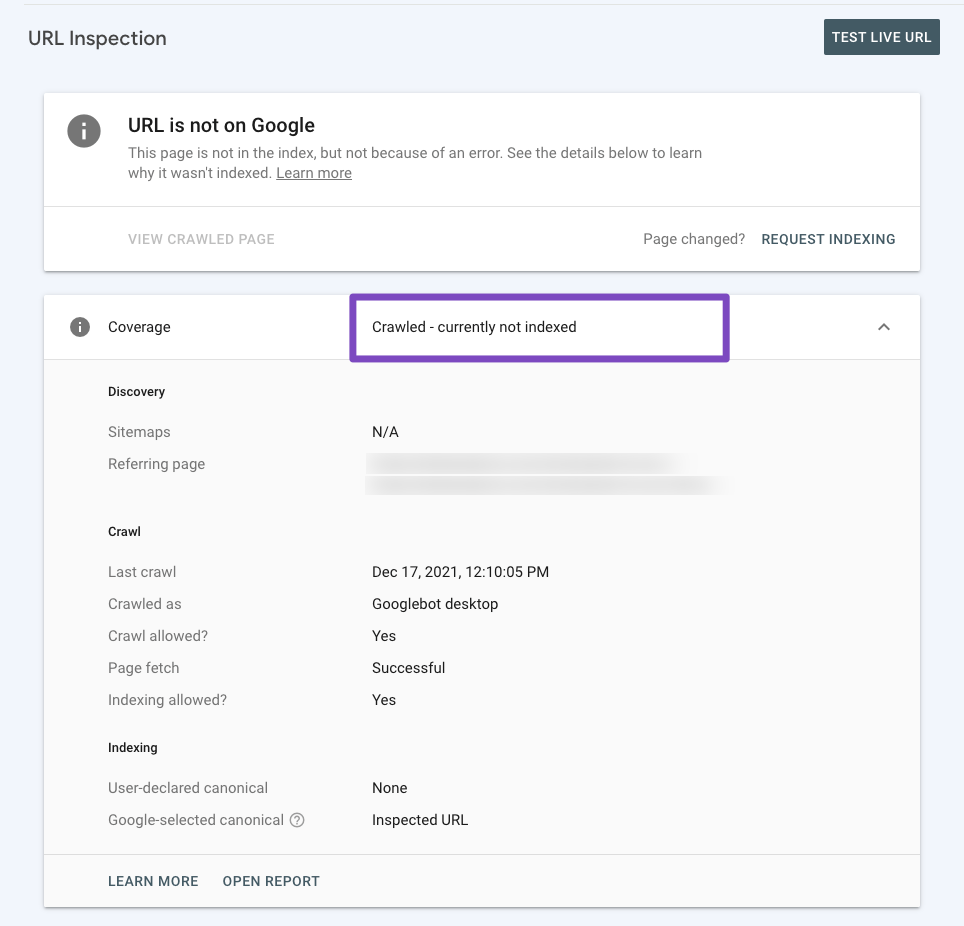
Crawled but Not Indexed: If Google has crawled your page but not indexed it, you can check this in Google Search Console using the URL Inspection Tool. This will provide insights into why your content might not be indexed.
-
Manual Indexing Request: If everything seems fine but your post is still not indexed, consider submitting a manual indexing request through Google Search Console.
-
Content Quality: Ensure that your content meets quality standards. Google may choose not to index pages that it deems low quality or duplicate content. Check for any duplication and consider adding a canonical URL if necessary.
If you’ve gone through these steps and are still having trouble, please reply to this ticket, and a human agent from the Rank Math Support team will assist you further.
Thank you for raising this concern, and we hope to help you resolve it soon!
Hello,
It seems that you already marked this ticket as “Resolved”.
Do you still need our assistance regarding this issue?
Looking forward to helping you.
Thank you.



