Hello,
We apologize for the issue you are facing with your website’s database being bloated with Rank Math Analytics data. Thank you for raising this concern.
To purge old data from the database, you can try the following steps:
-
Purge Analytics Cache: If you haven’t already, you can use the option to purge the Analytics cache. This feature is available in Rank Math 1.0.50 and above. It will help clear out any unnecessary data that may be causing bloat. You can find this option in your WordPress dashboard under Rank Math settings.

-
Rebuild Index for Analytics: If you are still experiencing issues, consider rebuilding the index for Analytics. This can help ensure that the data being displayed is accurate and may assist in reducing the size of the database.

-
Delete Old Data Manually: If the above methods do not resolve the issue, you may need to manually delete old analytics data from your database. You can look for tables with a prefix like *_rank_math_* and drop them if they are no longer needed. Be cautious when doing this to avoid losing important data.
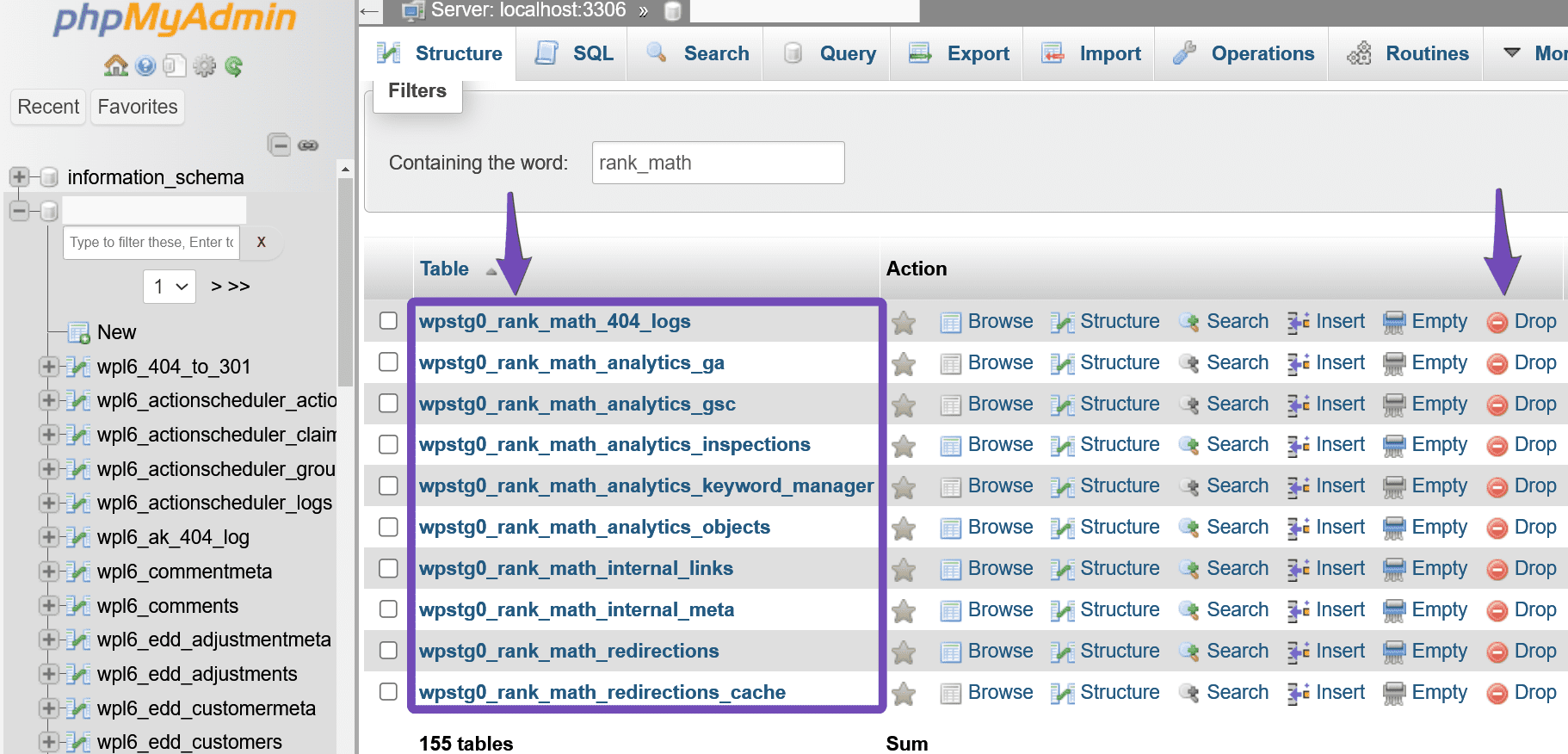
If these steps do not resolve the issue, please reply to this ticket with your screenshot, and a human agent from the Rank Math Support team will take over and assist you further.
Thank you for your patience, and we hope to resolve this issue for you soon!
Sources:
How to Delete Old Analytics Data & Start a Fresh Import
Rank Math Status and Tools » Rank Math
How to Completely Uninstall Rank Math From Your Website » Rank Math
I already tried numbers 1 and 2 before submitting the ticket. A bit hesitant to start deleting tables without a human advising to do so.
Hello,
Please navigate to WordPress Dashboard > Rank Math > General Settings > Analytics and click on the Delete Data button to clear the database table.
Once done, you can reduce the number of days in the Analytics Database option, and after saving the changes, click Update Data Manually.

Let us know how it goes. Looking forward to helping you.
Thank you.
As I said in my initial post. Those steps did not work.
Hello,
Since the Database entries persist despite deleting them from within Rank Math it implies there might be some issues with the database.
To rule out the potential of it being an issue of corrupt database tables, in your WordPress dashboard, go to Rank Math SEO > Status & Tools > Database Tools, and when there click on Re-create database Table button:

On the same page, click the Fix Collations button. This will check and fix any database collations issues that might affect Rank Math Analytics:

If that still doesn’t help then the issue might be from the WordPress installation. Please follow the steps below in that case:
– Backup your entire site including the database.
– Use the WordPress built-in repair tool by adding the following line to your wp-config.php file:
define('WP_ALLOW_REPAIR', true);
Note: You’ll need to add the code snippet just before the /* That’s all, stop editing! Happy publishing. */ line:
– Then visit http://yourdomain.com/wp-admin/maint/repair.php and follow the instructions to repair the database. Replace yourdomain.com with your actual site’s domain name.
– Remove the line from your wp-config.php after repairing.
You can refer to this guide: https://www.wpbeginner.com/beginners-guide/how-to-repair-wordpress-database/
Let us know how this goes. Also, let us know if you have further questions or concerns.
Thank you.
Hello,
Since we did not hear back from you for 15 days, we are assuming that you found the solution. We are closing this support ticket.
If you still need assistance or any other help, please feel free to open a new support ticket, and we will be more than happy to assist.
Thank you.




