Hello,
We apologize for the issue you are facing with verifying your site on Pinterest. It seems that the HTML tag for verification may not have been added correctly in the Rank Math settings.
Here are the steps to ensure that you have added the Pinterest Verification ID correctly:
-
Navigate to Webmaster Tools Settings: Go to Rank Math SEO → General Settings → Webmaster Tools in your WordPress admin area.
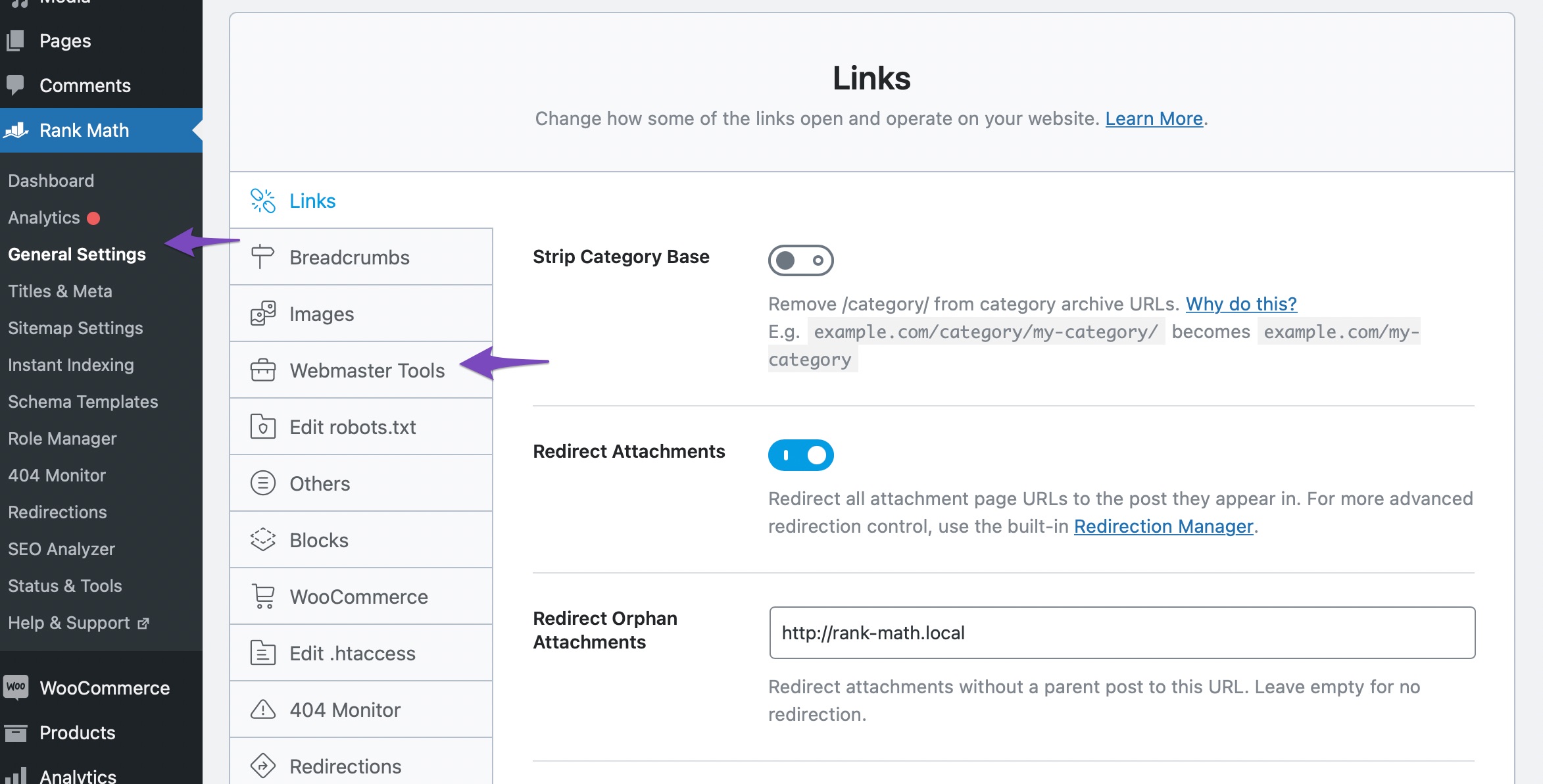
-
Add Pinterest Verification ID: Paste the copied HTML code from Pinterest into the Pinterest Verification ID field.
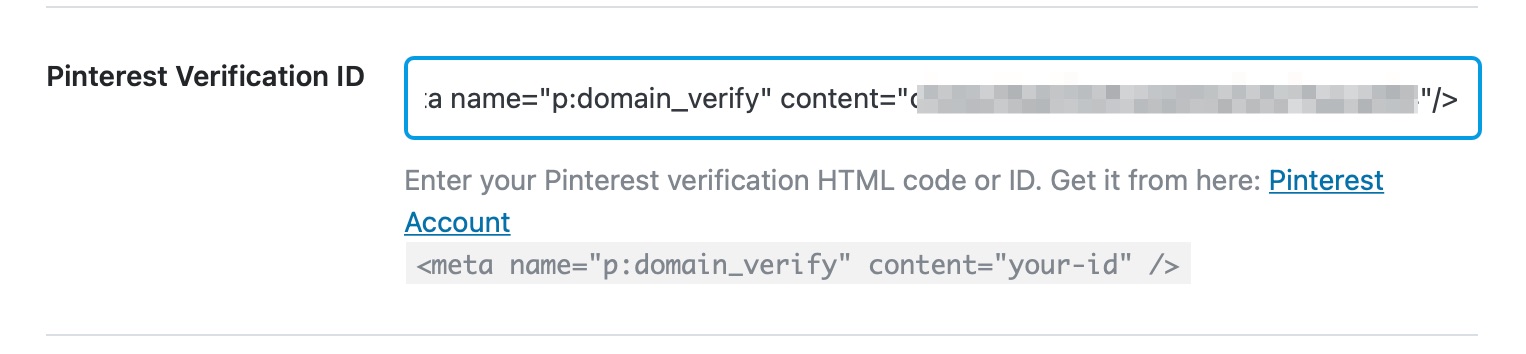
-
Save Changes: After adding the code, make sure to click the Save Changes button at the bottom of the page.

-
Enter Website URL in Pinterest: Return to Pinterest and enter your website URL, then click the button to Verify.
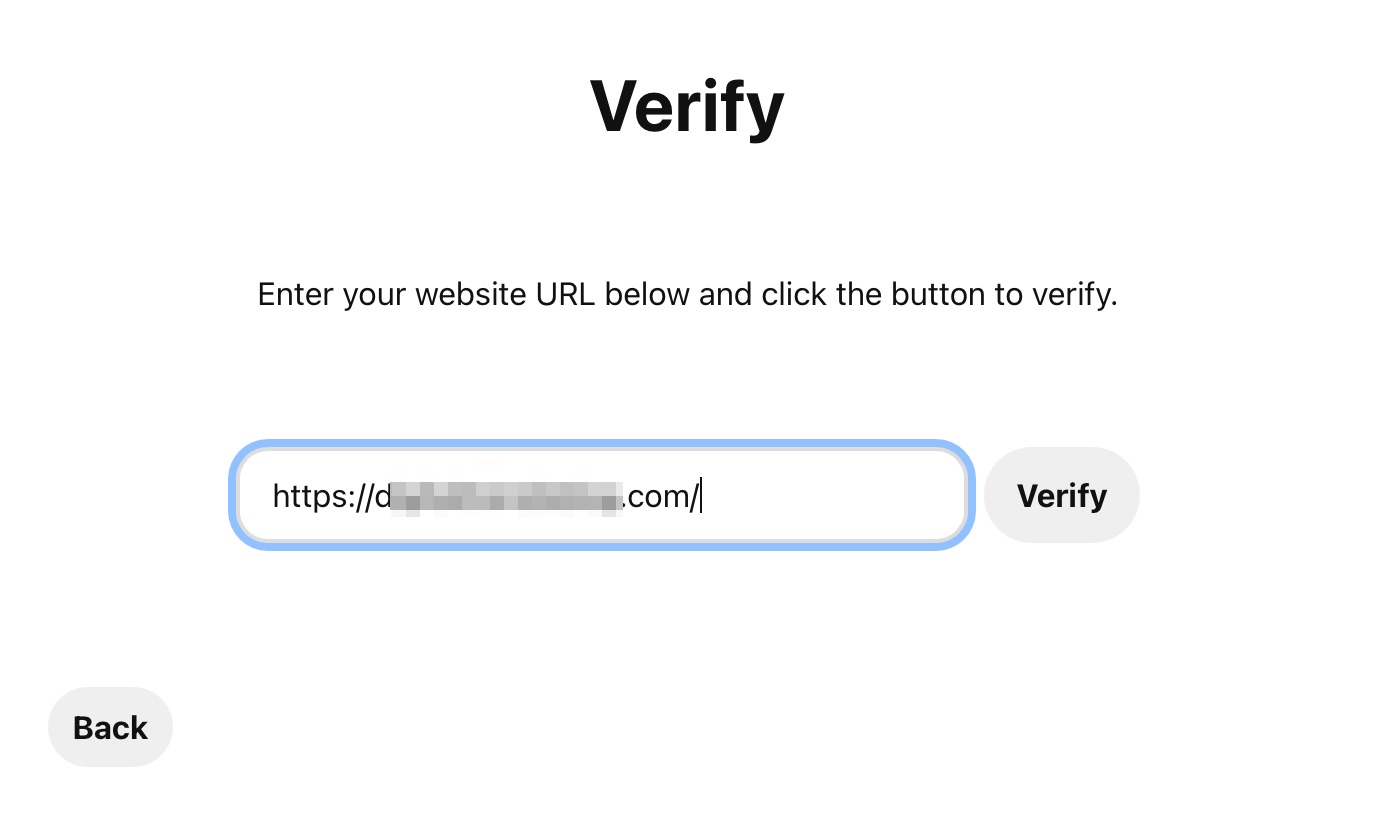
-
Pinterest Verification: Pinterest will verify your website within an hour, and you’ll be notified via email.
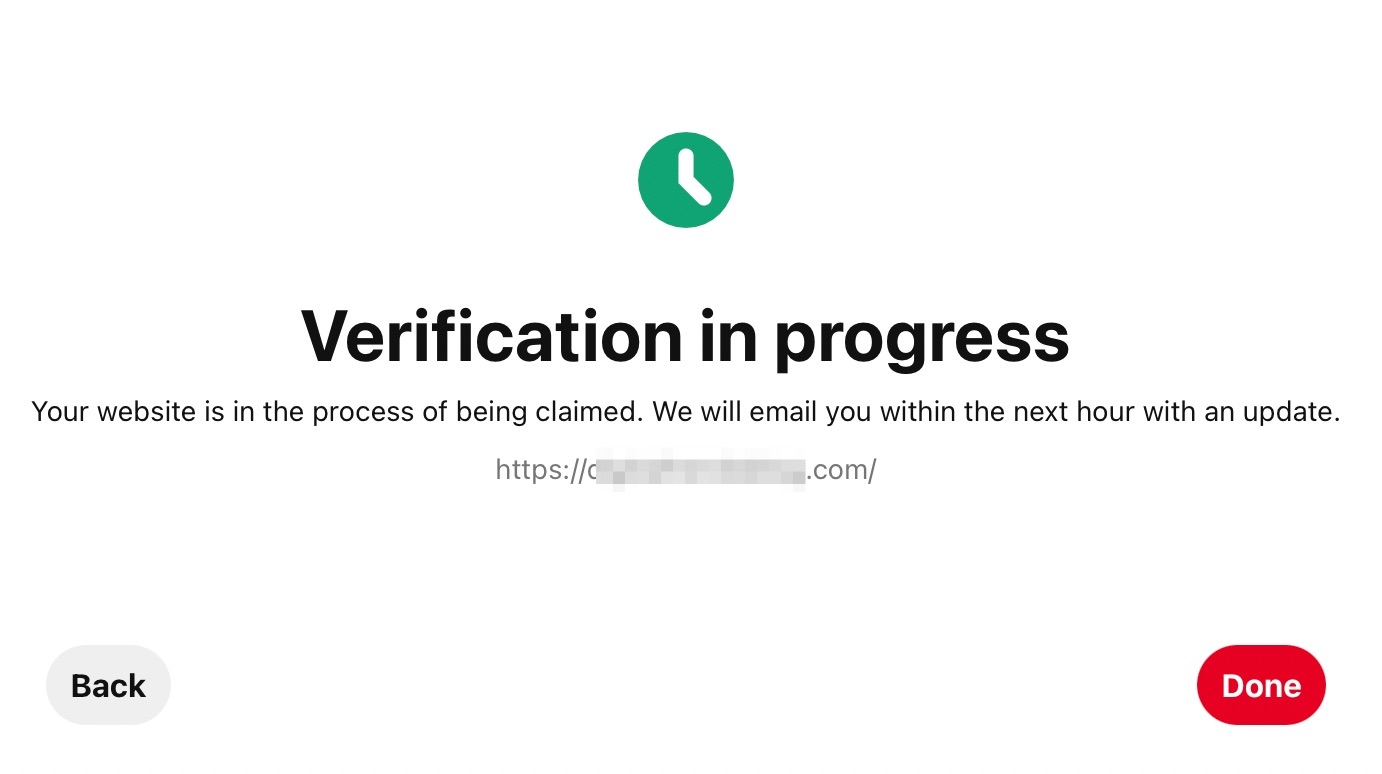
If you have followed these steps and are still encountering issues, please reply to this ticket, and a human agent from the Rank Math Support team will assist you further. Thank you for raising this concern!
Sources:
How to Verify Your WordPress Site on Pinterest » Rank Math
Already, I’m doing it as explained on this post: everything is correct, but the verification doesn’t work.
if you want I can send you a screenshot
Hello,
Could you please share the affected URL so we can check as well?
Meanwhile, try clearing your website and server’s cache before verifying your website in Pinterest.
You can upload screenshots using this tool and add the link here.
Looking forward to helping you.
You can trust that the game files are secure and virus-free, providing a seamless download experience.
[spam]
Hello @hafedh-5755,
Closing this ticket now, if you still need additional help with this, please create a new ticket topic from here
Thank you for choosing Rank Math
Thank you for your support, but I already did it manually.
Hello,
Thank you so much for the update.
Don’t hesitate to get in touch with us if you have any other questions.





