Hello,
We apologize for the issue you are facing with your URLs randomly changing. This can be quite frustrating. There are several potential causes for unexpected URL changes, and we recommend following a few troubleshooting steps to identify the root of the problem.
1. Check for Other Redirection Plugins
First, check if you have any other redirect plugins installed that might be causing these changes. If you find any, consider deleting them and then checking your URLs again.
2. Check .htaccess (or nginx.config) File
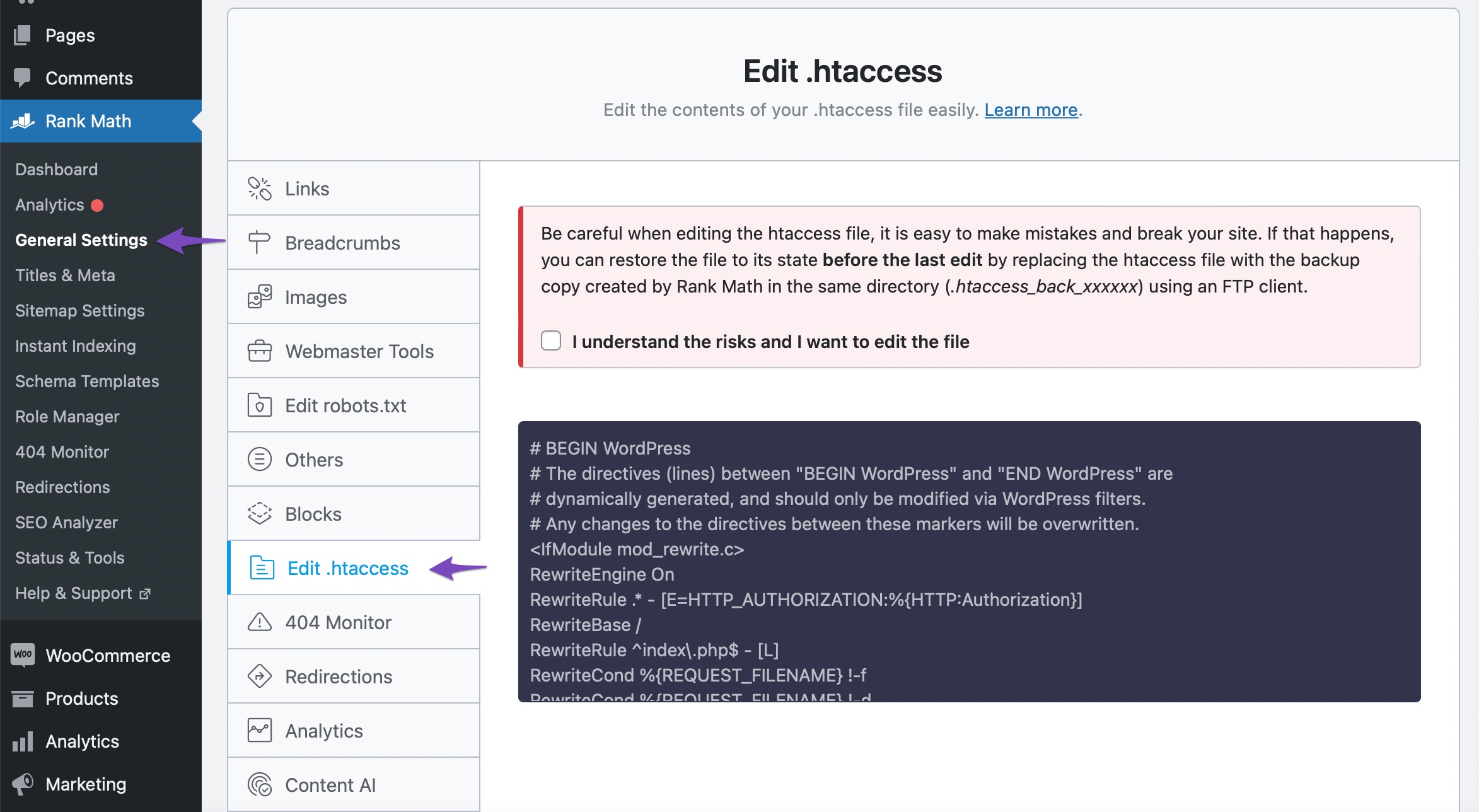
Next, inspect your .htaccess file (or nginx.conf if applicable) for any redirection rules that may have been added. You can do this through the Rank Math plugin by navigating to WordPress Dashboard → Rank Math SEO → General Settings → Edit .htaccess. If you see any unexpected rules, delete them and save the changes.
3. Theme or Plugin Conflict
Sometimes, conflicts between plugins or themes can lead to issues like this. We recommend performing a quick conflict check on your website. Make sure to back up your site before doing this. You can enable Troubleshooting mode and disable Rank Math to see if the issue persists. If it resolves, try disabling other plugins one by one to identify the culprit.
If you continue to experience issues after trying these steps, please reply to this ticket, and a human agent from the Rank Math Support team will assist you further.
Sources:
Random URLs Redirecting Even When No Redirect Was Created » Rank Math
This is an automated reply from Rank Math Support Bot. If you need further assistance, please reply to this topic and a human support agent will reply to you shortly.
Hello,
Since we did not hear back from you for 15 days, we are assuming that you found the solution. We are closing this support ticket.
If you still need assistance or any other help, please feel free to open a new support ticket, and we will be more than happy to assist.
Thank you.


