Hello,
If you have updated the email address associated with your Google Workspace account and want to ensure uninterrupted access to your existing account history when using Google social login with Rank Math, you need to follow these steps:
-
Navigate to your Google Account settings and remove the Rank Math app under Third-party apps with Account access by clicking the Remove Access button.

-
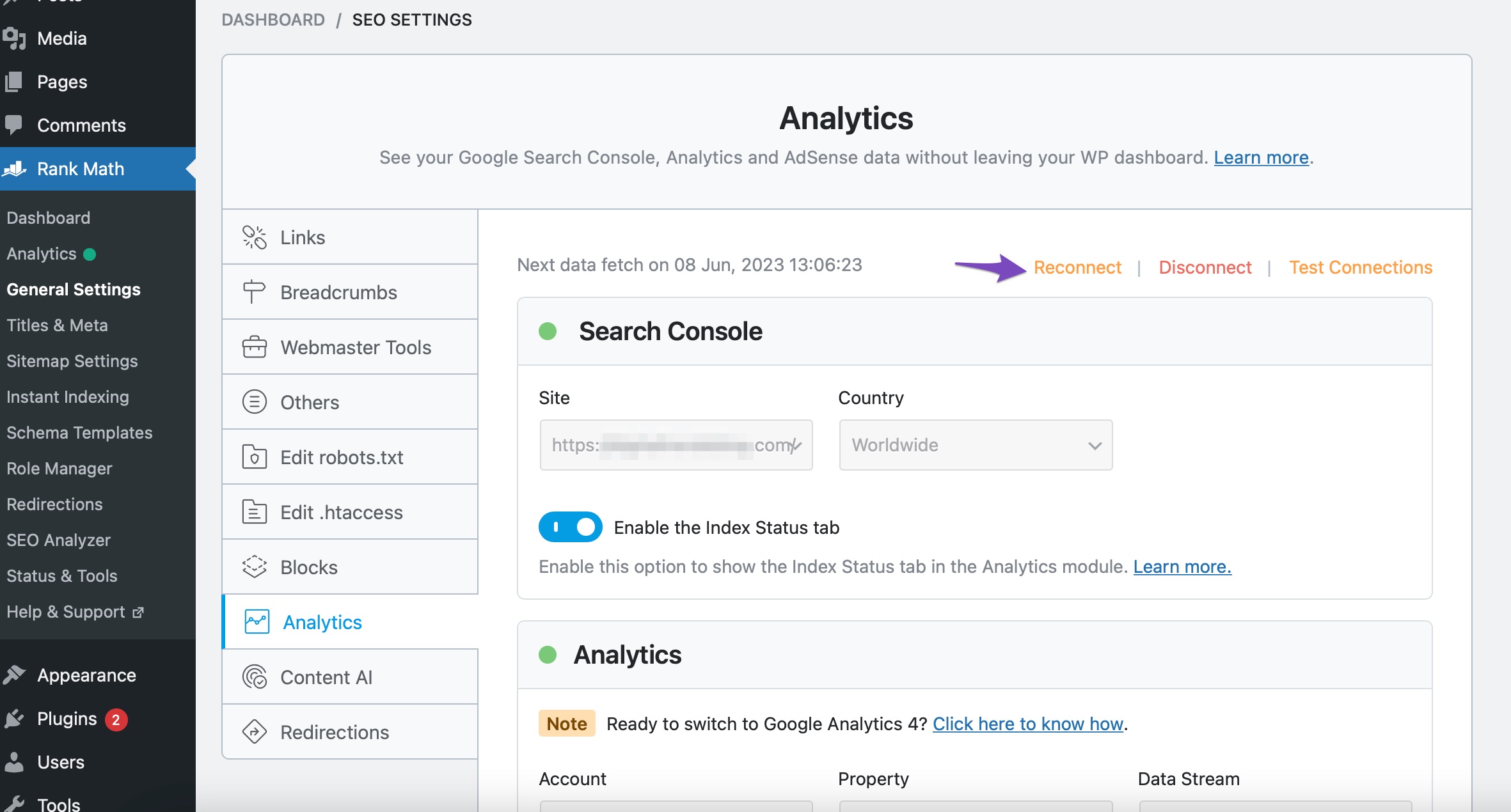
After removing access, reconnect Rank Math with your Google account by going to Rank Math SEO → General Settings → Analytics and clicking on the Reconnect button at the top.
-
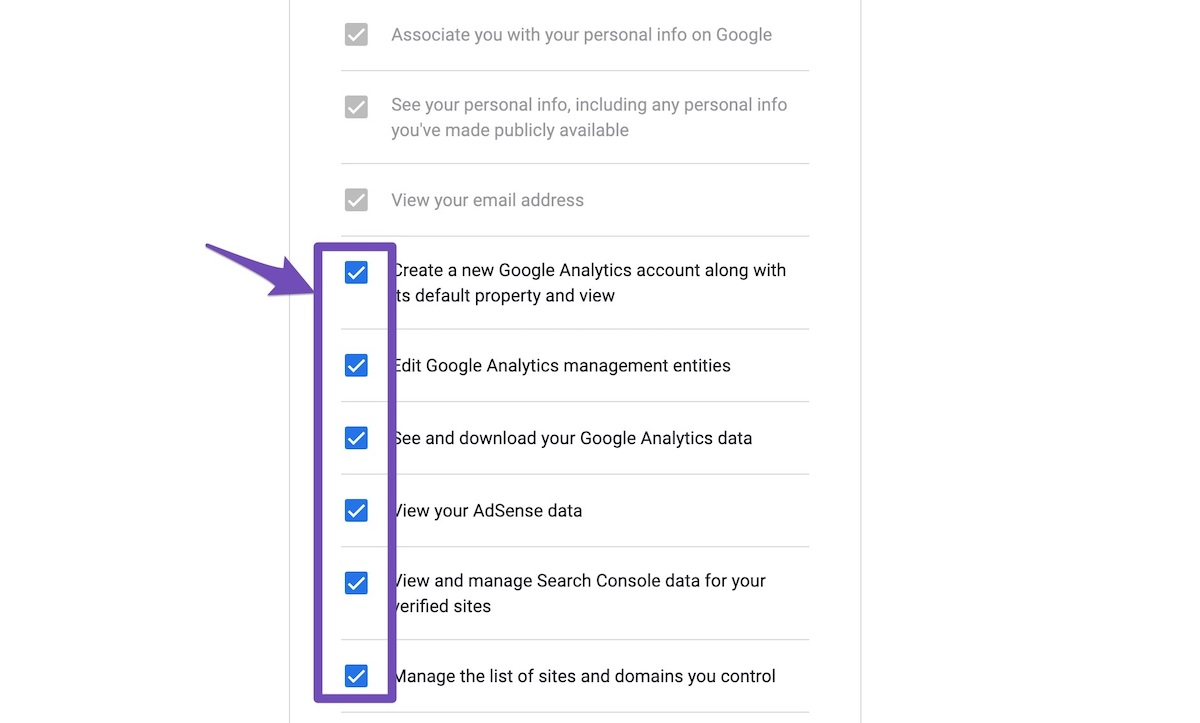
Allow all permissions when prompted.
-
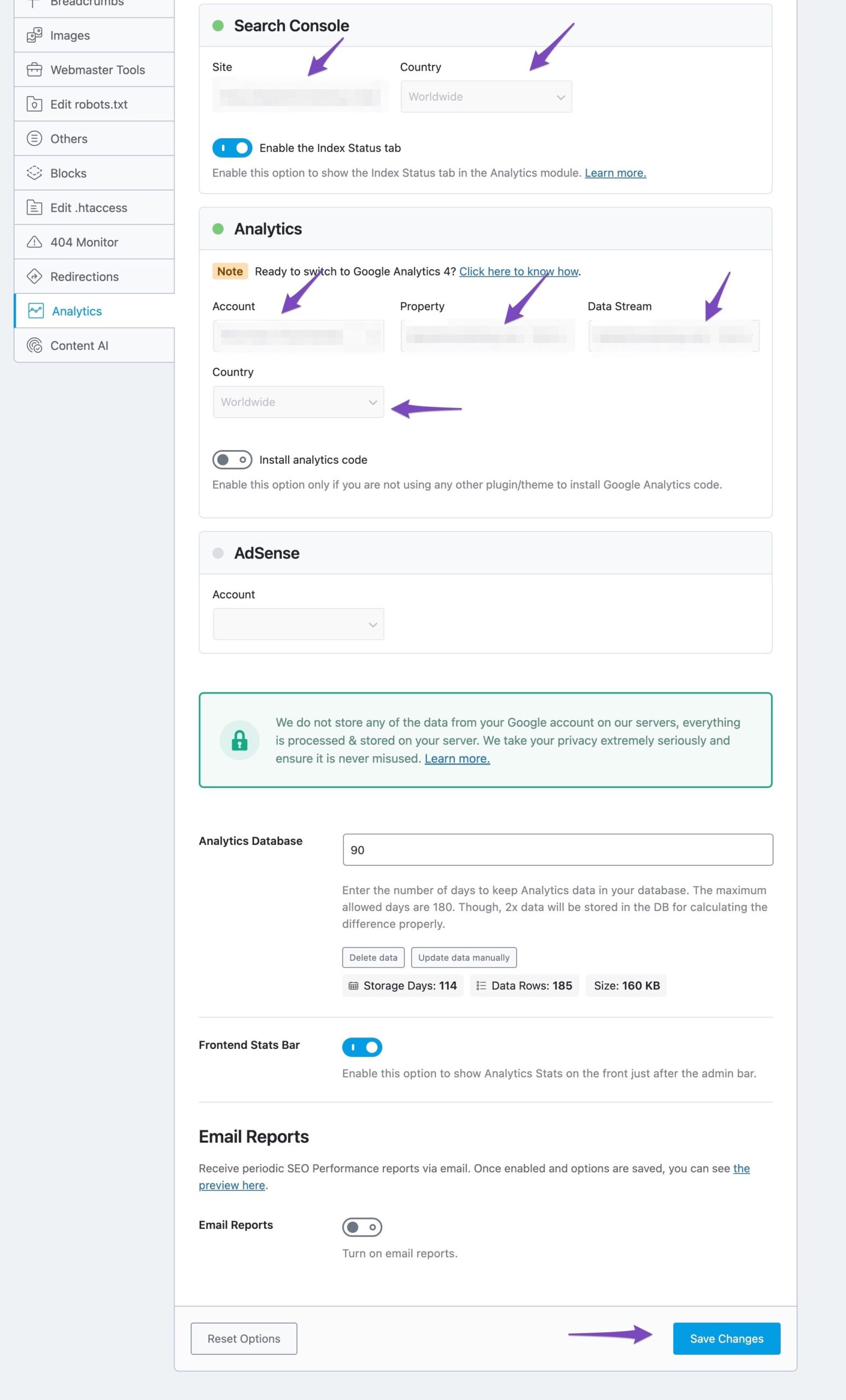
In the Analytics settings of Rank Math, select all the values in the drop-down list to configure Analytics properties and then click on Save Changes.
-
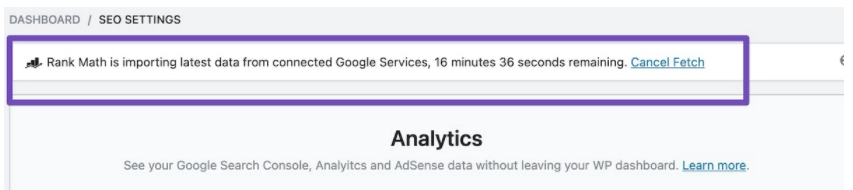
After clicking Save Changes, you should see a notice confirming that Rank Math is importing the data.
By following these steps, you can update your Google OAuth login details without losing access to your existing account history in Rank Math. If you encounter any issues or need further assistance, feel free to reach out to our support team directly.
Thank you for reaching out!
Sources:
How to Connect Your Google Account With Rank Math SEO » Rank Math
Resolving Rank Math Analytics Related Issues » Rank Math
How to Change or Update the Payment Method » Rank Math
How to Delete Old Analytics Data & Start a Fresh Import
This is an automated reply from Rank Math Support Bot. If you need further assistance, please reply to this topic and a human support agent will reply to you shortly.
Hello,
Since we did not hear back from you for 15 days, we are assuming that you found the solution. We are closing this support ticket.
If you still need assistance or any other help, please feel free to open a new support ticket, and we will be more than happy to assist.
Thank you.


