Hello,
We apologize for the issue you are facing with your site not being indexed by Google and being declined by Google AdSense. Here are some steps you can take to address these SEO errors using Rank Math:
-
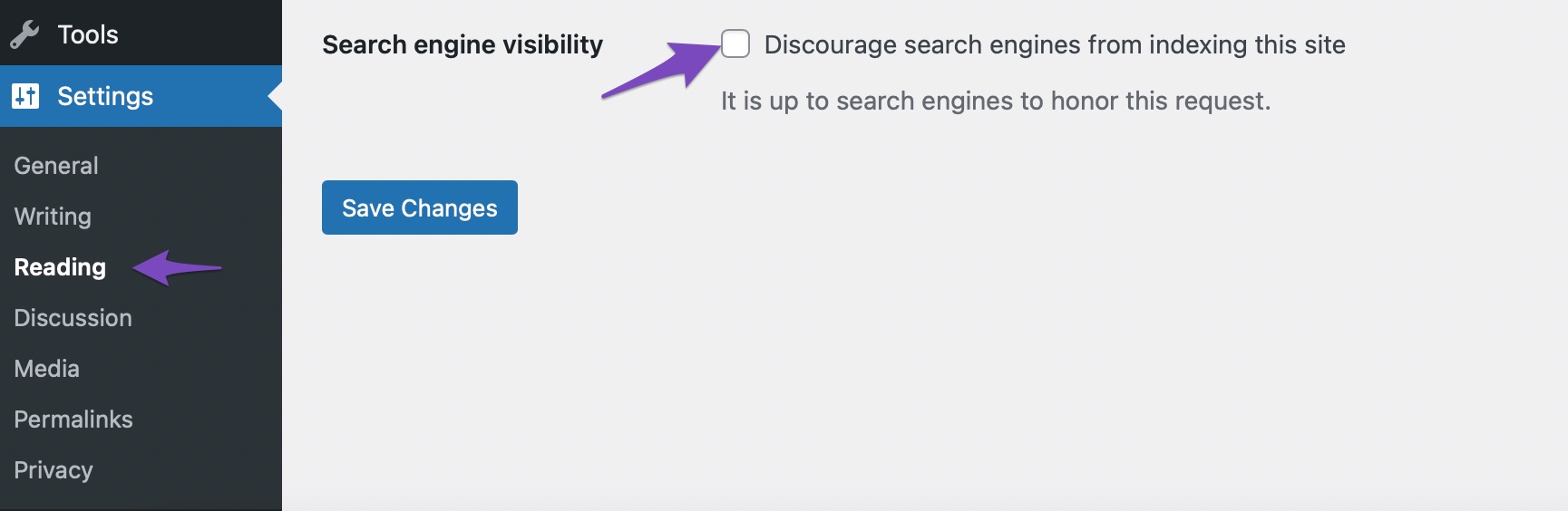
Check Search Engine Visibility: Ensure that the Search engine visibility option is unchecked in your WordPress settings. You can do this by navigating to Settings → Reading in your WordPress admin dashboard. If this option is checked, it may prevent search engines from indexing your site.
-
Fix NoIndex Issues: If specific pages are marked as ‘NoIndex’, you can check the settings in Rank Math. Go to Rank Math SEO → Titles & Meta and ensure that the pages you want indexed are set to ‘Index’.
-
Submit a Sitemap: Make sure your sitemap is submitted to Google Search Console. Rank Math automatically creates a Sitemap Index for your website, which can be found at https://yourdomainname/sitemap_index.xml. Submitting this sitemap can help Google find and crawl your pages more effectively.
-
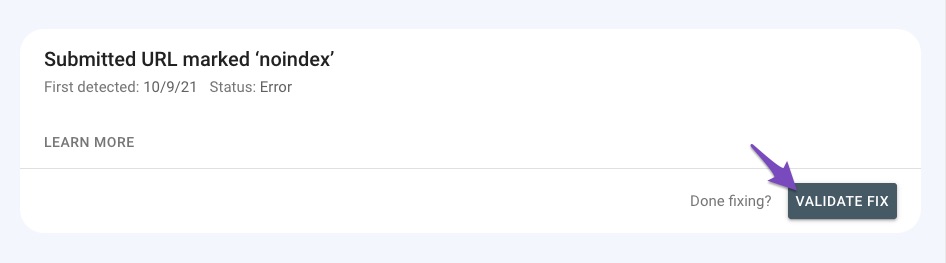
Validate Fix in Google Search Console: After making changes, head over to your Google Search Console and use the Validate Fix option to inform Google about the changes you’ve made. This may take some time for Google to reflect the updates.
-
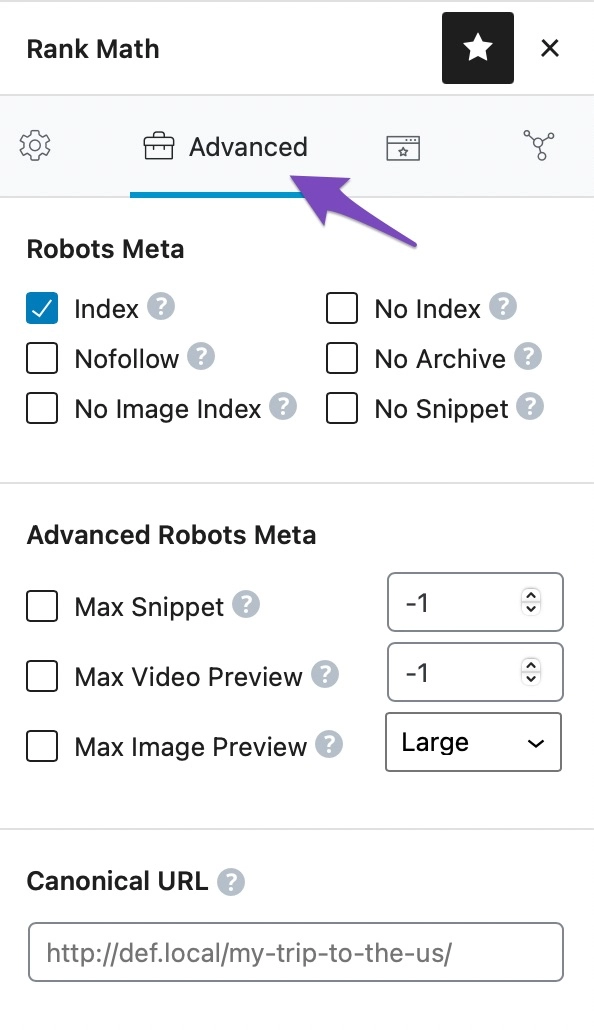
Check for Duplicate Content: Ensure that you do not have duplicate content on your site, as this can lead to penalties. Use canonical tags if necessary to indicate the original content.
If you continue to experience issues after following these steps, please reply to this ticket, and a human agent from the Rank Math Support team will assist you further. Thank you for raising this concern!
Sources:
How to Fix Submitted URL Marked ‘NoIndex’ Error » Rank Math
How to Fix "Crawled – Currently Not Indexed" Error in Google Search Console » Rank Math
Why Did My Website Disappear From Google Search? » Rank Math
This is an automated reply from Rank Math Support Bot. If you need further assistance, please reply to this topic and a human support agent will reply to you shortly.
Hello,
Since we did not hear back from you for 15 days, we are assuming that you found the solution. We are closing this support ticket.
If you still need assistance or any other help, please feel free to open a new support ticket, and we will be more than happy to assist.
Thank you.


