Hello,
Thank you for contacting Rank Math and bringing your concern to our attention. I’m sorry for any inconvenience this issue may have caused you.
The tests work when you open the page/product, and then the JS for calculating the test runs. You will need to open the post, let the tests run, make optimizations based on our recommendations, save the post/page, and the score will get propagated to the list view and the Analytics.
We recommend that you start with your most important products, open them, make changes as per recommendations made by Google, and then hit the update button. We would advise following an 80-20 rule.
You can connect your Google accounts with Rank Math or check your Analytics and update only the top 20% of posts that are bringing you 80% traffic.
Looking forward to helping you.
Thank you.
Hi, that is very far away from a good suport answer!! You missed to point out the js file and maybe the function the parameters that i should pass to it. But at least the js file so I can look into it and extract what i need.
The post is already optimized, is just that rank math will not do the seo score. I google it and there are lots of other people asking for this for some years now, unfortunetly you decided it is not usefull to add some details about it. You have and option to calculate the website seo but for some strange reason it will not update the seo score for all posts.
Hello,
We apologize for the inconvenience.
We actually have released a beta version of the plugin to fix this which you can access in our database tools:

Please enable the Beta update by following this:
https://rankmath.com/kb/version-control/#beta-updates
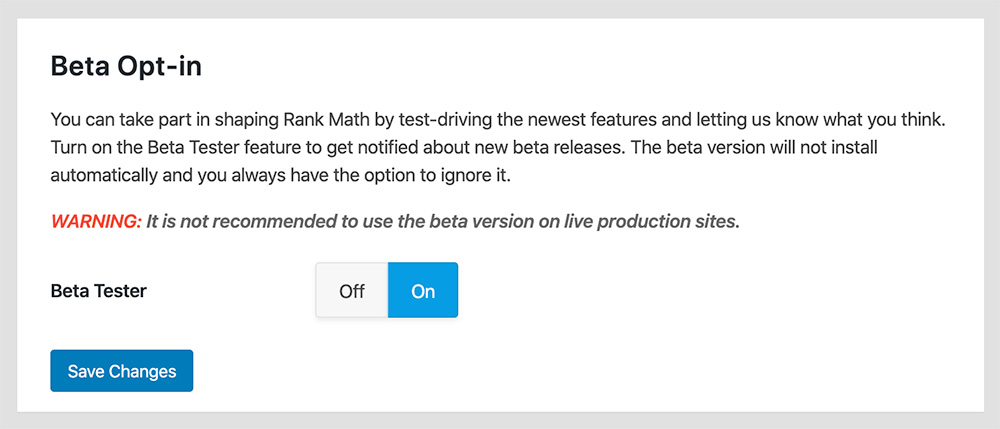
If you are unable to see an update, please clear Rank Math’s transients from:
WP Dashboard > Rank Math > Status & Tools > Database Tools > Remove Rank Math Transients > Remove transients

Please clear the caches, server, and WordPress after updating.
You can disable the Beta updates once you update to the latest version and if the issue is fixed.
We are here to assist. Thank you.
Hello,
Since we did not hear back from you for 15 days, we are assuming that you found the solution. We are closing this support ticket.
If you still need assistance or any other help, please feel free to open a new support ticket, and we will be more than happy to assist.
Thank you.



