Hello,
We apologize for the issue you are facing with saving or updating meta descriptions and titles on your website, http://www.shipturtle.com. Here are some common causes and troubleshooting steps you can follow to resolve this issue:
1. Plugin Conflicts
There may be conflicts with other plugins that prevent you from saving the SEO Title, Description, and Focus Keyword. You can check for plugin conflicts by following our guide on plugin conflict.
2. JavaScript-Related Errors
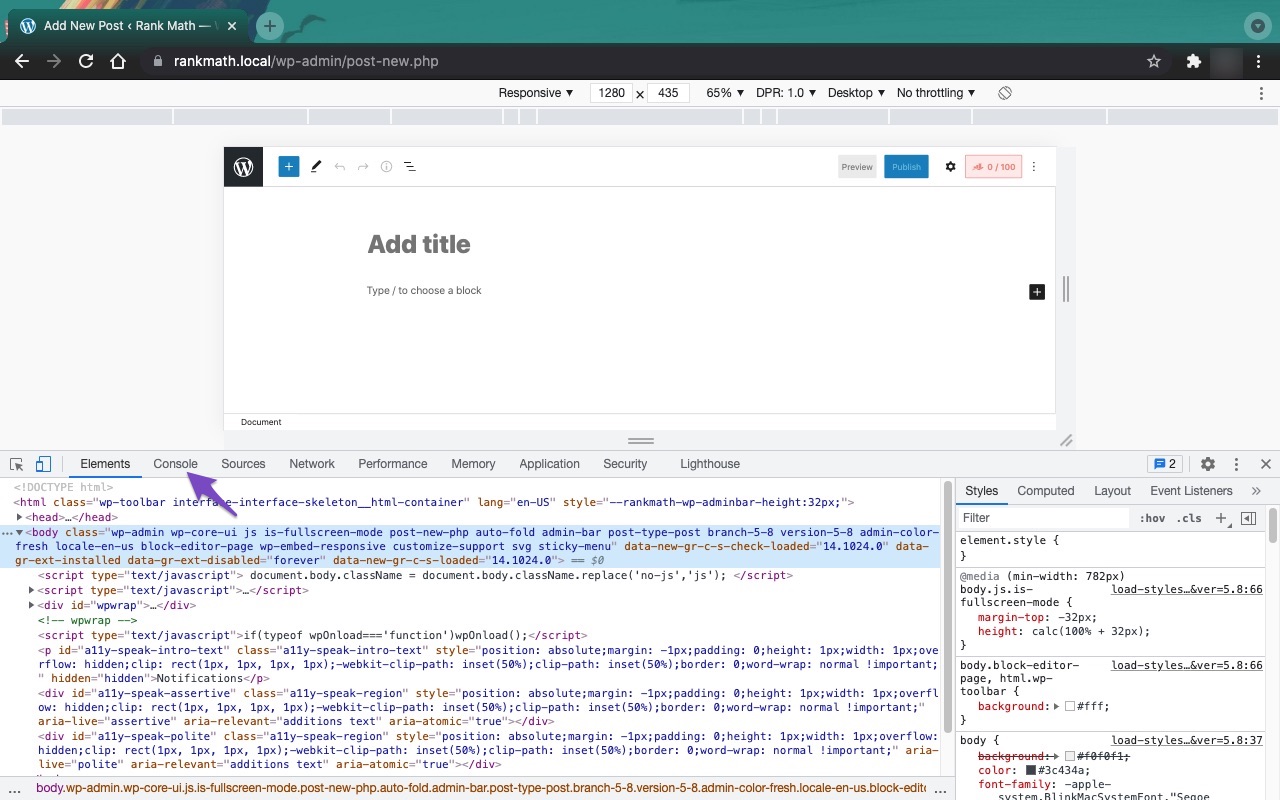
JavaScript errors can also cause issues when saving metadata. You can diagnose these errors by checking the JavaScript Console in your browser. Here’s how to do it in Chrome:
- Open Developer Tools by navigating to More Tools → Developer Tools from the Chrome menu or use the shortcut Ctrl + Shift + J (Windows) or Cmd + Option + J (Mac).
- Click on the Console tab to see if there are any errors that might be affecting Rank Math.

3. Firewall Blocked Access to the File
If you are using a firewall, it might be blocking access to Rank Math files necessary for saving metadata. Check if Rank Math is being blocked and whitelist the following files if necessary:
/wp-json/rankmath/v1/updateMeta
/wp-json/rankmath/v1/updateSchemas
/wp-json/rankmath/v1/updateRedirection
/wp-json/rankmath/v1/getFeaturedImageId
/wp-json/rankmath/v1/getHead
You can refer to your firewall documentation for instructions on whitelisting.
If you have tried these steps and the issue persists, please reply to this ticket, and a human agent from the Rank Math Support team will assist you further.
Thank you for raising this concern, and we hope to help you resolve it soon!
Sources:
Why Your SEO Title, Description & Focus Keyword Aren’t Being Saved » Rank Math
Hello,
Thank you for contacting support.
Did you follow the steps in the tutorial shared at the bottom of the reply from the Rank Bot? That includes the steps to debug the issue which are most likely related to the REST API data not being whitelisted.
If you followed the steps and cannot correct the issue please include WordPress credentials in the sensitive data section of this ticket so our team can debug the issue fully.
Looking forward to helping you.
Hello,
Since we did not hear back from you for 15 days, we are assuming that you found the solution. We are closing this support ticket.
If you still need assistance or any other help, please feel free to open a new support ticket, and we will be more than happy to assist.
Thank you.



