Hello,
We apologize for the issue you are facing with saving metadata options and accessing the advanced mode in Rank Math. Here are a few steps you can take to troubleshoot this problem:
-
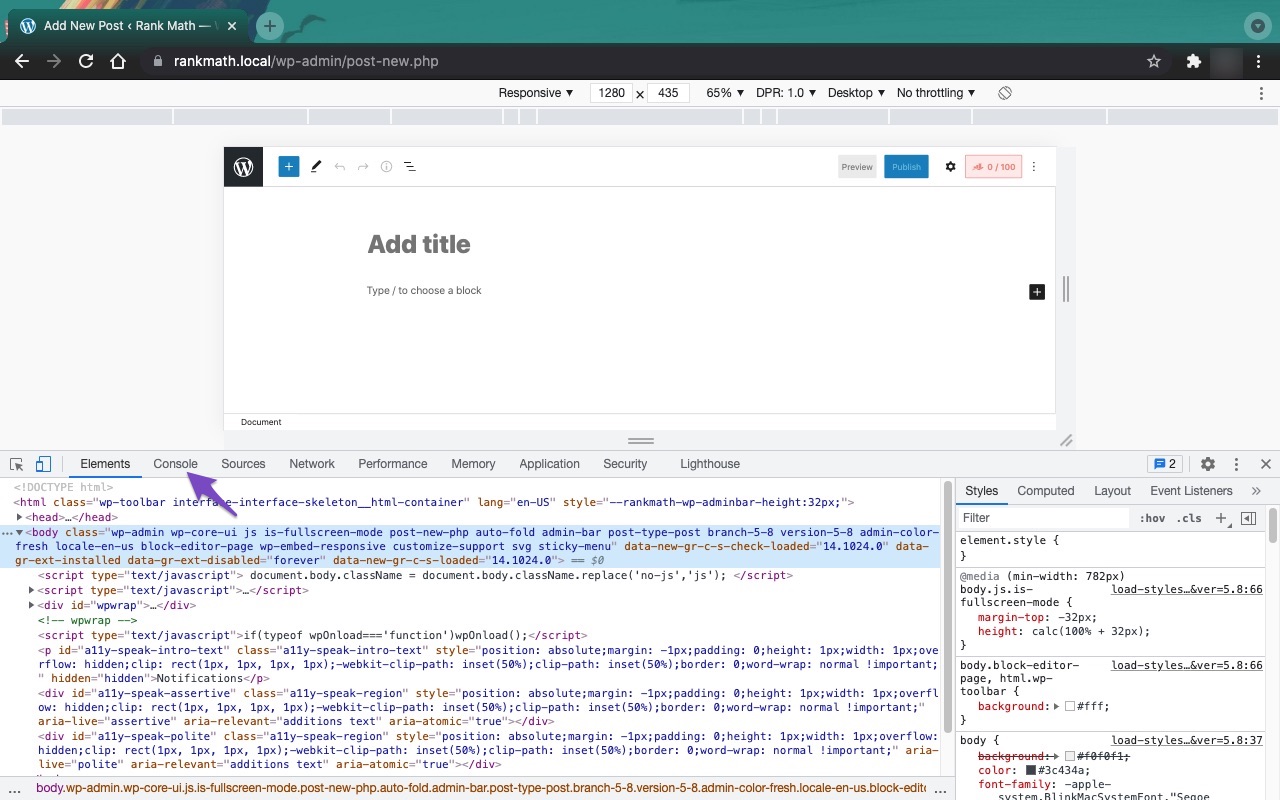
Check for JavaScript Errors: Sometimes, JavaScript conflicts can prevent Rank Math from saving metadata. You can open the Developer Tools Console in your browser to check for any errors. To do this in Chrome, navigate to More Tools → Developer Tools, then click on the Console tab. If you see any errors, they may provide insight into what is causing the issue.

-
Firewall Settings: If you are using a firewall, it might be blocking access to certain Rank Math files necessary for saving metadata. Ensure that Rank Math is whitelisted in your firewall settings.
-
Advanced Mode Access: If you have set your homepage to display a specific page, the advanced mode options for the homepage robots meta can only be configured directly through the Rank Math MetaBox available in the Editor. Make sure you are checking the right section.
If these steps do not resolve the issue, please reply to this ticket with any error messages you find, and a human agent from the Rank Math Support team will assist you further.
Thank you for raising this concern, and we look forward to helping you resolve it!
Sources:
Why Your SEO Title, Description & Focus Keyword Aren’t Being Saved » Rank Math
Hello,
We’ve checked your site, and it looks like you have a redirection on your website that adds a trailing slash to all URLs and that is being triggered in the API routes as well.
That should not be applied to REST API routes but only to the pages and posts of the website. Otherwise, the functionality of the plugin might not work as intended.
To fix this, adding the condition line RewriteCond %{REQUEST_URI} !^/wp-json (exclude wp-json URLs) to your trailing slash redirect rule should work.
The edited redirect will look similar to the one below:
#Add Trailing slash for end of the URL
RewriteCond %{REQUEST_FILENAME} !-f
RewriteCond %{REQUEST_URI} !^/wp-json
RewriteRule ^(.*[^/])$ /$1/ [L,R]
If you’re not sure how to edit your .htaccess, then you can get in touch with your hosting provider to do that for you.
Let us know how this goes.
Hello,
I have updated the sensitive data as requested. Can you please check further?
Thank you.
Hello,
We checked your staging site but didn’t find any redirection rule on your .htaccess file. However, if you’ve already added the condition rule to exclude wp-json URLs on your live site, please try to clear your website cache including any server-level cache, and check again.
If the issue persists, we suggest you get in touch with your hosting provider and ask them to remove this redirection for wp-json URLs.
Let us know how it goes. Looking forward to helping you.
Thank you.
Hi team! Unfortunately after restoring the standard .htaccess wordpress file, and adding your code it doesn’t seem to work. It still doesn’t save changes in metadata.
This is the code:
# BEGIN WordPress

<IfModule mod_rewrite.c>
RewriteEngine On
RewriteRule .* - [E=HTTP_AUTHORIZATION:%{HTTP:Authorization}]
RewriteBase /
RewriteRule ^index\.php$ - [L]
RewriteCond %{REQUEST_FILENAME} !-f
RewriteCond %{REQUEST_URI} !^/wp-json
RewriteRule ^(.*[^/])$ /$1/ [L,R]
</IfModule>

# END WordPress
Can you please check directly on the website and FTP with the credentials I’ve provided, to see if the problem is related to something else?
You can directly apply the solution you find to see if it actually works.
Thanks
Matteo
Hello,
We will recommend you reach out to your web host provider on this issue as it appears the redirection is implemented on the server level. The trailing slash is still applied to the REST API routes:

We hope this helps.
Thanks.
Hello,
Since we did not hear back from you for 15 days, we are assuming that you found the solution. We are closing this support ticket.
If you still need assistance or any other help, please feel free to open a new support ticket, and we will be more than happy to assist.
Thank you.





