Hello,
We apologize for the issue you are facing with indexing your blog post on Google. It sounds like you’ve already taken some important steps by checking your sitemap and robots.txt file. Here are a few additional things you can check to troubleshoot the indexing issue:
-
Ensure Your Sitemap is Correctly Configured: Make sure that your sitemap is properly generated and accessible. You can check your sitemap by visiting https://rankmath.com/kb/google-index/#wordpress-global-settings (replaceyourdomain.com` with your actual domain). If it’s not accessible, you may need to regenerate it using Rank Math.
-
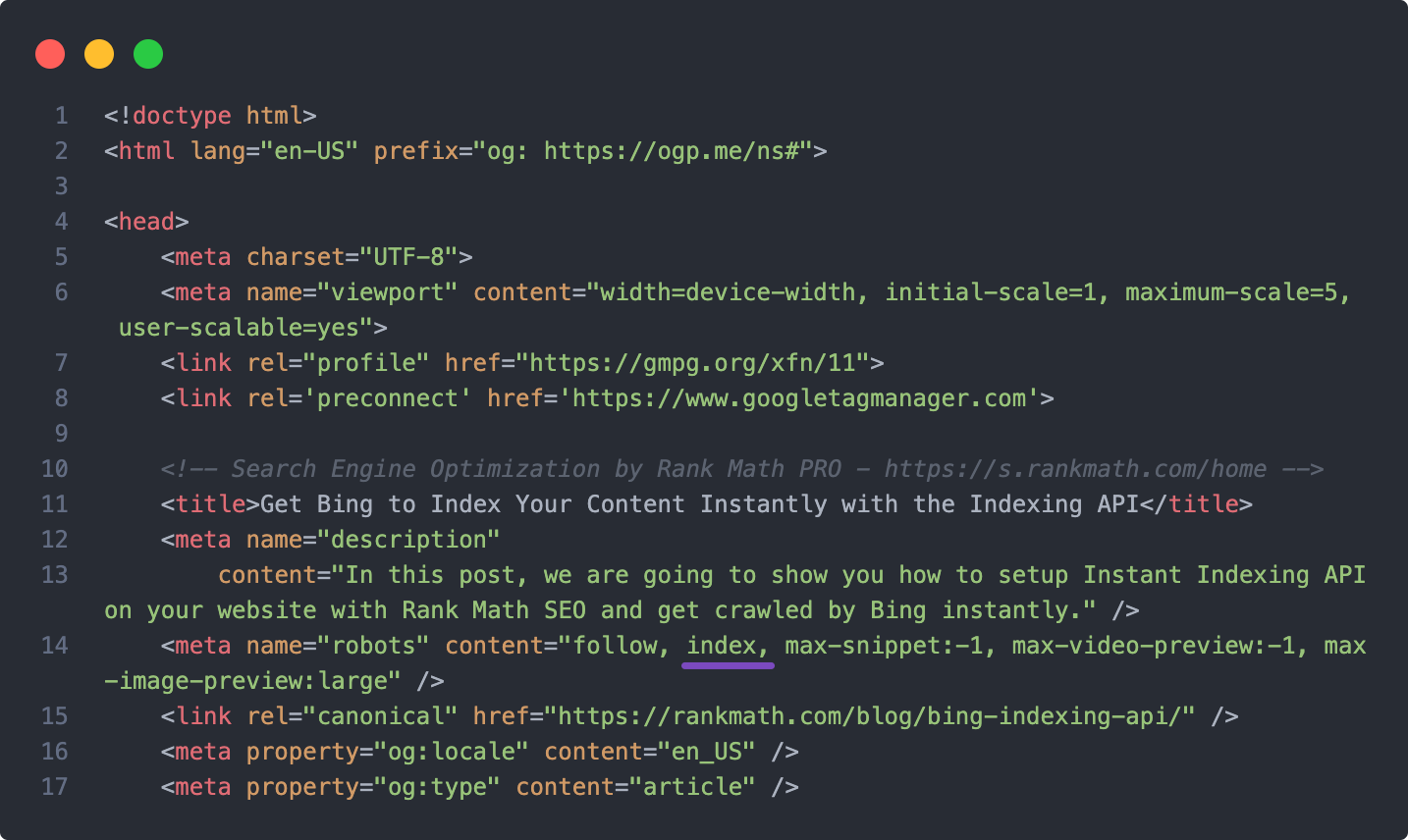
Check for Noindex Tags: Ensure that your blog post does not have a noindex tag set. You can verify this in the Rank Math settings for that specific post.
-
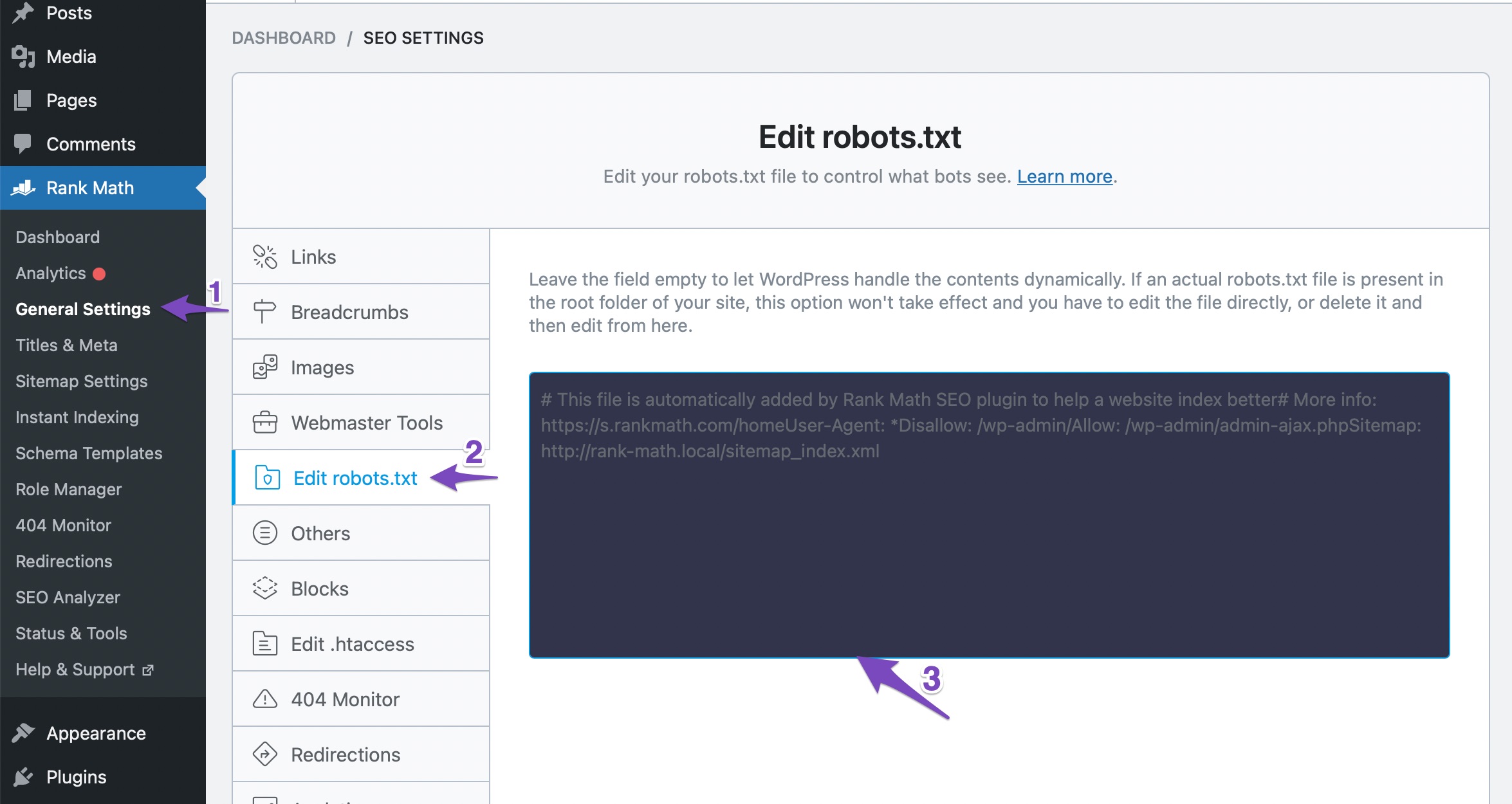
Review Robots.txt File: Double-check your robots.txt file to ensure that it does not contain any directives that might be blocking Google from crawling your site. You can use the robots.txt testing tool to verify this.
-
Manual Indexing Request: If everything seems correct, you might want to submit a manual indexing request through Google Search Console.
-
Wait for Google to Crawl: Sometimes, it can take time for Google to crawl and index new content, especially if your site is new or has low domain authority.
If you continue to experience issues after checking these points, please reply to this ticket, and a human agent from the Rank Math Support team will assist you further. Thank you for raising this concern!
Hello,
Can you please share the affected URL with us so that we can check the issue further for you?
Meanwhile, please check your Google Search Console Page Indexing report to determine any issues reported on your site: https://support.google.com/webmasters/answer/7440203?hl=en
You can share the error message or take a screenshot using this tool and add the link here so we can check as well.
Regarding the sitemap, the “no referring sitemap detected” means the page has been discovered by Google, and Google knows about it.
Please note that a sitemap is only one of many ways Google discovers the URLs of your site. If Google discovers the URL through other means, it may not cross-reference your sitemap to check if the URL is there. Hence the “No referring sitemaps” message.
Looking forward to helping you.
Thank you.
Hello,
Since we did not hear back from you for 15 days, we are assuming that you found the solution. We are closing this support ticket.
If you still need assistance or any other help, please feel free to open a new support ticket, and we will be more than happy to assist.
Thank you.



