Hello,
We apologize for the issue you are facing with displaying your site title above the URL in Google search results. This can happen for several reasons, and we appreciate you raising this concern.
To ensure that Google displays your site title correctly, please follow these steps:
-
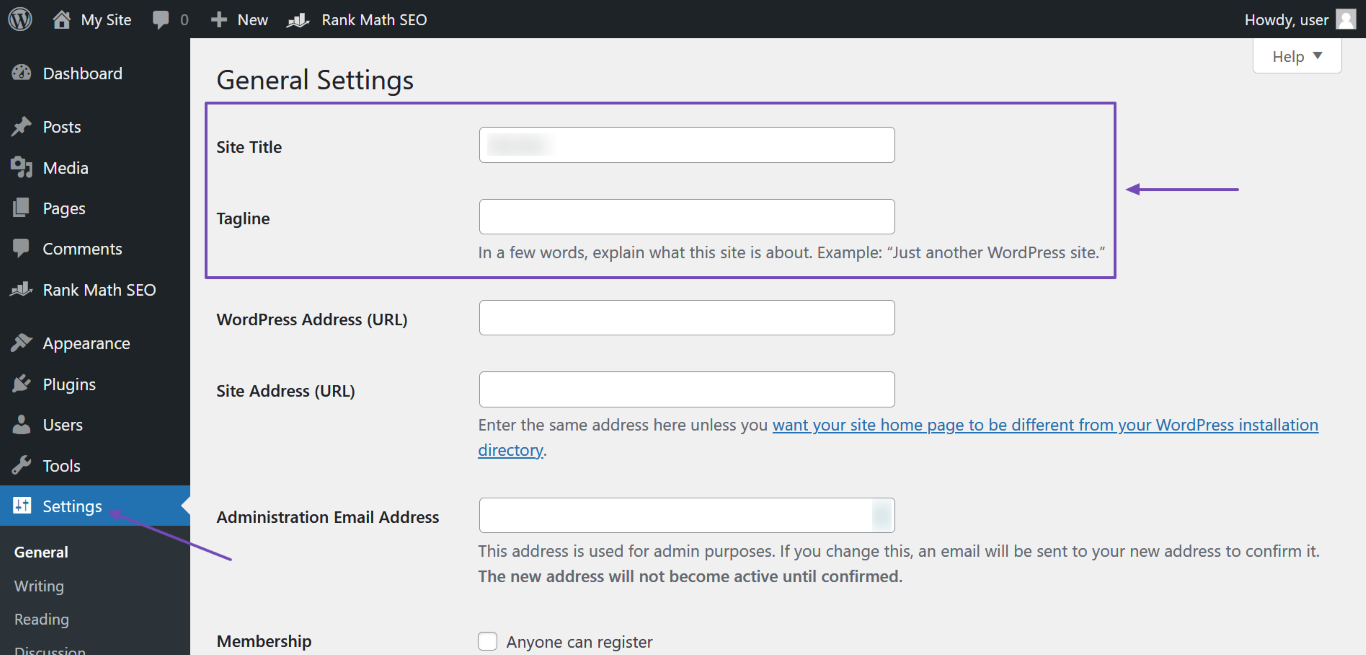
Add a Site Name to Your Homepage Title Tag: Go to your WordPress Dashboard → Settings and enter your site name in the Site Title field. Don’t forget to click Save Changes afterward.
-
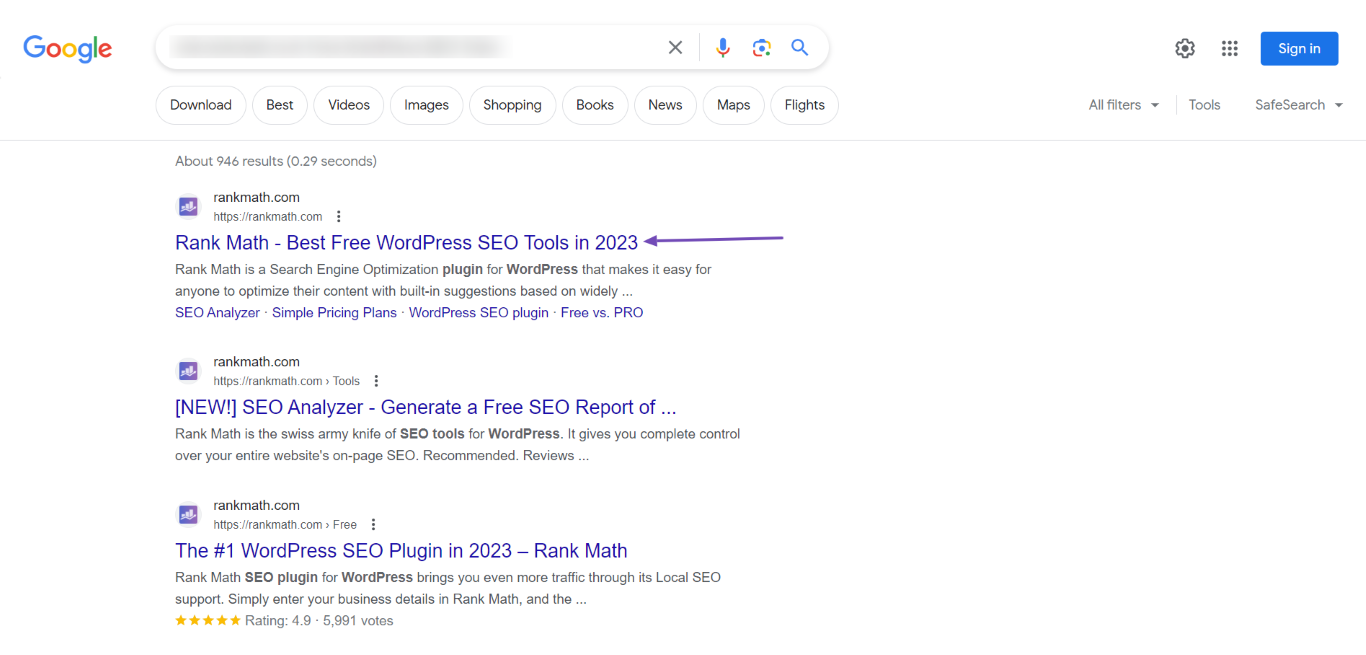
Set Your Homepage Meta Title: Ensure that your homepage meta title includes your site name. You can set this using Rank Math by following the guide on setting a homepage meta title and description.
-
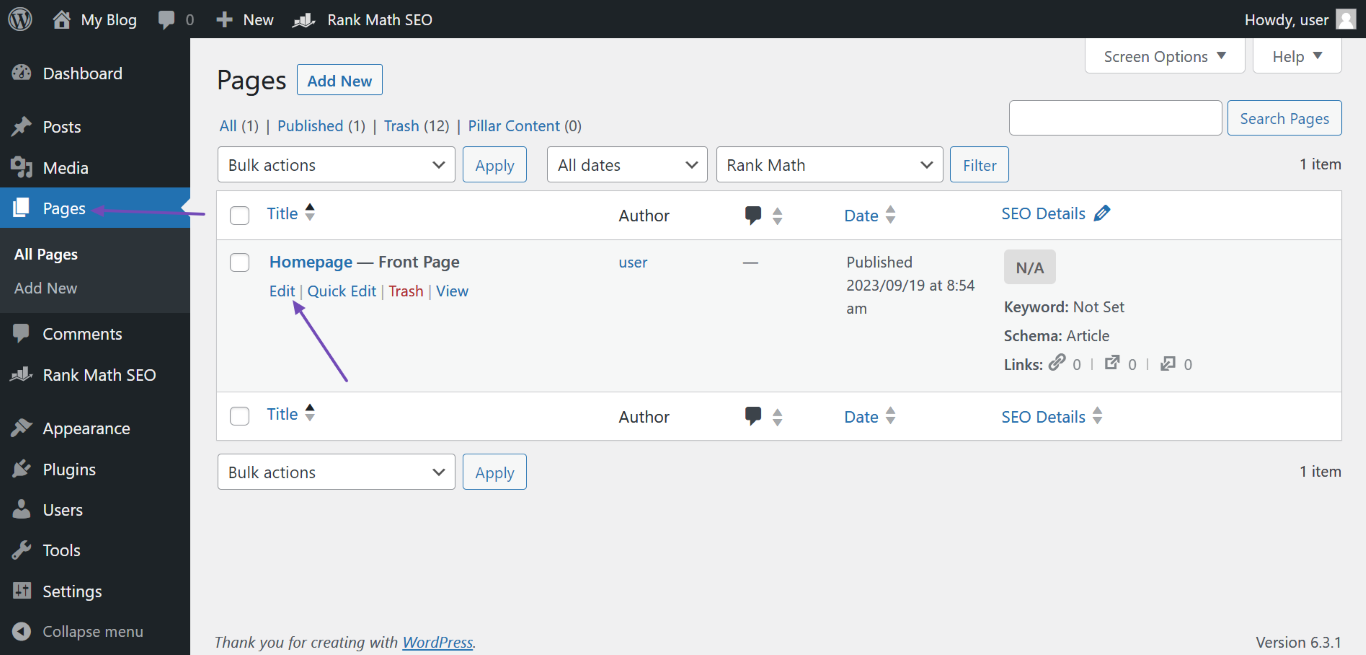
Add a Site Name to Your Homepage H1 Header Tag: If your homepage is set to display a static page, make sure that the page title is set to your site name. You can edit this by going to WordPress Dashboard → Pages, hovering over the page labeled “Front Page,” and clicking Edit.
-
Check Open Graph Metadata: If you have Rank Math installed, it automatically adds Open Graph metadata to your homepage, which helps search engines understand your content better.
-
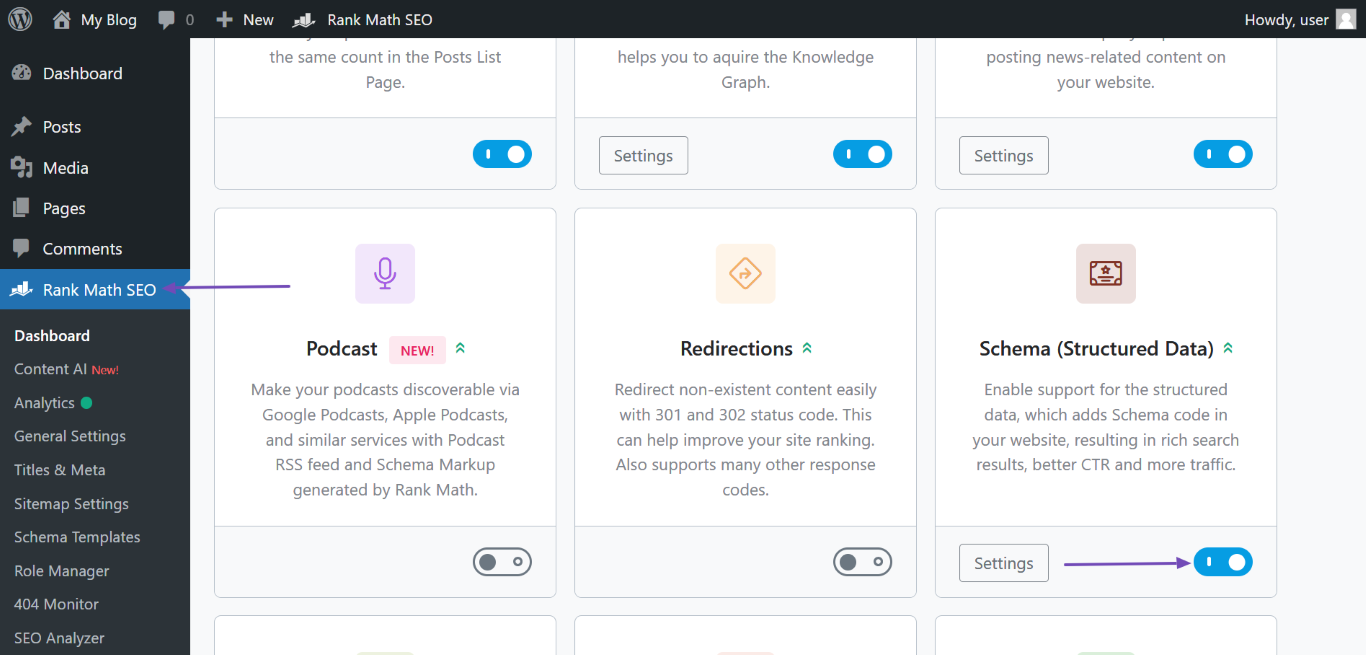
Structured Data: Ensure that your website structured data is set up correctly. In Rank Math, navigate to Rank Math SEO → Titles & Meta → Local SEO and fill in the required fields, especially the Website Name field.
After making these changes, it may take some time for Google to re-crawl your site and update the search results. You can expedite this process by using the URL Inspection Tool in Google Search Console to request indexing of your homepage.
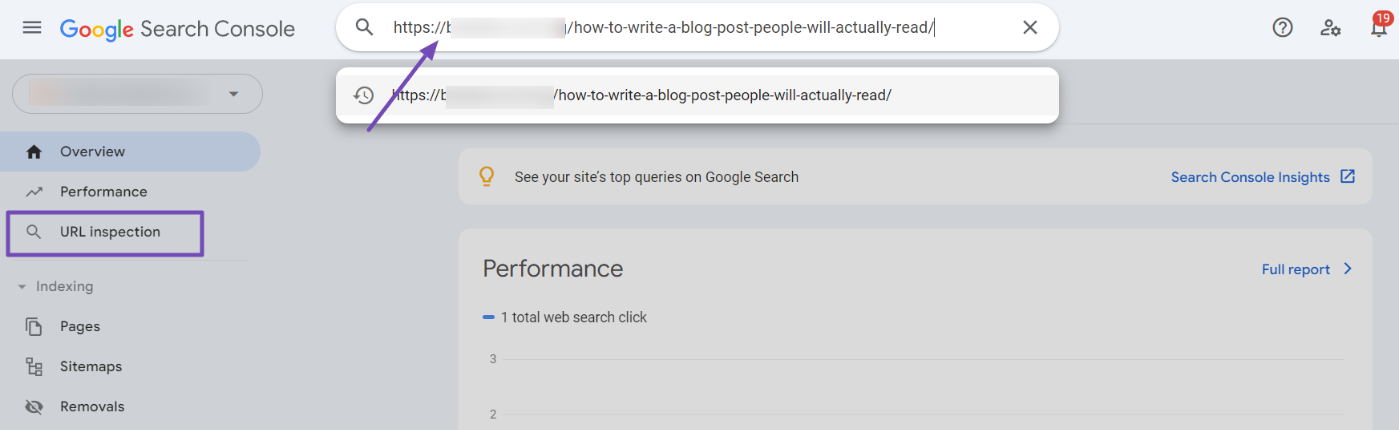
If you have followed all these steps and are still experiencing issues, please reply to this ticket, and a human agent from the Rank Math Support team will assist you further.
Thank you for your patience!
Sources:
Why Google Displays URL Instead of Site Name in SERP? » Rank Math
I tried the same method, but it did not work.
Hello,
We’ve checked your site, and the sitename is already added in the Opengraph meta tags and in the schema.
In this case, it is completely up to Google, and even if your site has followed all the guidelines, they can still decide to show a different or no site name. You should keep working on improving your site’s content quality and authority to increase the chances of your site name appearing in the SERPs.
Moreover, we would suggest to keep on mentioning the desired title on both the title of the page and the schema structure (which our plugin automatically adds after configuring the Local SEO settings in Rank Math > Titles & Meta).
Looking forward to helping you.
Hello,
Since we did not hear back from you for 15 days, we are assuming that you found the solution. We are closing this support ticket.
If you still need assistance or any other help, please feel free to open a new support ticket, and we will be more than happy to assist.
Thank you.



