Unable to Connect Rank Math Content AI to Additional Website

#891500
  • Resolved Laurane Rae
    Rank Math free

    I recently purchased Rank Math Content AI. I am trying to connect my second website, to Content AI, but I am encountering issues. My Rankmath account just shows the one website (screenshot link included).

    Here are the details of the problem:

    I do not see the option to connect Rankmath on my WordPress site to my Rankmath Account. There is also no option to “Add New Website” under the Rank Math dashboard or in my Account Dashboard on the Rank Math website.

    The Rankmath dashboard on my WordPress site just shows that the plugin is activated.

    In my WordPress dashboard, I have activated the Content AI module, but I am unable to use the Content AI features for this new site.

    I would greatly appreciate any guidance or steps I need to follow to connect to the Content AI plugin.

    Thank you for your assistance, and I look forward to your response.
    Laurane Rae

Viewing 3 replies - 1 through 3 (of 3 total)
  • Hello,

    We apologize for the issue you are facing with connecting your website, officertutoring.com.au, to Rank Math Content AI. Thank you for providing detailed information about the problem.

    To connect your new website to Content AI, please follow these steps:

    1. Ensure You Are Logged In: Make sure you are logged into the Rank Math account that you used to purchase the Content AI credits.

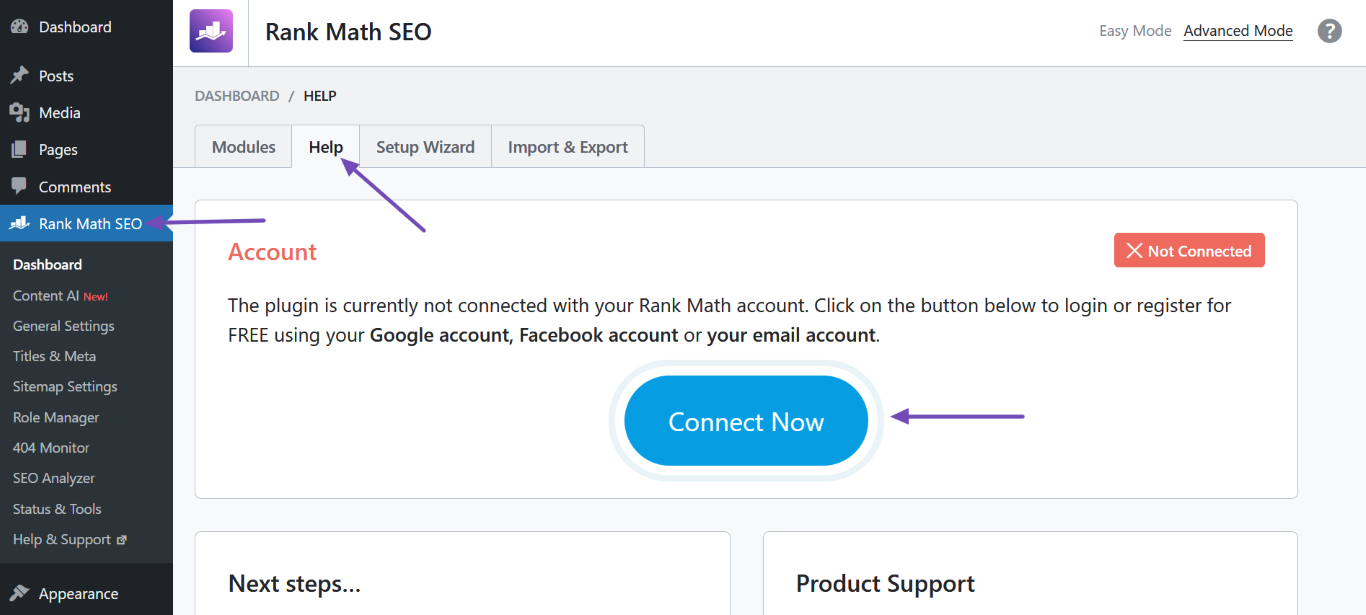
    2. Connect Your Website: In your WordPress dashboard for officertutoring.com.au, navigate to Rank Math SEO → Help and look for the Connect Now button. If you do not see this option, it may indicate that your site is not properly set up to connect with your Rank Math account.
      Click Connect Now

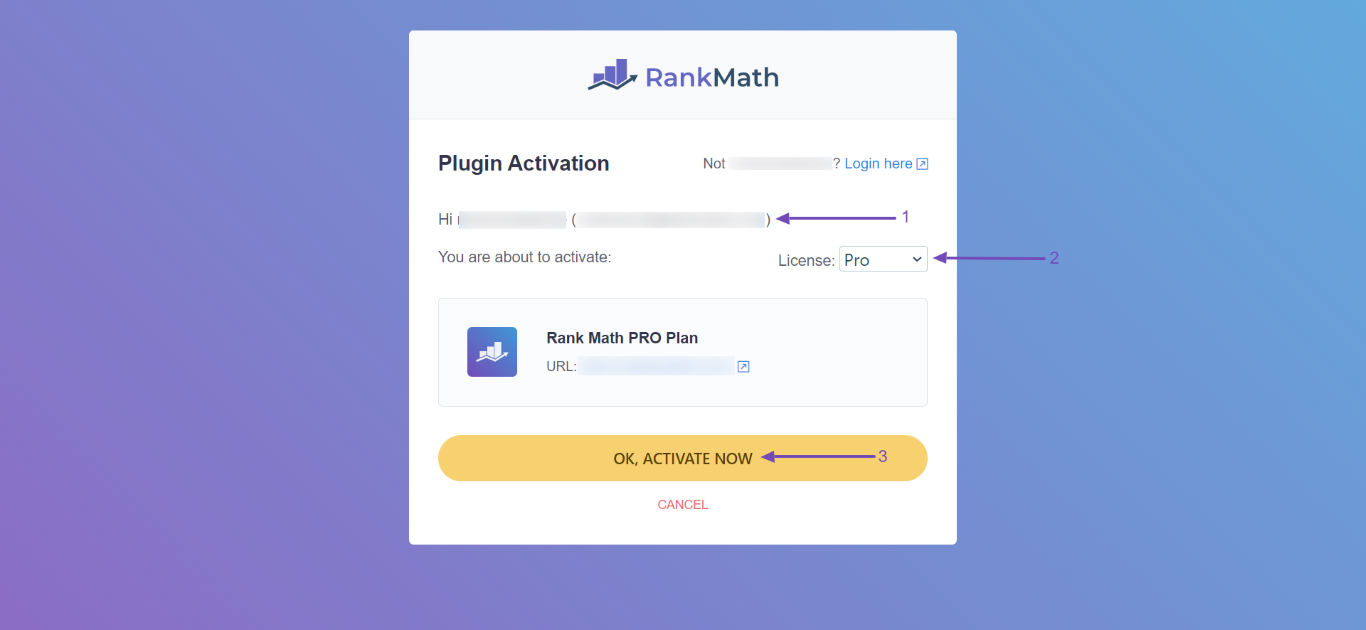
    3. Select the Correct License: If you have multiple licenses, ensure you select the appropriate one from the dropdown menu when prompted.
      Click OK, Activate Now

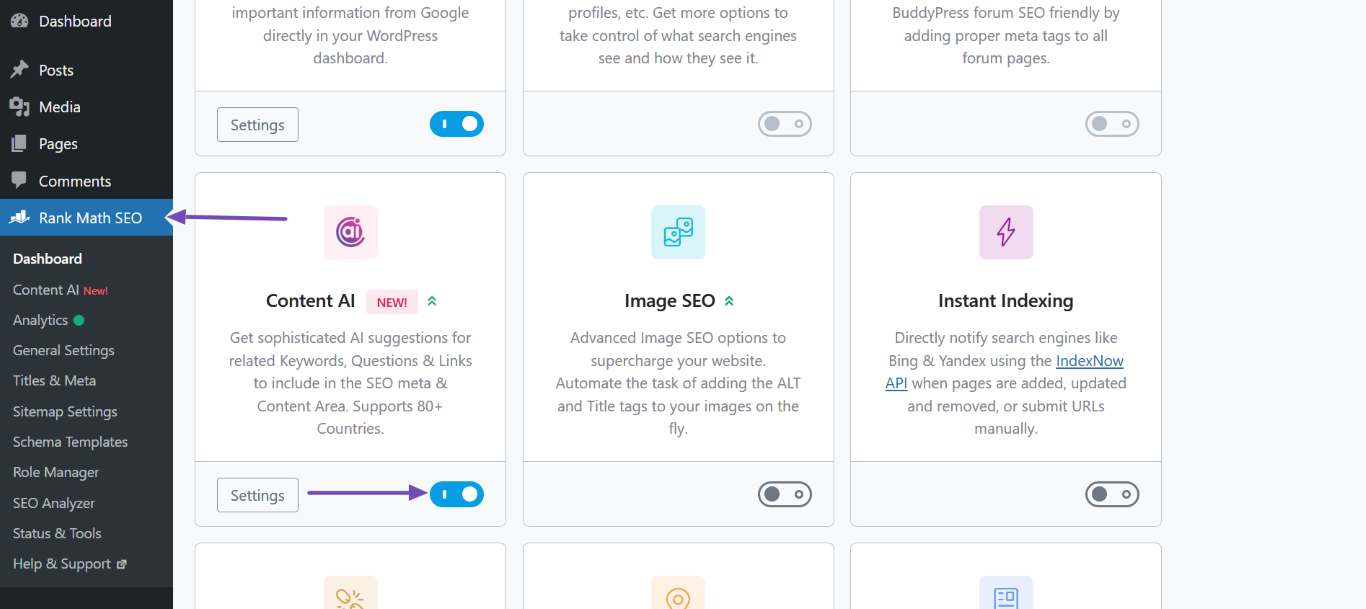
    4. Enable Content AI Module: Confirm that the Content AI module is enabled in your Rank Math settings. You can check this by going to Rank Math SEO → Dashboard → Modules and ensuring that Content AI is activated.
      Enable Content AI

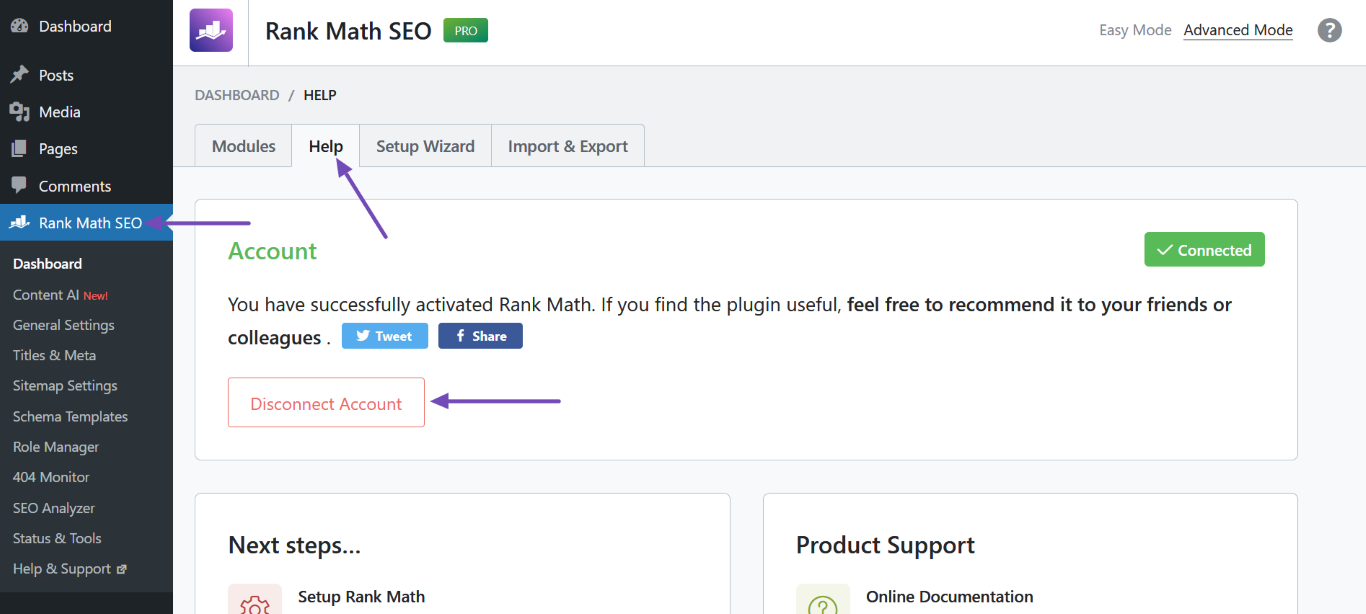
    5. Refresh Connection: If you still encounter issues, try disconnecting and reconnecting your Rank Math account. Go to Rank Math SEO → Help, click on Disconnect Account, and then reconnect it by clicking Connect Now again.
      Click Disconnect Account
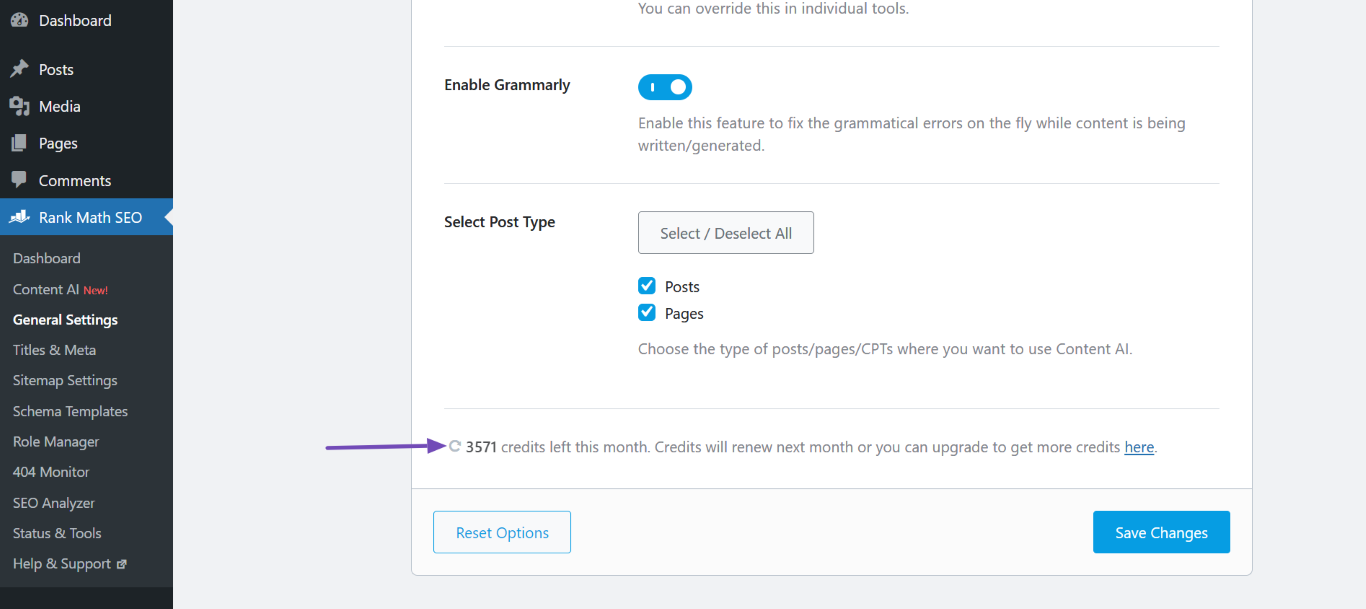
      Click the Refresh icon

    If after following these steps you still do not see the option to connect your website or add a new website, please reply to this ticket, and a human agent from the Rank Math Support team will assist you further.

    We hope this helps you get started with Content AI on your new site!

    Sources:
    How to Connect/Disconnect Your Website From Content AI
    Resolving Content AI Related Issues » Rank Math

    Hello,

    I have updated the sensitive data as requested. Can you please check further?

    Thank you.

    Hello,

    Thank you for contacting Rank Math support.

    You seemed to have marked this ticket as resolved.

    We’re just following up with you to see if you have any other questions or concerns that we can assist you with. Or, if your issue has been resolved, please let us know so we can mark this ticket as closed.

    Please note that when you mark a ticket as resolved, the content of the sensitive data section is deleted.

    We look forward to hearing back from you.

    Thanks.

Viewing 3 replies - 1 through 3 (of 3 total)

You must be logged in to reply to this ticket.