Hello,
We apologize for the issue you are facing with accessing your posts. The blank screen you are encountering could be related to a few different factors. Here are some steps you can take to troubleshoot the problem:
-
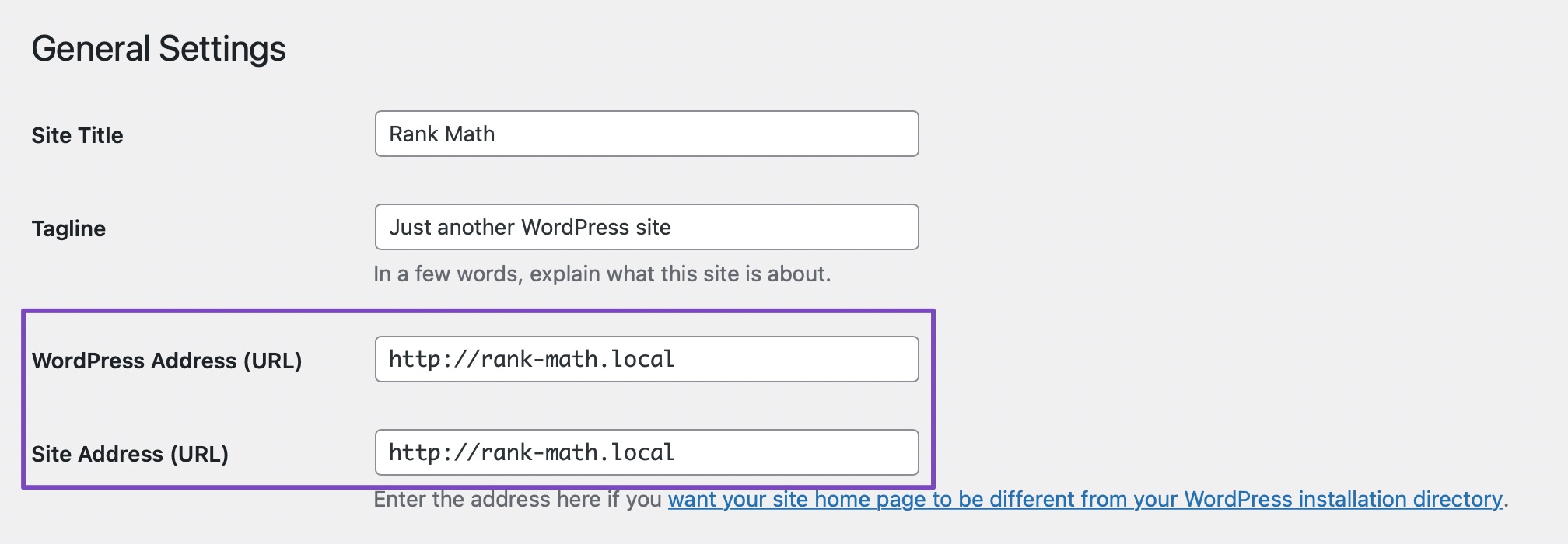
Check for URL Changes: Since you mentioned seeing a message about your site URL changing, it’s important to verify that your WordPress settings have the correct URLs. Go to WordPress Dashboard → Settings → General and ensure that the WordPress Address (URL) and Site Address (URL) fields match.
-
Reconnect Rank Math: If your site URL has changed, you may need to reconnect your Rank Math account. Follow the prompt to reconnect and see if that resolves the issue.
-
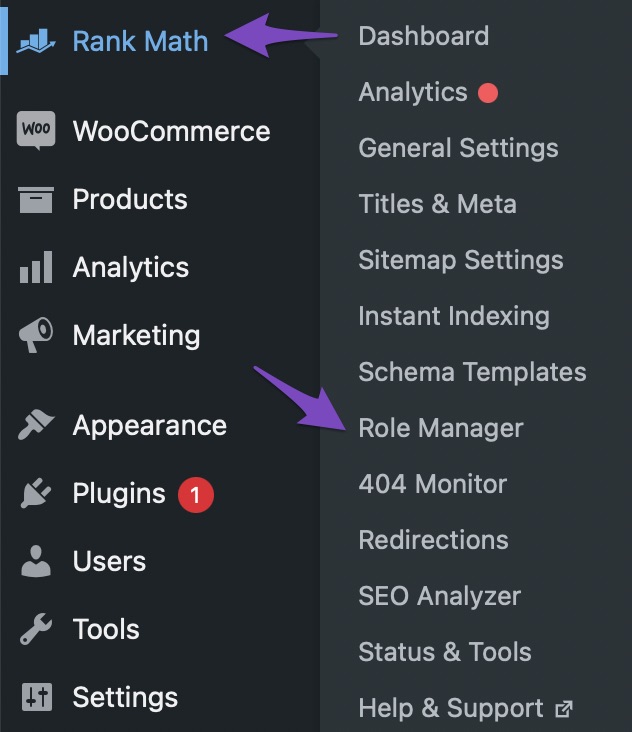
Check User Role and Permissions: Ensure that your admin account has the necessary permissions to edit posts. You can check this in the Role Manager settings within Rank Math.
-
Clear Cache: Sometimes, caching issues can cause problems with loading pages. Clear your browser cache and any caching plugins you may have on your site.
-
Disable Plugins: Conflicts with other plugins can also lead to issues. Try temporarily disabling other plugins to see if that resolves the problem.
If you continue to experience difficulties after trying these steps, please reply to this ticket, and a human agent from the Rank Math Support team will assist you further. Thank you for raising this concern!
Sources:
How to Fix Problems While Connecting Account Using Rank Math » Rank Math
This is an automated reply from Rank Math Support Bot. If you need further assistance, please reply to this topic and a human support agent will reply to you shortly.
Hello,
Since we did not hear back from you for 15 days, we are assuming that you found the solution. We are closing this support ticket.
If you still need assistance or any other help, please feel free to open a new support ticket, and we will be more than happy to assist.
Thank you.


