Hello,
We apologize for the issue you are facing with accessing the admin page after using the plugin. This can be frustrating, and we appreciate you bringing it to our attention.
The behavior you are experiencing, where you are redirected to the homepage instead of the admin page, can often be related to permissions or settings within WordPress. Here are a few steps you can take to troubleshoot and potentially resolve this issue:
1. Check WordPress Settings for URL Mismatch
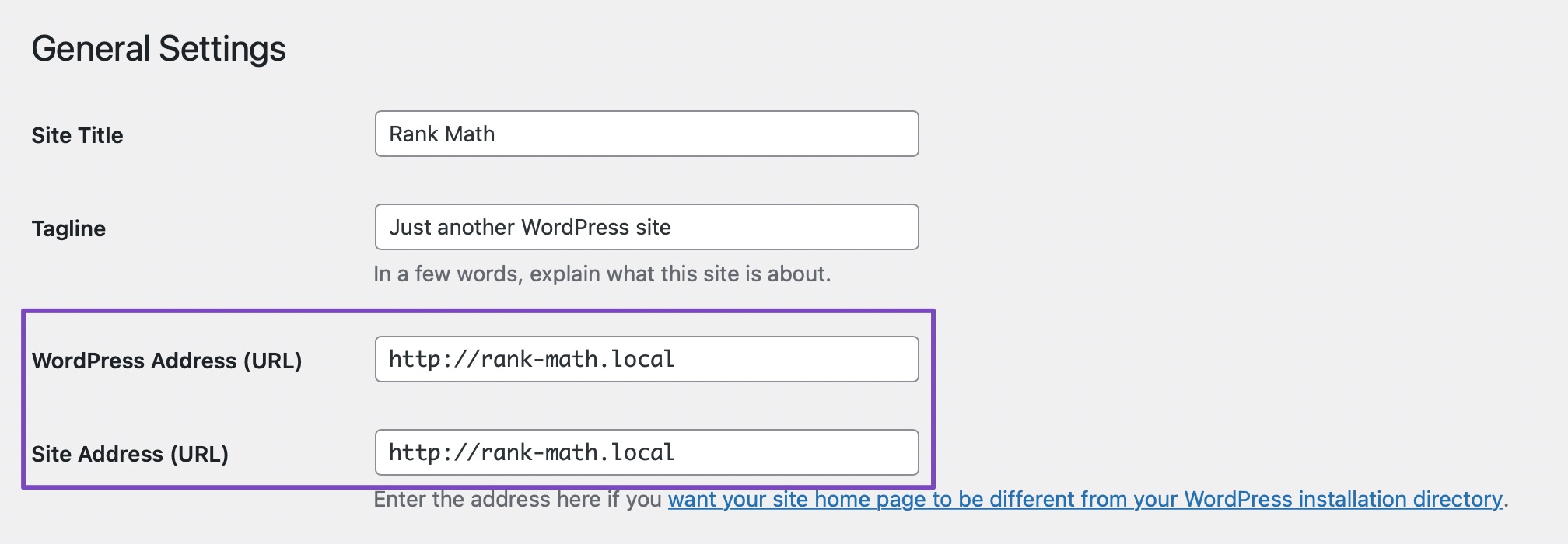
Ensure that there isn’t any mismatch in the URLs on your WordPress settings. Go to WordPress Dashboard → Settings → General and verify that the WordPress Address (URL) and Site Address (URL) fields have the same URL. If there is any discrepancy, correct it and save your changes.
2. Verify User Role and Permissions
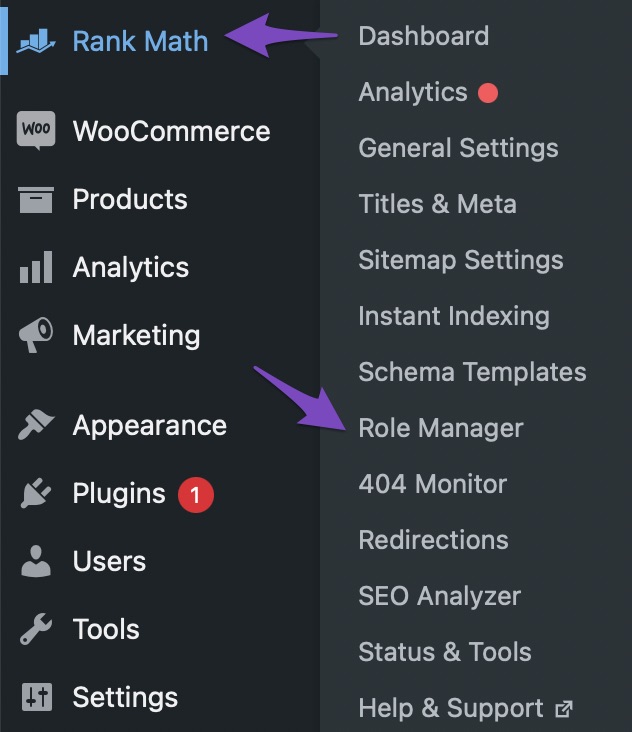
Make sure you are logged in with an admin account, as only admin accounts have full access to all settings. If you have access to the Role Manager settings inside Rank Math, check if your user role has been granted all required capabilities.
3. Check for Plugin Conflicts
Sometimes, other plugins can conflict with Rank Math. Try temporarily deactivating other plugins to see if that resolves the issue. If you can access the admin page after deactivating a plugin, you may need to identify which plugin is causing the conflict.
4. Clear Browser Cache
Clearing your browser cache or trying to access the admin page in an incognito window can sometimes resolve redirection issues.
If these steps do not resolve the issue, please reply to this ticket, and a human agent from the Rank Math Support team will take over and assist you further. Thank you for your patience, and we hope to help you resolve this soon!
Sources:
Sorry, You Are Not Allowed to Access This Page » Rank Math
This is an automated reply from Rank Math Support Bot. If you need further assistance, please reply to this topic and a human support agent will reply to you shortly.


