Hello,
We apologize for the issue you are facing with the internal linking feature in Rank Math. The error message you’re seeing, "Cannot read properties of null (reading ‘clientId’)", suggests that there might be a JavaScript conflict on your site, possibly caused by another plugin or theme.
To troubleshoot this issue, we recommend the following steps:
-
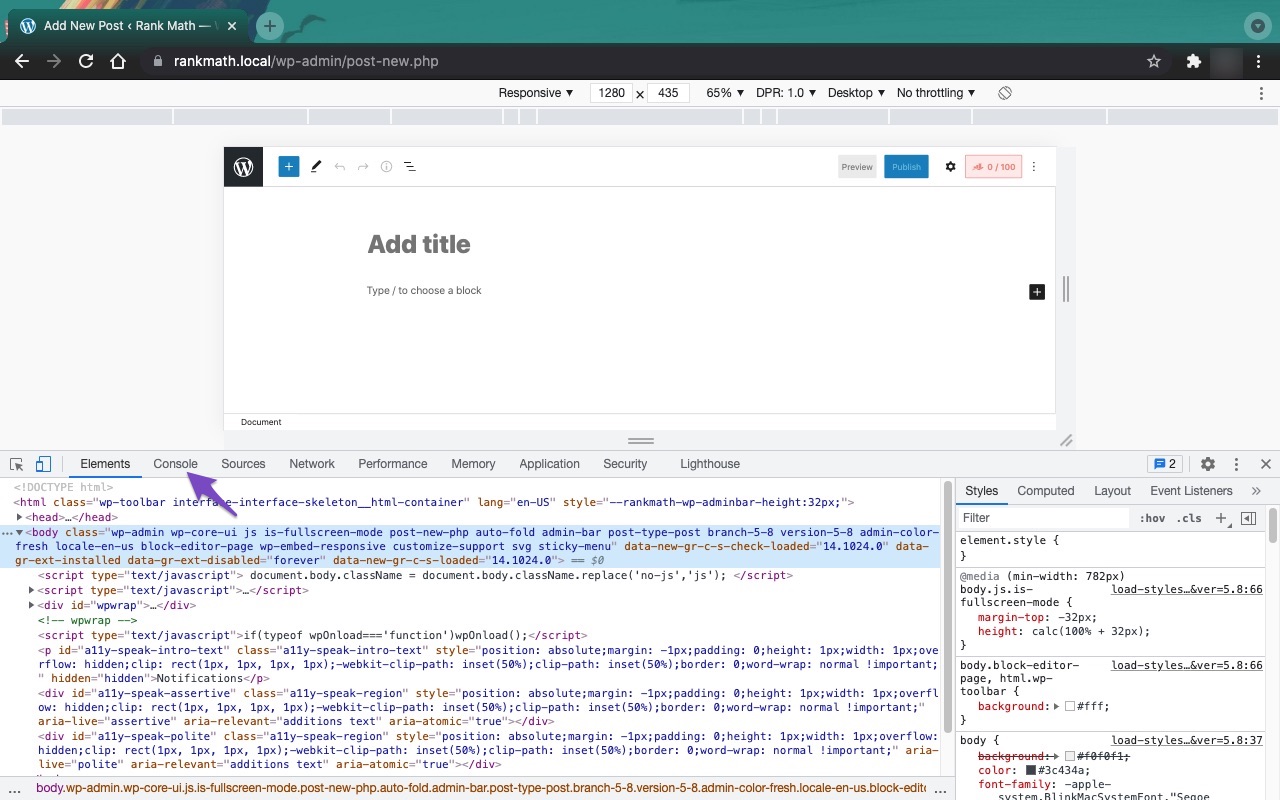
Open the Developer Tools Console Panel: You can do this in Chrome by navigating to More Tools → Developer Tools and then clicking the Console tab. Alternatively, you can use the keyboard shortcut Ctrl + Shift + J (Windows/Linux) or Cmd + Option + J (Mac).

-
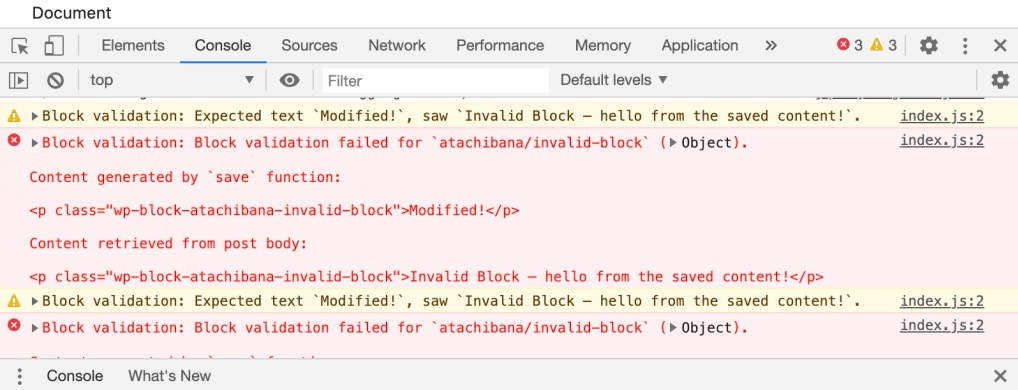
Identify the Error: Check if the error appears in the console. If it doesn’t, try reloading the page. The console will provide details about the error, including the type and line number.
-
Check for Plugin or Theme Conflicts: If any other plugin or theme is causing a JavaScript conflict, it may prevent Rank Math from functioning properly. You can try deactivating other plugins one by one to see if that resolves the issue.
-
Firewall Settings: If you are using a firewall, it might be blocking access to certain files that Rank Math needs. Ensure that Rank Math is whitelisted in your firewall settings.
If these steps do not resolve the issue, please reply to this ticket with any additional error details you find, and a human agent from our support team will assist you further. Thank you for bringing this to our attention!
This is an automated reply from Rank Math Support Bot. If you need further assistance, please reply to this topic and a human support agent will reply to you shortly.
Hello,
Since we did not hear back from you for 15 days, we are assuming that you found the solution. We are closing this support ticket.
If you still need assistance or any other help, please feel free to open a new support ticket, and we will be more than happy to assist.
Thank you.


