Hello,
We apologize for the issue you are facing with the Title Readability errors in Rank Math. Thank you for providing detailed information about your title and the errors you’re encountering.
It seems that even though your title includes the focus keyword, sentiment word, power word, and a number, Rank Math might still be showing errors due to cached results. To resolve this, we recommend flushing the SEO analysis cache. Here’s how you can do that:
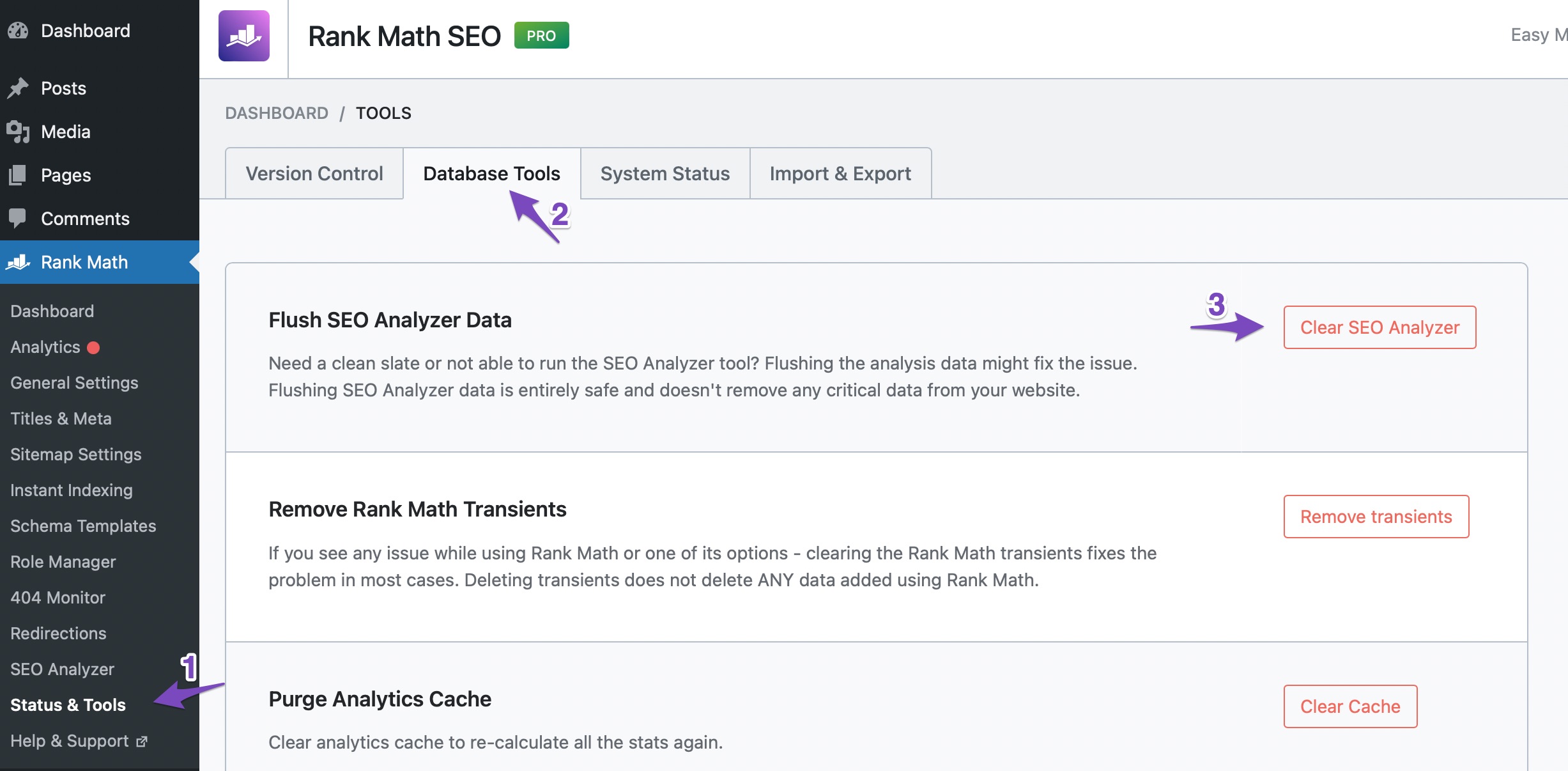
- Go to WordPress Dashboard > Rank Math > Status and Tools > Database Tools.
- Look for the option labeled Flush SEO Analysis Data and click the Clear SEO Analysis button.
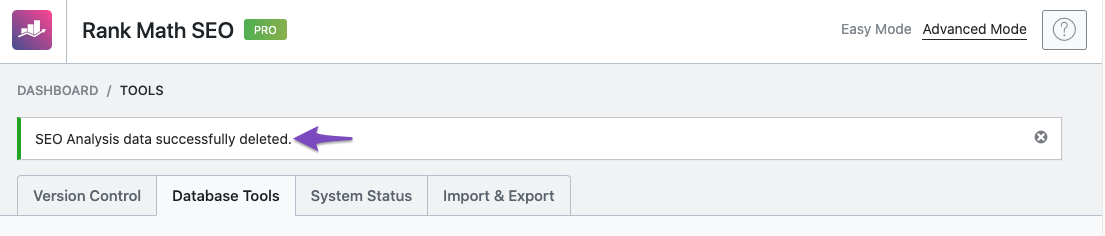
After clearing the cache, you should see a success notice at the top of the page.
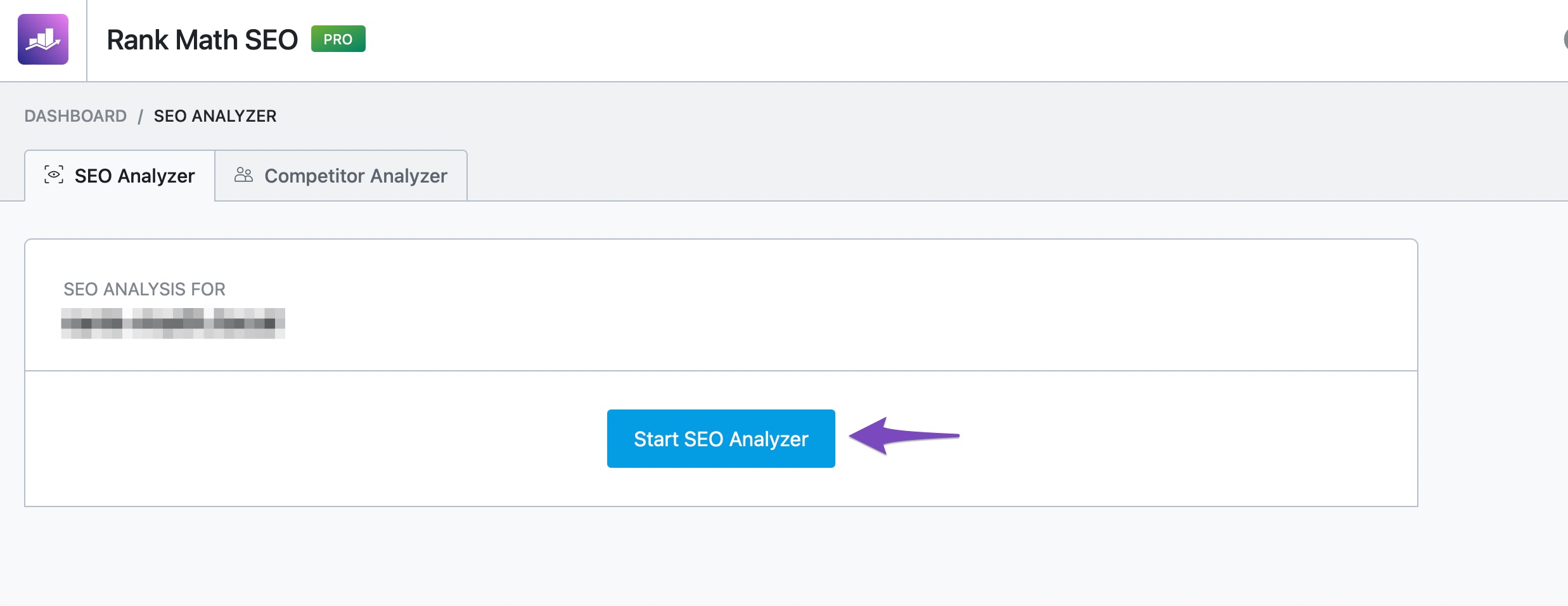
Next, head over to Rank Math > SEO Analysis and click the Start Site-Wide Analysis button to run the analysis again. This should help in updating the results based on your current title.
If you continue to experience issues after following these steps, please reply to this ticket, and a human agent from our support team will assist you further.
We hope this helps improve your overall score!
Sources:
How to Fix the "No Keywords Found in the Page Title" Test in Rank Math » Rank Math
Hello,
Thank you for contacting us and sorry for any inconvenience that might have been caused due to that.
We might need to take a closer look at the settings. Please edit the first post on this ticket and include your WordPress & FTP logins in the designated Sensitive Data section.
Please do take a complete backup of your website before sharing the information with us.

It is completely secure and only our support staff has access to that section. If you want, you can use the below plugin to generate a temporary login URL to your website and share that with us instead:
https://wordpress.org/plugins/temporary-login-without-password/
You can use the above plugin in conjunction with the WP Security Audit Log to monitor what changes our staff might make on your website (if any):
https://wordpress.org/plugins/wp-security-audit-log/
Looking forward to helping you.
Thank you.
Hello,
Thank you for your help. I wanted to let you know that things seem to be working fine now so you can close the ticket.
Hello,
We are glad that it’s working now on your end.
If you have another question in the future, please feel free to create a new forum topic, and it will be our pleasure to assist you again.
Thank you.




