Hello,
I apologize for the issue you are facing with your website not displaying the title and description set in Rank Math. It can be frustrating when the expected changes do not reflect in search results.
Here are a few steps you can take to troubleshoot this issue:
-
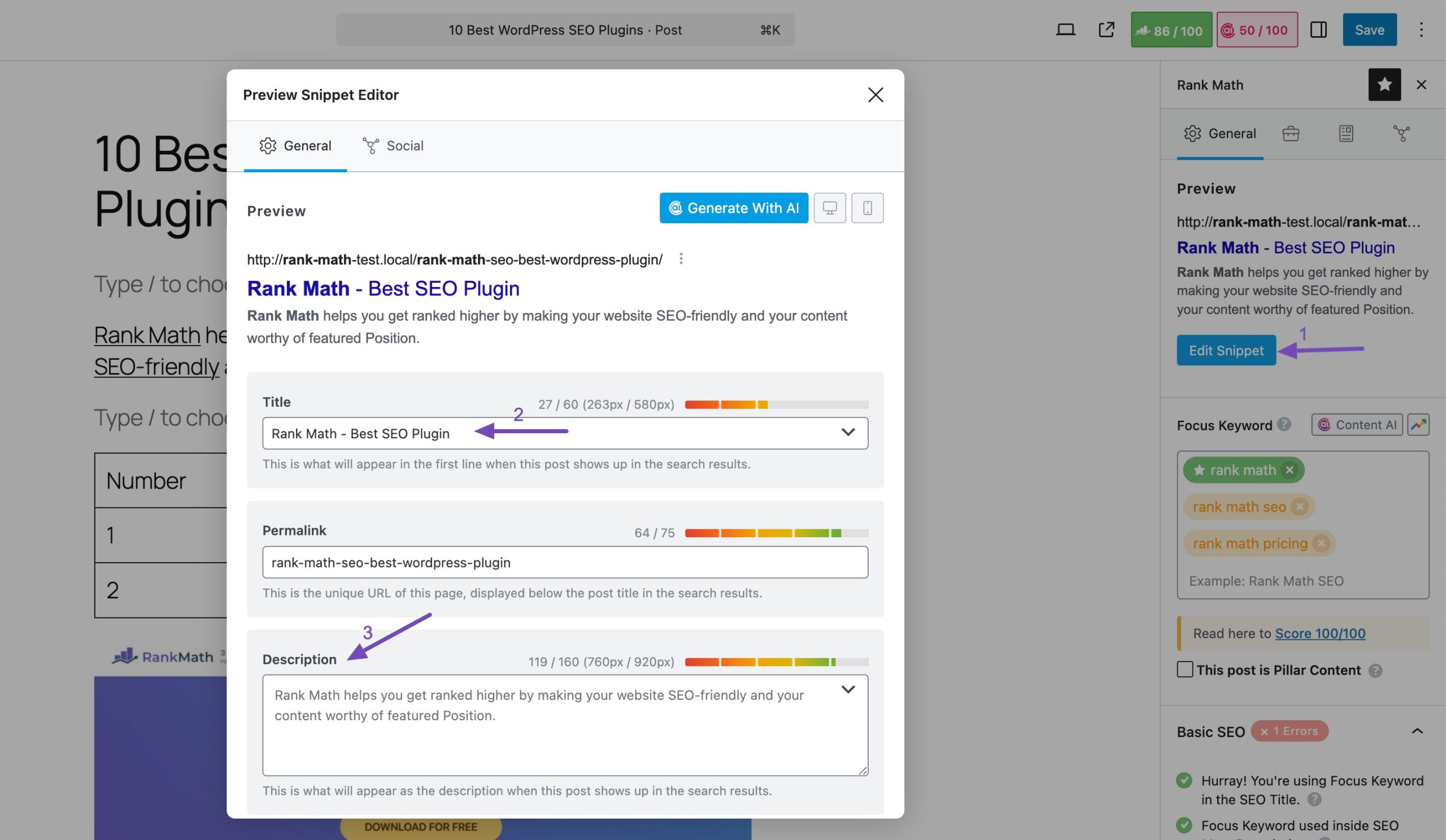
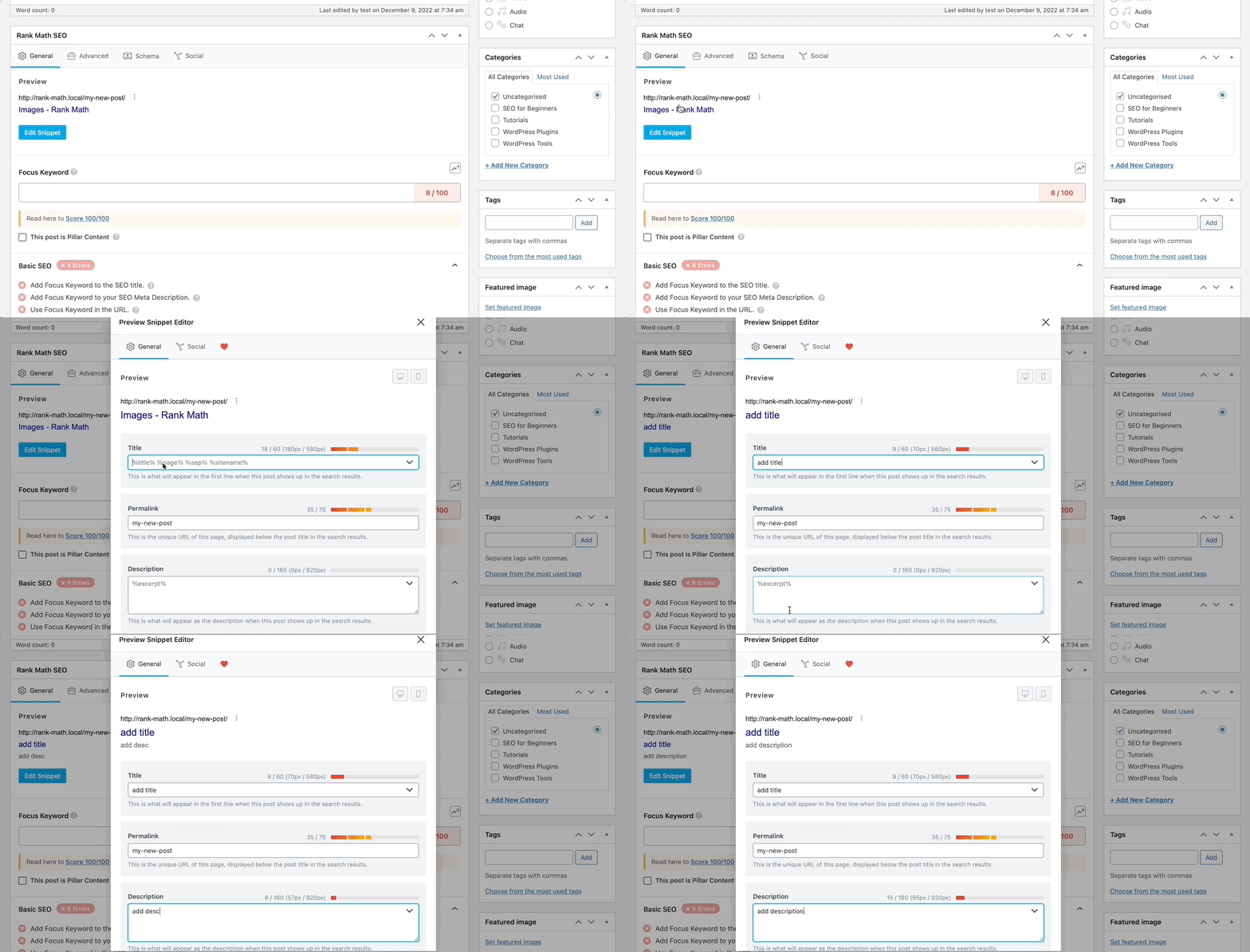
Check Your Settings: Ensure that you have correctly set the SEO Title and Meta Description for your homepage or specific pages. You can do this by navigating to the Rank Math settings in your WordPress dashboard. If you’re using the Gutenberg editor, click on the Rank Math icon at the top right corner of the post/page editor to add your title and description. For the Classic Editor, scroll down to find the Rank Math SEO Meta Box.
-
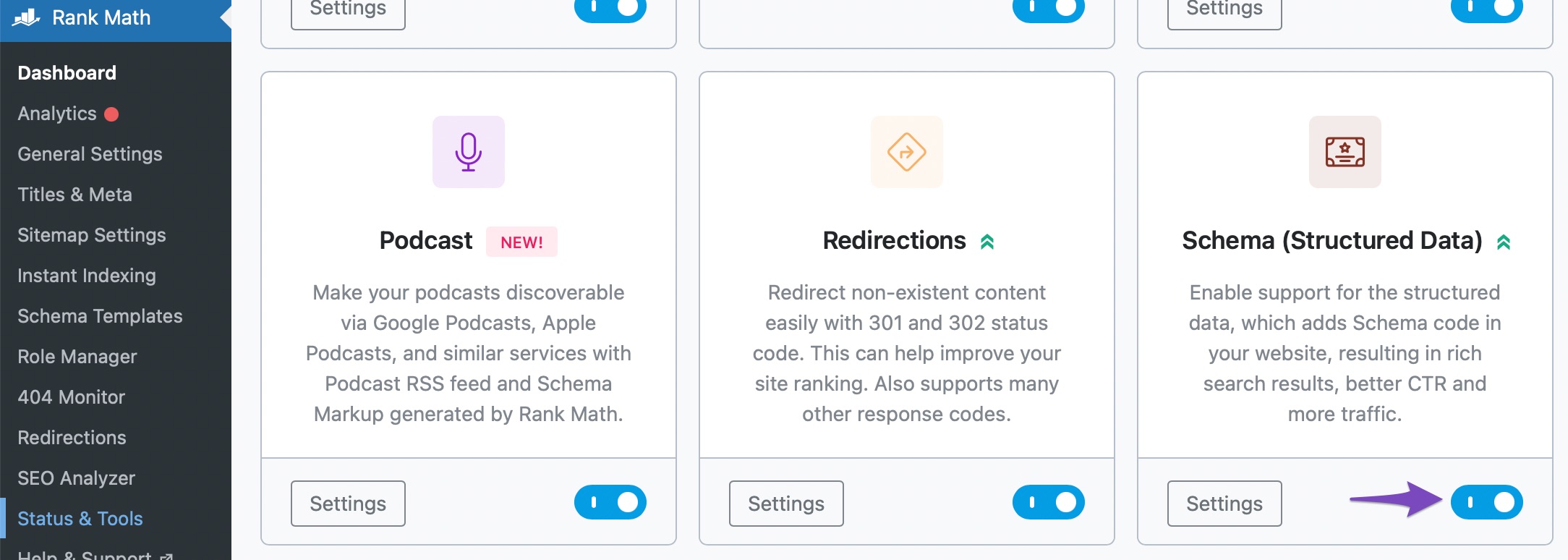
Check Schema Settings: Make sure that the Schema Module is enabled on your site by navigating to Rank Math SEO → Dashboard. This can affect how your content is displayed in search results.
-
Re-indexing: After making changes, it may take some time for Google to re-index your pages. You can check if your pages are indexed using Google Search Console. If they are not indexed, you may need to request indexing.
-
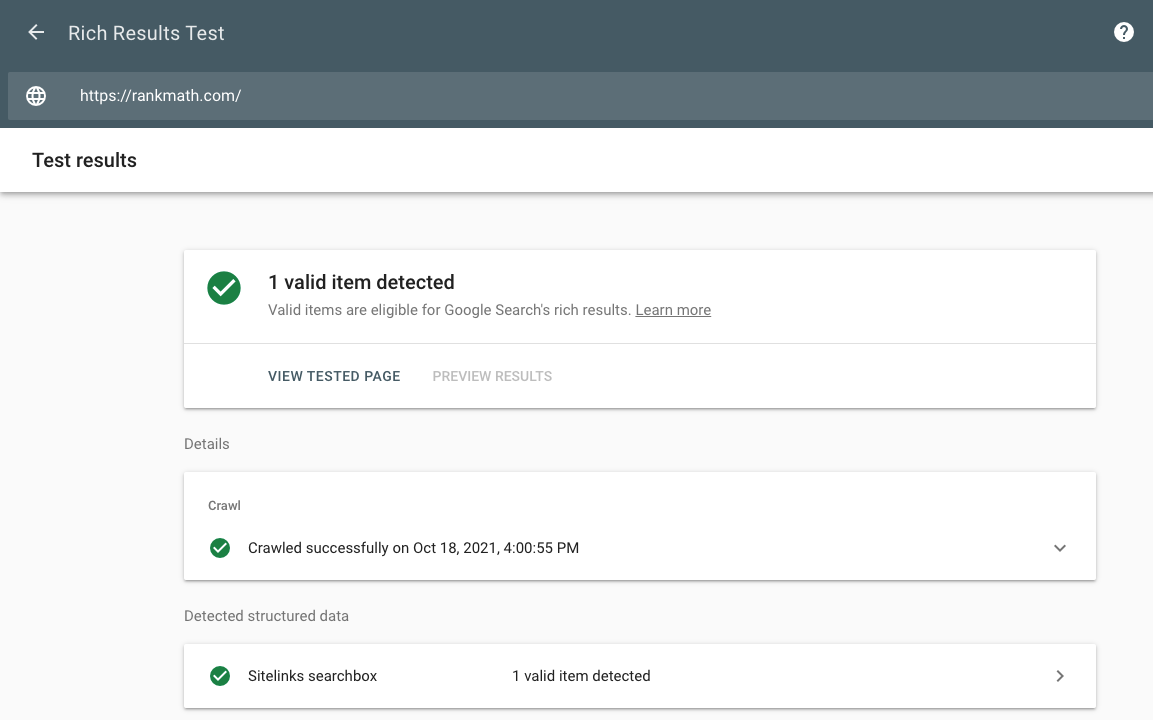
Testing: Use Google’s Rich Results Testing Tool to test if your rich snippets are being recognized correctly.
If you’ve followed these steps and are still experiencing issues, we recommend replying to this ticket with your website URL so that a human agent from our support team can assist you further. Thank you for raising this concern, and we look forward to helping you resolve it!
Sources:
Homepage SEO Settings via Meta Title and Description
How to Show Images in the Search Results » Rank Math
I have checked my home page title and description. And also have issue with Google Duplicate without user-selected canonical. Discovered – currently not indexed. And don’t understand what to do, how to resolve.
Hello,
Could you please share the affected page URL with us so that we can check this further for you?
However, please note that nowadays, Google does that very commonly. Even when everything is fine, Google may choose to display a different meta title and description for your search query result. Google may skip the custom metadata you have set and instead display something from the page’s content that better matches the search intent.
You can follow this URL for details on this issue:
https://rankmath.com/kb/different-meta-title-and-description/
Here are some articles you can also check for reference:
https://www.searchenginejournal.com/google-changes-more-than-61-percent-of-title-tags/43
https://www.searchenginejournal.com/why-google-rewrites-meta-descriptions/370452/
Regarding the issues you’re facing on Google Search Console, we have published in detail guides for those errors which you can try to follow and see if that works for you:
Duplicate Without User-Selected Canonical:
https://rankmath.com/kb/duplicate-without-user-selected-canonical/
Discovered – Currently Not Indexed:
https://rankmath.com/kb/discovered-currently-not-indexed/
Let us know how it goes. Looking forward to helping you.
Thank you.
Hello,
I have updated the sensitive data as requested. Can you please check further?
Thank you.
Hello,
You can upload screenshots using this tool and add the link here.
Regarding your sitemap, please follow these steps to flush your sitemap cache:
1. Flush the Sitemap cache by following this video screencast:
https://i.rankmath.com/pipRDp
2. Exclude the Sitemap files of the Rank Math plugin in your caching plugin. The cache could be via a plugin or from the server. For plugins or Cloudflare, please follow this article:
https://rankmath.com/kb/exclude-sitemaps-from-caching/
3. Disable the transient cache for the sitemap by applying this filter. This will make sure that your XML sitemap always reflects the latest changes on your site:
/**
 * Filter if XML sitemap transient cache is enabled.
 *
 * @param boolean $unsigned Enable cache or not, defaults to true
 */
add_filter( 'rank_math/sitemap/enable_caching', '__return_false');
If you’re not sure how to add this code, you can follow this guide:
https://rankmath.com/kb/wordpress-hooks-actions-filters/
Once done, remove all your submitted sitemaps and resubmit your main sitemap index only. After that, give Google some time to recrawl your site.
Looking forward to helping you.
Hello,
Since we did not hear back from you for 15 days, we are assuming that you found the solution. We are closing this support ticket.
If you still need assistance or any other help, please feel free to open a new support ticket, and we will be more than happy to assist.
Thank you.