Hello,
We apologize for the issue you are facing with the thumbnail not loading when sharing a link on Instagram. Here are a few things you can check to troubleshoot this problem:
-
Check Open Graph Image Settings: Ensure that the Open Graph image is correctly set in the Rank Math settings for that specific page. You can do this by going to the Rank Math Meta Box on the page and verifying the image under the Social tab.
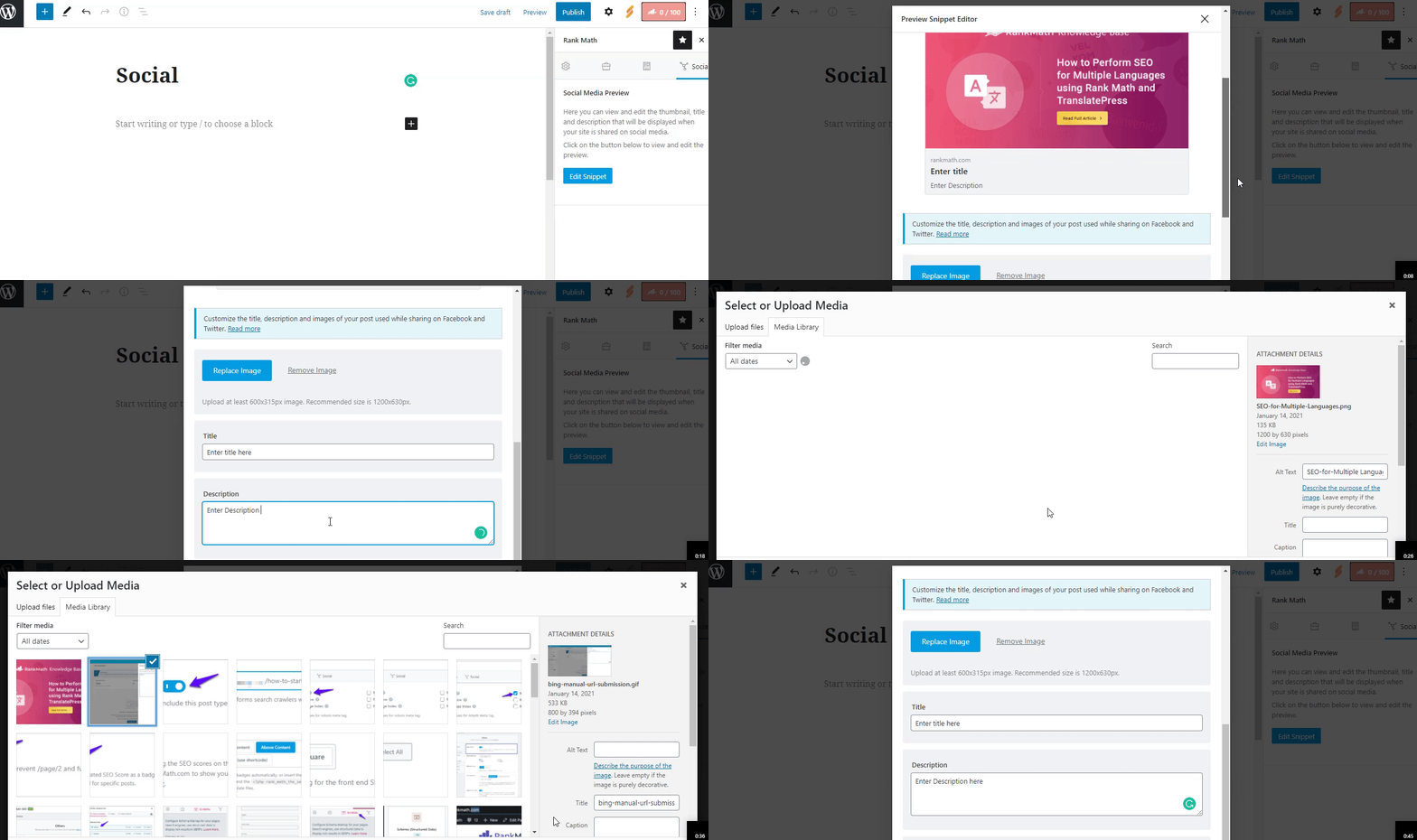
-
Image Dimensions & Format: Make sure that the image you are using meets the recommended dimensions of 1200px X 630px and is in a supported format (JPEG, PNG, or GIF). If the image is too small or too large, Instagram may not display it correctly.
-
Facebook Sharing Debugger: Since Instagram uses Facebook’s Open Graph protocol, you can use the Facebook Sharing Debugger to scrape your URL again. This can help refresh the cached data and may resolve the issue.
-
Check for Caching Issues: If you have any caching plugins or server-side caching enabled, try clearing the cache to ensure that the latest changes are reflected.
If you’ve checked all these points and the issue persists, please reply to this ticket, and a human agent from the Rank Math Support team will assist you further.
Sources:
Open Graph/Social Preview Image Is Not Displayed » Rank Math
Hello,
Thank you for your query and we are so sorry about the trouble this must have caused.
Can you please share the affected page/post URL here so we can take a closer look at the issue?
Looking forward to helping you.
Hello,
Upon checking those URLs, we do confirm that Facebook’s Sharing Debugger detects invalidity of how the og:image meta tag is generated on your website.
Can you please follow this guide to ensure you are adding the correct format of images for your og tags? https://rankmath.com/kb/open-graph-image-not-displaying/
Please make sure to use standard dimensions and file size for your images. Dimensions should be 1200×630 in pixels while file size must be under 300kb for Opengraph to accept it.
Looking forward to helping you.
Thank you, I’ve changed the dimensions of the pictures and it works.
Have a nice day!
Hello,
We are glad to know that this issue has been resolved. Thank you for letting us know.
This ticket will be closed now, but you can always open a new one if you have any other questions or concerns. We are here to help you with anything related to Rank Math.
We appreciate your patience and cooperation throughout this process.
Thank you for choosing Rank Math.




