Hello,
I apologize for the inconvenience you are facing with your tags being set as noindex. To resolve this issue, please follow these steps:
-
Check Rank Math’s Titles & Meta Settings:
- Navigate to Rank Math SEO → Titles & Meta tab.
- Double-check each section to ensure that the settings are set to "Index" for tags.
- Make sure to save the changes after setting the tags to "Index."
-
If the issue persists, you can use bulk actions to change the noindex value for multiple tags at once:
- Go to the WordPress Posts menu.
- Filter by Articles Noindexed using the Rank Math filter.
- Select the tags you want to change to "Index."
- From the Bulk Actions drop-down menu, select Set to Index and click Apply.
By following these steps, you should be able to resolve the issue of tags being set as noindex incorrectly. If you need further assistance, feel free to reply here. Thank you for reaching out!
Sources:
Fix Excluded by NoIndex Tag – Google Search Console Status » Rank Math
Advanced Tab in Rank Math SEO’s Meta Box
How to Fix Submitted URL Marked ‘NoIndex’ Error » Rank Math
Hello,
If the tag is empty, Rank Math has the option to set it to noindex automatically.
To disable that, head over to Rank Math > Titles & Meta > Global Meta and disable this option
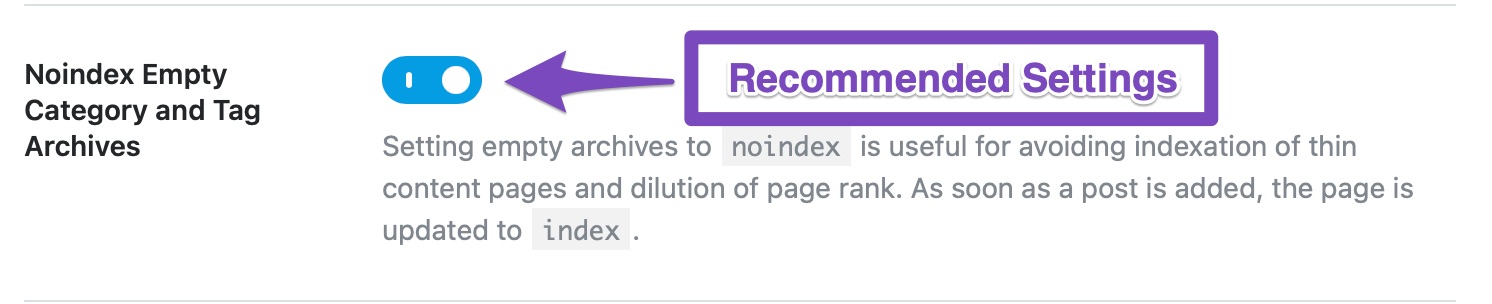
Once done, check again those pages if they are already set to index.
Hope that helps.
Those tags are not empty. I have already checked this setting
Those tags are not empty. I have already checked this setting.
Hello,
If the tags are not empty, assuming you are using the latest version of all the plugins and the themes (please update if not yet), this can be caused by conflicting plugins/theme on your site.
To determine that, please follow this troubleshooting guide:
https://rankmath.com/kb/check-plugin-conflicts/
Here is a video you can follow as well: https://www.youtube.com/watch?v=FcIWRhcUP2c
Only the site admin would know and your users won’t be affected by this troubleshooting.
Let us know how this goes.
Hello,
Since we did not hear back from you for 15 days, we are assuming that you found the solution. We are closing this support ticket.
If you still need assistance or any other help, please feel free to open a new support ticket, and we will be more than happy to assist.
Thank you.



