Hello,
We apologize for the issue you are facing while trying to connect Rank Math to your live site. To successfully switch from your staging site (staging2.mysite.com) to your live site (mysite.com), you will need to follow these steps:
-
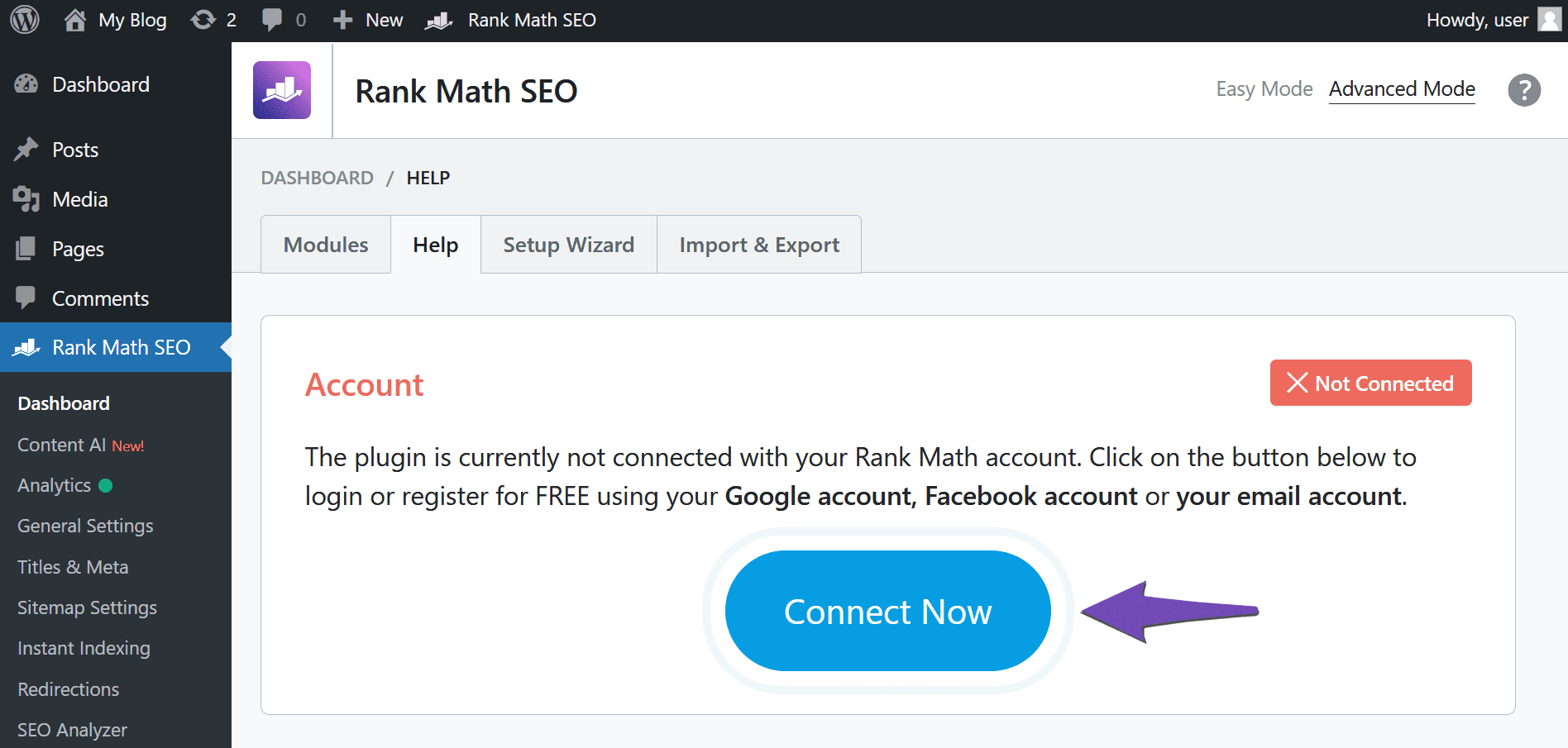
Disconnect Your Rank Math Account: Navigate to WordPress Dashboard → Rank Math SEO → Dashboard → Help and click on Disconnect Account.

-
Reconnect to Your Live Site: After disconnecting, click on Connect Now to reconnect your Rank Math account. You will be redirected to the plugin activation page where you can select the applicable license and click OK, ACTIVATE NOW.
-
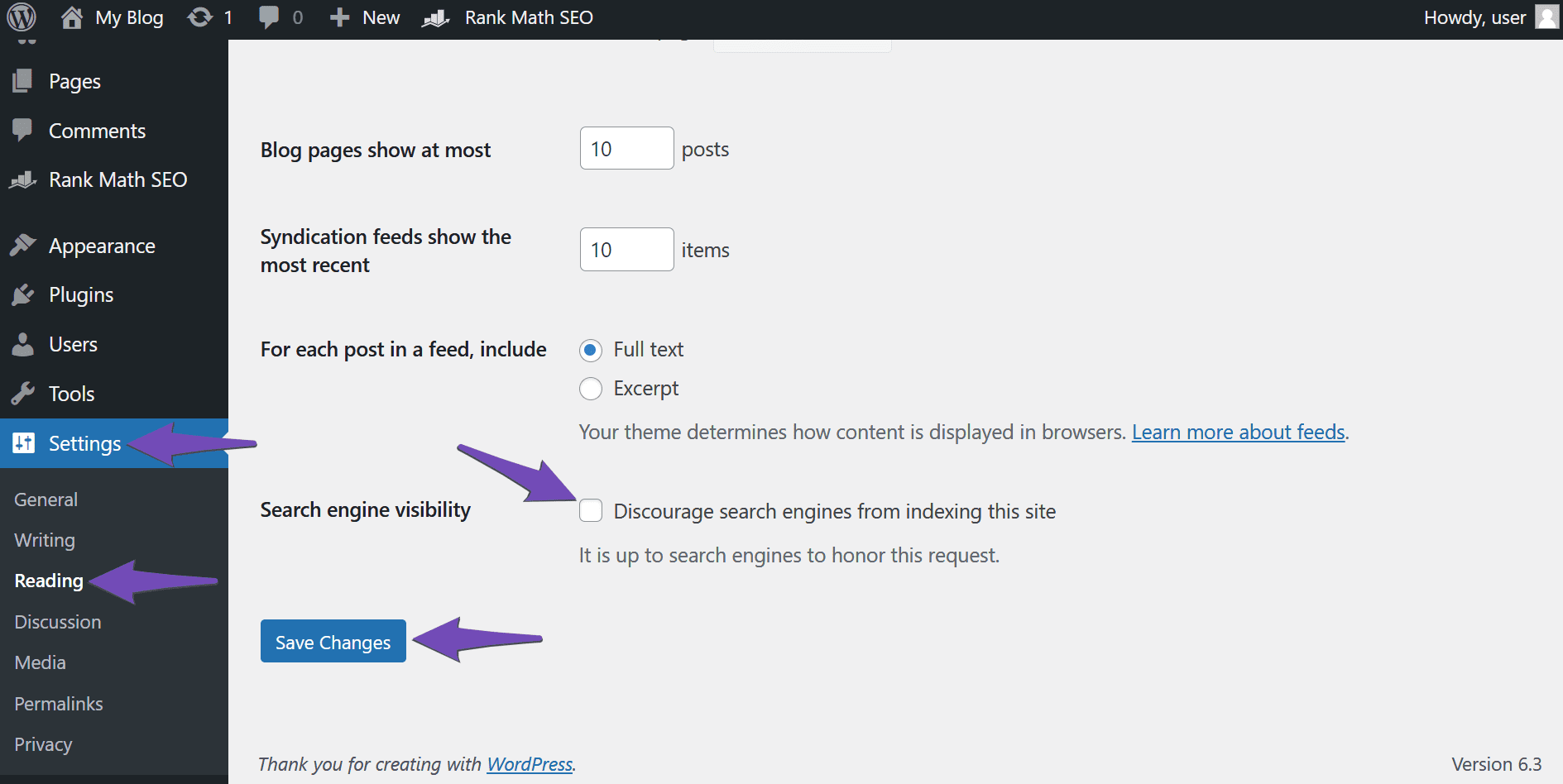
Set Your Site to Index: Ensure that your live site is set to be indexed by navigating to WordPress Dashboard → Settings → Reading and deselecting Search engine visibility. Then, click Save Changes.
-
Re-Verify Your Site on Google: If you have previously verified your staging site on Google Search Console, you will need to re-verify it using the URL of your live site. You can refer to this guide on verifying your site on Google.
If you continue to experience issues after following these steps, please reply to this ticket, and a human agent from the Rank Math Support team will assist you further.
Thank you for raising this concern! We hope this helps you connect Rank Math to your live site successfully.
Sources:
How to Use Rank Math on a Staging Site » Rank Math
Website Not Shown In Rank Math Account Area » Rank Math
Hello,
Glad that everything has been sorted out.
Please feel free to reach out to us again in case you need any other assistance.
We are here to help.
Thank you.



