Hello,
We apologize for the issue you are facing with activating your Rank Math Pro license. Since you mentioned that your email address associated with the purchase is the same as the one used for your Rank Math account, please ensure that you have followed these steps:
-
Connect Your Rank Math Account: Make sure you are connected to your Rank Math account in your WordPress dashboard. You can do this by navigating to WordPress Dashboard → Rank Math SEO → Dashboard → Help. If you are already connected, you may need to disconnect and reconnect your account.
- To disconnect, click the Disconnect Account button.
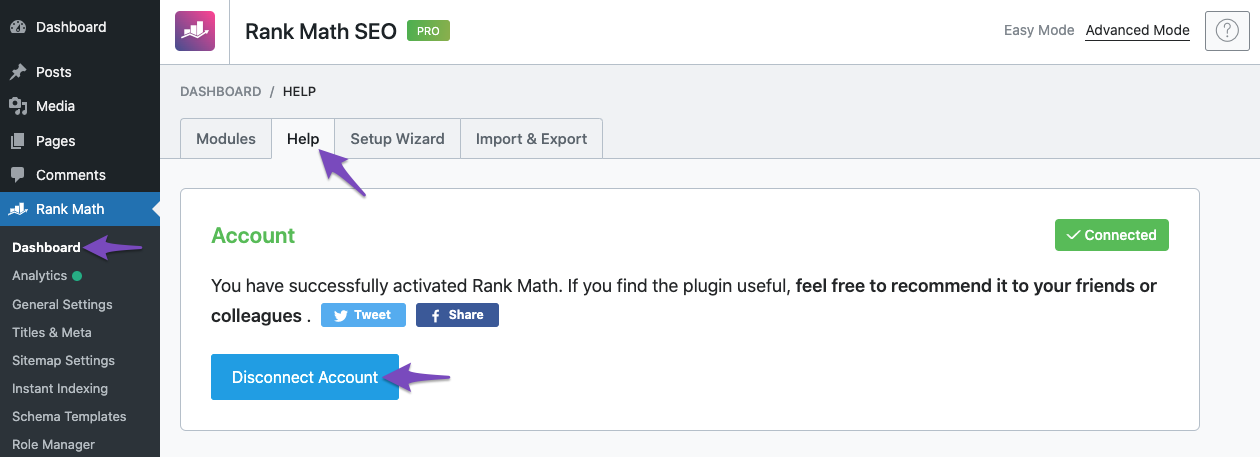
- Then click Connect Now to reconnect.
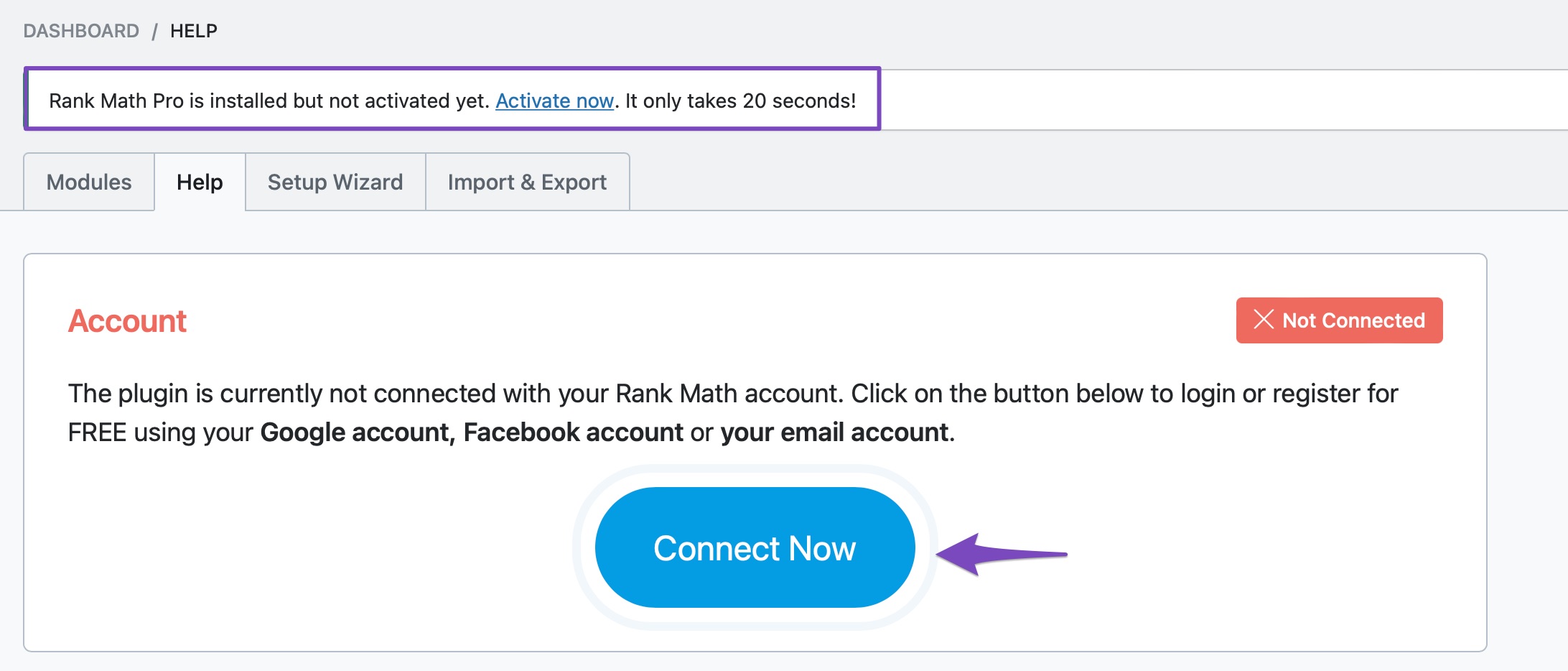
-
Activate the License: After reconnecting, you should see an option to activate your Pro license. Make sure to select the correct plan if you have multiple subscriptions.
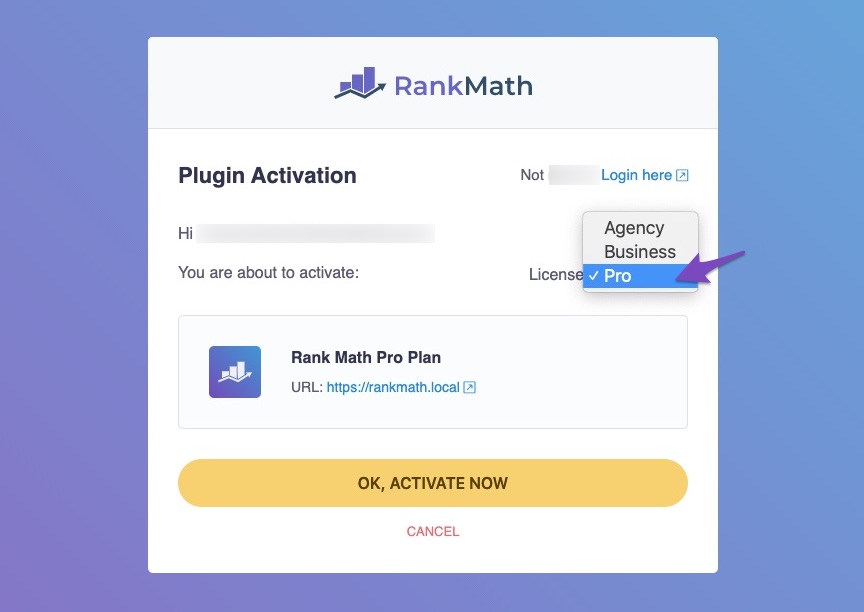
-
Confirmation: Once activated, you can confirm that the activation was successful by checking back in the Help tab of the Rank Math Dashboard.
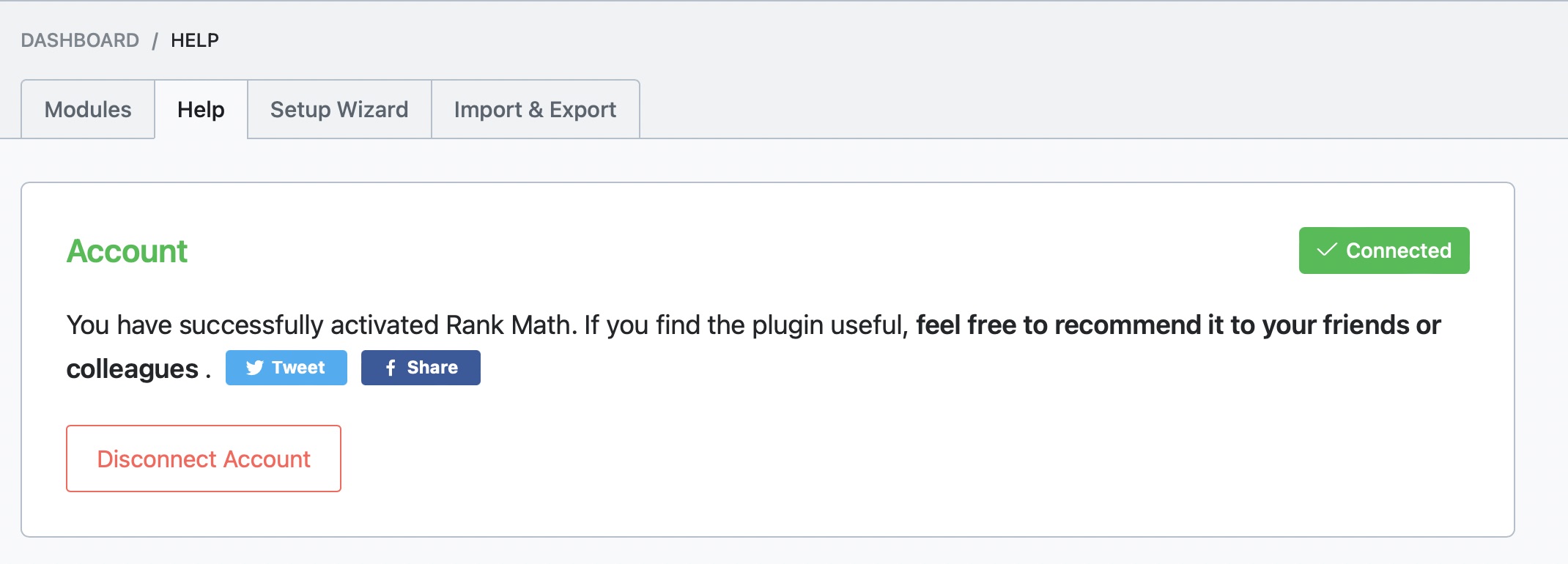
If you have followed these steps and are still experiencing issues, please reply to this ticket with any additional details or screenshots of what you are seeing, and a human agent from our support team will assist you further.
Thank you for raising this concern, and we look forward to resolving it for you soon!
Hello,
Thank you for contacting the support and sorry for any inconvenience that might have been caused due to that.
It seems like you purchased the plugin with some other email address.
Can you please search and forward a receipt from FastSpring.com so we can locate your account?
We need to see the order number that starts with RANKMATH2#####-####-#####
We really look forward to hearing back from you. Thank you.
Hello,
Since we did not hear back from you for 15 days, we are assuming that you found the solution. We are closing this support ticket.
If you still need assistance or any other help, please feel free to open a new support ticket, and we will be more than happy to assist.
Thank you.



